


Desertcart purchases this item on your behalf and handles shipping, customs, and support to Iceland.
๐ Power, speed, and clarity โ all in one sleek hub!
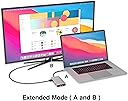
The EZQuest 8-in-1 USB C Hub Docking Station combines a 4K HDMI port, gigabit Ethernet, three USB-A 3.0 ports, and an 85W USB-C Power Delivery port into a compact aluminum design. Compatible with major laptop brands and operating systems, it supports fast data transfer, reliable wired internet, and efficient charging, making it the ultimate travel and work companion with a 1-year warranty for peace of mind.




| ASIN | B07PBF97M1 |
| Additional Features | High Speed |
| Best Sellers Rank | #630 in USB Hubs #739 in Laptop Docking Stations |
| Brand | EZQuest |
| Built-In Media | Item |
| Color | black |
| Compatible Devices | MacBook Air, MacBook Pro, XPS and More |
| Customer Reviews | 4.3 out of 5 stars 228 Reviews |
| Data Transfer Rate | 5 gigabits_per_second |
| EU Spare Part Availability Duration | 1 years |
| Enclosure Material | Aluminum |
| Hardware Interface | USB Type C |
| Item Dimensions L x W x H | 0.81"L x 1.63"W x 0.2"H |
| Item Weight | 1.6 ounces |
| Manufacturer | EZQuest |
| Mfr Part Number | X40030 |
| Model Number | X40030 |
| Number of Items | 1 |
| Number of Packs | 1 |
| Number of Ports | 8 |
| Operating System | ['Windows 8.1', 'Windows 10', 'macOS'] |
| Special Feature | High Speed |
| Total USB Ports | 4 |
| Total Usb Ports | 4 |
| UPC | 694307400306 |
| Unit Count | 1 Count |
| Warranty Description | One Year |
G**V
Works perfectly with my Lenovo ThinkPad
I'm using this hub to connect my laptop to a second monitor and an external HDD, without buying the expensive Lenovo ThinkPad USB-C UltraDock that is $245. I'm using both the HDMI port coming with my laptop and the HDMI port available on the hub to extend my laptop to two monitors and it works perfectly. The EZ hub is not coming with a charger, like the Lenovo Hub, but I can connect to it my 30 W USB-C to USB-C phone charger and the hub is also able to keep my laptop battery charged while working outside my office. This is a great bonus because I can carry only one charger for the phone and the laptop. A GREAT feature of this hub is that if I unplug the charger from the hub, my second monitor and the external HDD are still On. With the Lenovo Hub, if I unplug the power supply (or in case of blackout) I lose my second monitor (not a big deal), but I also lose the connection to my external hard drive, which is really critical to me. I'm using this hub for more than a month now and so far I'm very satisfied with the product.
D**Y
Great product and excellent customer support!
This is a great little product that I've used for years. I just had an issue with my trackball mouse and external keyboard quitting in the middle of a meeting. I figured it was an issue with the hub, since I was still getting internet through my connected ethernet cable. I called EZQuest and left a request for help. Abraham called me immediately and pointed out that it was likely because my power adapter wasn't plugged into the hub, but to my Mac. I plugged the power into the hub and it works again! Might have been an issue with a recent Mac update or some other weird glitch, since it's been working great for years- the point being that the customer service was excellent - and that seems to be a rarity these days. Abraham was polite, respectful, explained the fix well and solved the issue. Really grateful and highly recommend the product and company!
M**L
Compact and useful
I bought the newest MacBook Pro and saw that it had no USB ports. This device is slim enough to fit in the small pocket on the front of my laptop sleeve. I've used it to connect USB devices and ethernet connections. Works great!
M**R
Solved my many USB issues!
I got a MacBook Pro and the lack of USB ports has been a pain in my life. As soon as I received this HUB I tested right away; I got several devices running and charging on the USB ports: USB camera/microphone - these work as normal with no lost of video quality or audio while I also keep my external drive online using the hub! this is a time saver as I keep my work off my MacBook as much as I can. The HDMI port allows me to extent to a larger higher-resolution TV; it makes it easy for me as is a LARGE screen, at benchmark, I did not detect any variation on quality at higher resolutions. I switched my network connection from Wi-Fi to the Ethernet on the HUB, boosting my speed 4x. When I tested the internet speeds thru the ethernet port, the response times were within times prior recorded by my built-in gigabit port. I wish the connecting cable was longer...(I plan to get an extension soon.) I also had to set it sideways to keep it cool, it seem to run hot when most ports are in use. So far all good!
M**S
Buen producto
Buen producto, funciona perfecto. Lo he usado 2 aรฑos y no he tenido fallas.
D**.
Great marketing, poor engineering
I was expecting a USB-C hub that worked, instead I got an unusable heating element. Attempted to use with a recent version of the Macbook Pro. Here are the issues: 1) Runs very very hot. Not exactly burns skin hot, but pretty close. More so with the pass-thru power connected. 2) Cannot charge phone at 7.5 watts. Would only supply 2.5 watts on the USB-A charging port. 3) Plugging a USB 3.0 flash drive into the USB-A ports (didn't matter which one) would randomly attach the drive as a USB 2.0 device (at 480Mbit/s!!!). Other times it would attach as a USB 3.0 device. This issue only appears when using the EZQuest hub. Directly connecting the drive to the Macbook Pro works correctly every time. 4) While the EZQuest is advertised as 100 watt pass-thru power, it does in fact reserve 15 watts for itself. So a 100 watt power supply will have just 85 watts delivered to the laptop. Just FYI. 5) Each time I unplug my phone from the EZQuest hub, the hub triggers a bug in MacOS. The bug continuously spews error messages into the console log, which in turn heats up one CPU core, which in turn makes the fans run. The only way to make the error messages stop is to unplug the EZQuest hub from the Macbook Pro, then plug it back in. Plugging the phone directly into the Macbook Pro has no such issues and charges at 12 watts. Other stuff: the ethernet seems to work as it should, with gigabit link connection, and near gigabit throughput. I did not test the SD card reader or the HDMI port. I returned the product and got a full refund from Amazon.
J**S
This hub is very handy
This hub has given me so much more flexibility. I just bought a macbook air and the number of ports is, let's say, lacking. This hub solved the problem and I can power the hub and charge at the same time. I still have some old usb devices and now have more regular usb ports to use. I read that people complained because the hub gets warm. It does but I see no problem. Maybe we'll appreciate it next winter.
M**M
Must buy
Great hub, it can replace so many other stuff and the speed is awesome, I love this you can carrry this with wherever you go.
A**R
EZQuest is EZ to use.
I use it to connect my USB portable hard drives with my laptop's Thunderbolt 4 port, as well as, connecting the projector with EZQuest's HDMI port.
J**N
EzQest Station d'accueil 8 en 1
Trรจs bien.
M**R
Sehr gut
Immer wieder
P**M
Item appears to function as advertised
The Hub Adapter appears to function as advertised .... although I can't say that I've had a chance yet to thoroughly test out all of its functions.
C**Y
HDMI very flakey on Macbook Pro M1
HDMI is very flakey and unreliable. Doesn't come on if the adapter remains plugged in on start-up. Only works occasionally if you plug the adapter in after startup otherwise requires multiple unplugging and re-plugging of the HDMI cable. Other ports seem fine but this is really frustrating.
Trustpilot
4 days ago
1 month ago