Desertcart purchases this item on your behalf and handles shipping, customs, and support to Iceland.
🔥 Turn dark fabrics into bold statements with PPD’s pro-grade heat transfer paper!
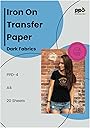
PPD 20 Sheets Inkjet Iron-on Heat Transfer Paper is a premium, matte-finish transfer paper designed specifically for dark and black cotton fabrics. Ideal for crafters, educators, and DIY enthusiasts, it delivers vibrant, durable prints that resist fading and cracking. Compatible with all inkjet printers and cutters, this 20-sheet pack includes an alignment tool and clear instructions, making professional-quality custom apparel and accessories effortless.


| Asin | B000W4DR3G |
| Best Sellers Rank | #857 in Arts, Crafts & Sewing (See Top 100 in Arts, Crafts & Sewing) #5 in Sewing Heat Transfer Paper |
| Brand | PPD |
| Brightness Rating | 93.00 |
| Color | Dark (20 Sheets) |
| Customer Reviews | 4.5 4.5 out of 5 stars (15,822) 4.5 out of 5 stars |
| Date First Available | November 12, 2012 |
| Is Discontinued By Manufacturer | No |
| Item Model Number | PPD-4-20 |
| Item Weight | 9 ounces |
| Manufacturer | Photo Paper Direct |
| Manufacturer Part Number | PPD-4-20 |
| Material Type | Paper |
| Number Of Items | 1 |
| Paper Finish | Matte |
| Paper Weight | 20 |
| Product Dimensions | 8.27 x 0.2 x 11.69 inches |
| Shape | Rectangular |
| Sheet Size | 8.5-x-11-inch Inches |
| Size | 8.5 x 11 |
W**N
Great T-shirt, trans
Great transition paper holds ink well for my crafts and T shirts
R**S
Works perfectly on dark shirts
Excellent transfer paper for dark fabrics. Used this to print custom designs on black shirts and the colors came out vibrant with a transfer that held up well after washing. Instructions are clear and easy to follow. Will buy again.
L**O
Very good value for money, but a bit tricky
I bought these as an alternative to the considerably pricier A**** opaque transfers. I use this type of transfer in small (single digit) runs on a home-style tshirt press. The A**** ones are my gold standard but I wanted to try some that don't drain as much gold from the treasury. The print quality, and quality of the finished shirt, seem equal in every way -- and results are what count. I've run through a package of these and the ease of use doesn't match up to A****. But here's some hints based on my experience. First, the backing is a solid sheet -- not scored like A****. That makes it difficult to start the peeling process. I suggest starting your peel as soon as you've trimmed the sheet; it seems a bit easier when the cut is fresh. You'll likely benefit from reading glasses, long nails or a small thin tweezers, even an Xacto knife, to get that peel started because the transfer is quite thin. Peel it back maybe an inch before setting it aside, so it doesn't slow you down at pressing time. The other issue is for press users. PPD says to set it for 375 degrees, pretty hot. If you wait to align the transfer until the shirt's on the press, you have about 5 seconds until the transfer starts to curl under from the heat. As soon as this starts, you better remove the transfer because in another second the curled part will stick to itself. If it's not too bad, you can pop this off when it cools, but the curl itself will stay. That makes it really hard to get it to lie flat and uncurled when you go back to try again. You might not like the solution: position the transfer, cover it with parchment and press with a hot iron, maybe 30 seconds per side-to-side pass, as needed to tack it down. Then run it through the press as usual. You bought the press so you could put the iron on the shelf. I get that, but this will save infinite hassle. These opaque transfers look good and will certainly save you money, but they do take a bit more time and care than the A**** ones require. If you can live with that, you'll enjoy the cost savings.
F**Y
When used correctly these are amazing PLEASE READ
I've been using this brand dark transfer papers for. awhile now, with a heat press machine, and I'm almost always happy with the results. First, when using heat press, make sure it is set at 375 and for 13-15 secs (max). Set to hard pressure. Also, I use no less than 350 in resolution for my images and they come out so so SO colorful and clear. Resolution is important. Also, understand that if you're running a tshirt merch business, your customers may be sending you a flawed image. Take the time to clean up any images you use, increase the resolution, increase the vibrancy, etc. Make sure your screen brightness is up so that you're viewing the image on your computer screen accurately (color-wise). I have had zero issues cutting my images on this paper. Also, zero issues peeling the image. I definitely recommend having a 2nd person help if you are trying to arrange peeled images to a shirt while its under the heat press. The images WILL curl under heat and that makes it impossible to press. INSTEAD, invest in a teflon pad/pillow and have your 2nd person hold it directly under the heat on the press so that it blocks the heat while you arrange your peeled images. ALSO, you can arrange the peeled images on the shirt OFF the heat press and you and your 2nd person can carefully carry the shirt to the heat press (while the parchment paper is already placed on top of shirt) IF you are heat pressing an image on a material that hasn't been pre-washed and is a dark color, there is a chance that, that color may bleed through the image. I do a lot of printing on shirts that I've tie dyed and I've found that I have to wash the shirts twice to avoid any color bleeding through. To anyone doing a big order, do ONE shirt and wash before doing the entire order so you can see how it holds up. Lastly, this product listing doesn't really specifically say to use sublimation ink. It says to use regular ink. So if you've been using regular ink and you're unhappy with the color quality, this is likely why. USE SUBLIMATION INK!!!!! Sublimation ink is compatible with inkjet printers and it costs about the same to fill/refill. You can find this ink online easily. SN: I mentioned parchment paper......not sure what everyone else is using but I use high quality parchment paper between my shirts and the heat press. Make sure the parchment paper is not folded, creased, torn etc or it will leave an imprint in your image. DO not use butcher paper. Bad idea, learn from me! After you're done pressing, let the parchment paper remain for about 30 seconds before peeling off. Do not move the shirt or fold or wash for, well, as long as you can until its time to wear or package (But allow shirt to cool UNMOVED for at least an hour before handling). I can't think of anything else but I read all the bad reviews on this product and most of them sounded like issues that are fixable with the tips I included here. My customers LOVE their shirts and hoodies. The only time I've had issues is when my printer was acting up, which was an ink and false paper jam issue, not a transfer paper issue. DO NOT FORCE JAMMED PAPER OUT EVER! Instead, turn the printer off and on and this will push the stuck paper through. Hope this helps!
J**B
Not a replacement for silkscreen, but the best at what it does!
We are an Independent record store that puts the "Y" in "DIY". So when international Record Store Day came around, we were still in our first 6 months of business. That meant that any swag would have to be done on the cheap until we can get traction to get proper screenprinted gear. We bought these Iron on transfers knowing that the print would be real stiff, and they may not last as long as more expensive methods. But, for our application, they turned out GREAT! But, that is because we tempered our expectations and FOLLOWED THE INSTRUCTIONS!!! First off: Those who say this stuff doesn't stick... read the directions! Odds are people tried using an ironing board and did not use enough heat and pressure. You have to be CONSISTENT and firm! We did it directly to a steel and masonite table. Also, if you dont have the highest heat possible, you will get discoloration. Not because the vinyl is melted too much, but because it is not melted ENOUGH. I went with 30 seconds to a minute longer than I thought I should, and when I did they came out perfect. The colors were more muted than I was expecting, but I feel it was the cheap printer. The vinyl is stiff, so wearing a big print on a T shirt won't breathe as well and it will probably crack over time. But, on the canvas tote bags they look and feel AWESOME! We got so many compliments and, if you bother to watch the instructional videos and read the instructions, you will get stunning results.
N**E
Great Print quality and look but the feel is so-so.
The printed image to the transfer paper comes out great looking, or as good as your printer will print. I was applying these prints on black t-shirts and the results were good but mixed. The tough part is removing the backing from the image so you can iron the image directly on the shirt using the parchment paper provided. The trick is to make a little dent or small pinch on an edge and then use a push pin needle to get in between the sheet and the backing paper. If you try using just your fingers you will ruin that section of the print. The image irons on very easily with high heat and it looks great as long as you spread the iron across the image evenly and watch for any crumpling of the parchment paper. The result is great, however, because this transfer paper is just that, paper with an image on it, the feeling of the image on the shirt is not very pleasing. It's not very material like nor does it feel soft as the shirt. It feels almost vinyl like and/or plastic finish. I guess you can't have both of best worlds, great image and expect it to be a material soft feel. Oh well, either way our son loved his shirts and that's what mattered.
B**E
Shirts
This print quality was very good because I made my family union shirt side of it.Nice very nice thank you
E**N
good transfer of colorful images
does exactly what it says
P**O
Ottimo prodotto
Fogli A4 con ottimi colori sia sul bianco che sui colorati, ottimo prodotto che raccomando.
A**S
Perfect
Zeer tevreden makkelijk te printen en makkelijk om op een T-shirt te strijken zeker op zwart. Ben er heel erg tevreden mee.
E**1
Interrogations
J'avais déjà commandé par le passé et était contente du résultat mais cette fais je ne sais pas pourquoi les floquage n'ont pas tenu, les t-shirt ont été porté 48h après le flocage et pourtant tout est parti. Je ne comprend pas j'ai bien tout respecté et j'avais déjà utilisé. Donc je vais voir si les suivant font pareil
M**S
Bueno
Buen producto
O**I
Easy-to-Use Transfer Paper for Custom Dark Tees
I recently used the PPD Inkjet Premium T-Shirt Transfer Paper A4 for Dark Fabric (10 sheets) and it worked really well for my custom shirt projects. The sheets produced vibrant, bold prints that transferred cleanly onto dark fabrics without fading or losing detail. They’re easy to use with a home inkjet printer, and the results look much more professional than generic iron-on alternatives. Application was straightforward and the transfer adhered nicely to the fabric without peeling at the edges. The paper handled washes well too, with the designs staying sharp and durable after several cycles. Overall, this transfer paper is a reliable choice if you’re making personalised tees or gifts and want standout results on dark garments.
Trustpilot
1 week ago
1 month ago