Desertcart purchases this item on your behalf and handles shipping, customs, and support to Iceland.
🚀 Elevate your home network to pro-level speed and security—because buffering is so last decade.
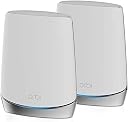
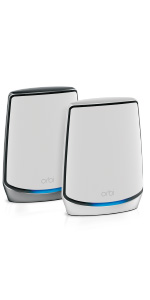
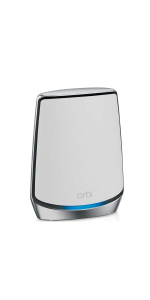
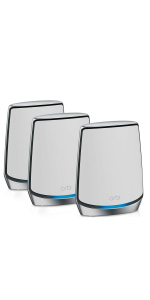
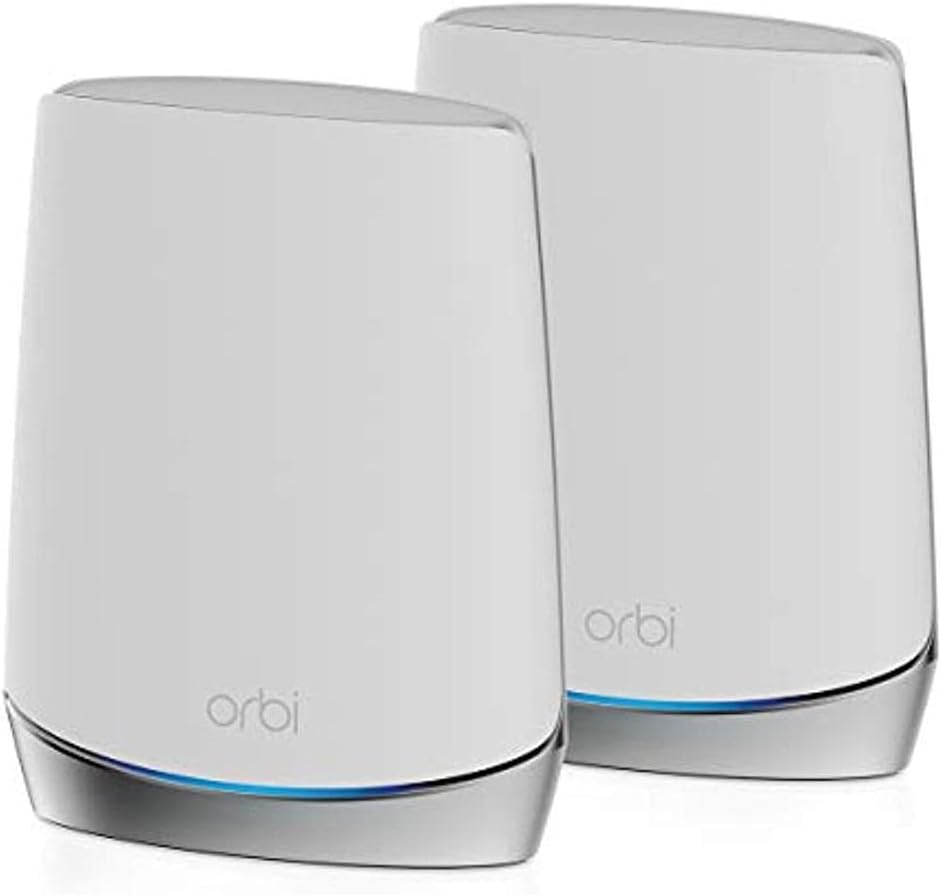
The NETGEAR Orbi RBK752 is a tri-band WiFi 6 mesh system delivering up to 5,000 sq.ft. coverage and supporting 40 devices with AX4200 speeds up to 4.2Gbps. It includes one router and one satellite extender, expandable with additional satellites, and features 3+2 Gigabit Ethernet ports for wired connections. Compatible with all major ISPs up to 2Gbps, it integrates NETGEAR Armor cybersecurity for real-time protection and privacy, making it ideal for high-demand smart homes and professional environments.


| ASIN | B086HJXKJJ |
| Antenna Location | Home |
| Antenna Type | Internal |
| Best Sellers Rank | #17,933 in Computers & Accessories ( See Top 100 in Computers & Accessories ) #280 in Whole Home & Mesh Wi-Fi Systems |
| Brand | NETGEAR |
| Built-In Media | One (1) Orbi Router (RBR750), One (1) Orbi Satellite (RBS750), One (1) 2m Ethernet cable, Two (2) 12V/2.5A power adapters, Quick start guide |
| Color | White |
| Compatible Devices | Gaming Console, Smart Television, Smartphone, Tablet |
| Connectivity Protocol | ethernet, wi-fi |
| Connectivity Range | 5000 square_feet |
| Connectivity Technology | Ethernet, Wi-Fi |
| Control Method | App |
| Controller Type | amazon_alexa, vera |
| Coverage | 5000 square foot |
| Customer Reviews | 4.3 out of 5 stars 3,258 Reviews |
| Data Transfer Rate | 4.2 gigabits_per_second |
| Frequency | 2.4 GHz |
| Frequency Band Class | Tri-Band |
| Item Dimensions L x W x H | 7.2"L x 2.8"W x 9.1"H |
| Item Type Name | Wireless Router |
| Item Weight | 0.27 g |
| LAN Port Bandwidth | Gigabit Ethernet |
| Manufacturer | Netgear |
| Maximum Upstream Data Transfer Rate | 2100 megabits_per_second |
| Mfr Part Number | RBK752-100NAS |
| Model Name | RBK752-100NAS |
| Model Number | AX4200 |
| Number of Antennas | 6 |
| Number of Items | 1 |
| Number of Packs | 2 |
| Number of Ports | 6 |
| Operating System | Netgear Proprietary Linux-Based Os |
| Other Special Features of the Product | Internet Security |
| Router Firewall Security Level | Advanced |
| Security Protocol | WPA2-PSK |
| Special Feature | Internet Security |
| UPC | 606449146165 |
| Unit Count | 2 Count |
| Voltage | 5 volts |
| Warranty Description | 1 year warranty |
| Wi-Fi Generation | WiFi 6 |
| Wireless Communication Standard | 802.11ac, 802.11ax |
| Wireless Compability | 802.11ac, 802.11ax |
J**T
If money is no object and strong reliable WiFi signal is the objective, this is the solution.
If money is no object and strong reliable WiFi signal is the objective, this is the solution. Like many, I’ve transitioned to a work from home environment and more than ever need a strong reliable WiFi signal at home. For the first few months working remotely, I was fine using the dining room table as a make shift home office, but that was a temporary solution. I eventually relocated my home office to a spare bedroom on another floor. The relocation was an improvement in my personal life, but my internet speed suffered. Significantly. I was dropping calls, had slow download speed and needed to find a solution. Initially, I opted for a simple, inexpensive WiFi extender/repeater. The WiFi extender/repeater worked fine for a couple weeks and seemed like a reasonable solution. I actually reviewed that product very favorably. For the price (less than $50), it was a reasonable attempted solution, but like the dining room table as my home office, the repeater was a temporary solution. It required a shadow second network and the connection would bounce in and out. The repeater was a bandaid; I needed stable reliable internet for video conferences, data heavy downloads and uploads and I was paying for a lot that I wasn’t getting in certain areas of my home — mainly, my new home office! The WiFi extender worked, but only gave me about 60% of the signal I was paying for. I looked at Upgrading my internet package and then looked at a mesh system. The Orbi system was literally 10x the price of my prior bandaid, but WOW! 10x as good. Problem solved. Solid, stable, strong, reliable WiFi signal in every nook and cranny of my home. I went from unstable 60% signal strength to a blanket of strong reliable 99% WiFi connectivity throughout my home. I obsessively checked and rechecked Speedtest.net — bingo! No bouncing in and out. No checking which bandwidth or competing for signal; this product provides strong, solid, stable, complete WiFi signal through out the home. I’m thrilled and can’t believe I paid so much, but also can’t believe I wasted my time and money on anything else. The Orbi is next generation awesome. Easy set up, same network and while I worried I would need more of the signal/units to cover my 3000 sq/ft home given the experience with the WiFi extender/repeater, I did not. One router and one signal was plenty for my concrete 3 story home with the router tucked in the basement and office on third story. The app is easy to use, intuitive and frustration free. I am no tech guru and I had zero problems installing or making it work. This is a no brainer for anyone that needs a reliable blanket of WiFi signal through out their home. I considered other mesh systems but read reviews, did research and decided that this system was an investment in the next generation technology and would last the longest. With out question, it is among the most expensive solutions, but I have complete confidence that it is the best solution on the market at the time of this review. The WiFi signal strength in my home is now so strong that the WiFi picks up outside. If you have money to burn and are demanding of excellence, this is 100% the way to go. I read dozens of articles and watched and read reviews and talked to every tech person I knew before sucking it up and crushing my internet speed problem. If you are on the fence, go for it.
A**N
Powerful Whole-Home WiFi with Excellent Coverage but at a Premium Price
The NETGEAR Orbi Whole Home Tri-band Mesh WiFi 6 System (RBK752) offers expansive coverage up to 5,000 sq. ft. and supports up to 40 devices, making it an excellent choice for larger homes or offices with high device usage. The AX4200 speed provides fast, reliable connectivity, even for demanding applications like streaming and gaming. The system's setup is simple, and the Orbi app allows for easy management and monitoring. However, while performance is impressive, the price may be higher compared to other mesh systems, and some users have noted occasional issues with the satellite extender's connection stability. Despite these minor drawbacks, it remains a top-tier option for those seeking high-speed, whole-home WiFi.
G**G
Very impressed! Surpassed expectations.
I bought the RBR750 with the hopes of replacing my Actiontek T3200 that came with my gigabit internet subscription with Windstream (and that I am billed about $10/month for, which I wanted to avoid). I was not sure that this would do the job, but figured I'd try it in router mode and if that didn't work I'd just use it in AP mode and keep the Actiontek and just expand my coverage. When I first began to set things up, initially I was trying to bypass the phone-app quick setup, because I wanted to go straight to router mode first. Well I finally decided you have to go through the app either way, but then I just could change the mode in the advanced setup from my PC. Well get this, the mobile setup mode automatically set it up as a router without me having to tell it to. It showed that it was authenticating to my ISP, and broadcasting the new SSID I set up. At that point I merely disconnected the WAN cable from the T3200 and plugged it straight into the Orbi's WAN port, and it continued to work. Excellent! So not I can send the T3200 back to Windstream and avoid that $10 / month. The connection speeds are blazing fast too. MUCH faster than before, even upstairs in my house where the satellite unit is located. I'm very impressed! These devices have come a long way in the past few years. Loving all of the cool things you can do in the Orbi app as well. My wife bought this and at first I thought it was a bit pricey.. But after seeing what it does, I can tell you it is worth every penny, especially if you have a large coverage area. I highly recommend Orbi!
J**B
Go to Netgear user forum and look at the issues and solutions.
Orbi has great wifi strength and coverage and first time connect. The user interfaces are easy to use and fairly flexible. Not as technically complete as I had hoped. It has great data use status and history. Y0ou can set data threshold's and limits warning to help you manage your data limits. There are a number of good capabilities. I am still working out and tuning. Things I don't like is QoS is dynamic but no user tuning or ability to give one client priority over others. It is dependent on line speedtests function that seem to stop working after a time (read forum). It seems to drop of refresh IP's in a way that is annoying. IE I have devices that make a ping over audio equipment when they connect to network. They ping at odd hours and once a week multiple time in an hour. (read forum about dropping IP's) My pop3 email fetch has been inconsistent for some time before Orbi but really bad after installing orbi. Three days ago, I configured my desktop with a static IP and and set that IP to reserves in router and it now works everything all day long since but this should not be required. (time will tell) Browsing is occasionally funky whereas if you are redirected by a search tool link it may not connect at first and return instantly with a “site not found” screen but when you hit retry it connects usually. I believe this is fixable but I have not found the solution as yet. What I have time I will turn off all the firewalls and safe browsing tools and see if it goes away. (I need to check out the forum too) I still like the Orbi and suggest if you are to use the out of the box configuration it will probably be fine but please read the reviews and especially the user forums.
R**A
Totally Worth The Investment
I am well versed in having a quality router for WiFi. I had purchased a pretty decent Nighthawk router for my old house . When I moved to a different house (that was 2 stories ). I started to think it was due to my internet provider (Spectrum), since I never had these issues . I tried a WiFi extender and that helped a little. My girlfriend works from home and she was having consistent issues. I finally called to see if another outlet could be installed. They informed me that they would have to charge for the second line . They mentioned getting a mesh system . That was the best recommendation ever . Our WiFi is at download speeds of 950 mbps considering I pay for 1 gig that is impressive. I also noticed that the picture on our TV is coming in at 4K now (since we stream almost everything). I went with Orbi because it is a Nighthawk product . I loved my old router . The setup for the initial router was super easy , getting the satellite set up was a challenge (they don’t tell you to hit the sync button on the router and then on the satellite ). I can’t express how awesome this system is ! Highly, highly recommend!!!
J**R
Profoundly disappointing
This review is for a NETGEAR Orbi Whole Home Tri-band Mesh WiFi 6 System (RBK752) – Router with 1 Satellite Extender | Coverage up to 5,000 sq. ft. and 40+ Devices | AX4200 (Up to 4.2Gbps). Android application version: 2.10.1.1583 Router and Satellite Firmware Version V3.2.18.1_1.4.14 Given how long Netgear has been in the WiFi Router business and comparing this to Netgear products I owed many years ago, I find this product profoundly disappointing and would in no way recommend it to anyone for any reason. This kit consists of an RBR750 router, an RBS750 satellite, two AC adapters with proprietary barrel adaptors, and a CAT 5e ethernet cable. My ISP is Comcast/Xfinity and I have Gigabit internet service through a Motorola MB8611 DOCSIS 3.1 Cable Modem, that supports 6 Gbps Max Speed. The router I am replacing is a Google Wifi - AC1200 - Mesh WiFi System - Wifi Router - 4500 Sq Ft Coverage - 3 pack. In my area there are 20+ WiFi networks, so there is a lot of interference that necessitates a mesh system for decent performance. I have about 30 devices in about 3000 square feet connected via ethernet and WiFi. All my cabling is CAT 6, which should easily support Gigabit speeds, and I have a wired backhaul connection between the router and the satellite. The android phone used was a Google Pixel 4a. Initial setup is through the Android Orbi app. It's supposed to be as simple as connecting the cable modem and router, starting with them powered off, then following the app instructions by powering up the modem, waiting for it to connect, then powering up the router. It took about half a dozen tries for the app to even recognize there was a router to set up (with the phone at various distances from the router from a few inches to several feed. I'm not sure why it failed several times and why it eventually worked. When it worked one of the first things it did was a firmware update before it established a network. Initial performance was poor - at best similar to the old WiFi 4 Google Mesh system, and in many places slower (about half the speed). I eventually figured out that while the setup process had updated the router firmware, it had not updated the satellite. Once I updated the satellite, speed improved dramatically, with many speeds about double the older Google Wifi, and in some places as much as 8x the speed. But why didn't it get updated on initial; setup? The Android app, the router web interface, and the firmware are primitive, unintuitive, feature poor,and buggy with similar actions often having different results, even small configuration changes requiring a router restart, and the results of software and hardware restarts often being different and causing different malfunctions. It's like bad software from the 70's and there is no excuse for it. One of the most annoying issues was the router would stop listing attached devices for no apparent reason and would require a hard power off of the satellite then the router and a hard power up in the reverse order to cause attached devices to reappear - then for no apparent reason at some point it would stop listing them again. This is a problem Netgear has had several times in the past with various firmware updates - again there is no excuse for this. Periodically, the network seems to freeze for a few seconds to a few minutes several times a day for no apparent reason. And finally to add insult to injury you are plagued for requests to purchase additional warranty, additional support, and an additional security subscription for an unreliable system that is very expensive for the quality and feature set and comes with minimal warranty, support, and a brief trial security subscription. Don't buy it. Choose a different brand that offers more value for money, has friendlier and more reliable software, and comes with better warranty and support and does not require additional subscriptions for functionality. Netgear - shame on you.
C**T
A mesh wifi system that works for large spaces.
This mesh system features 3 channel conectivity for faster wifi. The system has a router and two satellite stations, which were surprisingly easy to set up. If you follow the instructions provided in the app as you install, you shouodl have few problems. Their tech support was very helpful the only time I needed them. The satellite staions have ethernet ports which can be used to connect other wired equipment or a wired "backhaul" to the router. The only issues I have had are occasional satellite disconnects, which requires you either reboot the equipment or push the reconnect button. The speed are good, I have a 200MB fiber connection and wireless speeds are in the 170 MB range. I would also recommend that you use the provided armor and bitdefender protection on the system. It is worth it! The app provides almost any thing you could need to manage your network, my only complaint is that you cannot change the user name to log in. I purchased my system as an "open box" sale and couldn't be happier.
J**)
Great but setup was a pain!
I bought the Orbi system based on a friend's suggestion/review of the product and now that it is set up and working, it is great. Wifi signal is at the highest strength consistently and my devices aren't randomly disconnected from the network anymore. My only issue with it was the setup process; I can't really say that it's totally on Netgear because I think having a modem/router in one from AT&T added complexity here. It took me several attempts to get my Orbi working because I had to search online for help. The Orbi app was not super helpful in my situation and that was the one point of frustration. Long story short, I found out that because my ISP provides the modem and router in one box, I needed to change the Orbi to AP mode instead of the default router setting. It took a few hours of Googling and reading through forum posts to learn that there's no way to do this in the app; I had to use the laptop to access my Netgear account and go into the advanced settings to make the change. Once I did, everything connected and the wifi signal in the house is at full strength with no issues. Not gonna lie though, I was about ready to give up and return the Orbi because I couldn't get it to work -- so my only suggestion to Netgear would be to somehow incorporate the workaround for this situation into the app during the setup process. Maybe a prompt that asks if you would like to set up the Orbi as a router or AP mode? At least this would give the consumer a starting point for what to Google to make it work. TLDR- Setup is a pain. If you have AT&T modem/router combined, you need to set up your Orbi as AP mode instead of the default router setting! Once you do, it works great!
F**Z
Increíble!!
Funcionan de maravilla en el interior manteniendo las altas velocidades de internet 5G que tienes contratadas, antes me alejaba 3 mts del modem y perdía el 40% de velocidad y en la mayor parte de la casa no llegaba el 5G solo el 2.4 y con un 10% de la velocidad contratada y en muchas áreas no había señal en lo absoluto, ahora conservo más del 95% de velocidad 5G en cualquier parte de la casa incluso en las áreas que antes no tenia internet, lo recomiendo al 100%, lo único que no me gusto fue el precio
M**Y
DONT BUY!
The product page says that it’s a router plus a satellite when you order and that it’s new. However, I got only the router and there are marks and dents everywhere on this thing. Avoid at all costs.
P**S
Muy buena opción
Me gusta mucho y me soluciono el problema de que la señal no llegaba hasta una habitación por tema de las paredes, había teñido red mesh de 3 dispositivos y perdía velocidad pero con este solo compre el de 2 y tengo prácticamente en toda la casa la mejor velocidad, lo recomiendo
S**Z
Excelente cobertura y velocidad
El soporte para pared se vende por separado, creo que por la calidad y tipo de producto deberian incluirlo. Pero en cuanto a calidad del producto y sus prestaciones tecnicas, solo cosas excelentes puedo comentar. Saludos.
R**I
Caro pero efectivo
Los compre para crear una malla para que mi nieto trabajara, estoy en el proceso revisar su funcionamiento y hasta ahora todo esta bien
Trustpilot
3 weeks ago
1 week ago