We remain fully operational. Our teams are working around the clock to ensure your deliveries continue safely.

DOWNLOAD THE APP


Customer Services
Copyright © 2025 Desertcart Holdings Limited
DOWNLOAD THE APP


🚀 Elevate your brand with postcards that print sharp, separate clean, and deliver impact every time!
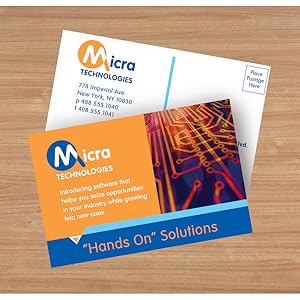
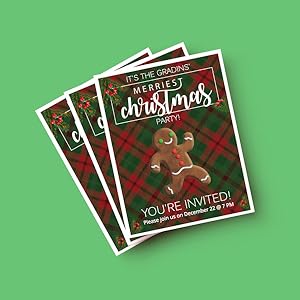
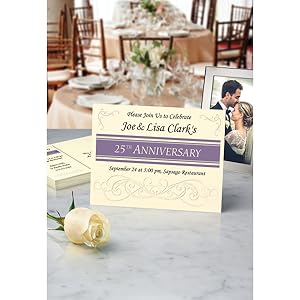
Avery Printable Postcards (3380) offer 120 heavyweight, matte white 4.25" x 5.5" cards optimized for laser and inkjet printers. Featuring premium 65 lb / 176 gsm cardstock and precise micro-perforations, these postcards enable professional double-sided printing and clean separation. Ideal for branding, marketing, invitations, and announcements, they meet USPS size standards for direct mailing without envelopes.

| ASIN | B0000C0CJA |
| Best Sellers Rank | #2,635 in Office Products ( See Top 100 in Office Products ) #1 in Postcards |
| Brand | Avery |
| Brightness Rating | 99.00 |
| Color | Textured White |
| Customer Reviews | 4.7 4.7 out of 5 stars (3,923) |
| Date First Available | January 7, 2007 |
| Ink Color | White |
| Is Discontinued By Manufacturer | No |
| Item Weight | 13 ounces |
| Item model number | 3380 |
| Manufacturer | Avery |
| Manufacturer Part Number | 3380 |
| Material Type | Paper |
| Number of Drawers | 2 |
| Number of Items | 1 |
| Paper Finish | Coated |
| Product Dimensions | 11.1 x 8.7 x 0.4 inches |
| Shape | Rectangular |
| Sheet Size | 4.25-x-5.5-inch |
| Size | 4.25" x 5.5" |
J**.
Great, if used correctly
These postcards (Avery 8386 Matt White Postcards) do the job well. From the other reviews, I've noticed some people having trouble in ways which may be user-error. First, I'd like to point out that the product listing may include other versions, so this review does not apply to them. There are variations which are glossy, sized differently, or position the post card differently. Be careful of which one you are looking at. Second, these post cards are finely perforated, but you have to follow directions. When viewed from the side labeled "Front Side," fold the perforations away from you first, then towards you after you have fully flattened the perforation. If you do that backwards, you may end up with some tearing which makes the edges look more ragged. These are do-it-yourself postcards so you shouldn't expect the edge to look like it was cut with a razor, but at least use it correctly so it doesn't look like a torn coupon. Now, on to what I like about this particular version... The print quality on these when using my Brother laser printer is good and complete. Some paper types (glossy, for example) may result in printing variations which don't look good because the toner may not adhere well to glossy pages. This paper is not glossy and does not have this problem. The postcards are arranged so there is a half inch between them. This allows you to print over the edge of the postcard so it does not have to have a margin. This is a super nice touch which isn't available in most other versions. The down side is that only two postcards fit per page. If you want four per page, you have to go with a version that doesn't allow for edge-to-edge printing. These postcards are fairly heavy at 230 g/m2 (around 155 lbs). That's much thicker than premium copy paper but not as thick as a standard business card. It feels like a typical thickness for a postcard. There are other versions (even by Avery) which are thinner, so keep this in mind when you're shopping! You can get cheaper cards but they might be thinner and feel flimsier. Okay, now for the not-so-great... I can't fault Avery for this because their card measures exactly 4"x6" according to my ruler, but I had to adjust where I print on a page in Microsoft Publisher to treat the top edge of the top postcard as being an eighth of an inch higher than it should be and the lower edge of the bottom postcard as being an eighth of an inch lower than it should be. This treats the postcards as if they are actually 4 1/8" x 6" rather than their true dimensions. Otherwise, the graphics on one postcard print lower than the other. I'm not sure how this happens, but I assume there is some sort of scaling going on (even though scaling is disabled). I print arrows along the edges of the page where I believe the breakaway lines should be so I can confirm that what's on my screen will match what's on the page and I recommend you do the same. If you put the alignment arrows close enough to the edge of the page, you won't see them on the postcard anyway. Keep in mind that every printer will print some pages a little higher or a little lower, so these alignment marks really just help you confirm the relative dimensions of everything. Always allow for about an eighth of an inch of variation from page to page, depending on your printer. This is the case even with professional printing services. Update (7/7/2020): I discovered the printer issue was the result of using the default printer driver from Microsoft. The size is now accurate after installing Brother's raster printer driver. This is only a problem people might run into if they avoid installing printer manufacturer bloatware. I didn't need their full install package, just the raster printer driver. So far that's it, I'll update this review if I think there is something worthwhile to say.
P**A
Great product, great price
These were great...the print came out great and separating them was easy and have clean edges.
W**Y
REALLY HAPPY with the quality of these for printing my 4 x 6 Recipe Cards
I'm using this to print my family recipe cards on 4 x 6" Avery card stock in my ink jet printer. Since they can be printed double sided and there are two cards per page, you have to get a little creative. I made ONE file by first opening the Avery 8386 template in MS Wods, then "inserted" a blank page above the template, then copied the template from page two, then pasted it onto page one. Don't change the margins. That gives you a template that you can print double sided from ONE file, for two different recipe cards. The cards are strong enough to hold up like a good index card, but I will be covering each with a separate plastic cover for long-term use when I gift them. They separate very easily and cleanly from the page margins by simply folding the perforations back and forth. Couldn't be happier.
B**Y
Best Inkjet Postcard!
This are the best postcards. They are good quality and print well with an ink jet printer. Avery's online software and/or app templates make setup very easy! And you can save template for future use.
C**L
Good product with excellent price and delivery time.
This is the item I have used for several years, but when I needed more, found it was hard to find. Was very happy to find it here, online. The price was good, and when it arrived in a speedy manner, it was package so there was absolutely no damage. THANK YOU!
W**O
Easy to print
I purchased this postcard material to make QSL cards with my ink jet printer. The net result comes out good, but realize this is mat paper. And using a business class ink jet hardly results in stellar results for a picture. The manufacture uses microperfs to allow removal of excess material after printing. The result is a somewhat shaggy edge to each card largely due to the card stock employed. Is there something better? I don't know but these served my purpose of getting some cards sent out.
T**E
Good quality and easy to use.
These worked out fantastic…. I used the Avery templates and was able to print front and back and print with my at home printer, super easy and they came out great for marketing information for an event. Easy and looked professional.
R**L
The sturdy cardstock provides an excellent base
These postcards are a great choice for creating professional name tags when laminated. The sturdy cardstock provides an excellent base, giving the name tags a solid and durable feel. Once laminated, they look polished and high-quality, perfect for events or meetings where a more formal touch is needed. Their versatility and easy customization make them a practical and cost-effective option for personalized name tags.
F**Z
Muy buenas para imprimir postales para tus clientes.
A**Y
宛名面にフォーマットが印刷してなく白紙だった。期待してたモノと違ってちょっとガッカリ
E**A
Nice paper with excellent texture, not too thick that it gets stuck in the printer. Easy to use templates online
A**O
Hermosa textura a la vista y al tacto. Mis impresiones salieron de 💯. Fácil de cortar por su precorte incluido!
T**G
Great product. Used for postcards
Trustpilot
2 months ago
2 months ago