We remain fully operational. Our teams are working around the clock to ensure your deliveries continue safely.

DOWNLOAD THE APP


Customer Services
Copyright © 2025 Desertcart Holdings Limited
DOWNLOAD THE APP


⚡ Dominate with speed, style, and precision — the ultimate ultralight gaming edge.
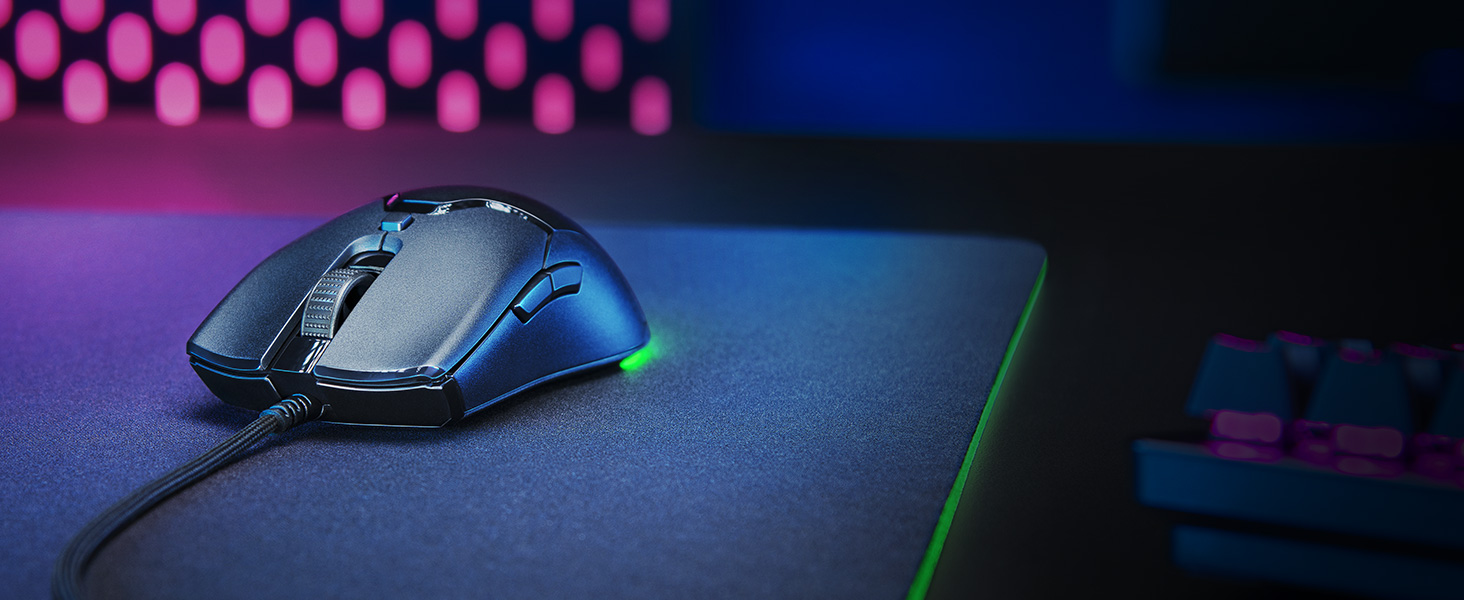
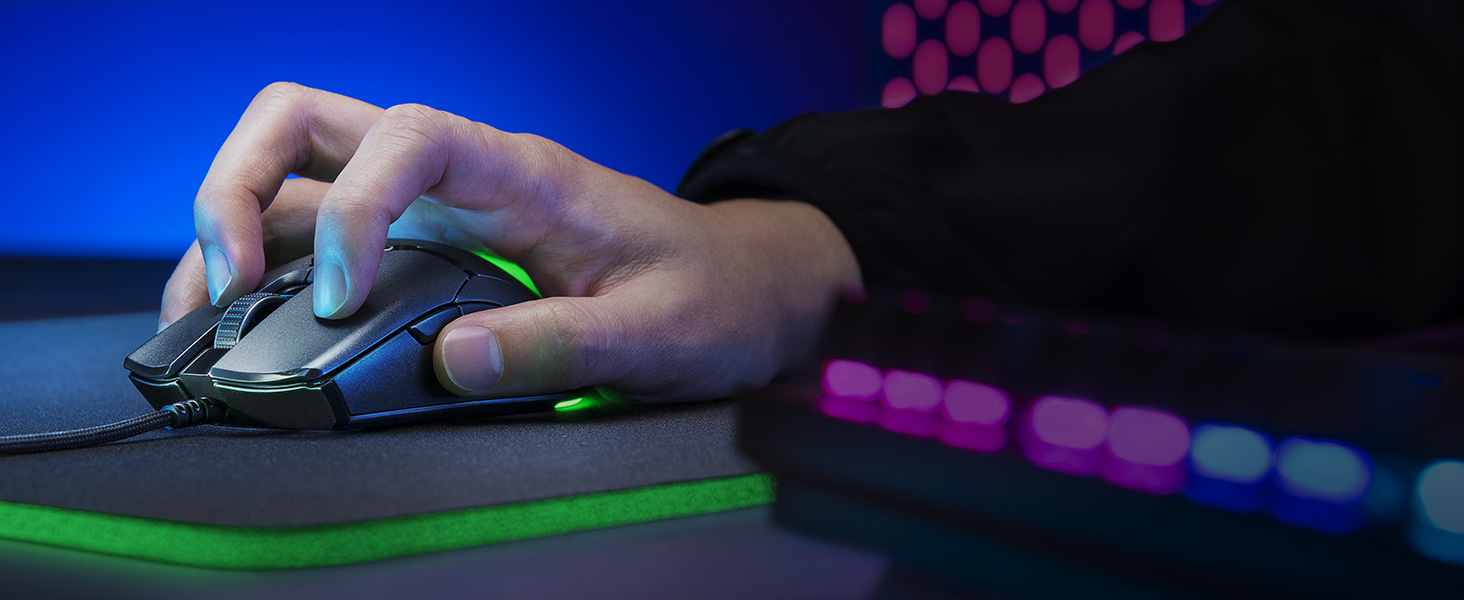
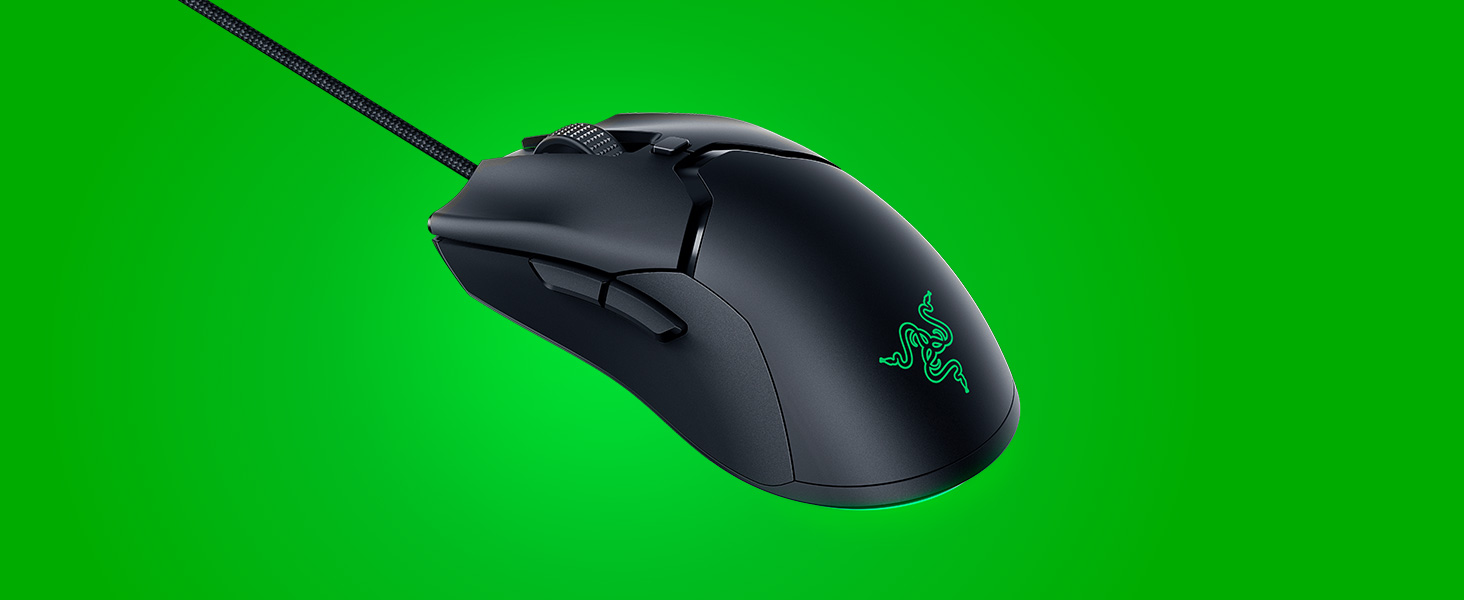
The Razer Viper Mini is a compact, 61g ultralight gaming mouse featuring a high-precision 8500 DPI optical sensor, ultra-fast 20ms optical switches, and customizable Chroma RGB lighting with 16.8 million color options. Equipped with six programmable buttons and a drag-free Speedflex cable, it offers professional-grade responsiveness and customization for both gamers and productivity enthusiasts.





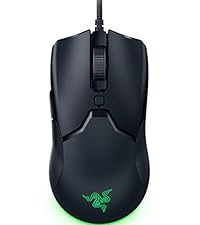


| ASIN | B084RPZD6T |
| Best Sellers Rank | #41,738 in Video Games ( See Top 100 in Video Games ) #1,063 in Mac Games & Accessories #1,323 in PC Gaming Mice |
| Brand | Razer |
| Color | Classic Black |
| Customer Reviews | 4.7 4.7 out of 5 stars (21,585) |
| Date First Available | March 4, 2020 |
| Hardware Platform | PC |
| Is Discontinued By Manufacturer | No |
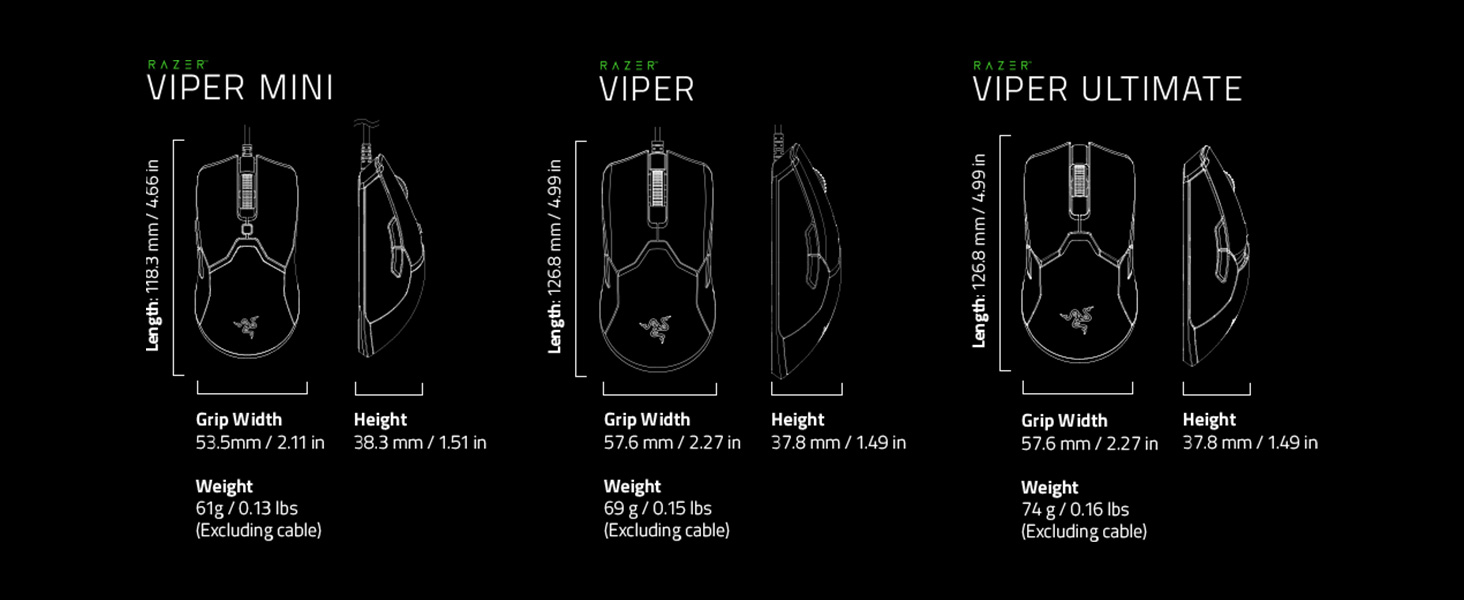
| Item Dimensions LxWxH | 4.66 x 2.42 x 1.51 inches |
| Item Weight | 3.04 ounces |
| Item model number | RZ01-03250100-R3U1 |
| Manufacturer | Razer |
| Operating System | Windows, macOS |
| Power Source | Corded Electric |
| Product Dimensions | 4.66 x 2.42 x 1.51 inches |
| Series | Viper Mini |
F**O
Small Price, Big Performance
I’ve been using the Razer Viper Mini for quite a while now, and it has honestly surprised me. Even though it’s one of the more affordable models from Razer, it has really held up and performed beyond what I expected for the price. Its lightweight design and precision make it perfect both for gaming and for long working sessions. I did have a small issue with the scroll wheel at one point, but aside from that, the mouse has worked flawlessly. The quality of the switches, the sensor, and the overall ergonomics are excellent for a mouse in this price range.
D**K
(Viper Mini) Not just best budget mouse. Best mouse depending on the aimer.
This is my second Viper Mini because I missed the one I gave away. I'm a Skypad XL user. (glass mousepad) I prefer the Viper Mini over my Ultralight 2. I use an aggressive fingertip grip when aiming. I aim similarly to a claw gripper because I curl my fingers when aiming but I don't touch my palm on the rear. Look here these are the mice I own. Zy Rail, G305, FKMINI3, Model O-, MM710, MM720. This mouse and the G303 are the mice I aim best with as of now based on hours of trying mice. The G303 allows me to have more control over lateral movement in fingertip grip.. I know it's strange that I fingertip grip claw grip style mice but that's just what I do. Till Endgame Gear releases a XM1-S (small) or XM1-M (mini) this is going to be one of the mice I pick up the most. The shape is near perfect, the plastic structure is solid and can't be flexed, click latency is the lowest I've ever gotten on any mouse, the sensor isn't perfect but def close enough. If you put tape over the sensor but leave a gap toward the front where the sensor tracks then it will decrease the lift-off distance. Similar to starlight 12 lift-off distance or other top performing mice with 3360 and above. Really this is the only flaw I can feel on the 3359 sensor. Seriously Razer has the lowest latency switches in the game I think.. These optical switches are basically instant.. my lowest click latency time was 20ms which is crazy fast considering I couldn't get lower on any of my other mice... they all averaged around 30-40ms at best or worse around 50ms on average. But for some reason with the Viper Mini I get those 20ms #s which is freaking amazing. So I'm a stickler for good mouse cables.. Kind of spoiled myself using mainly paracords so I will be paracording my Viper Mini as I did with my last one. But I will say this is one of the best cables because it's light but not floppy unlike Zy Rail and cooler master ultralight paracorded mice. Now the PTFE skates are just perfect IMO... They glide wonderfully on my skypad (I will not be replacing till I'm ready) When I do replace them though it will probably be with Tiger Arc V2 skates from lethalgaminggear. Oh, and the scroll wheel is fine. I prefer heavier smooth stepped scroll wheels but I never use them for competitive gaming so it doesn't bother me. Scroll wheels like the Intellimouse Pro, G303, Endgame gear, and Roccat Titan wheel for example. Hope you enjoyed reading. This mouse is a banger! Must buy for enthusiasts and novice shooter players.
I**L
The Razer Viper Mini took over my desk and now the Ultimate has taken the mini's place.
1 year update: After a year it is still my favorite mouse and I have acquired many more mice since then. This includes the G Pro Superlight as well as the Aerox 3 Wireless (Model D minus, M42, XM1r and many more). It is still the mouse I perform the best with. I have a non-aggressive claw grip that I use with it that just simply feels better than with any other mouse. On top of the grip, the quality has not degraded on a single component of the mouse or dock. I still wish the M1 and M2 were had 5g more tension and a tiny bit more feedback when depressed. Also with the optical switches I think it would be cool to be able to adjust an artificial debounce time. I regularly outperform my other mice with this mouse in Valorant with the NP-01, GPX and M42 being distant #2, 3 and 4. The Aerox just came in yesterday so I cannot place it especially until I get aftermarket feet because these suck butts, the shape however is similar and could be very good. The RVU still reigns supreme. Update: About 5 months after owning the Viper Ultimate I have found I play best with it over my whole collection. I initially thought the Mini was better but I am a little less precise with it. Right now I switch between the RVU and the Vaxee Zygen NP 01 fo Valorant (which I play the most) with the mini as my fast mouse for Apex and games like that. With the Viper Ultimate including the dock being 99$ right now for black friday I say jump on it. The mini is 29$! right now which is literally insane. I am having a hard time finding a mouse I play better with. I play shooters, atm Valorant, CSGO, Destiny 2, Apex Legends (not so much after the wraith nerfs), and a little Overwatch here and there. I come from using a g305 and I love that thing. I bought this and was hitting shots I couldn't hit before. It was hard to get used to the grip at first but now I love it. So much so that I bought a Viper Ultimate and I can safely say I like the mini a lot better. My hands are medium sized- 19cm X 9cm and I switch between claw and fingertip. It is super light and the weight distribution is nice. M1,2,3,4 are really good, no play or issues. The cable is very light and flexible and I use it with a Razer bungie v2 and I honestly forget it's wired sometimes. The skates are some of the best stock I have seen. The sensor is super accurate and the resolution error has to be one of the best (I would have to look it up). Do not let the Razer branding or 40$ price fool you, this thing is top notch. Now i wish I could sell my week old 150$ Ultimate because it doesn't beat its 40$ little brother. Trust me, if you are looking for one of the top 3 mice out there. This is one of them.
E**E
ben 1.82 boyundayım ve ellerim boyuma göre normal fare elde doğal hissi veriyor çok büyük bir fareden geçiş yapsamda hiç sorun yaşamadım, genelde fare konusunda çok takıntılıyım alışmam uzun sürer model degiştirdigimde ama bunda hiç bir sorun yaşmadım
N**E
I'm a person with very small hands. I previously had the Logitech G203, but after the years of use I notice a bit of inconsistency and rattling, which was the reason for purchase. I LOVE this mouse. The tracking is great, the shape is alright and the weight is a blessing. The shape is 'ambidextrous' but doesn't have additional side buttons on the right side if you are someone who uses your left hand for the mouse. This makes the mouse a little awkward to hold if you palm grip but I'm a claw/fingertip person. The weight makes the somewhat awkward shape a lot easier to use since lifting up the mouse is a breeze. I haven't had any problems with tracking/using the mouse for games and in fact feels better than most other mice I've used. My main complaints with this mouse are The cable is very thick. If you use a mouse bungee you might have a tough time getting it to fit in properly. I experienced this with the original Razer mouse bungee, which is discontinued now so I can't really comment on how it fits into the new one. The little crevice between the main body and the main buttons worries me with things like dust or just general debris because it's pretty small, but big enough to get things caught in there. Synapse 2 is REQUIRED for lighting adjustment. I usually prefer the lights on a static colour to match my setup, but I can't do that without the software. Even if I set it up then close the program, it reverts the mouse to the default rainbow/spectrum mode. The only thing that sticks in terms of lighting without the software is brightness, so now I just have the lights off. Functionally this mouse is amazing so I don't have any major complaints. My DPI settings stick without Synapse open. The tracking is great. The shape is alright, but good when paired with the light weight.
M**A
Saknar tangentbordet som ska vara till. När kommer det. Ligger i samma beställning😸 Hälsningar Monika
R**N
ماوس خفيف وجميل سعره منطقي وحتى البرنامج حقه كويس وواضح كل مره اشتري منه بسبب جودته الرائعه و سعره ايضا يستاهل كل ريال و افضل من الماوسات اللي ب 500
E**F
Va increíble, compra recomendable 100%.
Trustpilot
1 day ago
2 months ago