We remain fully operational. Our teams are working around the clock to ensure your deliveries continue safely.

DOWNLOAD THE APP


Customer Services
Copyright © 2025 Desertcart Holdings Limited
DOWNLOAD THE APP

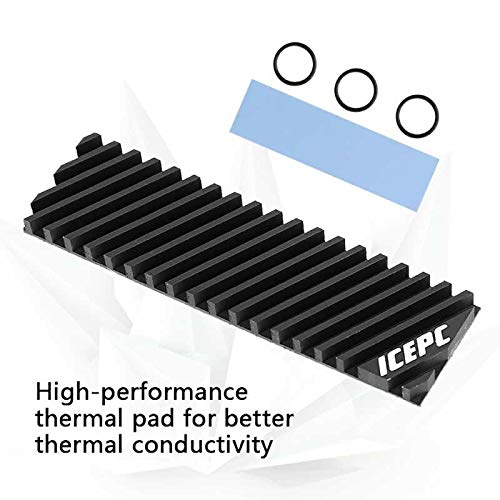




❄️ Keep your SSD chill, your workflow smooth, and your setup envy-worthy!
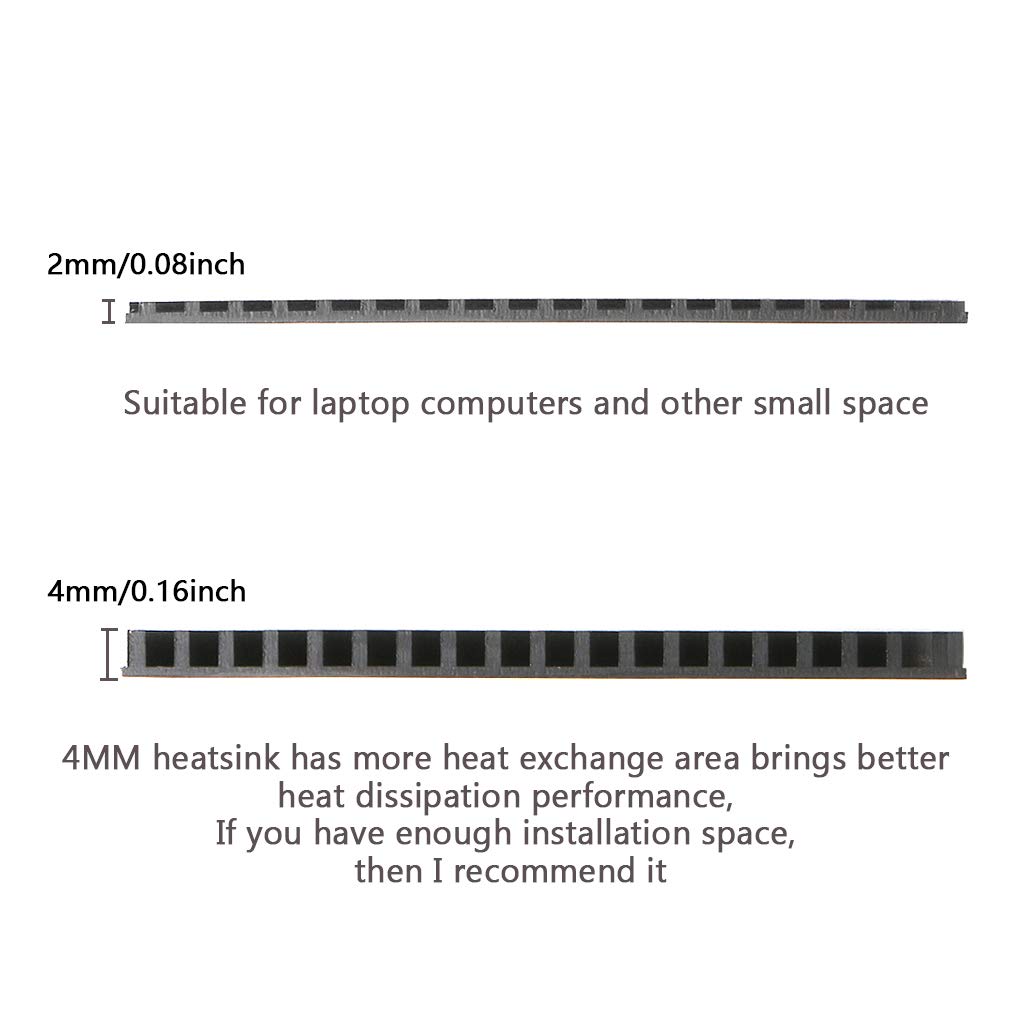
This M.2 Heatsink for PS5 PCI-E NVMe 2280 SSD combines ultra-efficient graphene coating with pure copper to deliver industry-leading thermal conductivity of 5300W/m·K. Tailored for laptops and compact PCs, its chute-pattern design and silicone thermal pad ensure rapid heat dissipation and easy installation without tools. Compatible with top-tier SSDs like Samsung EVO and PRO series, it significantly lowers operating temperatures, enhancing system stability and extending SSD lifespan.
| ASIN | B083FJTXNV |
| Best Sellers Rank | #493 in Heatsinks |
| Brand | icepc |
| Cooler Heatsink Material | Copper |
| Date First Available | January 3, 2020 |
| Item Weight | 0.704 ounces |
| Item model number | CAICEPC0008-2 |
| Manufacturer | icepc |
| Product Dimensions | 2.76"L x 0.79"W x 0.08"H |
| UPC | 778862908382 |
R**D
Works great!
Before I installed this my computer was shutting down every 30 seconds. I installed using thermal compound and 2 rubber bands. Now my computer stays on runs cool. Dropped my temp by 25 degrees. Highly recommend this if your computer is overheating. Saved my expensive ssd.
J**.
It fits the constraint of my gaming laptop and temps are adequate...
I used this on a 2TB Samsung 9100 Pro PCIE 5.0x4 NVME SSD (OS or boot drive) and installed it in my MSI Vector 16HX A14V gaming laptop. It fits and work properly. The temps on my drive are adequate considering it is a gen 5 NVME SSD in a tight space of a gaming laptop. Of course different gaming laptops have different tolerance to drive space and headroom inside the chassis, so always check and estimate if it fits provided you can update and upgrade your drive of your gaming laptop.
J**N
Excellent thin heat sink for NVME
This thing is perfect to go into my Asus Strix Scar to cover my Samsung 9100. A larger heat sink would not have fit in the bay. It is keeping that drive at least 5 degrees cooler than the much larger heat sink on my other drive. It was easy to install, and came with a decent thermal pad. It is a nice bit of copper and looks great in the case.
D**O
Fits In My Laptop
One of very few heatsinks that will fit in my (rather poorly designed) laptop. Keeps my NVME drives about 7 - 10 degrees cooler than without but given the size it's not disappointing. For those that are very space limited - it's far better than nothing. If a person had more space, I'd go with a more substantial cooler as this cooler is SMALL and has LOW MASS - laws of thermodynamics still apply. And, "graphene coating" - don't get excited - it's on the OUTSIDE, not on the actual part that touches the thermal pad (that's copper). Besides - can't see where graphene touching a thermal pad would be all that great - and, if you were to not use a thermal pad and go straight graphene to NVME - WELL, graphene is VERY conductive - SPARKS are not your friend. tl:dr - It's small, fits in my laptop but if I had more room I'd opt for something more substantial.
D**K
Dropped Temps over over 40c!
Before install my 2tb WD Black SN770 was hitting 109c when transfering 200+gb file from a USB drive to the WD drive. It is in my laptop in a Gen 3 slot. Install of the heatsink went without issues, I used all 5 bands as I wanted the extra security and not have the heatsink fall off and bash around inside my laptop destroying everything. Temps dropped to mid 60s now under the same procedure as before. I use HWiNFO64 to watch the temps, it shows 3 differnat temps for the drive unlike the single temps from other programs. It is "Drive Temp 2" that is the high result, only "Drive Temp 1" Shows on other programs. At 2mm thick the heatsink is pretty heavy for it's size. It is not flimsy at all. The mating surface is machined smooth and not coated with the Graphine like all the other surfaces. Really a nice quality product and worth every penny!
D**D
10°C+ reduction in temps
*icepc 70*20*2mm NVMe SSD heatsink* This heatsink might not look like much, but it's effective! I installed a Samsung 970 Evo in the M.2 slot at the rear of my motherboard, where there is absolutely no airflow. The motherboard cutout on the case also covered half of the slot, so I needed a thin heatsink to fit between the mobo and case panel. Enter this beauty. A couple of elastic bands later, I've reduced load temps from throttling at over 80°C to 70°C, and idle temps from 60°C to about 50°C. You could see better results if your M.2 drive gets even a little bit of airflow. I highly recommend this heatsink. Installation was easy and straightforward. Be careful, touching the flat surface of the heatsink or the thermal pad can leave residue and affect conductivity. After several months the black bands had worn out with the heat and stress, and snapped when I moved them. The heatsink is held in place by the case now. I haven't looked into replacement rubber bands, but I'd avoid household elastic bands. A hardware store might have rubber o-rings or bands that could do the trick.
C**M
Solid low profile heatsink
Works just as expected. My board has the second nvme slot under my GPU, so it gets very little airflow and always runs hot - put this in and dropped temps on average ~12c for it. Great performance for the price, super easy to install. The bands to hold it are perfect, just large enough to not struggle getting them over the drive, but tight enough to hold it very snug. I did not use the pad included for it, I put small dabs of Arctic Silver 5 on the chips instead, as I prefer that over pads.
V**H
Best laptop thermal heatsink for Gen 5 SSD!
Why did you pick this product vs others?: The best heatsink I've used on a laptop for a gen 5 nvme ssd. Used it with Samsung 9100 pro and the max ssd temp I've seen is around 57° celcius avg, giving me 14GBPS on my Asus ROG Strix Scar 2025.
J**C
What's in the package is the heatsink itself, three rubber bands and a thermal pad. I purchased this for my Auros 15P, but even the 2mm version is still too thick and cannot fit into the case, even after I change the thermal pad to a thinner one. So I have no idea how well it works, but write to warn anyone who wants to give a try to carefully measure your available space before purchase.
W**E
Bought to cool the SSD in my NAS, makes about 1c difference but that could be down to the airflow. I suspect in a pc which would have far better airflow it might shave off another couple of degrees but i doubt the 5+c many of these advertise.
Trustpilot
2 months ago
2 weeks ago