Buy anything from 5,000+ international stores. One checkout price. No surprise fees. Join 2M+ shoppers on Desertcart.
Desertcart purchases this item on your behalf and handles shipping, customs, and support to Iceland.
⚡ Scan smarter, faster, anywhere—your desk’s new MVP!
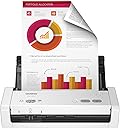
The Brother ADS-1200 is a compact, USB-powered desktop scanner designed for busy professionals and home offices. It delivers rapid single-pass duplex scanning at 25 ppm with a 20-sheet auto feeder, supports multiple scan destinations including USB drives without software installation, and enhances images automatically for crisp, professional results. Lightweight and portable, it’s perfect for streamlining document workflows wherever you work.


| ASIN | B07WSJQWVQ |
| Best Sellers Rank | #19,568 in Office Products ( See Top 100 in Office Products ) #17 in Document Scanners |
| Brand | Brother |
| Color Depth | 24 bpp |
| Connection Type | USB |
| Connectivity Technology | USB |
| Customer Reviews | 4.3 out of 5 stars 1,618 Reviews |
| Global Trade Identification Number | 00012502651956 |
| Item Dimensions D x W x H | 11.7"D x 11.7"W x 3.4"H |
| Item Weight | 3.3 Pounds |
| Light Source Type | LED |
| Manufacturer | Brother International |
| Media Type | USB |
| Minimum System Requirements | Windows 7 |
| Model Name | Old Model: ADS1200 |
| Optical Sensor Technology | CCD |
| Product Dimensions | 11.7"D x 11.7"W x 3.4"H |
| Resolution | 300 |
| Scanner Type | Document |
| Standard Sheet Capacity | 20 |
| UPC | 012502651956 |
| Unit Count | 1.0 Count |
| Warranty Description | 1 Year Limited Manufacturer |
| Wattage | 8 watts |
A**.
Pretty good scanner. Too early to tell of its performance but its doing great.
I bought this scanner in order to make up for the inconvenience of using my older huge HP-Officejet Pro 8600 All-In-One printer. Its been a great scanner no question about it. But turning it on, waiting for it to warm up, and much of the time turning on my desktop computer, can have its drawbacks. I wanted something that I could connect to my laptop and quickly scan other documents, receipt, etc. I had been 'eyeing' many of these portable scanners via Amazon, most of which had these great reviews. After too much searching did I finally come down to this one which seemed to be the winner of cost and features. Despite the fact that the stupid mailman threw the package over my 7-foot fence and landed on the lawn, this Brother ADS-1200 seems to have worked okay. I am very happy with it and I am very impressed with its convenience and use. Although the Officejet Pro 8600 is still capable of scanning certain types of thicker media this smaller scanner will never be able to, it is the smaller receipts that this little one will not be beat. That older 8600 has already scanned thousands of items, it is time to give it a break. I am still on the early stages of using this smaller device, I am still learning from it. I mostly use it to scan smaller receipts which do come by the numbers. It will not scan narrow and excessively long receipts which I occasionally do get. These types of longer ones will get jammed and I usually cut them in half or so before I use several utility programs on my laptop to tailor them into a digital 8½ x 11 sheet. Everything so far went well. Some times you will get a lop-sided receipt but I found this freely downloadable Libre Office program having a feature to straighten them up. Although I have read a number of complaints from people buying this ADS-1200, to me I have found none. Interface software was a breeze to install. Again I am still on the learning phase of using this little beast and I will leave updates if necessary. One of things that left me breathless is how fast it scans small stacks of paper. It beats the 8600 Office Jet Pro hands down. Again - still too many features to use and explore. But so far it has been a life saver. Very, very happy with it. I am so glad I bought it.
S**N
Nicely compact, gets the job done
We actually used the higher wi-fi version of this scanner in my volunteer work last year. The wi-fi is a little more complicated to set up, so I went with this (USB cable) version. I like that it's small and super compact. The paper feed tray folds down so it's easily transported. It does up to 20 sheets at a time, and does duplex scanning in one pass. The software takes a bit of time to download but is pretty easy to figure out. It even has a really odd but useful card scanning feature. We used this for driver's licenses in my volunteer work and it worked great...as long as you remember to flip the feed choice switch back and forth. Keep things away from the back of the scanner if this feature is used, as the card tray needs a bit of clearance. The only complaint I have is that the included USB cable was really short for my usage (about 24 inches). I bought a USB extension cable so I could move the scanner farther from my computer, which sits on the floor. My sister bought one of these as well and simply bought a longer USB cable that has the correct fitting.
N**L
Easy to Use Compact Duplex Scanner
This Brother scanner is a not a flatbed. The model I got allows one pass full duplex scanning of multiple pages. There is a cheaper single page model and a more expensive wireless model. It does NOT come with software. You must go to the provided URL to download and install it. Installation and setup was easy. It works exactly as described. You need an available USB port to connect to your PC. You can save your scans on your PC or network, or even to a USB flash drive on the available data port. My only complaint is that there is no slide out extension to hold pages for feeding the scanner. This is a minor issue. This device is fast, easy to use, and produces quality images or PDFs. It does have include app software - I like the Kofax Power PDF Standard. It also has a very small footprint. It packs a lot of power in a small device.
T**Y
This little guy is a speed demon! So fast, so small, and 2-sided? Yup.
So surprised at how fast this little guy is. I previously used an HP multi-function ink-jet printer/scanner until it died. Recently bought an amazing Canon printer so needed a simple scanner. Setup was a piece of cake -- just plug it in and downloaded their scanning app. Didn't even know it did two-sided scanning, what a bonus. The only detraction (albeit a tiny one) was that it would not let me cut/paste filenames before saving in the dialog box -- I like to name files clearly (i.e. long file names), and sequentially (like Part 1, Part 2, etc.) and in order to do it quickly I had to do it in the Mac Finder after scanning. No way was I typing each filename individually again. Anyway, only used it once but based on first impressions, it's a tiny powerhouse for a small amount of $$$.
P**P
used it with a USB thumbdrive, dirt simple and easy!
I bought this for an archival project; cleaning out the wife's parents' house and had boxes and boxes and boxes of pictures and documents that needed scanning. I was not looking forward to clicking a mouse the (literally) thousands of times it was going to require to run a scanner application on a laptop while going through these boxes. This scanner lets you run it without connecting to a computer! Insert a blank thumbdrive in the back, place the picture on the tray (face down and upside down / top first), and hit the scan button. It scans both sides of the picture including the writing on the back and stores it on the thumbdrive as a PDF. Every PDF file name has a 5 or 6 digit counter, so there's no typing filenames and there's no clicking of a mouse a dozen times. It figures out the edges and crops the scan properly all on its own! If the back of the picture is blank, it makes a 1-page PDF; if it has writing, it's a 2-page PDF. This past weekend my wife and I took this scanner to her parents' house and we set up a sort of assembly line in the garage with all the boxes, and this scanner, and she and I scanned over 4000 pictures and documents in an afternoon! Insert, scan, next pic. Insert, scan, next pic. I stopped after a dozen, and put the thumbdrive in the computer to see if it was going OK, and the PDF scans looked PERFECT! So we did the rest. Later I used the "convert" utility from ImageMagick to extract JPGs from all the PDFs, and they were great quality. It's nice to have those thousands of pictures archived for all time. The scanner worked perfectly!
T**R
Horrible scanner for small business use
1. The directions included with the product don't tell you HOW to use it. They tell you how to plug it in. I had to fumble through the program I had to download to guess on using it. 2. It doesn't scan receipts. If I have 1 normal width page, it won't "detect" it. I have to hold it pushed into the scanner then push the button on the computer program to start scanning. It wouldn't scan my receipts even when pushed down. For the record, the directions also did not tell me that pages had to be facing backward. 3. When scanning, you can't keep placing documents and have it keep scanning. If you place some documents, once those are done, you have to click a button on the computer to have it start scanning again. This is irritating when you have receipts or different sized documents or paper types that you don't want to stack and have jams. Because then you have to click a button between every page. 4. It said it included software for pdfs but the download only installed a trial version. I had to go to my products support page online to find the complete version. None of that was specificied, I just so happened to find it. 5. It scans fast. But don't stack too many pages at once. It can only handle a few documents in the adf at a time. It sucks them in from the last page to the first. With perfect non bent pages, it was pulling them 3 at a time or more so I had to reduce the number of pages per stack. Then I still had to go back and forth to the computer to click to start scanning. All in all, too much work for the money, especially with not scanning receipts.
A**N
Good Customer Support
Scanner was delivered quick and easy to setup. It's nice that you can use it with only the USB cable or both the USB and power cable. It also scans fast enough for a home user. Being able to load multiple pages at once is a huge improvement for me. Scanner stopped working after first 45 mins, maybe because I did too much? I contacted Brother support and they tried troubleshooting 5-10 before deciding to submit for a replacement. It took less than a week but my replacement was approved and a new scanner was shipped to me for free. Best support experience I've had in a while. New scanner has been working great now after several hours of use. No issues to report.
A**H
You get what you pay for
Setting it up to me was rather difficult and took some time to set up. I was trying to scan a long item of paper like a 2 foot receipt and it would jam after so long, the scanner was not jammed as I was telling to ensure proper delivery on about 10 attempts and at the same time. You also have to hook it up to a computer to get live pictures. Scanner quality is mehh. Scanning 20 papers. Good luck. You never know what order this thing is gonna scan from or how many papers. You get scat you pay for. For a basic 1 paper scanner, here you go. Multi use, step it up to something else
D**A
IMPRESORA ESCÁNER
Me gusta mucho por su practicidad y tamaño. Fácil de llevar y la impresión de cada hoja es nítida. Recomiendo al proveedor.
R**V
Prompt response, Swift delivery and genuine product
The product was of genuine and good. and the support services from the seller were very much appreciated.
S**W
Could not download software and so had to return
Disappointed with Amazon's lack of follow up
L**U
Lo recomiendo
Me gustó, probé varios y creo que es el más simple de instalar el programa en tu PC o en tu lap.
V**L
Facil de usar
Cumple con mis expectativas, es facil de usar, rapidez en el escaneo, buen equipo.
Trustpilot
1 month ago
3 days ago