



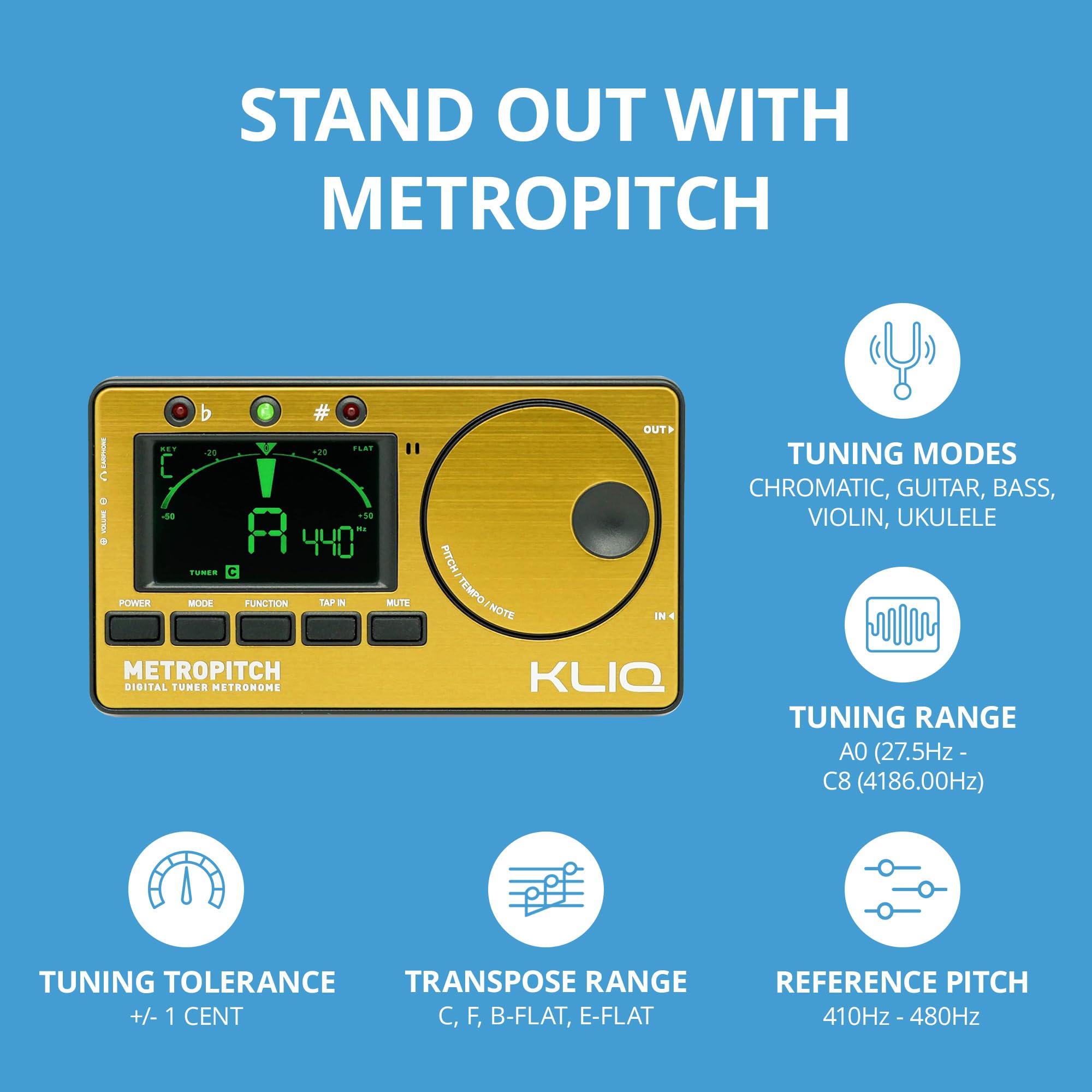
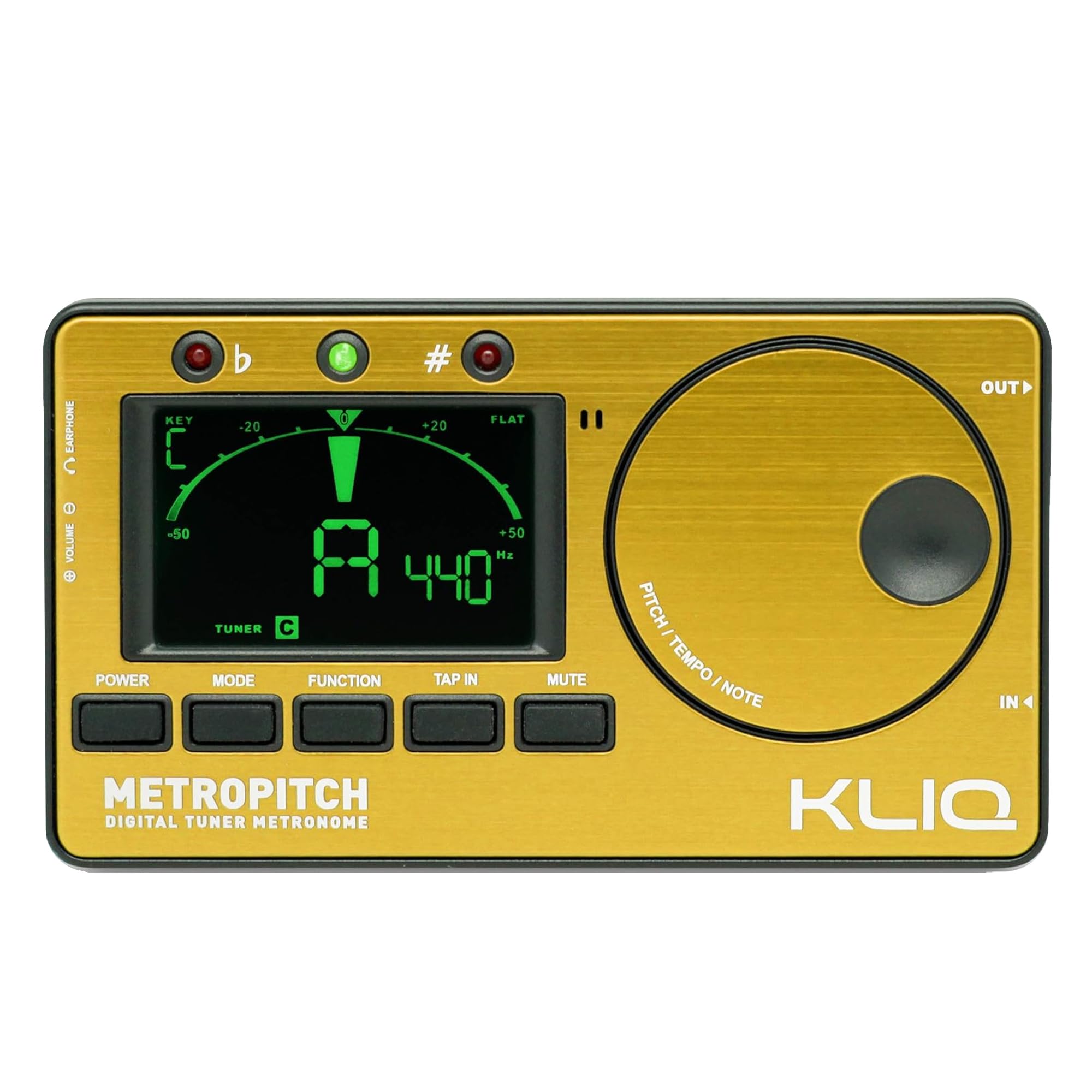

Buy KLIQ MetroPitch - Metronome Tuner for All Instruments - with Guitar, Bass, Violin, Ukulele, and Chromatic Tuning Modes (MetroPitch, Gold): Metronomes - desertcart.com ✓ FREE DELIVERY possible on eligible purchases Review: An Absolute Beginner’s 5-Star Review - Not only am I an absolute beginner acoustic ukulele player, but I know almost nothing about music, having never studied it or played another instrument. Choosing to remedy that, I ordered a Pono tenor ukulele from TheUkuleleSite.com. Having read dozens of ukulele articles, books, and blogs, I knew I’d also need a metronome and digital tuner. So, after a bit of online research, and after reading the desertcart reviews, I ordered the black Kliq Metropitch Digital Tuner Metronome from desertcart.com It arrived about a week before my ukulele arrived, so I first tested it against the Online Ukulele Tuner at Get-Tuned.com. Based on that test, the Kliq Metropitch tuner is dead on. I’ve now had both my ukulele and the Kliq Metropitch for several days. As a beginning ukulele player, I’m learning the basics at my computer via the wealth of free online ukulele lessons. To begin, I place the Metropitch on my mouse pad within easy reach. It lies back on its wire kickstand, facing me and the ukulele. I first use it to tune the ukulele (using the Metropitch’s built-in mic), and then I switch to metronome mode when practicing strumming. The Metropitch has several nice or useful features that may not be evident from the online reviews. For example, all of its edges are nicely rounded, so there are no sharp edges. The Metropitch also has a sturdy, wire kickstand. When not being used, the kickstand folds into a U-shaped groove on the back of the Metropitch. This allows the Metropitch to lie flat, without wobble. But....what about that kickstand? Is it really useful? Honestly, when I first saw it, I thought it would be useless. Not so! I don’t use a ukulele strap, so at least one of my hands is holding the ukelele. And that makes doing smartphone thumb gymnastics on the Metropitch a bit clumsy. This is when the kickstand shines. With the kickstand extended, the Metropitch reclines at a fixed angle that is ideal both for viewing the LCD readout and for one-handed operation of any of the five rubberized buttons [Power, Mode, Function, Tap In, and Mute]. With the kickstand extended, the back of the Metropitch also is raised just enough to permit single-handed [right hand] operation of the Jog Dial. Placing your right middle finger on the back of the Metropitch in the upper right corner, and placing your right index finger along the upper right top edge allows you to place your right thumb in the concave circle of the Jog Dial and then securely hold the Metropitch while your thumb easily and quickly turns the Jog Dial in either direction to make a selection, such as increasing or decreasing the tempo in Metronome mode or running through the various pitch selections in the Tone Generator mode. In use, the kickstand also is stable. For example, with the Metropitch on my mouse pad with the kickstand extended, pressing the Power button on the far left does not send the Metropitch flying across the room. The Kliq development team designed the kickstand so that it is offset to the left of center, nicely accommodating one-handed, off-center button presses. From online reviews, it was not clear to me that the digital LCD screen was high resolution. In some of the videos it seemed slightly fuzzy. In person, however, the LCD screen is bright and very easy to read. The numbers, letters, words and graphs are all sharp and perfectly legible—no fuzziness at all. A nice feature of the digital tuner is that not only does the needle-type display turn from red to green when a string is in tune, but the entire face of the LCD display turns green and holds for a few seconds. That’s a nice feature for those who misplace their reading glasses—you don’t have to be able to see that the “G,” “C,” “E,” or “A” center needle is green because the entire screen tells you that. If you don’t input anything or use the metronome, tuner, or tone generator for about 3 minutes, to save the lives of its two AAA batteries, the Metropitch turns itself off. But, it has a memory, and when you turn it back on, it will be in the same mode and have the same settings you were using when you turned it off, or it turned itself off. Although my ukulele didn’t come with a mute button, the Kliq Metropitch has one. Also, using headphones via the 1/8 inch mini-headphone jack serves to mute the metronome and tone generator from other people while you continue to enjoy them. On the left side, next to the headphone input jack, is a small thumbwheel that controls the Metropitch’s sound volume. With the thumbwheel, you can decrease the volume almost to a mute, and you can increase it to as loud as a person with normal hearing should need—even while playing. If you need it louder, using headphones should work. For those with either extremely good eyesight or a magnifying glass, embossed into the back of the Metropitch is the following Tempo Range chart: LARGO----------------40-----60 LARGHETTO--------60-----66 ADAGIO--------------66-----76 ANDANTE-----------76-----108 MODERATO--------108----120 ALLEGRO-----------120----168 PRESTO-------------168-----200 PRESTISSIMO-----200-----208 For a good hands-on video review that allows you to see the Kliq Metropitch close up and in good lighting, see guitarlancer’s “Kliq Metronome Tuner Review and demonstration” on youtube. After you order the Metropitch, you may receive an email from Kliq Music Gear with an attached pdf file of the User’s Manual. This is a nice touch. Having the User’s Manual available on the computer during its first few uses was quite helpful. Because I’m just beginning, and because my ukulele is acoustic only, I did not use the electric input and output jacks, or the advanced features such as transposition settings. For my needs, the Kliq Metropitch is perfect. I can think of nothing I would recommend changing. Review: Nice unit - Plenty of useful features and works well

| Best Sellers Rank | #1,588 in Musical Instruments ( See Top 100 in Musical Instruments ) #10 in Metronomes |
| Customer Reviews | 4.4 out of 5 stars 7,283 Reviews |
B**G
An Absolute Beginner’s 5-Star Review
Not only am I an absolute beginner acoustic ukulele player, but I know almost nothing about music, having never studied it or played another instrument. Choosing to remedy that, I ordered a Pono tenor ukulele from TheUkuleleSite.com. Having read dozens of ukulele articles, books, and blogs, I knew I’d also need a metronome and digital tuner. So, after a bit of online research, and after reading the Amazon reviews, I ordered the black Kliq Metropitch Digital Tuner Metronome from Amazon.com It arrived about a week before my ukulele arrived, so I first tested it against the Online Ukulele Tuner at Get-Tuned.com. Based on that test, the Kliq Metropitch tuner is dead on. I’ve now had both my ukulele and the Kliq Metropitch for several days. As a beginning ukulele player, I’m learning the basics at my computer via the wealth of free online ukulele lessons. To begin, I place the Metropitch on my mouse pad within easy reach. It lies back on its wire kickstand, facing me and the ukulele. I first use it to tune the ukulele (using the Metropitch’s built-in mic), and then I switch to metronome mode when practicing strumming. The Metropitch has several nice or useful features that may not be evident from the online reviews. For example, all of its edges are nicely rounded, so there are no sharp edges. The Metropitch also has a sturdy, wire kickstand. When not being used, the kickstand folds into a U-shaped groove on the back of the Metropitch. This allows the Metropitch to lie flat, without wobble. But....what about that kickstand? Is it really useful? Honestly, when I first saw it, I thought it would be useless. Not so! I don’t use a ukulele strap, so at least one of my hands is holding the ukelele. And that makes doing smartphone thumb gymnastics on the Metropitch a bit clumsy. This is when the kickstand shines. With the kickstand extended, the Metropitch reclines at a fixed angle that is ideal both for viewing the LCD readout and for one-handed operation of any of the five rubberized buttons [Power, Mode, Function, Tap In, and Mute]. With the kickstand extended, the back of the Metropitch also is raised just enough to permit single-handed [right hand] operation of the Jog Dial. Placing your right middle finger on the back of the Metropitch in the upper right corner, and placing your right index finger along the upper right top edge allows you to place your right thumb in the concave circle of the Jog Dial and then securely hold the Metropitch while your thumb easily and quickly turns the Jog Dial in either direction to make a selection, such as increasing or decreasing the tempo in Metronome mode or running through the various pitch selections in the Tone Generator mode. In use, the kickstand also is stable. For example, with the Metropitch on my mouse pad with the kickstand extended, pressing the Power button on the far left does not send the Metropitch flying across the room. The Kliq development team designed the kickstand so that it is offset to the left of center, nicely accommodating one-handed, off-center button presses. From online reviews, it was not clear to me that the digital LCD screen was high resolution. In some of the videos it seemed slightly fuzzy. In person, however, the LCD screen is bright and very easy to read. The numbers, letters, words and graphs are all sharp and perfectly legible—no fuzziness at all. A nice feature of the digital tuner is that not only does the needle-type display turn from red to green when a string is in tune, but the entire face of the LCD display turns green and holds for a few seconds. That’s a nice feature for those who misplace their reading glasses—you don’t have to be able to see that the “G,” “C,” “E,” or “A” center needle is green because the entire screen tells you that. If you don’t input anything or use the metronome, tuner, or tone generator for about 3 minutes, to save the lives of its two AAA batteries, the Metropitch turns itself off. But, it has a memory, and when you turn it back on, it will be in the same mode and have the same settings you were using when you turned it off, or it turned itself off. Although my ukulele didn’t come with a mute button, the Kliq Metropitch has one. Also, using headphones via the 1/8 inch mini-headphone jack serves to mute the metronome and tone generator from other people while you continue to enjoy them. On the left side, next to the headphone input jack, is a small thumbwheel that controls the Metropitch’s sound volume. With the thumbwheel, you can decrease the volume almost to a mute, and you can increase it to as loud as a person with normal hearing should need—even while playing. If you need it louder, using headphones should work. For those with either extremely good eyesight or a magnifying glass, embossed into the back of the Metropitch is the following Tempo Range chart: LARGO----------------40-----60 LARGHETTO--------60-----66 ADAGIO--------------66-----76 ANDANTE-----------76-----108 MODERATO--------108----120 ALLEGRO-----------120----168 PRESTO-------------168-----200 PRESTISSIMO-----200-----208 For a good hands-on video review that allows you to see the Kliq Metropitch close up and in good lighting, see guitarlancer’s “Kliq Metronome Tuner Review and demonstration” on youtube. After you order the Metropitch, you may receive an email from Kliq Music Gear with an attached pdf file of the User’s Manual. This is a nice touch. Having the User’s Manual available on the computer during its first few uses was quite helpful. Because I’m just beginning, and because my ukulele is acoustic only, I did not use the electric input and output jacks, or the advanced features such as transposition settings. For my needs, the Kliq Metropitch is perfect. I can think of nothing I would recommend changing.
P**S
Nice unit
Plenty of useful features and works well
K**2
Great Tuner!
Overall, I’m very happy with this tuner. I have a higher end tuner that I use sometimes but it’s not as readily available or easy to use as this one. I needed something I could use quickly without a lot of messing around and could share with my daughter. The Kliq is great for getting tuned up accurately and easily. It also has incredible contrast and is very easy to see in any light. Even though it’s 100% aesthetic I love that I was able to buy a Red one. The color choices are nice and the red one looks as nice in real life as it does in the picture. The Kliq also came with a nicely fitting carrying pouch, batteries, and has a built in stand to set it at an easy viewing angle. These things are a nice touch and add value to a device already well worth its value without them. I have two very minor complaints about the Kliq and they’re by no means deal breakers or significant in any way. I just think they’re worth mentioning for a full understanding of your potential purchase. First, the interface is a little bit laggy. Sometimes, it takes a second for the note you’re playing to register on the display. This is an inherent problem with digital displays vs. the analog meters. In order to make it more responsive they would have to manufacture it with more expensive parts thus, raising the price of the device. It’s not a major delay and it won’t interfere with your tuning, it’s just something to be aware of. Second, it’s really easy to switch the mode from tuner to metronome or tone because the “mode” button is in line with all the other buttons and it’s easy to press the wrong one. This is simply a matter of getting more used to the device so I’m able to hit the right button every time just on instinct. For now, I still need to look and pay attention when I’m pressing something to make sure I’m pressing the right button. It would’ve made more sense to put the mode button somewhere else on the tuner away from the other functions since it’s very unlikely that you’ll ever need to change modes while you’re tuning. As I stated earlier, this is not a big deal. It’s just worth pointing out for your information. I hope this review was helpful for anyone considering this tuner. All told, it’s well worth the $26 I paid for it and I would definitely buy again.
E**E
Met my expectations.
Keep in mind that this review is written by an electrical engineer with a deep love of pure sound and music. I am an amateur musician at best, who purchased this for my daughter while she is learning to play the violin. This is not a professional musician review. I've used a clip-on style in the past, when I first started playing the guitar; however, these do not work well for violins. There are a few other stand-alone style brands to choose from, but price and feature set persuaded me give the KLIQ MetroPitch a try. The device arrived in perfect condition, with a short manual, batteries and a protective sleeve. The sleeve was almost too snug of a fit at first, but it is slowly loosening to accommodate the unit nicely. Contrary to some of the reviews I've read about the product, the device is pretty straight forward to use. I did consult the manual to ensure the little “v” at the bottom of the screen did in-fact represent a violin setting when in the tuner mode. Other than that, my 11 year old daughter and I both were able to pickup the device and start using the metronome, tuner, and tone features with ease. Metronome: Make sure you use the built in kick stand to keep the speaker from becoming muffled. The volume dial was set to max when we first turned it on, and it was actually too loud in our practice room. That being said, the nature of the tone used for the metronome tic could easily be washed out in a loud or boisterous room. If you are like us, who practice in a quiet and closed room (for our focus, and the sanity of those around us), then this feature may work well for you. If not, then your milage may vary. Otherwise, the controls were very easy to use, straight forward and accurate. Tone Generator: We have not used this for its intended purpose, only played with the settings for now. Again, keep the kickstand out and it works as you would expect. Tuner: Other than confirming the characters at the bottom of the screen were indeed for different instrument settings, this feature could not have been simpler to use. I had taught my daughter how to correctly adjust the strings on her violin, and we had previously tuned her violin by ear. We found a couple of the strings were just slightly off tune, and by which direction, by reading the display as she tested each string. A couple of tries for each out-of-tune string and she was in business in less than a couple of minutes all by herself. We've only had the unit for a few weeks, so I cannot speak to the longevity of the device. It seems reasonably built, and I am very pleased with our initial testing. If the unit lasts, then KLIQ has picked up a new loyal customer.
P**N
Tuner
It works fine. My last one dropped and broke.
E**J
Amazing Product - Excellent Tuner (with Wide Range of Hz Frequencies), Great Metronome and Tone Generator
Excellent Tuner - with a Tone Generator (across a wide frequency range of tunings, 410-480 Hz), and a really good Metronome to boot! The tuner is very accurate, and gets surprisingly quicker and more stable readings than most other popular tuners I've used over the years. I like the fact that you can tune to the 432 frequency. My Boss TU-3 can't do this (only goes down to 436). I also use this tuner to check if pre-recorded music, chimes, and other musical instruments claiming to be precision tuned to 432 are actually tuned to that frequency. (The 432 music frequency has soothing and healing benefits that music tuned to 440 doesn't have.) The Tone Generator will work across the different Hertz calibrations. So you can set the tuner to 440 and hear the chromatic scale notes in that tuning, and then switch it to 432 (or any other Hertz frequency from 410-480 Hz) and hear the chromatic notes in that frequency. This could be a very useful tool for ear & vocal training. On the Metronome, I like that you can tap in your tempo if you prefer. This is a quicker and easier way to find out what the timing of a song is - especially if your band is getting ready to go into the studio and your drummer is going to be using click tracks. For those that don't want the chirp sound at the being of each measure, do this... while in the Metronome Mode, click the "Function" button and set the Beat to "0" (instead of 1, 2, 3, 4, etc.) and that chirp goes away. Personally I prefer to use a metronome this way (w/o chirps) when running scales. My old metronome wasn't loud enough when I'm playing through an amp. The MetroPitch Metronome has a good range of volume to it - from very soft to quite loud. Definitely usable with moderate guitar amp volumes. Overall you can't beat the value of this device, especially at this price. Even though it's so reasonably priced, the company cut no corners in the quality or the features. Three excellent products in one. The "Red" Metro is an especially nice decorative addition to brighten up any room : ) A work of art !
Y**M
Connection to the battery?
It's a great device! I needed a metronome with the dial AND pendulum. I compared many different metronomes and decided to go with this one and pay $7. It came in a nice box, with a cute travel case, and a manual. It worked great until it turned off when I hit it on the piano music stand. I mean I just put it down on the stand. I don't give extra care putting down a metronome when I am focused on practicing or teaching... The connection to the battery was probably bad, so it happened multiple times, and every time it resets, I am frustrated because now I need to set the meter again, tempo again, etc, in front of my student. I don't know what to do about it..
D**L
Simple and Quality tool for musicians
This is a fantastic tuner/metronome. Very simple and compact, does exactly what you need it to. The metronome is a nice clear beep and the adjustment wheel is great. Headphones get nice and loud with it. The screen is nice and bright too. Fantastic value for the money!
Trustpilot
2 months ago
3 weeks ago



