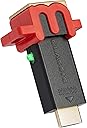
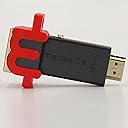
Buy anything from 5,000+ international stores. One checkout price. No surprise fees. Join 2M+ shoppers on Desertcart.
Desertcart purchases this item on your behalf and handles shipping, customs, and support to Iceland.
🎯 Level up your game visuals without the lag—because your pixels deserve the spotlight.
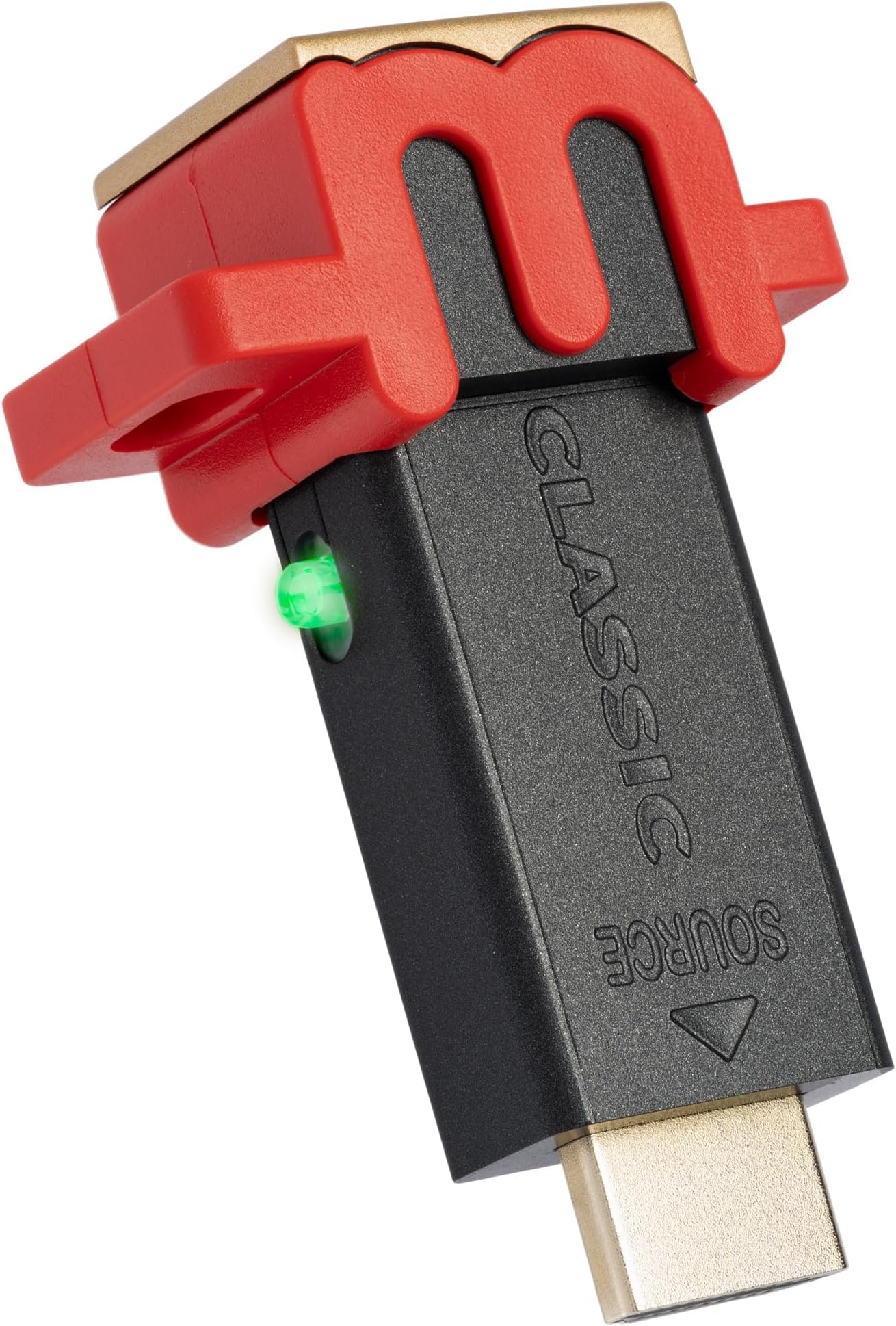
The Marseille mClassic OG is a cutting-edge graphics processor that enhances gaming visuals by upscaling resolutions up to 1440p/60Hz with proprietary anti-aliasing technology. Designed for a wide range of consoles from retro to modern, it restores image quality lost in TV Game Mode without adding input lag. Its plug-and-play design and multiple enhancement modes make it the ultimate accessory for millennial gamers seeking sharper, smoother gameplay across all their devices.


| ASIN | B07X6KDQ98 |
| Best Sellers Rank | #3,098 in Video Games ( See Top 100 in Video Games ) #30 in Nintendo Switch Cables & Adapters |
| Customer Reviews | 4.2 4.2 out of 5 stars (4,085) |
| Date First Available | October 7, 2019 |
| Item Weight | 0.8 ounces |
| Item model number | MC9007-A |
| Manufacturer | Marseille |
| Product Dimensions | 6 x 4.5 x 2 inches; 0.8 ounces |
| Release date | June 11, 2021 |
| Type of item | Accessory |
T**E
Great Aggressive Graphics Enhancer, but Watch Out for Counterfeits!
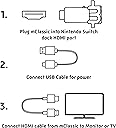
Marseille recently and explicitly stated to me that genuine products with their custom in-house chipset can only be obtained directly from them, even if the fulfiller is Amazon. Long story short: Do NOT Buy if not "Sold by Marseille Inc. and Fulfilled by Amazon" or "Shipped and Sold by Marseille Inc." You'll most likely receive a defective unit with a generic Silicon Valley chipset instead. I had to learn the hard way when I was investing in these. Overall, now that I know how the company operates, I will no longer be buying products by this brand that are "Shipped and Sold by Amazon", or shipped and sold by any other merchant for that matter. They are no longer trustworthy. I was using their products with a PhotoFast 4K Gamer Pro before, but they were counterfeits, and burned ringing artifacts into my upscaler's chipset. Thank goodness for Asurion Complete Protect. Who knows where my 4KGP would be without it? As for this particular product, if you plan to use it with a 4KGP, you will want to use a downscaler with at least 18 GB/s video bandwidth set to downscale 1440p@60Hz to 1080p@60hz, to ensure that no jagged lines appear on the upscaled image, and so that the mClassic uses the 1080p resolution instead of the 1440p. It is crucially important that you use a downscaler and not an EDID emulator, or you will get an aliased image. This does not apply if your product is a genuine mCable. It is also recommended that you should only need one to two Marseille products prior to upscaling to 4K. More than this would be overkill, and may worsen your image. For the best results with mClassic, try this formula: (1) Connect your 1080p consoles to an HDMI Switch using HDMI 2.0(a) or higher rated cables, and then plug the input on the mClassic into the output of the HDMI Switch. If you're only connecting one, plug the mClassic directly into the console. You will need to utilize the included HDMI 15cm extension cable if it's a Nintendo Switch, however. (2) If you desire to add a boost to the effects, buy a second mClassic and use the included extension cable to connect its input to the input of the first mClassic. If not, please skip this step. (3) Connect the input of your 1080p-set downscaler to the output of the last mClassic in the chain by any means necessary. If using an HDMI cable, please make sure it's rated HDMI 2.0(a) or better. (4) Connect the 4KGP input to the output of the downscaler. The extension cable isn't required, but may result in too long of a chain if you do use it. (5) Connect the output of your 4KGP to the rest of your equipment, and so on. (6) Buy a dedicated power source like the Anker PowerPort 4, and use it to supply power to all graphic enhancers connected using the USB cables included with each graphic enhancer. Bottom line, the end result all depends on how you do it. Just be sure to avoid EDID emulators, as they will generate aliasing, like I've mentioned earlier, and you shouldn't run into any problems.
W**E
I absolutely love my Carby, but the Mclassic took my GameCube to the next level!
Here’s my experience with the Mclassic in the couple of days I’ve owned it. I use it primarily for the GameCube and feel the Mclassic is definitely the next step to take to improve graphics following any GCVideo solution (GCHD/Carby/Kaico) in my opinion. I really love my Carby, and feel it makes such a big difference already, and getting the Mclassic has brought me just as much excitement and joy! It is pricey at $100, but if you’re into the GameCube, I really feel it’s worth it to eventually get. My unit arrived in 2 days, thank you Amazon for your amazing fast shipping! I’ve noticed really massive improvement on games like SA2B, luigis mansion, Mario sunshine, and fzero gx. Especially with fzero, I feel like that game looks absolutely stunning with the Mclassic! I already loved how it looked with the Carby but the Mclassic just made everything look so freaking good! The Colors pop more and the vehicles look crystal clear with no jagged edges due to the anti-aliasing. It really looks magnificent, and is my favorite way to play ”the fast car game”! I feel every GameCube game looks highly improved with the Mclassic with only a few exceptions, those being classic games that are meant to have jagged edges like sonic the hedgehog, etc. The only potential downside I can think of for some people would be the very minor increase in saturation it causes. I personally think it makes the games look better (especially in the case of fzero), but for some it could leave more Video output options and features to be desired. I do think if you can’t afford it, just having a GCVideo solution is good enough. However, I truly feel that adding the Mclassic on top of a GCVideo solution really does make your GameCube look the best it possibly can with original hardware (cube and physical discs) without having a crazy video setup considering it’s plug and play. The only other thing I can think of to rival this would be a more advanced setup, or buying a CRT and using component cables, which would probably run you more than double the cost of a Carby and Mclassic. If you love the GameCube as much as I do, I truly do believe this is the best and easiest way to get the absolute greatest video quality out of that lovely little cube. :)
N**F
Switch owners read this
Firstly, you won't notice much at first glance. I have done a lot of research AFTER buying this because this was an impulse buy. And honestly it does work as it States but not to the extent people are hoping. It definitely smooths out and up scales the resolution. Using my Nintendo switch on 720p+mclassic is almost identical to the 1080p w/o mclassic AND almost identical to 1080p+mclassic. Unfortunately for my scenario, that's about it. It won't scale to 2k or 4k. And this is me personally. So switch owners, read on. The reason I have (and possibly you do to) not noticed or had luck with 2k/4k is because of one primary factor (and one secondary, read after). Much like me, many people are buying and assuming without researching. Well here's some important information. The mclassic will only output at a maximum in which both the hdmi cable AND tv support. Now my tv supports 4k NOT 2K. This is a known issue for many consumers. If your tv doesn't support BOTH 2k AND 4K, this will NOT upscale your switch. ALSO if you use the standard Nintendo hdmi cable (came with switch) heads up, that cable ONLY supports MAX 1080P@60HZ. So even with a 2k tv/monitor, using your Nintendo cable will NOT make it run at 2k. So key points. Your display AND hdmi cable must support the output you are going for. Because my tv doesn't support 2k, this will not skip the resolution and jump from 1k to 4k. It'll only stay at 1k. Now another important detail. If you KNOW your tv supports 2k for a fact AND you have the proper HDMI cable then there's an important setting you're missing. You MUST enable a setting on your display for deep color (that's what it's called on LG tv's) which enables 4:2:0 4:2:2& I believe 4:4:4. This enables the 2k resolution setting on the display. Again if you don't do this WITH the proper HDMI cable and NOT the standard Nintendo switch hdmi cable, it won't work. Again key points: -Switch hdmi must be a 4k+ rated cable -Display must support 2k resolution (some 4k displays don't support it, my. Lg tv is an example. Only supports 1k+4k no 2k) -Display must enable some form of deep color. Unless you have these three factors, it's not going to work as you hope. With that said, with my setup of only being able to utilize 1080p w/ the enhancements, it does look good and feel smother (as if the refresh rate is higher) so it does help me. But honestly it's not work $100. At most it's $60. And even for someone without 2k support it should be $40 just for 1080p enhancement. I have no double that marsielle will invent something to assist with this or branch off from this model as he did with the mcable series. Nevertheless this product does work and is great provided you have the proper setup.
G**R
Impressive, probably gonna pick up another to connect to a splitter.
So this thing is designed to increase visual detail by interpreting frame data from your devices and adding to it. It also has a free anti-aliasing level given to anything passing through it (smoothing edges that have stair-stepping/jaggies/aliasing). Wow. I tried this thing out on all my 1080p and sub 1080p consoles, it really makes the content look much better on my TVs. The device only forces whatever native output resolution your TV tells it to (a 4k that doesn't natively support 1440p will only tell the device to go to 1080p). My smaller 1360X768 tv forces that instead of taking a 1080p image and downscaling it like it does with a PS4 signal. Your mileage may vary if your monitor or TV can force resolutions. Nonetheless, it's going to be whatever your TV natively supports that is 1440p or below that will be your maximum output. That said, I am very happy with this device. On my Switch, the upscaling of sub 1080p content and even 1080p content looks wonderful with the built in anti-aliasing making things look so much cleaner that I was able to boost the TV's sharpness of the image without getting visual noise (aka much better visual experience). This led to better visual clarity because the image was allowed to be less soft without becoming noisy or aliased. My 360 and PS3 that are hooked up to that smaller TV I mentioned look amazing even with the meagre "pixel boost". Heck even the PSTV I have hooked up to my 4k display looks so much better. Muramasa Rebirth and Killzone Mercenary have never looked this good. This is a good device for hardware of older resolution levels. Your returns diminish with higher resolution devices (I don't think an pass of extra anti-aliasing is worth the money on near 4K resolutions) but the sizeable visual upgrades (especially if you are a multi-console owner still plugging through old libraries) are well worth it. If you can get a low latency splitter, it spreads the love across any devices inputting without the need to buy individually for each device which is a nicety I wasn't expecting. I recommend it but make sure you understand what you are getting out of it and whether your usage scenario makes sense. Edit 09/10/22 - The photos I sent are pretty jumbled up so I am resubmitting them in a order that has the mclassic smoothed one first and the native image second. Keep in mind these are taken on a 4K tv where the image is outputting at 1080p with an anti-aliasing pass. Games with lower native resolution have a more perceivable difference and a 1440p monitor will get better results (have one on the way so I may repost thereafter). I am going to point out areas to look at to see the perceivable smoothness difference or sharper detail for those maybe not seeing the benefit. On BoTW Link: Observe the handle of the weapon over his right shoulder as well his bracer on his right arm where the transition between the pixels on link and the background are smoother. Also the texture detail on his shirt, the sheikah slate and other items has a clearer definition between colors and sharper edges. Super Kirby Clash Mage Kirby: Check out the area where Kirby's head reaches the hat or the lines of the star on the hat. The orb in his staff also has far less issues with the edges stairstepping. Though the textures are minimalist there is cleaner lines again on color changes on the hat or in the staff orb. Smash Bros Link: The Sheikah slate handle is remarkably smoother in image 05 (Mclassic) vs 06 (native). In images 07 and 08 notice how much more "serration" exists on Link's ear in 08 vs the 07 with Mclassic) These are a handful examples on my current setup, may update further. Edit 07/23/2023 Having used this for close to a year. I really appreciate what it does. Partciularly now that I have a 1440p monitor I use, this makes my Switch and Xbox 360 games look much, MUCH smoother with that 1440p upscale and anti-aliasing. I jump between these consoles and my PS5 and Series X and this has made the visual difference feel so much less jarring. 720p on Xbox 360 has been OK but now going back and playing Resident Evil titles for achievements on that console, it feels smooth, clean and very easy on the eyes. Switch gets a more minor upgrade but playing Tears of the Kingdom I have felt less impact from the dynamic resolution compared to friends of mine. What you get out of this requires a lot of understanding of the tech around it. 1080p and lower consoles benefit and if you have a monitor or TV with 1440p it will make an even bigger difference. Still highly recommend!
A**.
Believe the hype.
I was very, very skeptical about this product as it seemed to be too good to be true - being able to give older consoles a new life with an updated resolution, antialiasing, depth of field, etc. A new “graphics card” for your old (and current) consoles. I’ve been using it for about two weeks now and I have to say it works exactly as advertised. My Samsung 4K TV supports 1440p and this little gadget upscales anything I throw at it to that resolution. The aliasing (jaggies) on PS3 and 360 games disappear when using this which was one of the main draws for me as aliasing sucks as a general rule. Upscaled to 1440p with antialiasing and other bells and whistles it makes games on my PS3 and 360 look like they’re running on a mid-tier PC. Not only is the aliasing essentially gone but it sharpens all of the textures, provides a nice depth of field effect when appropriate and just generally cleans up and makes everything look better. Now it’s not going to turn your PS3 into a PS4 but the changes are very noticeable. I performed testing using the jaggiest, most aliased games I could think of - Fallout 3 and New Vegas on PS3/360 and this eliminates it all. I was in a bit of a state of shock the first time I booted it up as I was not expecting such a drastic difference. I should mention that I also tested this out on my PSVR1 which also helped tremendously with aliasing and kept everything nice, tight and smooth. Games like Walking Dead: Saints & Sinners look a lot more crisp and clean and it helped me stay immersed in the experience that much more. Now keep in mind when reading that my TV supports 1440p which helps make the massive difference. I’m sure there’s improvement when upscaled to 1080p but it may not be as dramatic. That said if you’re wanting to give your old consoles some new lease on life and a shot in the arm you could do much worse than the mClassic. P.S. - You can also run an HDMI splitter to hook up multiple consoles at once to each take advantage of the mClassic. I got a “3 in 1 out” 4K/60Hz for $15 on Amazon and it was worth every penny.
V**S
does the job but a little misleading/over promising
Foreword: this is based off my experience with a ps3 nothing higher or lower in console generations. Im sure it works wonders for lower gens but the ps3 era is where things get complicated I wanted to believe this could turn my ps3 into emulator quality and well it doesnt. To set the record straight, if you are using this on a4k tv the highest output youre gonna get is 1080p through the cable since its rare for tvs to natively support 2k res which is more of a monitor situation (ps5 needed a special update just to suppory those monitors so its a mess) So with 1080p output you gotta be realistic. If you feed it a 1080p image source then there's not gonna be much if any "upscaling" the tv is gonna do that from the 1080p source it gets. If you feed it a 720p image which the ps3 renders almost all mid to late life cycle games at then there's some room to "fix the picture" up a bit. SKIP TO THE END FOR ANTI ALIASING JAGGED EDGES SITUATION. I tried 4 games specifically to test this. Uncharted 2, BioShock, need for speed rivals, and white Knight chronicles to have variations in gameplay. Uncharted 2: renders natively at 720p. This will upscale it to 1080 and clean up some jagged edges. Because the game is already really good optimized to begin with the difference is minimal but noticable when you look into the finer details. Bioshock- renders natively at 1080p. This one was a doozey and very very much a let down. This was where I realized native 1080p output is bad for this since no room to "upscale". I downsized my ps3 graphics to force 720p and somehow the end result was worse and same jagged edges in both 1080p native and 720p native+upscale. Need for speed rivals - 720p. Racing game was perfect to see if any delays from the device and thankfully zero lag. The problem i saw was in addition to the jagged edge issue below, but this also had a speed rendering issue where the anti aliasing algorithm only worked when objects were really close and in a straight line as youre driving fast, aka your immediate surrounding only. Either it had trouble differentiating what was poor aliasing or intended graphics or the image moved too fast to register a " fix" White Knight chronicles- 720p. Terrible on the eyes by default and this really cleans the picture up on characters face, hairs, environment etc. Actually a noticable change here. The jaggedness antialiasing issue here for the ps3 specifically is awkward. This device seems to smooth out really fine edges a bit in some cases then completely ignore other instances that look completely out of place and should be cleaned up. Bioshock was probably the most egregious example right in the intro as yoh leave the elevator. Pillars are jagged, rails are horribly jagged, sign on the floor is a jagged mess, but one side is smoothed out. Didnt matter if 1080p native or 720p upscaled graphics in BioShock same result, and toggling the mclassic off and on didnt show a difference. Then in need for speed rivals, the lines on the cars hood in the garave during tutorial are terribly jagged and blocky but then the outline of the bumper is cleaned uo to perfection??? ---conclusion Its strange but a mess, and sadly the price for the ps3 upscale cleanup is not worth it imo. If you have any newer modern samsung tv you will have a much better experience turning on motion smoothing to auto, color space to Native, contrast boost medium or low if only 2 settings and noise reduction on. Just the tv settings alone make the ps3 feel like a 60fps machine with better colors all around and that did more than this little device has done with fixing a few jagged edges ONLY if the output is 720p native and not forced. Not the 4k enhancement i was promised :/
Z**N
Classic Games AND!
This upscaler is remarkably impressive, I’d go as far as to express, it’s genius. I occasionally utilize it for it’s intended purpose, that is to say, classic video games. The aforementioned look sharper, cleaner and all around sexier. However, where this upscaler really shines exists outside the sphere of gaming. I actually purchased this upscaler for a few purposes; cartoon/anime dvds (because bootleg eBay anime is way cheaper and it only comes on dvd). Standard films on dvd, the live-action cinema stuff, and finally… Homemade AVCHD dvds. For those unfamiliar with that last format, AVCHD dvds are a really neat format that Sony released specifically for it’s camcorders, however, the format has been widely adopted outside of mere camcorder recordings and is utilized by quite a few software services now such as Nero and DVDFAB. Basically, an AVCHD dvd is a completely high definition dvd (full 1080p or 720p as specified). Not to be confused with the crappy HDDVD format that pathetically lost out to blu ray. The file structure of an AVCHD dvd is basically that of a blu ray, and they can only be played on specific (mostly Sony) Blu Ray players. If anyone is interested in the format, just ensure that the Blu Ray players you purchase are absolutely without a doubt compatible with AVCHD dvds, as the vast majority are not. Now, typical Blu Ray movies range from roughly 25gb-50gb at the highest quality. Whereas dvd disks cap out at 8gbs with the dual layers, 4gbs for the single layers. Doing the math, a 4gb AVCHD dvd would be at best ~20% the quality of a lower quality Blu Ray or ~12.5% the quality of a higher quality Blu Ray film. An dual layer 8gb would in turn be ~33% or ~17% in the same respect. None of these numbers sound great in comparison to an actual Blu Ray, however, at the rate of compression AVCHD dvds look as decent as most mkv files. Not terrible, way better than a standard definition dvd, but not amazing either. As for myself, if I’m going to use all my disks, I want everything to be as high quality as possible. Really sick films that I favor, I’ll put on a blank Blu Ray disk. Everything else? The AVCHD dvd format saves me money as dvd disks are cheaper and ups my quality. But naturally, as I was raised a greedy American, I want more. Yes the upscaler, I’m getting to it. Now, after buying 25gb blank Blu Rays and 4gb blank dvds in bulk to burn my digital film collection to hard copies, I wanted the best possible quality. Enter the M-Classic. I was skeptical at first, as it appeared that it was made almost entirely for classic video games but I thought I would give it a shot. There is an alternative upscaler that’s similar but upscales to 4k or some such absurd resolution that I’ll never upgrade to because it’s a complete waste of money. I’m elated to say that the M-Classic vastly exceeded all of my expectations. There aren’t many items that have really earned that 5/5 star rating but this upscaler is certainly one of them, and it’s worth every penny. Anime dvds look fantastic, standard definition live-action films look excellent, and finally my AVCHD dvds look amazing. Nearly as good as a full Blu Ray, and the perfectionist within me is finally content. The bottom line is, whether you want it for classic gaming, standard dvds etc, this upscaler is astounding. A lot of Blu Ray players claim to upscale standard def dvds to 1080p and it’s total crap, buy this and join me in the happy camper category.
T**W
Excellent in very specific use cases! (retro/sixth gen)
I picked this up specifically for use with my GameCube and my Dreamcast. These are the two retro consoles I've invested the most in, and I wanted to be able to play them on my primary television (4K TCL 6 Series). First the bad, this thing should really be able to detect resolution signals sent by consoles and reflect that on the display without me having to know what the console is putting out and manually swap a switch to the appropriate aspect ratio. Specifically with the GameCube this is an issue because it's pretty scattershot the games that support a widescreen resolution and those that are 4:3. This isn't a deal breaker, but seems like a weird thing to put on the user. I'm thankful at least the mClassic handles this with a "retro mode" switch where the mCable just forced everything to 16:9. It's also important to mention that this only works with a progressive scan signal. This really boxes in what this device is good for because if you go too far back, suddenly this thing can't work with what it's getting (sorry PS2), and if you go too far forward you're just not seeing a noticeable improvement. I tried this on my Xbox 360, first with a 360 game and then with an original Xbox game running in backwards compatibility. With both games I saw no noticeable improvement. This was done on a secondary 1080p television, so it's possible have better results on my 4K tv. For me, this is fine, this isn't what I bought this product for, but for the price tag I was hopeful I'd see more benefit than I did on the 360 even in 1080. The real reason I bought this thing was to sharpen older consoles that aren't putting out any sort of modern HD signal. First I tested this with my GameCube. It's worth noting that you'll need some sort of HDMI solution here as these older consoles output with component at best. For the GameCube I have Retro-Bit's Prism HD (which I'd also recommend). I have to say, there's a noticeable jump in sharpness, specifically with its antialiasing. The big thing to note here though, and this is going back to the way this thing only takes a progressive scan signal, most GameCube games do not output progressive scan. You can find a list of the games that do (just Google "progressive scan GameCube games"), but you'll also need a GameCube with the ability to output that signal, so a model with component out or a modded console. In my case, I'd modded my GameCube with a GC Loader, and using Swiss (the software for that mod) you can force any game to output a progressive scan signal. This is all a very complicated way of saying, the audience to get anything out of this device is exceedingly small. With all that done, the new image was great. I noticed specific improvements in games like Zelda Wind Waker and Skies of Arcadia, where the animated art style lent itself well to sharper lines and more saturated colors. It was less noticeable in Need for Speed Hot Pursuit 2, but still a step up. For the Dreamcast, the setup is a bit easier, but still requires an HDMI converter. I went with the Gekko from Beharbros (strong recommendation on that as well). The Dreamcast catalogue actually had a much larger support of progressive scan via its VGA support. With the Gekko, you don't need a specific sku of Dreamcast nor any hardware mods, you can simply plug in the Gekko and the mClassic and you can play pretty much any Dreamcast game (with the exception of the 50 or so that outright do not support VGA) with all the benefits of the mClassic on a modern television. With that setup, I'm seeing Dreamcast games the best I've ever seen them by a fairly wide margin. They're sharp. I could hardly believe I was looking at 480p gameplay. One more thing—with my TCL 6-Series I had a strange issue with screen tearing on GameCube games. I've seen plenty of folks talking about issues like this on various hardware plugged into this make and model of television, and nobody has had a solution. To my disbelief, the mClassic actually fixes this issue between my television and GameCube. I'm assuming the GameCube outputs a framerate that disagrees with my television, and the mClassic is doing something passively to correct this, thus remedying the egregious screen tearing. This is just another weird very specific use for this device that validates its value, on the remote chance it applies to you. That's where I'm left with this thing. For me, it's wonderful. But I've also spent the last year researching and acquiring specific hardware and software to make the best retro console experience for myself. Make sure you know what you're getting before you buy this thing, because if you aren't set up for it, it's an expensive piece of plastic. If you are set up for it, you're going to get the most out of your consoles. Note: If I get some time I might try to get some direct capture of games and upload that to this review.
H**Z
Perfect for your high end tv
If u have those 55” 4K tv … u need to do something to the resolution that the switch can produce during dock… most high end tv can already upscale to 1 step better then what the switch output. But with this it improve 1 more step … so that is the layman way to put it .
V**O
Esperienza con Raspberry pi 4
Ho voluto sperimentare l’accoppiata pi 4 con l’emulazione psp. Parto subito col dire che mostri avranno notato la necessità di impostare una risoluzione 2x nelle impostazioni dell’emulatore PPSSPP per rendere la grafica più accattivante e comunque godibile su schermi da 15 pollici in su. Così facendo però, spesso si hanno cali di frame nelle fasi più frenetiche dei giochi, rendendo frustante il tutto. Ebbene la mia idea era quella di utilizzare l’emulatore con risoluzione 1x accoppiandolo con Mclassic. L’esperimento è riuscito pienamente: Mclassic permette di recuperare quando di perso si avrebbe nel passaggio da una risoluzione 2x ad una 1x…in più si ha un carico minore sulla cpu e gpu del raspberry con azzeramento dei cali di frame di cui parlavo prima. Pienamente soddisfatto. (Consiglio di impostare come risoluzione di uscita dal pi 4 la 480p, ci penserà Mclassic a fare il resto). Analoga prova fatta con l’emulazione dreamcast: anche qui si ha possibilitá di ridurre il carico su raspberry, potendo ridurre la risoluzione in uscita. Risultati di tutto rispetto….chiaramente con effetto uaaaoooo ridotto rispetto a psp ma comunque rispettabilissimo. Mi riservo di fare prove con n64
R**T
A solid graphical upgrade.
I recently bought a PS3 slim to play some older and exclusive games that simply aren't available on other consoles. However after playing for a few minutes I was disgusted at how truly awful the graphics are. I read about the MClassic and watched some YouTube videos so decided to give it a try and I have to say I’m quite Impressed. While playing GTA IV, a roughly 640p native game I noticed an immediate improvement to AA (Anti-Aliasing) and also an overall improvement in the picture detail as the MClassic upscales games from 720p or lower to 1080p. It can upscale to 1440p but my TV isn’t compatible. I seen a slight improvement to draw distance and sharpness but definitely not as much as my Sony TV’s “Reality creation” feature. When both the MClassic and the Sony TV’s super sampling work together you get a truly amazing picture. I recommend if you can run both the MClassic and some of your TV’s picture quality features then you absolutely should, but only if you can run this while in game mode. If your TV doesn’t have any options while in game mode then the MClassic on its own will still do a lot of the heavy lifting and will improve contrast, AA and upscaling, which is ideal. Remember to set your console to match that specific games resolution, so for example if your game runs at 720p, which almost all PS3 games do, then go into the PlayStation display settings and untick the 1080p and 1080i. This is so the PlayStation doesn’t use its own awful upscaling and instead it lets the MClassic do all the work. People online also said to change the option of RGB to limited, but I found no real difference between limited or full however you may see something different on your display. In terms of price it is an expensive product but if you are planning on playing an older console for a considerable amount of time then I would say it’s worth it and also your eyes will really thank you. If you’re simply dipping your toe in with the older consoles and only want to play a single game for a brief time, then maybe this isn’t for you as the enhancements can vary from game to game and you wouldn’t truly get the full benefit from the MClassic. One thing that’s slightly disappointing is the fact you have to power up the device instead of just running it via the HDMI port. This is of course necessary but it does leave a red wire sticking out the front of your console, at least for the PS3 Slim, which only has 2 USB’s on the front. As someone who hates wires sticking out this just isn’t ideal, but for me a worth while trade off for the picture quality it provides. You can put the usb into a compatible plug however I didn’t test this as I don’t have spare slot available. I did however try to put the usb into another console to power it that way and hide the wire but it simply wouldn’t work. The TV displayed a no signal, but when I put the USB back into the PS3 it instantly displayed on screen. Overall a solid improvement that excels in AA and upscaling to make your picture much more detailed and nicer on the eye. The draw distance and sharpness aren’t as impressive as an expensive TV’s super sampling tech, but if you can combine both then you will get a truly beautiful, clear and graphically enhanced image that makes its a joy to go back to older consoles and experience games at their absolute best.
W**M
Didnt work well
I think it needs something called EDID emulator to work and im not sure about that.
J**E
Tested on PS3, works great!
It’s not a miracle AA, but with my tests it work great. I’m using with my PS3 and if you put the video mode on the console to 720p it will upscale to 1080p with AA! In some games it really makes a difference.
Trustpilot
1 month ago
3 weeks ago