Buy anything from 5,000+ international stores. One checkout price. No surprise fees. Join 2M+ shoppers on Desertcart.
Desertcart purchases this item on your behalf and handles shipping, customs, and support to Iceland.
🎯 Dominate your game with LG UltraGear — where speed meets stunning clarity!
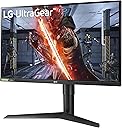
The LG 27GL83A-B is a 27-inch QHD (2560x1440) IPS gaming monitor featuring a blazing 144Hz refresh rate and ultra-fast 1ms response time. Certified NVIDIA G-SYNC Compatible and AMD FreeSync Premium, it delivers tear-free, smooth gameplay. With 99% sRGB color accuracy, HDR10 support, and an ergonomic adjustable stand, it’s designed for immersive, professional-grade gaming and productivity.


| ASIN | B07YGZL8XF |
| Adaptive Sync | G-Sync Compatible |
| Additional Features | Adjustable |
| Aspect Ratio | 16:9 |
| Best Sellers Rank | #1,922 in Electronics ( See Top 100 in Electronics ) #71 in Computer Monitors |
| Brand | LG |
| Built-In Media | Wall Mount Size (mm) :100 x 100 mm DisplayPort,HDMI |
| Color | Black |
| Color Gamut | 99.0 |
| Compatible Devices | Monitors |
| Connectivity Technology | HDMI |
| Contrast Ratio | 700:1 |
| Customer Reviews | 4.6 out of 5 stars 12,582 Reviews |
| Display Resolution Maximum | 2560 x 1440 Pixels |
| Display Technology | IPS |
| Display Type | LED |
| Global Trade Identification Number | 00719192634961 |
| Hardware Connectivity | DisplayPort, HDMI |
| Has Color Screen | Yes |
| Image Contrast Ratio | 700:1 |
| Item Dimensions D x W x H | 8.2"D x 29.2"W x 20.6"H |
| Item Type Name | UltraGear Monitor |
| Item Weight | 20.28 Pounds |
| Manufacturer | LG |
| Model Name | LG 27GL83A-B 27 Inch Ultragear QHD IPS 1ms NVIDIA G-SYNC Compatible Gaming |
| Model Number | 27GL83A-B |
| Mounting Type | VESA Compatibility - Mountable: 100 x 100mm |
| Native Resolution | 2560x1440 |
| Number of Component Outputs | 2 |
| Picture Quality Enhancement Technology | HDR |
| Pixel Pitch | 0.233 |
| Power Consumption | 51 Watts |
| Processor Count | 1 |
| Refresh Rate | 144 Hz |
| Resolution | QHD Wide 1440p |
| Response Time | 1 Milliseconds |
| Screen Finish | Hard coating (3H) |
| Screen Size | 27 Inches |
| Screen Surface Description | Hard coating (3H) |
| Shape | rectangular prism |
| Specific Uses For Product | Gaming, Personal |
| Total Number of HDMI Ports | 1 |
| UPC | 719192634961 |
| Unit Count | 1.0 Count |
| Viewing Angle | 178 Degrees |
| Voltage | 110240 Volts |
| Warranty Description | Limited: 1 Year Parts & Labor |
| Warranty Type | Limited |
B**D
This is a nice monitor.
This is a beautiful monitor. I had a 60Hz monitor that I had been using for many years and recently got a new video card and I just had to get a monitor that would take advantage of its features. G-sync works wonderfully with my RTX 3080 and the colors are nice and bright. With Windows HDR on it has a purple tint when looking at it from an angle but you can't see it at all when looking straight at it and it's not present with Windows HDR turned off. I'm still on the fence about whether Windows HDR is necessary. In most cases it's better to leave it off but this isn't the fault of this monitor. There are many topics on the internet about how bad Windows HDR is but they have been improving it and a recent update did fix a lot of issues though it's still not without. It does make videos look nice but has issues with some games. 1440P is a great resolution and offers a lot more screen real estate than what 1080P does and is great for games. I'm not seeing any backlight bleed or dead pixels. There is no tearing or weird flashing in games and I can run every game I play on maximum settings and get great FPS with surprisingly very little to no FPS difference between 1080P and 1440P. I had reservations about getting this monitor because of some of the negative reviews but for the great price so far for me it has been an excellent upgrade. I have also found the OnScreen Control app to be very handy but make sure to turn off Windows Snap or it may cause conflicts. I'm glad it doesn't have useless RGB lighting on the back that no one can see unless it's night time and you turn off all of the lights in your room either. I have never understood why that feature is on some monitors. Pro tip: Turn off Automatic Standby if you use Windows Power and Sleep settings to control your monitor's Sleep time. Of course if any issues come up I will update this review but for now I highly recommend this monitor.
W**N
Great monitor, so far no issues at all.
I've had this since Nov 2024. Still no complaints. Solid picture, colors haven't faded. I'm not wildly picky about things but I've got no complaints. I do PC gaming, but more of a casual gamer. Great monitor, the research I did before getting it seems to have paid off. Pairs well with my graphics card.
D**B
The perfect Gaming/Office Display
I'd like to start by saying, ever since LG invented the wallpaper TV, I've developed loyalty, strictly on their displays for everything. They are cheaper then Samsung, yet more innovative, so, kudos. That said, if my review sounds at all biased, I'm sorry. There are no defects on the monitor I received. Ran an Ezio test and found nothing that stands out. Something to be aware of, is that if you purchase a VESA mount, it needs to be 100x100, and even if that mount has spacers, you may need some washers to compensate for a gap. The reason for this, is to keep the back flat and uniform when installing the stand it comes with, but considering monitors these days are naturally very thin, this causes a problem by limiting the female port length for the screws needed to secure a VESA mount. In my case, 8 small washers I had left over from other projects fixed this problem. Something else worth noting is it is Nvidia G-Sync compatible (there is an attractive sticker showing this monitor is capable of it on the bottom left that I'm assuming can be removed). My Nvidia GeForce RTX 2070 Super recognized that it is a G-Sync compatible monitor, and I was able to enable G-Sync thru the Nvidia Control Panel, however, when you view settings on the monitor itself, it is called "Adaptive Sync." From what I've read, this is because they used to be one in the same, and it works just the same as far as I can tell. Enabling it in the Nvidia Control Panel made the monitor settings show Adaptive Sync: Enabled. One feature I really liked that I wasn't aware of when buying this monitor, is that the settings button is a small joystick. If clicked in it opens the settings window, if towards you or away from you, it allows you to adjust the brightness, and left or right is headphone volume. Overall very nifty for one button. If you need a VESA mount but aren't sure what to get, this is what I ordered: VIVO Dual LCD Monitor Desk Mount Stand Heavy Duty Fully Adjustable fits 2 /Two Screens up to 27" (STAND-V002). Mine is a dual mount but you can choose between double and single. The mount itself is extremely sturdy. Zero wobble and aesthetically pleasing, as it has a cable management system and you can hide the VIVO logo on the main support pole if you want to (I did, I'm not the biggest fan of logos). But not to veer off the topic or review, 2560 x 1440 @ 144hz for under $400 from LG w/ G-Sync compatibility is the most perfect monitor I could ask for. 2k is ideal for gaming as 4k is too demanding for AAA titles (for about 90% of the Gaming PC Community and 100% of the eSports Community). One last thing I've noticed, is that I have had a 4k screen in the past, and noticed the resolution makes everything extremely tiny (the taskbar being the most obvious reference). 2k is the sweet spot, because it's not too small, but there is now enough real estate for a 27" monitor to be all I need (for gaming). When I get into photo editing, etc., I will likely purchase a 4k monitor, but only for shows, movies, and editing. I do self-taught audio production work, and 27" 2k is more then enough for me. Some producers use widescreen monitors, which is great for them, I'm sure, but not necessary after seeing this thing. Thank you LG, for the ultimate monitor, and thank you Amazon, for an undamaged product.
J**E
Amazing 1440p Monitor
This LG Monitor has a very nice display and since upgrading from my old 1080p display - listed below, is one of the best decisions ever made, not only are images higher quality and performance on this LG 1440p and HDR/Nvidia G-SYNC compatible monitor, but what they say is true, the increased refresh rates and clearer image does indeed result in less visual related problems, and less migraine type headaches from stepping up to 1440p and I'm positive this would be the same with 4K or 8K displays and also higher refresh rates to speed up the times the image is refreshed resulting in less strain on eyes/brain. I have noticed a significant difference since going up to this LG 1440p display and if have solid top tier PC graphics card and other hardware, even recommend potentially stepping up to 4K or better if have a GPU like 3080/3090 or 4080/4090 that will perform well at 4K -- but this thus far in 30+ years of PC usage and gaming, is by far the best choice made to experience what its like at 1440p+ by far and not gonna lie, had no idea it would be that extremely good until I plugged it in and could see the difference in quality side by side - granted the 3 images above one is the LG 2560x1440p on left side while gaming and right side image is PC desktop wallpaper image in 1920x1080p, there still is a fairly noticeable difference, thus also why the right side image is smaller in size and not as clear as this LG monitor on the left and why I have included these just in case it helps. Note: The 3 images included - which I should mention are from Visions of Mana (Square Enix) game demo version, Valve/Steam platform and EVGA 3060 XC 12gb GPU and I do not own the rights to, image on right side, is captured from secondary monitor and XFX RX 570 XXX Edition 8gb GPU - image is a free Microsoft provided "Windows Spotlight" and also do not own any rights or credit from the above, but plainly just for reference - also image on left is the 1440p LG27GL83A-B and image on right is 1080p on VISIO d40f-g9 40" TV used for my secondary monitor.
M**H
Fantastic QHD Gaming Monitor — Smooth, Sharp & Well-Worth It!
I’ve been using the LG UltraGear 27GL83A-B for both gaming and everyday computer use, and it’s been an excellent upgrade over my old 1080p display. The 27-inch QHD (2560×1440) IPS panel delivers crisp, detailed visuals — everything from games to movies and even day-to-day productivity looks noticeably sharper than a standard 1080p screen. The 144 Hz refresh rate combined with a 1 ms response time makes gameplay extremely smooth and responsive — fast-paced FPS and RPG titles feel more fluid, and there’s very little motion blur even in intense moments. It also supports both NVIDIA G-SYNC and AMD FreeSync, which helps keep tearing and stuttering under control. Color accuracy is excellent right out of the box with 99 % sRGB coverage, so games and media look vibrant. The viewing angles are great thanks to the IPS panel, and the anti-glare coating helps cut down reflections in brighter rooms. Setup and ergonomics are solid too — the adjustable stand lets you tilt, pivot and change height easily, which makes long sessions more comfortable. 💡 Minor quibbles: The built-in HDR10 support is basic and doesn’t compare to true high-end HDR monitors. Some units might show slight IPS glow or backlight bleed in very dark scenes, but that’s typical for IPS panels and hasn’t been a big issue for me. Overall, this UltraGear model hits the sweet spot between performance, quality and price — highly recommended if you want a responsive, sharp display for gaming and general use.
A**N
Satisfied
I like this monitor. Not too expensive but still really great quality of picture and build quality is good too.
T**O
Really Nice Monitor
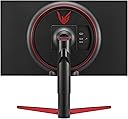
After one week: this monitor is very good. I am using the DisplayPort and the G-Sync works automatically with my GTX 1650S. The audio out works good if you prefer to plug in there instead of the PC. One feature I thought I would probably never use but I found a good use for is this monitor's ability to swivel 90 degrees on its stand - play pinball! It's perfect for that. Based upon one day's usage: It's a really nice monitor in all aspects and so I'm very happy with the purchase. Great color, G-Sync works, everything gets detected and optimum settings applied in Windows and Steam games. I like the stand design also - that is one area a monitor excels over a TV. I have mostly Samsung TVs but chose an LG for my new monitor partly based on a lot of specs and reviews and price/quality ratio and such. Also, I wanted to try an LG since my in-laws have an older large LG TV that is like 15 years old or something but is 120hz and it has held up to this day with a fabulous picture and quality looking case and stand. I think this LG 2783A-B monitor is going to prove the same. If you want G-Sync compatibility, 144hz and 1440p then this is one of the best options and most cost effective options at this time I think. This monitor has no speakers but it does have an audio out port. Of course this model number is an Amazon special edition. It shows up in Windows 10 settings as a 27GL850. I had been using a Samsung 22 inch 1080p TV for my monitor and it was pretty nice and had very good speakers. Well, after having my i7 PC for 3 years I decided it was time for a refresh: NVME drive, Lancool 2 Case, LED Fan kit, 650W PSU, MSI GTX 1650 Super Gaming X, Xbox Windows 10 Wireless Adapter and this LG 2783A-B monitor. As you can imagine this all really woke up that i7 and its a completely different experience now - obviously in a positive direction. More on this monitor... The 27 inch size is really nice compared with a 22 inch one. Looking at this LG 2783A-B 1440p at a distance of 1.5 to 2 feet looks the same to me as looking at my Samsung 40 inch 4K TV from 3.5 to 4 feet away. That is very good BTW. Are you used to watching 1080p and 4K LCD TVs? Then you will be very satisfied with deep blacks and vibrant colors on this and not notice any light bleed effects - it will look as good as a nice 4K TV at a bit larger size and much better than a 1080p I can tell you that. I use my PC for CAD for 3D printing, Photoshop and gaming mostly. To me this monitor is an optimum size, resolution and picture quality for those things sitting at a desk. I tried my 40 inch 4K TV for a while and it looked as good as this monitor but was just too much screen area at such a close distance. I like this 27 better. This monitor has some pretty nice metallic red accents but unfortunately they are all toward the back so you won't actually see much of them.
S**X
Fantastic price to quality ratio
Overall fantastic monitor. 1440p is a solid choice for the 27 inch size, visuals are sharp without being too demanding on the GPU, colors are good with great whites and blacks. Refresh rate is solid (imo above 144hz gives diminishing returns in general, 240hz is overkill, at least to my eyes) Overall great for gaming, but also great for productivity work. Height adjustment is smooth and the monitor is comfortable to use.
D**Y
Great fo rthe price.
Whilst not the most accurate colour, for the price, these are great panels for additional monitors. I have 1 either side of my main graphics monitor.
C**N
Gran monitor para gamers y creadores de contenido audiovisual. Los 144 htz cambiarán tu vida.
Pasé de un Samsung 4K con panel TN a este modelo de LG y el salto es descomunal. Juego bastantes FPS y evidentemente ayuda muchísimo, pero no sólo por los FPS o el Refressh Rate, la imagen en sí mejora muchísimo. Incluso si juegas cosas como GTA V o Just Cause o cualquier juego que no necesite el refresh alto como los FPS, la imagen se vuelve más definida y es un gusto jugarlo. Me dedico a hacer contenidos multimedia y lo primero que noté con el panel IPS es que el texto es muuuuuucho más nítido. La claridad y definición de las caracteres no se compara con el del panel TN. Hablando de la edición de video y motion graphics, el color cambió muchísimo; si has investigado un poco, sabrás que los IPS son recomendados para diseñadores y editores y vaya que cambia. Si sólo vas a jugar y te importa la rapidez de respuesta en FPSs y no tanto los colores (sólo lo usas para jugar y ver alguna serie o videos de YouTube), uno con Panel TN puede ser una buena idea para ti, además de ser muuuuucho más barato con 144 Htz y 1ms. Si lo usarás para trabajar en creación de medios audiovisuales, es perfecto, pero creo que está sobrado si SOLO lo usarás para eso. Hay monitores de panel IPS a 60 htz que te quedarán de lujo y a menor precio. Este monitor está dirigido para los entusiastas del gaming y que, además, quieren colores fidedignos y pretendan sacarle provecho a los 144 htz (o 120 o 100), o sea, que su hardware pueda sacarle jugo a eso (el Nintendo Switch no tiene contenido a ese refresh rate ni es compatible con Adaptive Sync, por ejemplo). El modelo que adquirí fue el 27GL83A que no cuenta con hub USB, pero lo hice así para ahorrar 3,000 MXN y porque realmente no necesito ese hub. No podré actualizar el firmware por esa razón, pero tampoco es necesario; no es como que tu monitor cambie el refresh rate o funcionalidades óptimas por ello. Conclusión: Si juegas FPSs, brincar a los 144hz cambiará tu vida. Si trabajas en medios audiovisuales y tienes un TN, también cambiará tu vida (aunque podrías conseguir uno con panel VA a buen precio y buenos resultados... no los mejores colores pero mejor que el TN).
A**D
Amazing monitor without busting a crap ton of money
This monitor is amazing, its a 27 inch, IPS 1440p,144hz, 99%sRGB, 1ms response time, freesync and nvidia g-sync, it even has HDR!!!! The Hdr works relatively well, keep in mind, it isn’t listed anywhere in product description so its a really nice bonus. The monitor has many modes which vary based on how your eyes feel and what the device you’re playing on is capable of. For example, it can mimic HDR if your device can’t broadcast it. And so on. Anyways, i highly recommend this monitor for gaming, i’ve been using it for 2 months now and i haven’t encountered any issues with it, really great product.
A**Z
Excelente calidad y precio.
La construcción del monitor es en un plástico en su mayoría opaco y rugoso, pero de calidad. Cuenta con marcos superior y laterales notorios (5 mm aprox) para un monitor gamer en 2023 pero en mi caso no me molesta. El panel ha respondido de forma excelente, mostrando colores buenos para mi gusto. Efectivamente es de 144hz y funciona correctamente con NVIDIA G-sync. Como casi cualquier panel IPS tiene fuga de luz pero solo se nota cuando la pantalla se ve en negro completamente, en un uso normal de juego no se llega a percibir. Lo uso en un espacio muy iluminado y aun así no he tenido problemas con su brilla, su brillo es excelente. Cuenta con un botón/joystick en la parte de abajo que sirve para contral su interfaz de ajustes. La interfaz se ve moderna y funciona perfectamente, permitiendo una gran variedad de configuraciones. Yo lo monté a un soporte VESA de 10x10 sin ningún problema y precisamente por eso no probé el soporte que tiene incluido, pero este se ve de calidad y suficientemente robusto.
J**V
An Excellent Monitor That Has Been Working for Me for the Past Few Months
I've put about 2000 hours onto the monitor so far and it has been going great for me since then. I think I got really lucky with mine as it had no backlight bleed and very uniform blacks. The contrast isn't the greatest but that is to be expected with an IPS display, as you are wanting colour accuracy, not deeper blacks. The refresh rate is amazing and playing at 144hz with G-Sync on makes for a wonderful experience. The response time has been tested on YouTube and isn't exactly 1ms or as fast as a TN panel but it is still really quick compared to most other TN panels out there today. Overall, I find this to be an excellent monitor and would highly recommend it.
Trustpilot
4 days ago
1 week ago