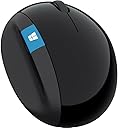
Desertcart purchases this item on your behalf and handles shipping, customs, and support to Iceland.
🖱️ Elevate your workspace with comfort and control — don’t settle for less!
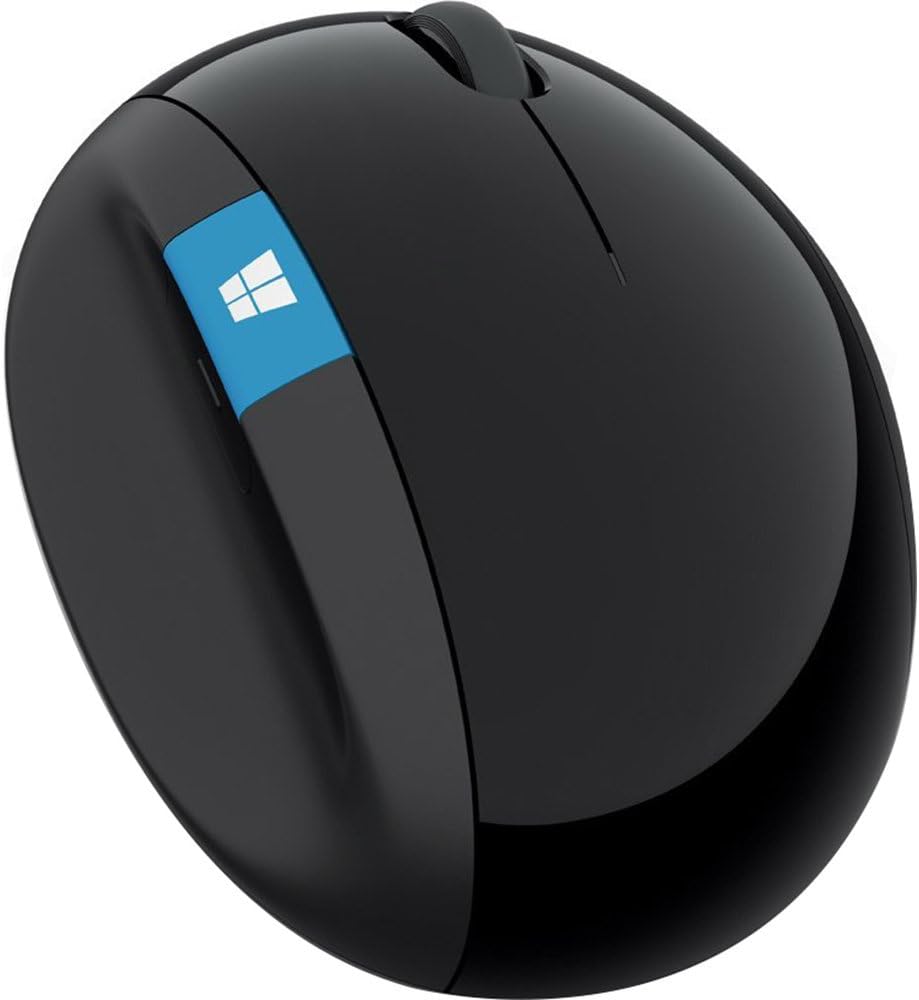
The Microsoft Sculpt Ergonomic Mouse (L6V-00001) is a precision-designed wireless mouse featuring an ergonomic thumb scoop to reduce wrist strain, a versatile 4-way scroll wheel for seamless navigation, and a dedicated Windows button for quick Start screen access. Compatible with multiple Windows and Mac OS versions, it offers long battery life powered by included AAA batteries, making it an ideal choice for professionals seeking comfort and efficiency in their daily computing.


| ASIN | B00D68ZVY8 |
| Additional Features | Ergonomic Design |
| Antenna Location | Office |
| Best Sellers Rank | #291 in Computer Mice |
| Brand | Microsoft |
| Button Quantity | 3 |
| Color | Black |
| Compatible Devices | Win 11/10 64 bit, Win 11/10 32 bit, Win 8.1 32 bit, Win 8.1 64 bit, Win 8 32 bit, Win 8 64 bit, Win 7 32 bit, Win 7 64 bit, Win RT 8.1, Win RT 8 Mac OS 10.10, Mac OS 10.9, Mac OS 10.8, Mac OS 10.7 Android 5.0, Nexus 9 |
| Connectivity Technology | USB |
| Customer Reviews | 4.4 out of 5 stars 3,946 Reviews |
| Enclosure Material | Plastic |
| Global Trade Identification Number | 00804067309195, 00885370599572 |
| Hand Orientation | Ambidextrous |
| Hardware Platform | Laptop, PC |
| Included Components | 2 AAA batteries |
| Item Dimensions L x W | 5.51"L x 3.87"W |
| Item Type Name | Microsoft Sculpt Ergonomic Mouse (LGV-00001) |
| Item Weight | 8 ounces |
| Manufacturer | Microsoft Input |
| Mfr Part Number | L6V-00001 |
| Model Name | L6V-00001 |
| Model Number | L6V-00001 |
| Movement Detection | Optical |
| Movement Detection Technology | Optical |
| Number of Batteries | 2 AAA batteries required. (included) |
| Number of Buttons | 3 |
| Operating System | Windows 8 |
| Power Source | Battery Powered |
| Range | feet |
| Special Feature | Ergonomic Design |
| Style Name | Modern |
| UPC | 804067309195 655643340756 033173680731 809394594566 804904112582 012304006213 044111216349 808112948131 012301323597 617407462579 885370599572 801947292059 012302529226 |
| Unit Count | 1 Count |
| Warranty Description | Comes with Manufacturer Warranty. |
B**N
Very Comfortable, Just a Flimsy Dongle
This mouse is extremely comfortable and feels great even after using it for long periods of time. The shape fits my hand well, the controls are easy to use, and overall it feels like a solid, well-designed mouse. My only real complaint is the wireless dongle, which feels a bit flimsy and not as durable as the rest of the product. I’m a little more careful with it because of that. Aside from the dongle, though, I’ve been very happy with the mouse and would definitely give it five stars.
M**K
Great mouse but with some caveats that you may or may not care about
I've been using this mouse for about 3 years now. It is an awesome mouse. Very comfortable and ergonomic. Battery life lasts a long time. I've replaced the AA batteries maybe 5 times in 3 years. Tracking works well/smoothely, as expected. Some things I've noticed that are worth being aware of (these don't bother me much, but I imagine they could matter to some folks): * The glossy black surface will tend to collect grease from your fingers over time. It's very noticeable against the shiny black and is kind of nasty. Luckily, it also cleans off very easily (I tend to use an alcohol or clorox wipe). * The black skids on the bottom glide smoothly on the surface of my desk, but they also leave behind black residue on the desk surface over time. My desk's surface is plastic fake wood so I just wipe it off with a wipe every once in a while (takes some scrubbing). If you have a real wood desk, you may want to use a track pad instead. * The connectivity of the dongle can be bad if there is a lot of metal near the receiver. For example, I used to have a metal padlock on the k-slot right next to the USB port where the receiver dongle was plugged in, and that seemed to mess with the connection a lot. On the other hand, plugging this into the back of my monitor seems to work just fine. * On macOS the windows and back buttons do not work. They work find on Windows and Linux.
R**R
The Imperfectly Perfect Mouse
This mouse really deserves five stars, but I am struggling with giving it that rating. This mouse is super comfortable, with the vertical orientation leaving your hand in a natural position as you use it. I've never had wrist or hand problems, but still I notice the positive difference in fatigue when I use this mouse. The mouse is very accurate, and the large glide surface makes it feel like it's floating across the desk. The buttons give great tactile feedback, and the wheel scrolls easily with the steps easy to stop on and easy to scroll from. This could be the most perfect mouse I've ever used, and is such a pleasure to use I bought one for home, too. So why the five-star struggle? This mouse is tall. Very tall compared to the mice I've used over the past 30 years. So tall, in fact, that occasionally (at least it's no longer frequently like when I first received it) when I reach for the mouse, I knock it off my desk. After so many years computing, and reaching for the mouse becoming a mindless activity, I'm so used to a mouse being a certain height, I simply don't reach high enough. So, the side of my hand bangs into the mouse, sending it flying (since the non-friction surface works so well). More often than not when this happens, the bottom cover pops off and the batteries come out. Of course, they never fall next to the mouse - no, I'm crawling on my hands and knees looking under chairs and desks. When I do this at the office it's a minor annoyance, since I have carpeted floors there. At home I have hardwood, and the mouse takes a beating when it falls. So much so that the wheel no longer works. I'm going to have to replace it, but this mouse is so great that I'm going to buy another one. But if I break it again, I may need to look elsewhere, just for my wallet's sake.
N**G
Love this, don't want to use any other mouse now
I love this mouse, I was looking for something that would be better for my wrist, wich was starting to bother me at work. I work in a digitization unit at a university library, I spend ALL day clicking, doing lots of editing. I also didn't want a ball track one, I needed something I could get used to quickly and use with precision. I got them to buy me one of these at work, after having it for a couple weeks, my wrist felt so much better, I made them get them for all the workstations in the area (6 more). My student employees really like them too, one says I have "ruined" her for any other mouse. We all got used to the slight change in angle quickly and were able to do precision work with them. They are a little bigger/heavier than a lot of mice, but it fit well for me and several students, I have fairly small hands, there was a variety of sizes with the students. I've since bought one for my parents and they both like it, and my dad has very large hands that are now tending to shake. I think the slightly bigger and a little heavier mouse makes it easier for him to work with. I've used this for over a year, all day 5 days a week. The other workstations get quite a bit of use also. We haven't had any problems with any of them. The batteries on mine last about 5 months, the other ones last even longer. They have been knocked on the floor various times and have survived. My tower is on the floor and pushed to the back/side of a large desk and I haven't had any issues with it not being able to connect. Haven't had any interference from wifi or something else, I'm at a university and there are various other signals for things all around.
W**R
sideways ergonomics is the way to go (but I liked the 6000 better)
I am a firm believer in an ergonomic keyboard and mouse---specifically the ones made by Microsoft. Like many people these days, I spend far too much time sitting at a computer desk. A few years ago, I started to get sharp pains in my wrist...and I am fairly young so I knew this was a very bad sign. To circumvent carpal tunnel problems later in life, I became a little obsessed with testing out anything that might alleviate the pain. I tried a variety of options like raised gel pads in front the mouse and keyboard, raised keyboards, different chair and desk heights, a mouse with a trackball, etc. Sometimes they brought a little comfort but nothing really solved the trick completely. Well, that is nothing until I tried out Microsoft! The ergonomic keyboard and mouse took away the pains better than I had expected (I don't have them anymore). A few weeks later, I bought another set for my office and threw out my father's stuff for a replacement at his house and office, too. My mouse of choice was the Microsoft Natural Wireless Laser Mouse 6000 until my second one went downhill. I was not willing to pay $220 for a replacement (what the heck?!). Instead, I took a risk on the Microsoft Sculpt Ergonomic Mouse (L6V-00001) . I am quite happy with its out of the box performance. It took me all of about 15-30 seconds to get it running. WHY A RISK? FEAR #1: Review quality. Most of the reviews are from people on Vine. I like the idea of Vine (wouldn't mind being on it myself!) but I wasn't sure if the company was trying to drum up reviews by sending out freebies. RESPONSE: The reviews are legit and detailed. I don't think they're exaggerations. FEAR #2: Size. Some reviewers touched on the different sizes of the mice. I was perfectly happy with my other model and didn't want an upgrade to send my good luck into a tailspin. RESPONSE: This mouse actually feels smaller in my hand. For people not used to the siderest (like on the Natural Wireless Laser Mouse 6000), I see how the size could feel awkward or terribly large. Actually, I wish it was slightly larger to fill out my hand a little more. Oh well! FEAR #3: The new laser. I am enchanted by Logitech's darkfield technology and enjoy its products. I wanted to get such a mouse for my desktop (already have one for travel with my laptop and it is awesome) but I was fearful of not having a tried-and-true ergonomic mouse. Microsoft's laser claimed it wouldn't work on glass tables when I looked around. My desk is glass but has a tinted shade. RESPONSE: Indeed, it does not work well on the glass. There is a jittery movement. No getting rid of my mousepad for now. Nothing changed here. I'd take away 1/2 a star if I could but this was my own risky decision so I can't fault the mouse all the way. FEAR #4: New buttons on the side. I love my zoom and back buttons on the other mouse. RESPONSE: Eh, I think I'll adjust. I am still not completely used to it even after a month of heavy usage. The back button is located a little too far toward the front of the mouse given how I used my old Microsoft ergonomic mouse (maybe it wasn't perfect for use but it was comfortable). The Windows button is kinda weird, too. I miss my old zoom button because I sometimes work with graphics where zooming in fast is pretty nice. The scroll wheel seems a little more "clicky" but has less friction than my other mouse. This mouse loses points for getting rid of my zoom. I bet I could reprogram the Windows button but that takes a few seconds of effort and I don't want to be constantly reminded of the Windows logo (I do use Unix and Mac systems sometimes). I'm docking a star without hesitation because of the poor placement of the back button and the useless Windows button. FEAR #5: Ease of movement. The other mouse I have glides fairly well as I move back and forth. I've gotten used to a lack of friction. RESPONSE: This mouse is actually a little better in its movement. Out of the box, it felt slightly lighter (indeed the product page says 10.4 ounces vs 1 lb but it's nothing to write home about). I don't care about whether these ergonomic mice are a lot heavier than most mice because I use them for desktop computers---not travel---and I don't plan to pick it up much. If you have a laptop, this may not be the ideal mouse to be lugging around! Sitting next to the older Microsoft ergonomic mouse, the new one reminds me of a smaller yet cool oval rock you might find in a mountain stream while the older one looks like something out of Area 51. This sculpt mouse has a sleeker and lower profile. OVERALL I'm happy. I still like the fit and buttons a little better with its predecessor but the new design is cool and equally as useful. I can get rid of the wireless receiver now. The USB one does stick out a little farther than other competitors' products but I put it in the back of my computer. Would I choose this mouse or the older 6000? Probably the 6000 for comfort but this one for looks. Usability (in its glide and basic clicking) seems slightly better with this one. We'll see how the battery power holds up... *** UPDATE after 2 months: Still works fine and without any complaints. I tossed the v6000. I have gotten a little more used to the new button on the side for clicking "back". Seems like I hold it a little higher and that gives me a better grip as well as an ability to touch the button. I continue to believe the Windows button is rather worthless. I'd rather have something cool (like a transparent window or a glowing light) rather than that button. Scrolling is great with this mouse (both by moving the mouse and with the scroll wheel). I'm happy. When the v6000 goes dead in my office, I'll upgrade to another one or see if Microsoft has another innovation on the market. I don't see a point in trying out other companies any more. No, I'm not getting paid or endorsed by them...I like good products and don't mind raving about them when they improve my life :-) UPDATE after 5 months: Review holds. A solid product. I believe I have replaced the batteries only once and I usually spend a few hours on my CPU on a daily basis. One thing that has impressed me has been the range of movement of the mouse to the scroll icon on the screen (not sure about a range distance from the CPU ). On the older model, I would have to pick it up and move it some to go back and forth across my widescreen dual monitors. This one can almost always go back and forth and, when I do have to pick it up, it's not as heavy to move around.
F**E
Great for carpal tunnel/RSI
I have carpal tunnel issues in both wrists, but it's worse in my right since I'm right-handed. A while ago a friend who had RSI issues recommended this mouse to me and it's been all I use ever since! I have one at work for my work desktop and one at home for my personal laptop. It makes a world of difference! I started a new job a few months ago and had to wait two or three days for a new mouse to arrive (since my workplace technically owns the mouse they buy me). In just those two or three days my carpal tunnel was much worse and I was having a lot more tingling and pain. As soon as my mouse arrived, it got much better. I have much fewer problems with my carpal tunnel overall using this mouse vs a standard one. The same mouse I had at my previous workplace had been going strong for the 3 years I had it. And that was even after many times I accidentally swiped it off my desk and it clattered to the floor. It's still there for someone else to use. I like the feel of the material of the mouse. The only downside, in my opinion, is the "back" button on the left side of the mouse where the thumb goes. I'm sure it may be useful to some people, but I wish I could simply disable it so I don't actually hit "back" when on a webpage. I've gotten used to it and don't do that very often anymore, though I used to do it all the time when I first got the mouse and was getting used to it. Again, just wish I could disable it and not think about it all. But if that's the only drawback, it's still worth it for this mouse because of everything else.
M**E
A Comfort King with Some Build Quality Trade-Offs
The Microsoft Sculpt Ergonomic Mouse might just be one of the most comfortable mice I’ve ever used. Its shape and angle feel incredibly natural in the hand, providing excellent support for the wrist and thumb. The palm and thumb rests feel well-contoured, and I never experienced strain- even after full days of office work. The scroll wheel is solid, with a more clicky than smooth feel, and the Windows button was a handy shortcut for quickly pulling up the Start menu. The wireless connection was rock solid using the included USB dongle, and I had no issues with lag or dropouts. Battery life is reliable. AA batteries lasted me around 2–3 months, and swapping them out was easy. Where this mouse falls short is long-term durability. While functional, the mouse does feel a bit plasticky compared to higher-end models. After about 8 months, the rubber thumb grip started peeling, which was disappointing given the otherwise excellent ergonomic experience. Also, the buttons remain responsive but lose that solid "click" feeling over time. I mainly used it in the office, and I’d recommend it to anyone who spends long hours at a desk and values comfort over aesthetics. Overall, I give it 3 stars. Excellent ergonomics, but the build quality could be better.
D**N
I recommend the Microsoft Ergonomic Mouse over the Microsoft Comfort Mouse
Before this, I have been using the Microsoft Sculpt Comfort mouse for over two years. It has lasted well, but caused me some minor joint pain with my middle, ring, and pinky fingers with extended used. So when I needed a second mouse for a new laptop, I decided to try the Sculpt Ergonomic mouse instead. In short, I would recommend the Ergonomic mouse over Comfort mouse and might retire the Comfort mouse early in favor of a second Ergonomic mouse for my desktop. For the Comfort mouse, I prefer the slightly less stiff wheel and recognize it might be a better choice for either people who want a more traditionally shaped mouse, or people who want more mouse shortcuts (two swipe gestures and a button vs. the Ergonomic mouse's one customizable button), but the Ergonomic mouse is much more comfortable for long periods of time and feels like a more premium product. Although I've had it for less than a week so far, the Ergonomic mouse is much more comfortable. It's larger, a little heavier, and seems to have a little less resistance on my desktop (although that might be just because it's new). The base and battery cover is magnetic which is nice, but not an important difference. It also has a USB receiver instead of using bluetooth, which means I can more easily use it on different computers without the hassle of a bluetooth pairing screen, but could be a problem if you already are short on USB ports or don't want a bump sticking out of your laptop. The Comfort mouse also had occasional hiccups in connectivity (which might be due to my setup), but I haven't experienced this with the Ergonomic mouse. Overall, both are good, but a mouse should first and foremost be comfortable and reliable, and the Ergonomic Mouse is more comfortable and more reliable than the Comfort mouse in my experience.
W**N
Microsoft L6V-00001 Sculpt Ergonomic Mouse
The BEST mouse I ever owned. It truly met the definition of ergonomic, without symptoms of carpal tunnel or added stress on my finger and hand joints. I wish the mouse was not decommissioned.
L**M
Expensive
Solid, but expensive
F**N
Ajuste anatómico
Es un dispositivo estilizado, redondeado que no parece un mouse tradicional, he probado otras marcas pero he regresado a Microsoft para mi gusto tienen mejor movilidad y precisión. Este mouse cuenta con varios botones que se pueden configurar independientemente, incluye el botón de inicio de windows. Me encanto que el scroll ademas de moverse en vertical se mueve en horizontal; utilizándolo correctamente disminuye el esfuerzo en la muñeca y hombros, resulta muy cómodo lo puedo utilizar por horas sin molestias
V**.
O MELHOR!!!
Esse é o melhor mouse que já tive. Uma pena que parece ter saído de linha pq nem a Microsoft tem. Mas, felizmente, esse vendedor tem, e por um preço caro mas bem menor que outros raros vendedores, o que fez a minha alegria. Veio super rápido ... agradeço e recomendo!!!
S**Y
Excellent ergonomics!
Beats using a traditional mouse, and perfect for my palm size. The transmitter is larger than the keyboard's and would prefer using a single transmitter for both. Not too much of info available online about this, but yet to install the Microsoft Mouse and Keyboard center.
Trustpilot
1 month ago
1 day ago