
DOWNLOAD THE APP


Customer Services
Copyright © 2025 Desertcart Holdings Limited
DOWNLOAD THE APP

🖤 Cool in silence, rule in style.
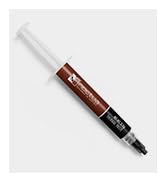
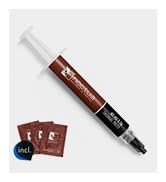
The Noctua NH-U12S chromax.black is a premium 120mm single-tower CPU cooler featuring an all-black design, award-winning NF-F12 fan for silent yet powerful cooling, and a compact form factor that fits most cases without obstructing RAM or PCIe slots. It includes high-quality thermal paste and an easy-to-install mounting system compatible with the latest Intel and AMD sockets. Renowned for its build quality and backed by a 6-year warranty, this cooler is the go-to choice for professionals seeking efficient, quiet performance with sleek aesthetics.









| ASIN | B07Y88BNYZ |
| Batteries Required? | No |
| Batteries included? | No |
| Best Sellers Rank | 25,563 in Computers & Accessories ( See Top 100 in Computers & Accessories ) 373 in Fans & Cooling |
| Colour | Black |
| Customer Reviews | 4.8 4.8 out of 5 stars (5,314) |
| Date First Available | 2 Oct. 2019 |
| Finish | AlTiN |
| Included components | Keyboard |
| Item Package Quantity | 1 |
| Item Weight | 1 kg |
| Item model number | NH-U12Schromaxblack |
| Item thickness | 10 Millimetres |
| Manufacturer | Noctua |
| Material | Copper (base and heat-pipes), aluminium (cooling fins), soldered joints & nickel plating |
| Noise Level | 22.4 Decibels |
| Part number | NH-U12S CH.BK |
| Power source type | AC/DC |
| Product Dimensions | 15.8 x 12.5 x 7.1 cm; 1 kg |
| Size | One Size |
| Specific uses | Business |
| Specification met | TUV |
| Style | Classic |
| Switch style | DIP Switch |
| Voltage | 12 Volts |
D**N
Quiet cooling for a Ryzen 5 3600x
I was looking for a replacement to the AMD stock cooler, which in itself is fine but I wanted something quieter and more effective when gaming. Having heard about Noctua's excellent reputation I decided to pull the trigger on a Chromax u12S. For starters, the packaging is excellent and comes with a lot of the accessories you'd need (but perhaps not all, more on that later). It comes with a tube of NH-H1 thermal paste for usage in more than one system, a low-noise adapter, anti-vibration pads for the fans, the NF-F12 fan, clips for a second fan, and mounting hardware for both AMD and Intel motherboards. Pulling the cooler out the box, the build quality is stunning, the cooler is all matte black and every surface is colour matches (something not all cooler manufacturers bother to do). Installation with my x470 Gaming Plus Max motherboard was really easy, using the existing backplate. Simply add the four stand-offs, and screw in the four screws with the two mounting brackets. Add the thermal paste, put the cooler on, screw it down and slip on the fan, very very straightforward. Performance-wise this is more than adequate for a Ryzen 5 3600x, with idle temps around 30-33 degrees and gaming temps of around 50-55 degrees (depending on the circumstance). This is in a Fractal Meshify 2 Compact with good airflow, for reference. This cooler performs fantastically, and eliminates the incredibly annoying Ryzen fan ramp-up when doing simple tasks like opening chrome. The fan is basically silent at idle, and when gaming it is still super quiet. It only really gets loud towards the higher end of its RPM range i.e. 1300-1500rpm. It is on the pricier side, hence why I have only rated it 4/5 stars for value for money, however I do realise that you are buying Noctua's excellent customer service e.g. they will provide future bracket hardware for mounting new CPU's free of charge (if engineering it is possible), which is simply awesome. The downsides of this cooler are basically nit-picks, but nonetheless I feel its important to share them. Some of the Chromax black coating comes off fairly easily e.g. on my unit the fan clips have scratched some of it off, but not a lot. Secondly, and rather bemusingly (given the chromax variant costs more than the regular one), the regular U12S comes with a fan y splitter in the box, but this unit does not. Therefore, I had to purchase a separate y splitter for this unit to add both fans to the same CPU fan header. Overall though, I would 100% recommend this CPU cooler. Top-notch build quality, excellent thermals and quiet operation from a brand that provides excellent customer service and seems to care about its customers.
N**I
Incredible Air Cooler
This is an upgrade from an Intel stock cooler I have been stuck with for 3 years, and I will lay down the facts of this cooler! Things to make sure you have before buying this cooler: The only thing you need is Ethanol or Isopropyl. I recommend at least 90%, which is what I used. You can buy 1L of 99.9% Isopropyl Alcohol for £5. Noise: It is so quiet. The noise levels are very low; it’s very quiet. At maximum 1500 RPM, it’s noticeable but nowhere near noisy. The noise in the video I attached was actually my GPU, which needs an upgrade (GTX 1650). Accessories: The included mounting kits are great. If you, for some reason, struggle with manuals, Noctua has videos for installing this cooler for different boards. It was pretty easy; just make sure you follow carefully and don’t rush anything. The included screws were very well made and did the job; they even included an Allen key with a screw on the end, so don’t panic if you don’t have a screwdriver on hand. Also included is their thermal paste! They have very good thermal paste, and it spreads very well. Make sure you put no more than a pea-sized amount in the center of your CPU. Way too much and too little can both result in overheating. How cool is my CPU?: Before my CPU was hitting 91° MAX while gaming on an Intel stock cooler. I have stress tested this CPU on 100% and it barely hit 60°. This is a HUGE difference; however, please note that this will vary from user to user, for variables like Case Airflow, fans, proper installation, usage, etc. The Specs: It works fantastic. I have it on an i5-9400F, my motherboard is a Micro ATX ASUS PRIME H310M-R R2.0. Make sure your case is big enough, mainly due to the fact that if your RAM blocks the fan, and so the fan sticks out a bit, make sure there is clearance. I have a mid-tower case, and it fits just fine. Is it worth it?: It’s on the pricier side; however, it was easy to install and works fantastic. If for some reason you don’t have the correct fittings for your motherboard, simply contact Noctua and they will send out what you need for free, no charge. So yes, it was absolutely worth it.
T**M
Top Tier Product
Easy installation guide for and compatibility for both Intel and AMD CPUs, took me about 15 minutes to install (first time doing it). It comes with plenty of thermal paste. It comes with its own installation brackets and spacers for the different CPUs. Size of the product fit perfectly in my normal sized NZXT tower. The fan keeps the CPU at a very good temperature even whilst playing high demanding games that require CPU power. It quiet and has adjustable speeds if required. The built quality is solid. 10/10
C**N
Ryzen 7 7700X (105W) işlemcide Aida64 stress testinde 70 dereceyi geçmiyor. %100 Fan hızına karşın çok hafif rüzgar sesi çıkarıyor. Thermal Grizzly macun ile kullanmanızı şiddetle öneririrm.
B**B
I too would normally never write a single review on anything. Until I came into contact with the Noctua NH-U12S. Just built a new PC and was using the AMD stock wraith prism RGB cooler on my Ryzen 3900x. As a RGB fangay, I'm definitely one to not shy away from RGB and love the gimmicks that come with it. The AMD wraith prism cooler looked alright but was significantly loud on both idle and active use (streaming/gaming/editing/etc.). I managed to reduce the noise levels during idle but it was still fluctuating between extremely loud and okay/decent. I've heard from many sources stating that this could be changed in BIOS/software and I had taken the necessary steps to reduce the noise but I noticed it would come at the cost of CPU temp or inconsistent fan levels (might be a BIOS issue). The Noctua NH-U12S puts all of these worries to waste and more - it's a high performing fan that runs basically fully silent in both idle and active load (running at around 30-35 degrees celcius on idle). Simple to set up, manual guide easy to follow that even a monkey could do it and its compatible across both Intel and AMD sockets (seperate guides for each, all in the box). I would hands down recommend this to anyone that is thinking between the AMD wraith prism or another CPU fan. No doubt in my mind that this would impress anyone looking to upgrade/build a new PC with AMD's latest Ryzen CPUs.
P**A
Hello there , I'm writing this as it would be helpful for you whom are searching for a air cooler for your cpu. I have a ryzen 5600X processor & with its bundled cooler I'm getting temperature above 80°C during gaming which is extremely hot. After many searches all over google & YouTube. I have found this one as a best option for my ryzen 5600x processor. Installation of Noctua U12-S is very easy. After installing this Cooler now my cpu temperature drops almost 15°C , during long gaming session it hits to <70°c with also fan noice is negligible to notice. Surely go for it. It's the best cpu performing cooler to cool down your cpu , as well aesthetic also awesome chromax black🖤
K**T
I needed a new cooler for my ASUS Z390 TUF-Gaming Plus WIFI ATX motherboard since I lost the mounting plates for previous cooler (switched from AMD to Intel CPU). I heard the Noctua fans were really quiet and like everyone else I really can't stand that brown color. The backplate for the classic EVO 212 was too tall for my case (Elite 430)- again typical problems with EVO 212 just being such an awkward size for so many systems. Thought I'd give this a try because it looks awesome and have heard good things, and the price seemed reasonable. Not only did the NH-U12S backplate fit just fine, it was far easier to install than the D92 I had previously. It fits perfectly and the instructions were fairly straight forward, with lots of guides online to help guide me. The fan is remarkably quiet I honestly thought my previous fans were quiet but I'm going to be replacing every fan in my system now with Noctua (if I can find black) or something similar. It keeps the CPU very cool and even when it picks up at full RPM its very quiet - and I'm not even using the like adapter PWM switch it came with (which allegedly makes it even quieter). Honestly this CPU cooler looks awesome and works awesome and was almost a joy to install (took me a while, but half of that was figuring out how to use the thermal paste LOL - twist the black cap - use pliers (carefully) if you need better grip). Only complaint is that I wish it came with a second fan so I could have the push / pull arranagement - it does come with the extra clip though so you can easily attach another fan - I just want all black instead of the antique signature brown lol) 5/5 would buy again. Looks almost apple-esque if you add a matching all black push fan.
G**O
Não faz nenhum barulho.
Trustpilot
3 weeks ago
1 week ago