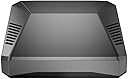
❄️ Keep your Raspberry Pi cool, clean, and in control — because your projects deserve the best!
The Argon ONE V2 Aluminum Case for Raspberry Pi 4 combines premium passive and active cooling with a sleek aluminum design, integrated heatsink, and a 30mm fan. It features a smart power button for safe shutdowns, rear cable management with dual HDMI ports, and GPIO rerouting for a tidy workspace. Compatible with Argon ONE M.2 expansion boards and IR remote control, this case maximizes performance, protection, and convenience for professional-grade Raspberry Pi projects.


| ASIN | B07WP8WC3V |
| Best Sellers Rank | #181 in Computer Cases |
| Brand | Argon Forty |
| Color | RPi4_Case ONLY |
| Customer Reviews | 4.6 4.6 out of 5 stars (3,853) |
| Date First Available | January 8, 2019 |
| Is Discontinued By Manufacturer | No |
| Item Weight | 7.4 ounces |
| Item model number | B07WP8WC3V |
| Manufacturer | Argon Forty |
| Number of USB 2.0 Ports | 2 |
| Package Dimensions | 4.29 x 3.86 x 1.54 inches |
| Series | V2 |
| Wireless Type | Infrared |
R**O
Clean Design & Great Cooling
Very easy to install and everything lined up perfectly. The aluminum build feels solid and premium. It does a great job keeping the Raspberry Pi cool, even under load. Clean look, good airflow, and no issues so far. Would definitely recommend.
T**L
Easily the best case for cable management and heat management rocks!
This is a very well thought-out case that works extremely well. The only thing lacking is easy access to the camera CSI slot and display slot -- more on that at the end. But it's still so much better than every other case I've used (and I've used quite a few) that I couldn't give it less than 5 stars. The case is three main pieces (and some internal pieces): The bottom is plastic (tinted but transparent -- you can view the power & activity lights). It has a opening to provide access to the microSD card slot. The main body is a aluminum alloy casting. It has vent slots in it for airflow, but it also has a couple of blocks that are designed to press to the CPU and memory and includes thermal pads. This allows the Pi to transfer the heat to the entire case to provide passive cooling. The passive cooling works *extremely* well! The case has a variable speed fan and comes with software that changes fan speed based on temperature. The default is to use no fan if the Pi is less than 55°C. At 55°C it goes to 10% fan. At 60°C it goes to 55%. At 65°C it goes to 100%. But you can set these to any temperatures and any speeds you want -- it is completely customizable. While I've tested the fan to make sure it works... the case does such a good job dissipating heat naturally through the thermal pads and blocks that transfer heat to the case body ... that my Pi generally never gets above 40°C (I'm using a Pi 4B/8GB). I ran a stress test to peg all 4 CPUs to 100% and after about 10 minutes it finally managed to reach 51°C.... and still never made it to the 55°C temp that would have triggered the fan. As I write this, my Pi is sitting at 36°C and the case is moderately warm because all the heat is transferred to the entire upper body of the case. So I'd say the heat management on this thing rocks! The third part of the case is a magnetic cover for the GPIO pins. The case plugs into the GPIO on the Pi and re-routes the GPIO to the back/top of the case under the cover. When the access cover is removed, the new GPIO header color codes the pins and also provides labels -- making it very easy to find the pins you want. The case also has an internal custom board that plugs into the side of the Pi to connect to power, both HDMI ports, and audio ... and re-routes these to the rear so that *all* cables connect at the back of the Pi making for a much cleaner look -- especially if use the Pi as a desktop. There is an internal board (pre-installed) that has the fan and also re-routes the GPIO access. Lastly, the case has a power button and software that comes with the case monitors the button. A single tap will power up the Pi. A double-tap will reboot it. Holding it for 3 seconds will do a nice shutdown and then cut power. Holding it for 5 seconds will do a forced shutdown (cutting power without waiting for an orderly shutdown). The *only* thing this case doesn't offer is any type of access to the display or CSI camera slots. There actually *is* a slot visible when you remove the magnetic GPIO cover ... and it looks like you could probably manage to route a ribbon cable through this -- but it would need to be done before you assemble the case. I did not actually try this. If you are not using a Raspberry Pi camera that uses the CSI ribbon cable slot or the display that uses the display ribbon slot, then this is definitely the very best case I've used. If you are using either of those two slots, you might want to try a different case.
A**R
Summary - I love it! Best case I've ever seen.
Simply put, the best Raspberry Pi case I've ever seen and purchased. One big pet peeve I have always had with the RPI is the fact the connectors are on all sides of the board, most importantly, that the power and ethernet are on two different sides. For many of my applications this makes for awkward cabling and more complicated positioning. The Argon40 brings all the connectors to the back! Yay!! Finally!! Another pet peeve is that I have to pull out my phone to power down the system... the Argon40 adds a power button to gracefully shut down the system! Yay!! Finally!! Many cases with fans are loud... The Argon40 incorporates two very effective cooling methods... one is using the enclosure as a massive heatsink, and the other is a speed controlled fan. This equals SILENT OPERATION. Yay!! Finally!! My only disappointment was that I could not use a POE board as the case connects to all of the 40 GPIO pins. To get around this, I purchased a POE splitter that has ethernet and USB C cables of equal length coming out of it. Given the Argon40 has both of those connectors on the back, this results in a clean installation! The only caution I have for people is to be careful when inserting the connectors of the board that brings the connectors to the back as it takes some force and it would not be too hard to cause irreparable damage. The case is clearly designed to be built up for the long term and left as is. That is what I plan on doing. The particular system I used the Argon40 in is my primary (I have 2) PiHole / Unbound DNS server. It is headless and is powered by a Unifi switch via POE. Summary - I love it! Best case I've ever seen. EDIT: One potential issue those using this for headless 24/7 systems is that you must press the power button to turn it back on after a power outage. This is obviously a big issue in my case as a power outage or even simple switch reboot can leave me without DNS, and VPN (well not 100% true as I have 2 systems for redundancy.... but... you get the point). I'll see if I can hack this awesome product to make it power on by itself upon power restore while retaining the graceful power off by pressing the button.
O**T
I was suprised by the quality of the parts. The top of the case is aluminum which serves as a heatsink and comes with silicone thermal pads. There are two daughter boards that serve to reroute the GPIO and hdmi/audio which seem of very good quality. ( nice components, nice welds without burns or traces of flux ) Also included are four stick-on rubber feet. I had a very small fitment issue where the boards are off by a tiny bit but this doesn't interfere with the port openings it just meant i had to squeze a bit until i had put the screws in. I belive this is the cause for the second very small problem, that the case doesn't sit flush and has a slight wobble. These small issues aren't enough for me to remove a star from this product. 9.9/10 Would definitely reccomend.
B**N
I had in my mind that this case would be somewhat bigger than it actually is. Perfect well made little case and everything fitted together nicely. Just beware of the pins used by the case for the power button and fan control as the power button uses the same GPIO as the default 1-Wire GPIO pin and the fan uses the I2C bus. The 1-Wire pin can be changed in the Pi’s boot configuration and the I2C bus supports multiple devices so it wasn’t a deal breaker. The Pi runs much cooler now due to the heatsink being integrated into the case which makes for a larger cooling area and I find it is running some 8-10 degrees cooler even without the fan running. Beats any of those stick on heat sinks hands down. My setup is running Docker with Portainer that is running multiple containers of Node-Red and Grafana. It’s yet to break a sweat and have the fan kick in which starts at a default setting of 50C.
D**X
Çok memnunun. Öneririm.
G**I
Ho un piccolo server acceso 24/7 su un raspberry pi 4, da quando l'ho installato in questo case ho risolto tutti i miei problemi di temperatura! Il case in se dissipa tutto il calore passivamente e la ventolina aiuta nei momenti di maggior carico!
C**.
I ordered this and, it my surprise, I got version 2 of the case! I like it better than what is pictured in the product info page. The primary difference that I see is that it uses fulll-sized HDMI ports instead of the mini ones included on the Pi board itself. This is a welcome modification but the product pictures should reflect this so people will know what they are getting. The case is pretty sturdy so the passive cooling works very well. I like the built-in power button and the instructions to download the Raspberry Pi OS scripts to control it and the internal fan work fine. The only thing I don't like is the panel that covers access to the GPIO pins use magnets to keep it in place. I could use tape to keep it in place when the magnets lose their attraction if worse comes to worse but I still would like a physical mechanism to keep the panel in place. I would recommend this case if you want a Pi 4 case with a fan, an on/off button, and access to the GPIO pins.
Trustpilot
2 weeks ago
1 month ago