We remain fully operational. Our teams are working around the clock to ensure your deliveries continue safely.

DOWNLOAD THE APP


Customer Services
Copyright © 2025 Desertcart Holdings Limited
DOWNLOAD THE APP
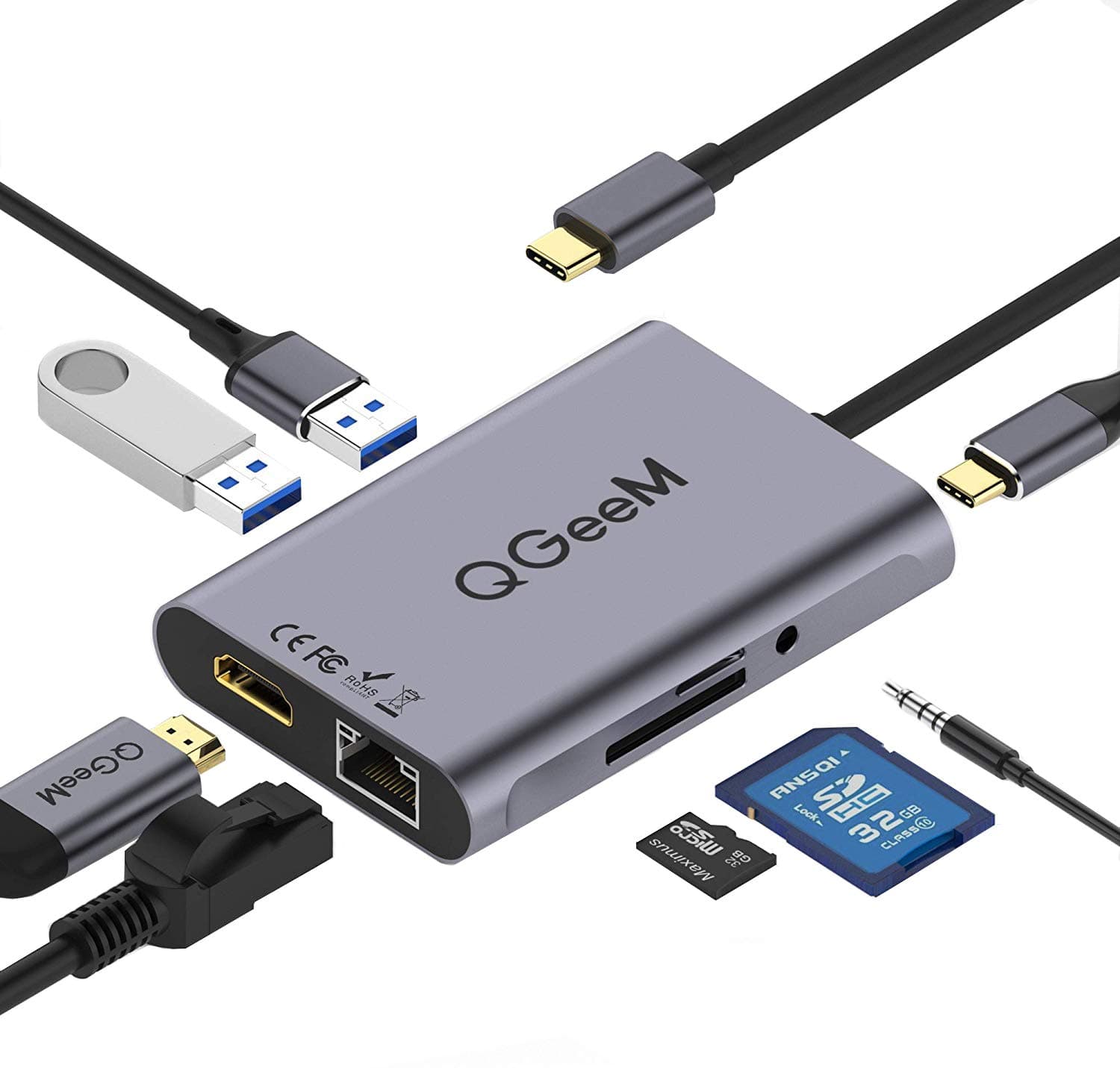
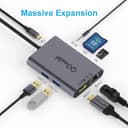


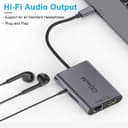
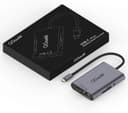
desertcart.com: QGeeM USB C Hub : Electronics Review: This is a perfect USB-C Hub for iPad s and Macs - but it can get hot - I tested this hub with my 2017 iMac, 2018 iPad Pro, and 2020 MacBook Pro. The number of connections on this hub, for this price range, makes this device a great deal. I didn't have any issues with my Apple products, but this device can get very hot after just a few minutes of use. So I use it elevated from the desk and far from the devices. All ports work great and the USB ports deliver the promised speed. Having the ability to connect it to a power supply via the USB-C input is great because reduces the number of cables on a MacBook set up and allows us to keep iPads charged during the use. I notice a random glitch when putting my Macbook to sleep - sometimes the image on the external monitor gets messy and you need to restart the device - but this could also be a cable or monitor issue. The audio terminal provides audio output only and the ethernet connection is a plus to have on such a small device. All in all, I'm very happy with the product, and if the manufacturer solves the heating issue it would be a perfect product! Review: Can turn your phone or ipad into a backup for your PC - This review is for QGeeM USB C hub adapter. Initial impression of this piece of tech is quality. It’s light weight and for its size it is great if you are on the go or pressed for space. It is made of plastic but feels like quality material and the silverish grey color is also nice looks like it is made of an alloy and nice texture on the finish. I tested this on an ipad pro 12.9 3rd gen and on a Samsung galaxy s10 Tested HDMI to a large Vizio TV. First the ipad worked but will disconnect itself without touching anything as it plays YouTube, movie or videos. The Samsung did not have this problem and worked great. Samsung’s interface is just much more pleasant to use connected to the hub. The feel is more like a laptop than a tablet/phone. I’m sure if I connected the Bluetooth keyboard and usb mouse I could use the phone like a laptop when connected to a tv/monitor, with a super small footprint. You can see the size of this unit and the picture of the TV with the Samsung connected. Also tested out the usb ports. I used a 128gb San-disk full of movies which worked on both the Samsung and intermittently on the ipad when the ipad stayed connected. SD card slot also worked great. Tested my canon dslr sd card had 1000 plus pics on it and the showed up great. My conclusion for this hub is if you want to use your phone or tablet into a makeshift backup computer/laptop get yourself one of these. Also get yourself a Bluetooth keyboard;) and you will be all set.


| ASIN | B07XKRGQQ2 |
| Additional Features | Compact Size |
| Brand | QGeeM |
| Compatible Devices | Card Readers, Headphones, Laptops, Monitors, Projectors, Tablets |
| Customer Reviews | 4.3 4.3 out of 5 stars (1,095) |
| Data Transfer Rate | 5 Gigabits Per Second |
| Enclosure Material | Plastic |
| Hardware Interface | Ethernet |
| Item Weight | 110 Grams |
| Manufacturer | QGeeM |
| Mfr Part Number | HC0801V1 |
| Model Number | 43211700 |
| Number of Ports | 8 |
| Operating System | Windows |
| Total Usb Ports | 8 |
| UPC | 778130868172 |
C**K
This is a perfect USB-C Hub for iPad s and Macs - but it can get hot
I tested this hub with my 2017 iMac, 2018 iPad Pro, and 2020 MacBook Pro. The number of connections on this hub, for this price range, makes this device a great deal. I didn't have any issues with my Apple products, but this device can get very hot after just a few minutes of use. So I use it elevated from the desk and far from the devices. All ports work great and the USB ports deliver the promised speed. Having the ability to connect it to a power supply via the USB-C input is great because reduces the number of cables on a MacBook set up and allows us to keep iPads charged during the use. I notice a random glitch when putting my Macbook to sleep - sometimes the image on the external monitor gets messy and you need to restart the device - but this could also be a cable or monitor issue. The audio terminal provides audio output only and the ethernet connection is a plus to have on such a small device. All in all, I'm very happy with the product, and if the manufacturer solves the heating issue it would be a perfect product!
A**S
Can turn your phone or ipad into a backup for your PC
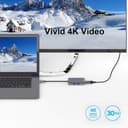
This review is for QGeeM USB C hub adapter. Initial impression of this piece of tech is quality. It’s light weight and for its size it is great if you are on the go or pressed for space. It is made of plastic but feels like quality material and the silverish grey color is also nice looks like it is made of an alloy and nice texture on the finish. I tested this on an ipad pro 12.9 3rd gen and on a Samsung galaxy s10 Tested HDMI to a large Vizio TV. First the ipad worked but will disconnect itself without touching anything as it plays YouTube, movie or videos. The Samsung did not have this problem and worked great. Samsung’s interface is just much more pleasant to use connected to the hub. The feel is more like a laptop than a tablet/phone. I’m sure if I connected the Bluetooth keyboard and usb mouse I could use the phone like a laptop when connected to a tv/monitor, with a super small footprint. You can see the size of this unit and the picture of the TV with the Samsung connected. Also tested out the usb ports. I used a 128gb San-disk full of movies which worked on both the Samsung and intermittently on the ipad when the ipad stayed connected. SD card slot also worked great. Tested my canon dslr sd card had 1000 plus pics on it and the showed up great. My conclusion for this hub is if you want to use your phone or tablet into a makeshift backup computer/laptop get yourself one of these. Also get yourself a Bluetooth keyboard;) and you will be all set.
R**R
Works well for my purposes
I bought this primarily for the wired RJ45 ethernet capability. Do follow the instructions for adding a USB 10/100/1000 LAN device when using a MacBook Pro (mine is a mid-2017 15"). Using this vs. the wireless has definitely improved my throughput; we'll see if it solves my zoom video conference drop out issue. I tested the (micro)SD slots, and the USB3 to a small degree. They seem to work fine for the most part, though putting the keyboard/mouse dongle in the device made the mouse struggle (very laggy). I think this is very common for hubs such as this, so I wasn't surprised and just moved it back to a separate port on the MacBook. I currently don't have a compatible external monitor so I couldn't test that. The device does get a bit warm (but not actually hot); it would be nice if such devices had active cooling but none appear to have such. Given that, having an aluminum case is probably an improvement over simply plastic. The color looks nice, and the build quality seems sturdy enough. Currently I don't need portability, but when the time comes it looks like it would do nicely. There seems to be a blue glow internally when properly connected. [Side rant: I dislike the lack of a positive click on many/most USB-C devices, they can "look" like they're connected, but aren't; this one is no different in that respect] The RJ45 port has a green led (but not too bright) when connected; the usual blinking yellow led on the other side that indicates traffic doesn't seem to be connected, which is just as well because it would probably be annoyingly distracting.
T**Y
Just what I needed for my Surface Book 2!
I purchased this specifically for the Surface Book 2, but it also works great with Samsung phones! The Surface Book 2 only has 2 USB3 "A" ports and a single USB C. With this device, It adds a few more USB A ports and the much needed HDMI out for a second monitor, LAN and SD Card and a true bonus (my Surface Book 2 has a micro adapter that is permanently installed, so I needed an extra SD card port). CHARGING: The surface book allows charging through the USB C port, and this unit's PD port will pass-through the charge. So if you're traveling, and doing only light work, you can get by on a smaller USB C charger + this dongle for all your presentation needs! I tested the HDMI into a 4k monitor, and at 30Hz it's usable for writing documents, watching tutorials, but if you want to game, you need to reduce the resolution to 1920x1080 60Hz for better response time (resolutions above that are only 30Hz through this dongle). I also need the LAN so I can use some networked animation equipment with the Lan port (I have yet to test, but will try soon!) The bonus is how well this works with phones! Stream movies porting your phone's screen to a 50+" TV and CHARGE using the PD port at the same time. You can even plug in a thumb drive/SD Card to access media (great for portable presentation devices. leave your laptop at home). Use the 3.5mm jack for media speakers, if your phone wasn't designed with that jack. Really, this is the accessory you need.
C**N
Relación calidad/precio es el mejor que he podido encontrar, lo estoy utilizando con Macbook Pro 2019 y funcionan todas las entradas sin problema. Recalcar que la entrada usb-c es solo de carga, no pasa datos.
T**Y
Excellent dongle, acheté afin d'utiliser avec ma Switch, fonctionne parfaitement. Il fonctionne aussi avec le nouveau Chromecast avec GoogleTv, pour ajouter l'ethernet et l'extension de stockage usb. Il est parfait pour ma Galaxy tabs 4, pour connecter à un ecran ultrawide en 3440x1440, vraiment un dongle à tout faire. Le prix est correct aux vue des fonctionnalité qu'il recèle. Un must!
R**O
Excelente, estou usando há mais de 1,5 anos e continua funcionando perfeitamente. Uso para conectar um segundo monitor ao meu notebook e aumentar as saídas USB. Funciona perfeitamente. Produto de qualidade.
J**S
Having tested all the ports I can confirm this USB-C hub works. One note, on my Huawei Matebook X Pro if this port is plugged into the power USB-C port instead of the thunderbolt USB-C port then only the power and HDMI ports work, the USB and SD Card ports seem to connect and disconnect continuously. However this is fixed when plugged into a Thunderbolt port.
H**O
***Español MX; Lo probé con Samsung Galaxy Tab S7, funciona de maravilla, incluso puedes conectar mause y teclado alámbrico (Con cable USB), ten en cuenta que si vas a conectar vários cosas a la vez, te recomiendo usar el cargador de tu dispositivo y conectarlo al adaptador de lo contrario dejará de mandar vídeo al monitor o tv, sobre el tema de temperatura es lo normal, no te preocupes si esta muy caliente, está dentro de lo soportado, si quieres conectar tu dispositivo Samsung, asegúrate que tenga la opción de SAMSUNG DEX, y que tú dispositivo soporte puerto Tipo C, NO FUNCIONA CON DISPOSITIVOS XIAOMIS, O HUAWEI NI CON ALCATEL. Soporta Samsung y Apple. Mi Samsung no me reconoce el puerto Ethernet, pero cuando lo conecto en otro dispositivo de Apple, si me lo reconoce, tal vez en una actualización de Samsung dejo inactivo esa función. ***English; I tested it with Samsung Galaxy Tab S7, it works wonderfully, you can even connect wired keyboard and mause (With USB cable), keep in mind that if you are going to connect several things at the same time, I recommend using the charger of your device and connecting it to the Otherwise the adapter will stop sending video to the monitor or tv, on the subject of temperature is normal, do not worry if it is very hot, it is within what is supported, if you want to connect your Samsung device, make sure it has the option of SAMSUNG DEX, and that your device supports Type C port, DOES NOT WORK WITH XIAOMIS DEVICES, OR HUAWEI OR WITH ALCATEL. Supports Samsung and Apple. My Samsung does not recognize the Ethernet port, but when I connect it to another Apple device, if it recognizes it, maybe in a Samsung update I leave that function inactive.
Trustpilot
1 month ago
2 weeks ago