


🎮 Elevate your desk game with the ultimate wireless mechanical keyboard experience!
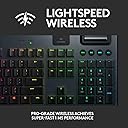
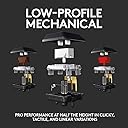
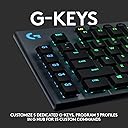
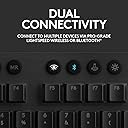
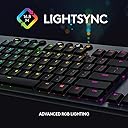
The Logitech G915 Lightspeed is a premium low-profile mechanical gaming keyboard featuring ultra-fast 1 ms LIGHTSPEED wireless and Bluetooth connectivity. It boasts a durable aircraft-grade aluminum frame, 30 hours of battery life, and fully customizable per-key LIGHTSYNC RGB lighting with 16.8 million colors. Equipped with tactile GL Clicky switches, dedicated programmable G-keys, and precision media controls, it delivers pro-grade performance and sleek aesthetics for gamers and professionals alike.






| ASIN | B07NY9ZT92 |
| Additional Features | Mechanical, Wireless |
| Antenna Location | Gaming |
| Best Sellers Rank | #4,293 in Video Games ( See Top 100 in Video Games ) #378 in PC Gaming Keyboards |
| Brand | Logitech G |
| Built-In Media | G915 Lightspeed Wireless RGB Mechanical Gaming Keyboard, LIGHTSPEED USB Receiver, USB Cable, USB Extender, User Documentation |
| Button Quantity | 104 |
| Color | Black |
| Compatible Devices | Android, ChromeOS, Mac OS, PC, Windows, iOS |
| Compatible Operating System Family | Windows |
| Compatible Tablet Computer Models | AAUB P30 |
| Connectivity Technology | Bluetooth |
| Customer Reviews | 4.1 out of 5 stars 1,155 Reviews |
| Enclosure Material | Aluminum |
| Global Trade Identification Number | 00097855146601 |
| Hand Orientation | Ambidextrous |
| Item Dimensions L x W x H | 20.4"L x 8"W x 1.8"H |
| Item Type Name | Keyboard |
| Item Weight | 1.3 pounds |
| Keyboard Backlighting Color Support | RGB |
| Keyboard Description | Wireless |
| Keyboard Layout | QWERTY |
| Keyboard Plate Material | Aluminum |
| Manufacturer | Logitech |
| Mechanical Keyboard Switch Model | GL Clicky |
| Mfr Part Number | 920-009103 |
| Model Name | G915 Wireless Mechanical Gaming Keyboard (Clicky) |
| Model Number | 920-009103 |
| Number of Batteries Required | 1 |
| Number of Items | 1 |
| Number of Keys | 18 |
| Number of Packs | 1 |
| Number of Sections | 4 |
| Power Source | Battery Powered |
| Recommended Uses For Product | Gaming |
| Series Number | 920009103 |
| Special Feature | Mechanical, Wireless |
| Style Name | G915 |
| Switch Type | Clicky |
| Theme | Gaming, Mechanical Keyboards |
| UPC | 097855146601 |
| Unit Count | 1 Count |
| Warranty Description | 2 Year Limited Hardware Warranty |
V**R
Overpriced, but not obscenely so considering the quality of the board
Obviously, it's pretty expensive. $250 is a lot to ask for any keyboard. That being said, while I feel like it's slightly overpriced I definitely don't feel like it's a complete ripoff considering what you're getting. I've had it for a week and I'm completely satisfied with it so far. The build quality feels very solid, it looks super sharp on my desk, and the low-profile switches (I got the clicky blues since I use it for both gaming and productivity) are among my favorite of any mechanical keyboard I've ever used. It's loaded with features, the RGB looks vibrant and evenly-lit, and I really appreciate being able to quickly swap between the wireless dongle and standard bluetooth when I want to switch to my work laptop. Shockingly, the Logitech G-Hub software is actually pretty decent, which is not a thing I'm used to for gaming peripheral drivers, even from Logitech. It's not flawless, but it looks nice, it's reasonably fast and responsive, and it generally does what it needs to do without any fuss, which is really all you need out of software like this. If you don't care for the wireless, the G815 is the exact same keyboard but without wireless for $50 less, which is pretty reasonable. UPDATE: It's one and a half years and one WFH pandemic later, I still really, really like this keyboard. I've used the hell out of it and aside from some small nicks on the squared off bottom edge of the aluminum case where I bumped it against random mugs/keys/whatever on my desk, it still looks and works great. All of the lights illuminate as brightly as they did when I first got it and the keycaps have held up well over the last 18 months. For the past month I've been seeing rare double or missed inputs on a few keys (spacebar, P, R usually), but a few days ago I took all of the keycaps off and thoroughly cleaned the entire unit and underneath all of the caps and the issue no longer occurs, so I suspect the issue was a small amount of debris interfering with the rebound on the low profile switches. Post-Covid, I'll probably bring my old keyboard to the office and buy the newer TKL version of this board for home use.
D**S
Easily the best purchase I've made in awhile
I had been researching mechanical keyboards for almost 3 years, ordering testers to figure out what switches I preferred, and getting nowhere. Too much analysis paralysis, overthinking everything, not finding exactly what I wanted. A friend told me about this one and I just decided to just buy it. I'm so, so glad I did. It's fairly inexpensive for a mechanical setup, but the overall quality is such good value for the price point, not to mention all the features you get compared to other keyboards. The low profile is perfect for me. One of my big issues with testers is I like a bit of resistance so I don't hit keys incorrectly, but the full size keys have a really long travel distance, making me feel like I'd quickly tire of typing. The clickiness is about on par with a Cherry MX Blue, but is a bit higher pitched and not quite as "full" sounding. Enough to give you lots of tactile feedback and make others know you're getting work done, without resonating as much across your workspace. Having the logitech brand and software behind it is a really good thing too, compared to using a smaller company or going your own way with a custom build. There are programmable keys, media keys, and a volume knob that gives you all the modern keyboard functionality you want without sacrificing the mechanical feel. While the G Hub software is not the most intuitive, I was able to quickly set the programmable G keys up with macros in my most-used software, saving me lots of multi-keystroke stuff (for example in Visual Studio I set it up to run the formatter, save, and compile the open document all in one key press). While I don't do much gaming, it's very responsive for that. My only complaint there is the space bar seems to have a different switch activation point than the other keys, but you can easily adjust to it. I honestly might play more games now that I'm not using a "squishy" keyboard that causes too many errors. The RGB is a pleasant surprise for me. Not really big on that kind of stuff and expected I'd just throw on a solid backlight and be done, but it's interesting to have programmable RGB. For games, you can set custom key highlighting for particular game controls you want in different colors (e.g. WASD red, push-to-talk orange, something else blue, etc.). There's some cool animated modes, but my favorite for office work is simply changing colors of the keys last pressed. It's one of those features you don't exactly think you'd like so much until you have it. I can't judge battery life or wireless functionality since I have only used it in wired mode so far, which is a straightforward USB connection. It's nice that I'll be able to quickly use it for travel by having the wireless dongle available though, and my friend said the battery life can be up to a few days (chargeable from the same USB connection). Overall this is one of my favorite purchases in a long time because it's made typing enjoyable. As a programmer, I feel this one purchase has already improved my productivity and made me generally happier to do my work. My only regret is not doing this sooner and living with a sub-par keyboard so long.
I**N
Logitech G915 'Clicky' Wireless Keyboard - Truly an advanced keyboard for GAMING!
The G915 'Clicky' Wireless Keyboard is awesome - everything Logitech claims - well worth the wait. Setup was a breeze - fast and straight-forward. There's enough lighting (Brightness & Variety) to satisfy everyone. Implementing my lighting scheme was easy and intuitive. I modified a Logitech-provided example and it worked out fine. The picture that I took seems to show a 'blown-out'/fuzzy font because I had the lighting turned up all the way - not so in real life - all keypad characters are clean and crisp. There's enough brightness to compete with bright room lighting and it can be stepped down (4 levels plus 'Off') to stay in balance if you reduce the ambient. I didn't use the dynamic color changing options. I've been meaning to get to programming some of the keys for Photoshop Elements 2020 and OpenSource Office but haven't gotten to that. Same with 'gaming'. The only thing I don't like is that only one character per key in illuminated and the lowercase punctuation keys are moved up in their respective pads if they are the selected character - in other words the '[', ']', & '\' , etc characters are lit but moved up above the '{', '}', & '|', etc characters respectively. This won't be a problem for touch typists but those of us who aren't skilled will have a little trouble finding the some of the lesser-used characters that are the alternatives to the numbers above the QWERTY. If I were designing this keyboard I would consider providing an alternative layout that emphasized the alternates to the numbers above the QWERTY so users would be encouraged to use the 1-0 pad to the right - after all this is a FULL SIZE keyboard (and then some). Another 'improvement' I might suggest is that if they aren't going to be lit that the non-lit 'alternative' characters be in bright white or yellow - just sayin'. :-) Pressing 'CTRL' causes the 'ESC', key to turn Green and 'A''Z''X''C''V' & 'Y' to turn 'Purple'. Pressing 'ALT' causes 'ESC', 'TAB' & 'F4' to all turn Green. Pressing the 'Window' key causes 'TAB','E','R','T','U','I','=','A','S','D','G','K','L','X','B','M' & '.' to turn Cyan. - Clever but not relevant to this user. A minor annoyance is that the 'Num' Lock key above the 10-number keypad doesn't indicate whether the pad is set for Cursor Control or Numeric character entry - and there's no LED ala the 'Caps Lock' indicator either. This keyboard is wireless and therefore extinguishes the lights to save the battery if you aren't actively typing - no matter. Just press a printing character and it will print where you left off or press a non-printing character e.g. 'CTRL' or 'ALT' and unless it's been set to 'sticky' elsewhere all that will happen is the board will come to life. When I ordered this board I thought I was ordering the 'Tactile' version. But the noise is about the same as the non-programmable board it replaces. I'm keeping this one. If I had a NY-sized studio apartment and a light-sleeping wife I MIGHT return it for the tactile version. I paired the board with a silver Logitech MX-3 mouse. It makes a nice companion especially when scrolling horizontally when viewing magnified photos and wide spreadsheets.
T**D
Painted Keys: Paint Rubbed Off
After the second month, I noticed the paint starting to flake off the surface of the keys. It's now been exactly 1 years since my purchase and many of the most used keys are now illegible. I've owned seven Logitech keyboards. All wore out with use and age, but it took multiple years for the physical keys to break and require replacement. My last two Logitech Orion Spark keyboards (the best Logitech ever made, IMO) lasted several years and were practically bulletproof. I've got three Logitech G502 mice on the three PCs here at home. Again, I wouldn't even consider another manufacturer. I was a loyal fan and didn't think twice about purchasing the Lightspeed. Very disappointed with the quality here. Functionally, it's a great board. But the painted keys were destined to fail. Logitech, you've lost a customer. I won't purchase another Logitech k/b or mouse going forward.
M**M
Logitech G915 Lightspeed Keyboard – Great for Gaming and Work, Slim, Tactile and Responsive
I’ve been using the Logitech G915 keyboard for several weeks, and it’s outstanding for both work and gaming. The low-profile mechanical keys are tactile and responsive, making typing and gaming feel effortless. The RGB lighting is bright and customizable, and I love being able to adjust profiles for different setups. The wireless connection is rock-solid with almost no lag, and the battery life is excellent, even with the lighting on. The keyboard feels premium with a solid build, and the low-profile design saves desk space while still feeling comfortable for long typing sessions. I also got it on sale, which makes it an amazing value considering the quality. Overall, it’s a versatile keyboard that blends style, functionality, and comfort perfectly, and I highly recommend it for anyone looking for a high-end wireless mechanical keyboard.
A**8
Great keyboard
This keyboard was a great purchase, although it's kind of expensive, I loved the aesthetics of while also having the macro keys. It arrived quickly, and was ready to use right out of the box, besides needing to connect it to charge the battery, and needing Logitechs software to change the lighting effects. Other then that, I have very little complaints. Overall, the battery can last about a week without needing to charge (I use it everyday for 6 or more hours and I keep it at about 50% brightness), and the lighting on the keyboard looks very clean and is easy to customize. I've seen a lot of people complain about the macro profiles, and the media buttons being made of membrane (squishy button), however, it has not been a problem for me. The buttons are very sensitive so you won't really have to push them, and as someone who uses them a lot, I think they're perfectly fine as they are. The only complaints I do have is that when my keyboard received a software update a few weeks ago (first one I've ever had since purchasing a few months ago) it disabled my macro keys until I updated the software. After the update, everything was working as normal. My last complaint is that after you shut down your computer, your keyboard will of course shut down with it. However, if you accidentally press a button on the keyboard after you shut down the computer, your keyboard will turn back on, and in my case, it would not turn back off. So I have to manually turn off the keyboard. Other then that, this was a great purchase and I hope it lasts a long time, especially with the cost of the keyboard.
S**P
Great Feel, Keyboard Repeats Inputs
Keyboard feels great and the battery life is excellent. Typing on the keyboard has been a really pleasant experience and I have enjoyed it for the most part, but Logitech has a serious quality control issue. I won't go into details on other devices since this review is for this keyboard, but almost every single Logitech product I have bought in the past three years has some sort of flaw with it that shouldn't be there. In this case, the N key will sometimes double-type even though I press it once. If I write the word "personal", it would output "personnal" around 20% of the time even if I type it exactly the same. The N key loves to repeat itself. I have also seen it happen with other keys, but not with any measurable frequency. As someone that needs to have accuracy in their typing for their work, this has unfortunately forced me to no longer use this keyboard. I bought a high end Logitech keyboard for a premium experience to specifically avoid having to do troubleshooting, but unfortunately Logitech is really missing the mark with most of their products right now. It'll work as a backup keyboard, but this definitely cannot be my primary keyboard. That's unfortunate.
B**A
Gaming keyboard that’s colorful
Lights brightly, must recharge about every two days, comfortable typing, no lag noticed. A bit louder than I like but not a deal breaker. Heavier than it looks. Software is fine.
G**L
Buen producto, precio demasiado alto
Muy caro, pero un buen producto finalmente.
K**S
Producto usado y suelto en la caja.
Pague por un producto nuevo y me llegó claramente uno usado Refurbished , fuera de su caja sucia , con teclas sueltas y con el adaptador USB faltante. Simplemente no lo regresé porque me urgía el teclado para trabajar.
A**E
Low profile mechanical keyboards
I've done lots of research before made my decision to buy this keyboard. I have no regret! It meets all my expectation. Good battery life (I've used it for 1.5 months and 96% battery left since the first charge), relatively short travel distance to press down, low profile design that no wrist pad is needed, the clicky sound is not very loud, enough programable keys for the games I play, there are just lots of good things I can say about this new toy of mine. A bit disappointment is the keyboard is a little bent when received (the center leg is about 1 mm off the table). Other than that, this is perfect keyboard with a little bit higher price tag.
W**W
Overall a great keyboard
I have tried many keyboards and this is one of my favorites. It connects fast, looks good, and gives a good feedback when typing. It took me awhile to get used to it (as it is new and I'm not used to the short cut keys on the left hand side so I often pressed on it while gaming). I love the fact that it was the bluetooth connection button at the top of the keyboard rather than behind it or bottom or the keyboard- it makes it quick to switch between my work laptop and my PC. Batter life is really impressive- better than any Razer ones. However, I've had it disconnect from me randomly a few times and it gets quite annoying because it will take a few minutes to get it reconnect- and it just so happened that all the times it was disconnecting, I was typing something important and urgent (this was NOT on Bluetooth mode). Also, wish the secondary keys were lit as well...but one can only dream...as it doesn't seem like Logitech is releasing key replacements for that. Overall a good keyboard
D**D
Where have you been all my life?
Pros: -Wireless (2.4ghz and bluetooth!!) -The mechanical keyboard is smooth and typing -It's beautiful -Many functionality and options to change colour -Very long battery life. Even longer if you turn off the lights or dim it down. I use the keyboard about 12 hours a day for work and it will last me up to 2 weeks before I have to charge. Still useable while its charging too!! Cons: -Expensive Conclusion: Would recommend if you have the $$ to dish out on a quality wireless mechanical keyboard.
Trustpilot
1 month ago
3 weeks ago