Desertcart purchases this item on your behalf and handles shipping, customs, and support to Iceland.
⌨️ Elevate your mobile productivity with style and stamina!
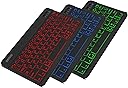
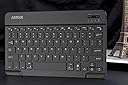
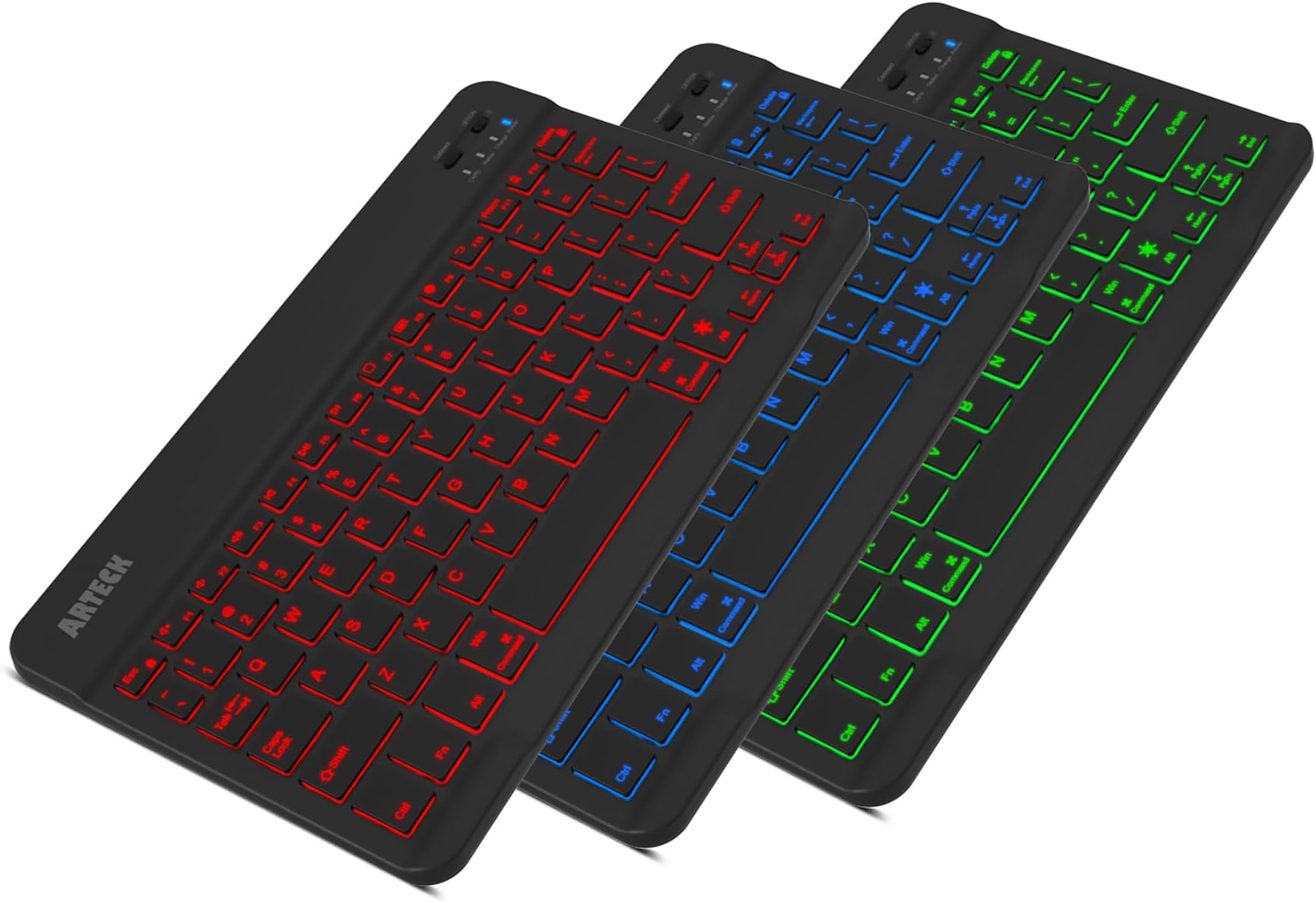
The Arteck Universal Backlit Wireless Bluetooth Keyboard is a sleek, ultra-portable keyboard featuring 7 customizable LED backlight colors, a rechargeable battery lasting up to 6 months, and broad compatibility with all major operating systems. Its slim zinc alloy design and scissor-switch keys deliver a premium typing experience, making it the perfect companion for professionals on the go.


| ASIN | B00X5P8BJO |
| Additional Features | Portable, Backlit, Recharageable, Low-Profile Key, Hotkeys and Media Keys, Lightweight |
| Antenna Location | Office |
| Best Sellers Rank | #33 in Tablet Keyboards #259 in Computer Keyboards |
| Brand | Arteck |
| Built-In Media | USB Cable |
| Button Quantity | 78 |
| Color | Black |
| Compatible Amazon Tablet Models | Amazon Fire 5th Generation, Amazon Fire 7 7th Generation, Amazon Fire 7 Kids 12th Generation, Amazon Fire 7 Kids 5th Generation, Amazon Fire 7 Kids 7th Generation, Amazon Fire 7 Kids Pro 11th Generation, Amazon Fire HD 10 11th Generation, Amazon Fire HD 10 13th Generation, Amazon Fire HD 10 5th Generation, Amazon Fire HD 10 9th Generation, Amazon Fire HD 10 Kids 11th Generation, Amazon Fire HD 10 … |
| Compatible Devices | Laptop, Smart TV, Smartphone |
| Compatible Operating System Family | Android |
| Compatible Tablet Computer Models | Apple iPad (10th generation) |
| Connectivity Technology | Bluetooth |
| Customer Reviews | 4.4 out of 5 stars 27,958 Reviews |
| Enclosure Material | Zinc Alloy, Plastic |
| Hand Orientation | Ambidextrous |
| Item Dimensions L x W x H | 9.7"L x 5.9"W x 0.24"H |
| Item Weight | 5.9 ounces |
| Keyboard Backlighting Color Support | RGB |
| Keyboard Description | Wireless |
| Keyboard Layout | QWERTY |
| Keyboard Plate Material | Zinc Alloy |
| Manufacturer | Arteck |
| Mechanical Keyboard Switch Model | Scissor-switch |
| Mfr Part Number | HB030B |
| Minimum Required Operating System Version | Android 10.0 |
| Model Name | HB030B |
| Model Number | HB030B |
| Number of Items | 1 |
| Number of Keys | 78 |
| Number of Packs | 1 |
| Recommended Uses For Product | Office |
| Series Number | 30 |
| Special Feature | Portable, Backlit, Recharageable, Low-Profile Key, Hotkeys and Media Keys , Lightweight |
| Style Name | Contemporary |
| Switch Type | Scissor-switch |
| UPC | 713382287098 |
| Unit Count | 1 Count |
| Warranty Description | 2 years warranty |
J**N
Still love this keyboard!
I’ve had this for a few years and I still love it. So much in fact, that I just bought another one for my best friend when she got a new iPad and wanted a Bluetooth keyboard to toss in her backpack for d&d games at friends’ houses. I’ve tried a bunch of different Bluetooth keyboards, I do a lot of writing, often on my iPad, but I’ve definitely settled on this one as my favorite for travel, and I was glad to see they still made it, which can’t be counted on when it comes to tech stuff. It is light, for the good and bad that means. It’s not going to add a lot of weight to what you carry, but it doesn’t have the sturdiest feel in your hands. It’s a keyboard though, so it shouldn’t be in your hands anyway? (I do recommend getting a case though!) But if you’re hoping to type while it’s balance it on something like, I don’t even know, bike handle bars or something, it doesn’t feel like it would be a great option for that, it’s not stiff enough in its own right to make a comfortable typing surface. If you just want to be able to easily set yourself up with a keyboard anywhere there’s a desk or table, it’s a very good option! It doesn’t have a huge footprint, but the keys are basically standard sized, a requirement for me, I’ve found. If I’m going to be typing for any length of time, a travel keyboard with smaller than standard keys will quickly make me crazy. Shaving off a few millimeters isn’t remotely worth it, and I may as well use the onscreen keyboard, screen space be damned, because at least I’ve used it often that I’m not constantly hitting the wrong keys. Also, I love that the keys are backlit! They will dim/turn off if you don’t type anything for a minute or so, (don’t remember if that’s something you can change? I like it, so I never tried) but they light up again as soon as you touch anything. The battery lasts a good while. As I said, I’ve had it several years, and although it does feel like it’s starting to need to be charged more often than it used to, it still goes a couple days of several hours a time use before it needs to recharge. I just felt like I could practically use it for a month without charging when I first got it, but my usage was a little different then, so I don’t really know. Anyway, love this thing, recommend it, will buy it again if it’s still available when this one fails or breaks, and I already consider it to be well, well worth the price. I was surprised to see I hadn’t reviewed it already, but I do like to wait to try things for a while before reviewing… I’d say the several years I’ve used it more than warrant 5 stars.
B**.
Works great, Excellent customer service, Just a few Cons
Pro's - $20 - Super light weight and at it thickest probably about 2 1/2 - 3 American Quarters in depth - Personally I use this for my Asus Netbook that runs Windows 10 and on my iPhone 5S just for the sake of testing. (The iPhone usability actually came in handy as I'm using this Keyboard right now to write my product review on through my phone. - Beautiful array of keyboard colors - Battery seems to hold a charger very wel although I can not say how long. But I can say that I've used it moderately for about 5-6 hours in one sitting playing a strategy game, so this should be good for almost anything you need to do until you're done doing what you're doing until it needs to be plugged in. Neutral - The instructions included were actually better than most products I have seen in the past with devices like this but as always I wish there were more information in regards to troubleshooting connectivity issues. Con's - The only indication of how much battery is left is when a blue battery indicator light constantly blinks letting you know that it's going to die soon. I wish when it connected to my Windows 10 device that it told you the exact percentage as I've seen with similar products. - The backlighting is excellent but to save power it turns off the lighting after 10-15 seconds when not in use. This is a minor inconvience to me as I sometimes like to play an old strategy computer game called, "Stronghold Crusaders." The mouse is mostly used but the arrows keys are needed to scroll through the game map. So you can see how this can be annoying. I don't see anywhere in the instructions on if there's a setting to change this feature. **Updated the Con about ESC key** - Manufacture was prompt in telling me after I wrote this review that pressing the "Fn+E" keys after I pair the device would solve this issue. I did as instructed and it solved my ESC button issue listed below. It's also mentioned in the instructions to do so. User error on my part. **Issue Resolved**- I haven't really tested the ESC button on other programs but I did notice that while playing that game, if I just press the ESC key, it minimizes the game and loads and Internet Explorer window. I have to press the Fn+ESC to get the Menu options I want in the game without it minimizing. - Lasty, this may be just a fluke thing with the construction of this keyboard I got but I've noticed that I have to press the, "L" key with a bit more force as compared to all the other keys. **Updating this to 5/5 because I respect a company that promptly follows up with user issues even though I wasn't complaining to them. My Con's list other than the ESC button issue still stands though. I give this a 4/5 only because of the minor Con's I have listed. Other than that this works great. I only hope this has longevity but at $20 if it works for a year I'd still be happy and recommend it. Pictures included are with backlighting on and of the size comparison to my Asus Netbook.
T**K
Good but could be great
**Update** went from 3 to 4 stars. I do still have some small gripes with the design of the keyboard as detailed below, however, Arktek reached out to me and offered to send me a free replacement to resolve my issues. I declined as another keyboard of the same model would have the same issues but that is amazing customer service. Original review: I do really like the keyboard but it has two very simple issues that, if they were fixed, I would give it 5 stars. First, the alt and windows keys are reversed from a typical keyboard. Usually from bottom left it goes ctrl, fn, windows key, alt with alt being closest to the spacebar but on this keyboard it is ctrl, fn, alt, windows key. I bought this for a lightweight gaming setup that I can take to work to play games during my downtime. Having the alt key in a different spot is not ideal as I use it for hot keys in games as well as alt tabbing. Secondly, it slides all over the place. The back of the keyboard is completely flat and smooth so it never stays in one place and I find myself having to reposition it often. I bought some low profile adhesive rubber pads to attach to the bottom which cost $6 on amazon and this has made the experience a lot better. This should be a standard feature on the keyboard. Otherwise, I have had no issues with bluetooth connectivity or any sort of functionality issues. It does everything I expect it to. The color change feature is a nice addition. The keyboard is extremely light weight and compact to the point where I have to double check that I remembered to put it in my bag because while it is in my bag, the size and weight is imperceptible. It adds virtually no bulk or weight. TLDR Pros: - Good bluetooth connectivity (didn't test range as I use it right next to my device) - Extremely lightweight and compact - Functions as expected - Color change backlighting is nice Cons: - Alt and windows key locations are swapped from what I'm used to - Smooth back surface with no rubber feet means the keyboard doesn't stay in one place
J**E
The Best Bluetooth Portable Keyboard I've Ever Used
When the Samsung Note 1 first came out, it was a big, almost cumbersome device that almost resembled more a tablet than a phone. I can't recall how I came across it, but I had my first bluetooth keyboard that was designed specifically for Android. It was awesome. I gave it away shortly after I traded in my Note for something else. Ever since I've wished I had kept it. I now have the S8+ and I thought it was high time I got another one. This keyboard is superior to my original one in every way possible. Much smaller, yet still very much full-sized. I was really blown away at how thin it turned out to be. Like crazy thin. It was ridiculously simple to pair with my phone and within less than 3 minutes of opening it up, I was using it on my phone. One of the key features which I LOVE is the ability to work best with your particular operating system, such as iOS, Android or even I believe a Windows phone (though I'm not 100% certain about this one). The light-up keys are a very nice feature that I'm sure will come in handy in dark environments. I used my keyboard extensively last night answering emails, text messages, Snapchats, and I even wrote a review here on amazon for another product I had purchased. It was all simple and unbelievably more convenient than using the Google keyboard on my phone. The truth is, a lot of what I did last night wouldn't have been done at all had I been forced to use just my phone's keyboard. I found myself LOOKING for things to respond to or write just in order to get more use out of it. Another wonderful addition is a built-in rechargeable battery. My previous keyboard used 2 AA batteries and it was a pain when they would suddenly be spent without any advance warning. As long as I'm near a charging cable, if this goes dead, I can still plug it in almost anywhere and still use. I haven't had the time to see how long it'll run on a single charge, but should that change or become noticeable one way or another, I'll make sure and come back to write an update. All in all, if you are considering a portable bluetooth keyboard, I simply cannot recommend this highly enough. Oh, I almost forgot, this keyboard does NOT fold up, so what you see when you open up the packaging is what you get--which is not an issue for me...however, if you prefer something that'll fold up to be a shade more portable, you might want to consider something else. However, for the money, you certainly cannot do any better in my opinion.
W**I
Love it! Could not live without it!
Our company just issued Android Samsung tablets for we field clinicians and took our worn and dated laptops from us. Dear Lord in Heaven!!! I’m supposed to type up patient summaries and other such with this tablet’s onscreen keyboard?? I guess the higher ups think “Yes!” So they issued no external keyboard to accompany our new tablets. Well I used this tablet without a keyboard for about 3 weeks I guess. Then another clinician asked if I was using s Bluetooth keyboard. Huh? Hadn’t even really crossed my mind to buy one myself. So I went straight to Amazon of course. Found this one out of a sea of choices. I picked this primarily for the backlighting. Boom! Homerun! This feels nice and solid while still being light weight and slim. The action of the keys is spot on for my liking. Love the way it feels to type on. Am getting used to typing on a smaller keyboard and making plenty of mistakes. But that is quickly improving. And love the backlighting!! There are multiple colors but I landed on and stayed on the white light. The backlight comes on when I strike a key, then after no input for a short time, it goes out to save battery. Had no issues syncing with the tablet. Just follow instructions. Great instructions BTW. Not Chinese to English gibberish. Couple things to note: firstly, it says it will last a couple months with “normal” use on a full charge. Uh uh. I only work two days a week and had to charge it last night after working Sat and Sun. And secondly, the instructions say something like the blue light will begin blinking to indicate low battery. Uh uh. The first time the battery died, I thought the keyboard was broken. It just stopped dead, no warning. The blue light was solid AND the backlight would not go out. (Nothing in instructions about this). My settings showed it was still connected to my tablet but only my tablet keyboard would pop up to type on. I was desperate to finish my charting with this keyboard! I UN paired and re paired my tablet and it still would not work. I just decided to try plugging it in for S&Gs and in a minute, it was working again. Who would think the battery is dead with the thing all lit up?! So you can work on this while charging! Another novel idea and thank you Arteck for adopting it!!! Last night it did the same exact thing as before but I immediately plugged it in and it was again working. So if yours does something funky outside of the instructions and information in the manual, just try charging it. I have to say though, even if this had been dead on that second day I used it, I’d have bought a new one. I like it that much.
L**Y
Pleased with my Arteck keyboard
I own an 11” Air M3 IPad. I purchased a HARVOPU keyboard in September 2025 for the IPad. 10 months later the keyboard failed (the space key stopped working). I tried to determine if the keyboard had a warranty, as it failed within a year. I found it impossible to speak with anyone that represented the HARVOPU product. I was forced to purchase a second keyboard within a year. After investigating what keyboard would work for my IPad and its case, I chose an Arteck. I made that selection partially through my “conversation with ChatgPT”. I have now been using the keyboard for two weeks (I use it several hours per day) and so far I am very pleased. I like the fact that the keyboard lights up when it is turned on. I usually turn the keyboard off when not in use. The keys have a very smooth feel, much like my laptop. Another wonderful feature is that it has a two year warranty. When I registered the keyboard for its warranty, I actually received a response email that validates this registry. I have only been using the keyboard for a couple of weeks, but I have not had to recharge it. So far, I am very pleased.
Z**Y
Things to like about this keyboard and good customer service
***Update: May 10, 2023*** The seller has contacted me again with an offer to send me an upgraded model of the keyboard I had previously. I complemented the excellent customer service in my last update several years ago and I have to reiterate that this customer service is really above and beyond what you can expect from most sellers. I will update again in a few days when I have received the new keyboard and had some time to play around with it. ***Update: March 28,2018*** As others have said, the customer service for this product is excellent. The seller contacted me to offer either a full refund or replacement keyboard. I actually opted to return the keyboard and go with a different model, the Logitech K380, but the seller said they would send me a replacement keyboard even though I had already completed a return because they wanted to fulfill the terms of the product warranty. Really can’t beat that kind of customer service. So, as I said in my original review (which you can see below), there are plenty of things to like about this keyboard. Hopefully the replacement keyboard will not develp the same problem as the first one. ***Update #2, March 12 2018*** Turns out that the arrow keys now work but a lot of other keys don't, including the a, s, d, f, l, and others. This makes the keyboard really pretty much unusable. Have again re-adjusted my rating. Will probably return this product. Not sure if for a replacement or refund. I like a lot of things about the keyboard, but if this model is not going to work reliably, then there doesn't seem to be a point in replacing it. Granted, it could be just a problem with this particular unit, but still not sure. ***Update, Mar 12, 2018*** The problem with the stuck keys seems to have resolved itself overnight. Hopefully it won't happen again. Re-adjusting my rating back up to 3 stars. I'm not adjusting it back up to the 4 stars I initially gave the keyboard, because of the problem with the stuck keys. The keyboard is still good for the price, but I'll now be looking out for further problems with the keyboard, and probably also looking for the price to drop on one of the more advanced models. ***Update Mar 11, 2018*** After using the keyboard for less than a week, several of the arrow keys are no longer working. The left and right arrow keys simply do not work at times, and at other times pressing left or right makes the cursor arrow down instead of moving in the correct direction. Also, I'm unable to execute any commands that require me to use the Voiceover modifier keys. Based on the behavior being displayed, I assume that the down arrow is stuck. I have tried disconnecting and re-pairing the device several times, including telling my phone to forget the device and paring as I would if it were the first time I was using the keyboard. I have tried both restarting my phone and shutting it down and turning it back on. I have been able to duplicate the problems on three different devices: my iPhone SE, my MacBook and my Apple TV 3. I plugged the keyboard in for a while to make sure it wasn't an issue with a low battery, but no such luck. The left arrow key began to work, but the right and down arrows still don't. I'm using the keyboard with Voiceover, so not being able to reliably use the arrow keys to move around the screen defeats a big part of the purpose of me having this keyboard. Because of this problem, I'm adjusting my rating from 4 stars to 1 star. *************** I’ve been thinking about getting a bluetooth keyboard for use with my iPhone for a while now. I’m blind and use Voiceover, so typing on the phone, even with touch typing activated, is tedious if I’m typing anything longer than a quick text message reply. Since IOS 10, it seems like the dictation feature has declined in quality, so that’s no picnic to use either. So when my partner got one of these for her birthday, I was eager to try it out and see how it works. After playing with her keyboard a few times, I decided to get one of my own. For the price, it seems well worth it so far. It’s not made of heavy-duty stuff like some of the more expensive bluetooth keyboards out there, but again, for the price, it’s good. Keep in mind when reading this review that some of it will be about general things and some of it will be specifically about using the keyboard with Voiceover in IOS. For me, there are several pros with this keyboard. First, it’s very slim and light weight. I can toss it in my messenger bag when I go out and it doesn’t increase the weight of the bag in any appreciable way, so carrying it around like that is no problem. Second is the size. A few years ago, I had one of those bluetooth keyboard cases that you can put your phone in. It came in very handy, but it was still slowish to type on. It was good for me then because I didn’t carry around a bag at the time and I could just put the case on the phone, stick it in my pocket, and go. Since I’ve gotten a service dog, I now regularly carry a bag so as to have all the necessary dog stuff with me if I need it: poop bags, paper towels, wet naps, a few treats, that sort of thing. So because I now carry this bag regularly, I wanted something bigger than a mimi bluetooth keyboard, but not a bulky one like some of the other models I’ve seen. Also, I didn’t want one of the foldable or roll-up bluetooth keyboards because they are a pain to type on. I’ve tried one out before and I felt like I had to press down harder on the keys than I would on a more solid keyboard. Because I’ve also got some arthritis starting to affect my hands, I wanted something that would feel closer to touch typing on a laptop keyboard. This keyboard is just the right size so that I can easily touch type as I would on a laptop, and the spring of the keys is very close to that of the keyboard on my MacBook. Third, it’s easy to connect initially. Flip the on/off switch, push the paring button, go to the bluetooth menu in your phone settings, select the keyboard, and you’re in business. Fourth, this keyboard not only makes it easier and more pleasant to do stuff like writing and replying to FB posts, tweeting, and word processing, but it also seems to work with several of the text adventure apps I have. It’s easier and quicker to be able to just type in commands on this keyboard than it is to have to flick around on the screen to find the link you need to activate to go a certain direction or interact with a certain object, or type out commands with the on-screen keyboard. This may lead to me doing more gaming on my phone, which may or may not be a good thing, but it’s cool that this keyboard makes the experience of doing so more pleasant. Fifth, of course, is the price. Your not going to break the bank buying this keyboard. Unless you use it on multiple devices at once and need a model that allows you to switch back and forth from controlling device A to device B to device C with only a button press, this is going to do the job for you. There are also a few cons. First, and the biggest con for me, the keyboard does not automatically remap the four keys to the left of the spacebar from the Windows layout (Ctrl > Windows key/function key > Option > Alt) to the Mac keyboard layout (Function > Ctrl > Option > Command). If you use a MacBook and you’re very used to keying in commands with the Mac keyboard layout, this may take a bit of getting used to. Instead of holding down the two middle keys as the Voiceover modifier keys, you have to hold down the key at the far left and the key twice to the right of it. It’s not the end of the world, but it makes keying in some of the Voiceover shortcuts in IOS a bit annoying because the fingering is weird. That said, you can also go into the Voiceover setting on your phone and set the Caps Lock key as your Voiceover modifier, as you might if you were using Jaws on a laptop. As far as non-Voiceover shortcuts go, most of them use only the Command key as a modifier, so it’s no different keying them in than it would be on either a Windows machine or a Mac. This would be no problem at all if there were a way built into IOS to remap the keyboard. I have read that there actually is a way to do it on an iPad but it doesn’t seem that there is any way to do it on an iPhone. Second, I’ve had trouble reconnecting the keyboard to my phone. I had to go into my bluetooth settings, tell the phone to forget the keyboard, and then pair it again. As I said earlier though, pairing is easy, so this is really a minor annoyance. I have had the keyboard only about two-and-a-half days, and this has happened to me only once, so keep that in mind as well. If it starts happening consistently, then it will be more a problem than a minor annoyance. Third, I have experienced the issue that other reviewers have written about where the keys can sometimes stick and instead of outputting a character once, the keyboard will output that character a bunch of times. As of now, it doesn’t happen enough to be much of a problem for me, and it’s simple enough to just hit Option + Backspace to erase the last word and start over at the beginning of the word. If this starts happening at a frequency where it becomes a problem, I’ll amend the review. Fourth, you are apparently supposed to be able to hit the Esc key twice to open the app switcher in IOS. This command has sporadically worked for me before on my partner’s keyboard, but has not worked on mine as of yet. Of course, if you’re using Voiceover, you can get to the app switcher by hitting Ctrl + Option + H twice quickly, but again, the fingering of the shortcut is a bit weird because the keyboard doesn’t remap to the Mac layout, so it would be more convenient to be able to just hit the Esc key twice. Again, this is really a minor annoyance in the big scheme of things. So, for my money, this keyboard is totally worth it, especially if you can’t justify spending $70 or more on one of the more advanced and durable models but you don’t want to wait who knows how long for one of them to go on sale. I hope this review has been useful both re general concerns and also for Voiceover-specific concerns. If it has, and you feel so incline, shoot me a thumbs-up on the review.
K**N
Great product, and excellent customer service
I’m a busy hospice nurse, and we use an android phone to document our patient visits. Since I’m much more comfortable typing on a keyboard than a phone, I purchased this keyboard and the matching case in order to make my life easier at work, and boy was that effective! This keyboard works so well, charges easily, hold a charge for a long time, and absolutely was a game changer in terms of my documentation of patient visits. That said, about six months after I purchased the item, the charging port failed, and I could no longer get the keyboard to charge. I contacted the company directly, and they sent me a replacement at no cost within five days. The customer service was absolutely excellent, no questions were asked, they simply wanted me to be a satisfied customer and sent me a new keyboard immediately. They didn’t even ask me to send the broken one back. At any rate, I can absolutely recommend this keyboard and I have no reservations recommending this company. My gratitude to them for making it right and sending me a replacement so quickly.
す**な
思っていた以上に完成度の高いガジェット
購入前にレビュー等を見て「たぶん大丈夫だろう」と思っていましたが、想定以上によく出来た製品で非常に満足しています。 1.薄くてコンパクトなのに作りがしっかりしている 2.バックライトの光量が適切で色も変えられて使いやすい 3.自動でスリープするなど機能的にも必要十分 4.手持ちのWindows10パソコンにスムーズに接続できた 惜しい点としては(分かっていて購入したのだが)ASCII配列なので、日本語入力モードの時に記号がキートップの表示とは異なる点と、充電ポートがMicro USBである点ぐらいです。 あとは(よくある話ですが)耐久性があるかどうかという点が今後のチェックポイントとなります。 オススメできる一品です。
J**Y
BEST BACKLIT, BLUETOOTH, KEYBOARD ON AMAZON!
I absolutely love this keyboard. It's so good! Complete game changer when using my tablet. Backlit keys look amazing. Super easy to set up. Connected to my tablet immediately. Perfect size not too small or too big. Feels very well made when typing. Keys are perfectly spaced. Has the Caps lock light which is very important to me, a lot of wireless keyboards don't have it. One charge has lasted a week and a half and I'm certain it's gunna last at least a month or two before I have to charge it again. Charging also takes a very short time. Just LOVE IT!!!!! It also works very well with my PS5! Couldn't be happier! SO QUICK UPDATE - I cannot believe how professional these guys are omg. Customer service is outstanding. I was just asking them some advice about the keyboard and how quickly they responded to my queries really made me feel like a valued customer. They are just so professional and knowledgeable. They answered all my questions politely. Not just hungry for the money like a lot of companies are. 10/10 aftercare. This keyboard is an absolute must and the customer service seals the deal. SOOOOOOOOOOO HAPPY & NOOOO I haven't been paid to write this review, this has just turned into one of my best shopping experiences ever.
A**W
Great travel keyboard
I bought this 6 years ago and am back to replace it because the charging port finally gave out. Aside from that, it worked very well for 6 years. It pairs easily with both my ipad and my (non apple) laptop, though I did have to fully unpair it with one before it would connect to the other. That was a bit annoying but worth it. I used it for my mobile office. It travels well - it is slim and light, and the small size allows me to use it in small spaces. I love the back light because I can work in any light and still see the keys as needed. Plus, it's cute to have a little colour :) Don't often leave reviews, but highly recommend this keyboard because it's durable, reliable, and user friendly.
E**Z
küçük ve başarılı
ürün gayet güzel. minik ve hoş. şarj ederken kullanılabiliyor. tuş ışıkları güzel. tuşlara basınca hafif ses çıkarıyor ki benim istediğim bir şey. basılıp basılmadığını sadece his değil hafif bir ses ile de duymak güzel ama kesinlikle çok sesli değil. klavyedeki kısayolların 2si windowsda çalışmıyor ama çok da önemli değil. android ve apple da deneme imkanım olmadı. benim gibi laptop'unun tuşları arızalanan varsa laptopun üstüne koyup laptop klavyesi hissiyle kolay bir şekilde kullanabilir. gelen klavye İngilizce Q klavyedir.
E**L
Buen producto y de buena calidad. Den mantenimiento para no quejarse de que llegue a fallar.
Es bueno no lo uso mucho pero si es rapudo de conectar y en lo personal me gustaria que la configuración de las teclas sea mas apegada a la de los laptops ya que algunas teclas estan en una posición diferente a lo habitual
Trustpilot
3 weeks ago
2 months ago