Buy anything from 5,000+ international stores. One checkout price. No surprise fees. Join 2M+ shoppers on Desertcart.
Desertcart purchases this item on your behalf and handles shipping, customs, and support to Iceland.
🎨 Elevate your art game — precision, color, and control in one sleek package!
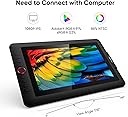
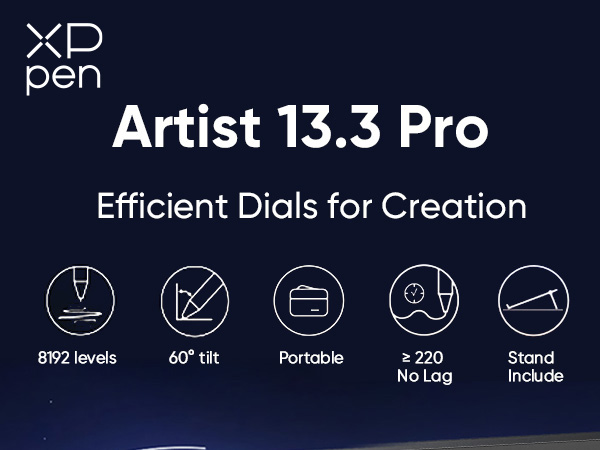
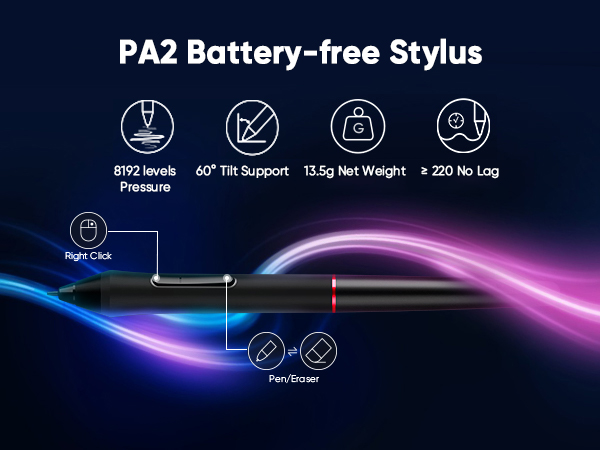
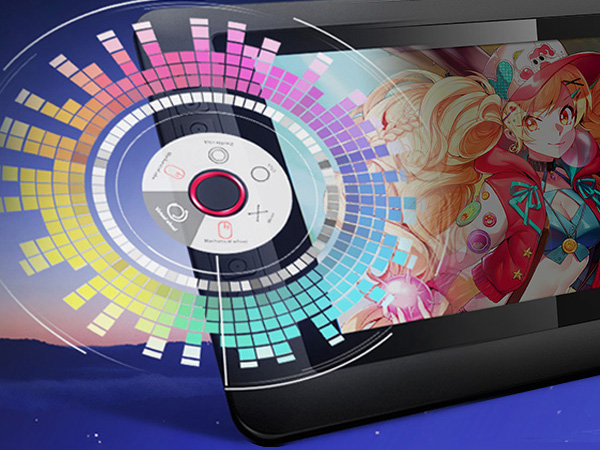
The XPPen Artist 13.3 Pro is a professional-grade drawing tablet featuring a 13.3-inch fully laminated FHD display with 123% sRGB color gamut and 178° viewing angle. It offers 8192 levels of pen pressure sensitivity with 60° tilt support, an ergonomic battery-free stylus, and 8 customizable shortcut keys plus a Red Dial for enhanced workflow. Compatible across major OS platforms and creative software, it’s designed for artists seeking vibrant color accuracy, natural drawing feel, and portable convenience.


| ASIN | B07VPHR6GD |
| Active Surface Area | 75.875 square inches |
| Additional Features | Portable |
| Best Sellers Rank | #6 in Computer Graphics Tablets |
| Brand | XP-Pen |
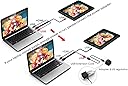
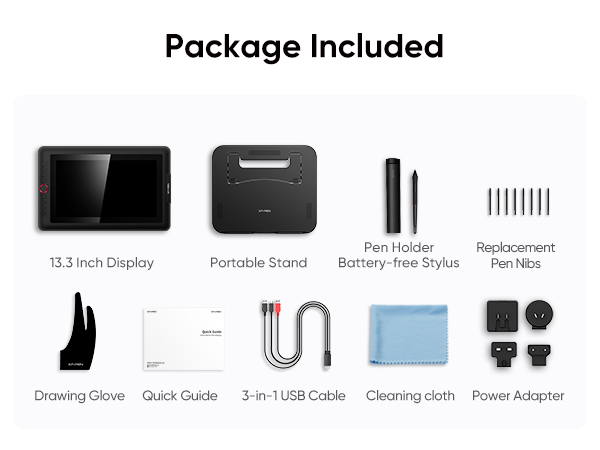
| Built-In Media | 1 x Battery-free Stylus, ,1 x Pen Holder,8 x Replacement Pen Nibs, 1 x Cleaning cloth, 1 x Black Drawing Glove, 1 x Quick Guide, 1x 13.3 Inch Display, 1x 3-in-1 USB Cable, 1x USB Extension Cord, 1 x Adapter, 1x Portable Stand |
| Color | Black / White |
| Compatible Devices | Windows 11/10/8/7(32/64bit), Linux, Chrome OS,Mac OS X 10.10 and above. |
| Connectivity Technology | USB |
| Customer Reviews | 4.5 out of 5 stars 3,374 Reviews |
| Display Type | LED |
| Item Dimensions L x W | 9.84"L x 15.37"W |
| Item Type Name | Graphics Tablet Screen, More Than 10 Inch Portable Display Device |
| Item Weight | 2 Kilograms |
| Manufacturer | XP-PEN |
| Mfr Part Number | Artist 13.3Pro |
| Model Name | Artist 13.3Pro |
| Model Number | Artist 13.3Pro |
| Native Resolution | 1920x1080 |
| Operating System | Windows 10/8/7 et Mac OS X 10.10 (et versions supérieures) |
| Pressure Sensitivity | 16384 Levels |
| Screen Size | 13.3 Inches |
| Special Feature | Portable |
| Specific Uses For Product | Online Education,Digital Drawing,Professional Design, Video Edition |
| Target Audience | Student, Teacher, artist, designer |
| Unit Count | 1.0 Count |
T**.
Great Drawing Tablet!
After trying two other drawing tablets from competitors, I went ahead and tried my luck with this one. I LOVE IT!! I love how responsive the pen is and how accurately it responded to my drawing. I drew the above image which was quite detailed in less than an hour because it responded so well, it was like sketching by hand! Love that I can now draw directly to my computer using Photoshop and have digital art I can use to make my adult coloring books. My first coloring book has sold over 100 copies in less than 3 weeks! People love the detailed artwork to color and enjoy. This XP-Pen will be a vital part of my future successes as I create more coloring books for people to enjoy! The screen is very nice, colors look great, pen tracks precise and easy to setup and get running! Only downside is having to be attached to my laptop with cords, but that is a small negative when it increases my production 10 fold! Now I don't have to draw on paper (and start over if I make a mistake), scan in the image and then edit it to the proper format and dpi to make digital art. Can't wait to see what I can produce with this tablet! Nice thing about drawing digitally is if you make a mistake - you can instantly undo it and not have to start over with a clean sheet! This tablet is worth it's price! I've been a graphic designer for 25 years and find this jewel to be a great asset to my design skills. Now that I am retired, I can draw whatever I want for myself and earn a nice passive income from it!
G**Y
Professional Artist-Love this
I've tried a lot of digital art projects, and let me just say this is the best value you can get and it's not like you're getting a basic value. I have an Ipad Pro 11inch 4th generation that I use as well and it is the only thing I would put above this drawing pad. You get everything with this drawing pad, the color is spot on, the pen is great (very similar to Wacom tablet pens), pen lag isn't really a thing that you have to worry about either, the buttons are easy to use, it isn't touch screen so you don't need a glove but it does come with a glove, it plugs right into your computer or laptop and you're ready to go. This thing really is the best you can get at this price but also it compares to the best Wacoms as well. If you're on the fence or don't know which one to get this is the one you won't regret, it. For new artist this is perfect but also for artists that have been in the industry for a long time this is also great. I recommend getting Krita on your computer if you're new to digital art and working in there first then moving onto other programs if you'd like to. Mainly because Krita is free and works well with this product. The only thing I would have done differently is buying a bigger screen but really this size is perfect for pretty much everything. I really love the product I bought one for my sister as well and she has been able to really get into art again because of it. I hope this helps anyone looking around and that is unsure of what to get. Also for anyone with confusion drawing pads hook up to laptops and computers and the screen on your laptop is what shows on the drawing pad screen making it easy to draw. Don't think this is like an ipad that works souly on its own. Anyways 10/10 love it, go for it!
P**T
great drawing tablet
I upgraded from a non-screen tablet, and I definitely see the difference. It is a treat to actually see what you are drawing. At the price level, this was a steal, considering what you are getting. The response time is instant. The table itself doesn't feel like you are drawing on glass. definitely recommend this one
M**L
Great gift with a lot of value for it's price
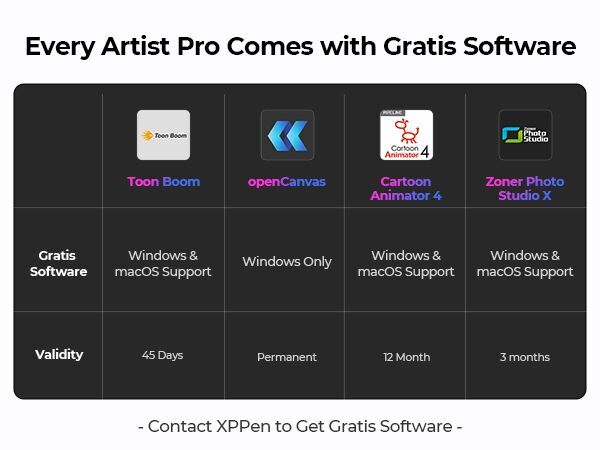
I purchased a drawing tablet as a birthday gift for my teenage sister, and it has proven to be a high-quality device that enhances her artistic abilities. Here's my detailed review of the product. Let's start with the pros. The drawing tablet offers a significant upgrade from a regular drawing pad without a display. The high-quality construction and features make it an excellent choice for artists looking to take their digital art to the next level. It provides a more immersive and intuitive drawing experience, allowing my sister to express her creativity with greater precision. The package includes everything required to start using the product right away. It comes with gloves, a pen, and a generous supply of replacement tips. These accessories ensure that users have everything they need to begin their digital art journey without the need for additional purchases. The inclusion of multiple replacement tips is especially convenient, as it extends the longevity of the pen and allows for different drawing techniques. Another advantage is the availability of online support and setup guides. The drawing tablet has a wealth of online resources and tutorials, making it easy to find assistance and guidance when needed. This is particularly helpful for beginners or those new to drawing tablets, as it provides a helping hand in getting started and understanding the various features and functions. The supporting software provided with the drawing tablet is user-friendly and offers a wide range of options. It strikes a good balance by catering to both beginners and more proficient artists. The software provides enough features and customization for those with advanced skills, while still being accessible and approachable for beginners. This versatility allows users to grow and adapt their digital art skills as they progress. Moving on to the cons, one aspect to consider is the number of cables involved in the setup. Once fully connected, the cables can be a bit visually unappealing, detracting from the overall aesthetic of the drawing tablet. However, this is a minor concern compared to the functionality and performance of the device itself. In terms of setup, it's worth noting that it may require some troubleshooting. Getting the display working perfectly may take a bit of effort and patience. While this can be a bit frustrating initially, it's important to understand that drawing tablets often require specific settings and configurations to work seamlessly with different computer systems. Once the setup is complete, the overall experience is well worth the initial troubleshooting. In conclusion, the drawing tablet has proven to be a high-quality device that offers a superior drawing experience compared to traditional drawing pads. It includes all the necessary accessories for immediate use, and the abundance of replacement tips ensures long-lasting functionality. The availability of online support and setup guides is a valuable resource for users, and the accompanying software strikes a good balance between simplicity and advanced options. While the number of cables may not be aesthetically pleasing and the setup may require troubleshooting, these minor inconveniences are outweighed by the overall performance and functionality of the drawing tablet. If you're looking to elevate your digital art or provide an impressive gift for an aspiring artist, I highly recommend considering this drawing tablet.
A**L
13.3" semi-comprehensive review
so, after using the same no-screen drawing tablet (Gaomon M10K Pro) for YEARS, i eventually outgrew it; i decided to look into a screen tablet, and i landed on this. i'm only half a week into using this thing, but i've used it enough to write a semi-comprehensive review and list the pros/cons as honestly as i can. this review will also be edited as i use the tablet more or if i run into any problems as i was researching, these were my must-haves for a screen tablet: ✓ left-handed friendly ✓ around the same working area as my previous tablet (M10k is 10" x 6.25", this tablet is around 11.5" by 6.5", pictured below). also because i have limited desk space ✓ price-friendly, preferably ≤$400 (I got this thing for like $200, it was on sale + used coupon) ✓ scrolling wheel (M10k put me on it, I use it SO often so there's no way I could do without it) ✓ battery-free pen ✓ more than like 4 shortcut buttons (again, M10k put me on it) ⚠️ i would like to preface this by saying this is my first SCREEN tablet and therefore have nothing to compare it to. however, Brad Colbow on YouTube has a great review on the 13.3" and 12"; i recommend watching that for a more physical demonstration of the tablet's features/capabilities, as well as a fair comparison to its competitors. pros: ➤ 1 ) price i got this for around $200 (sale + Amazon coupon); this is an amazing price for something of this size and performance level. this tablet's working area is around 11.5" x 6.5" (13.3" diagonally), while name-brand screen tablets of smaller sizes run twice, thrice the price of this. i'm very happy that i got something in this price range for this size, it fits nicely on my desk (pictured below) while also not breaking the bank ➤ 2) easy transition from a non-screen tablet, beginner-friendly as described above, i purposely picked a tablet close to the size of my old one to make this transition as easy as possible. if this is your first tablet in general, this is a completely reasonable pick as even name-brand, non-screen tablets run upwards of >$50-200 nowadays. if you are considering another size: i would say anything between 12"-16" is reasonable if you don't want something massive (i also have limited desk space so i decided not to opt for the 15.6"). ➤ 3) easy setup + adaptability within ten or so minutes, i was able to quickly transfer all my shortcut keys & get started pretty much right away. i took the advice of another review & used the power adapter since i wanted this thing on 100% brightness. if you already have 2 monitors, i would also recommend using the power adapter as to not overwhelm your PC (my GPU doesn't have integrated graphics, so i can only use the HDMI on my motherboard— i only have 1 HDMI, 1 DisplayPort, and 1 DVI-D port.) SPEAKING OF ADAPTERS: IF you only have one HDMI port and can't use it for this tablet, this tablet MIGHT work with a 4K Displayport (Male) to HDMI (Female) adapter; please check your PC's specifications, you wouldn't want to buy this tablet only for it to not work with an adapter. DVI-D to HDMI adapters probably won't work (i think DVI-D doesn't transmit information the same way DVI-I or DisplayPort can). i would honestly recommend just reconfiguring your setup so that the tablet can go into the HDMI port, and plug in any extra monitors with Displayport/DVI-D adapters; any extra adapters between the tablet and your PC might result in lower quality/calibration issues (which I get into with the cons below). IF YOUR LAPTOP/PC DOES NOT HAVE HDMI OR DISPLAYPORT, I WOULD NOT RECOMMEND BUYING THIS TABLET. a USB to HDMI adapter might not even work at all, it'll just be a hassle to return this thing once you find that out. ➤ 4) screen responsiveness the responsiveness of the screen is awesome! my artstyle includes very quick hatching/precise lines so i needed something with little lag and great precision. this fits the bill! the pen pressure levels and responsiveness are standard for its competitors, but it's definitely impressive at this price ➤ 5) extra items again, for the price i purchased this for, the extra items are very much appreciated and bumped up my satisfaction points. the 3-in-1 adapter is awesome for cable management and not having a million wires coming from the tablet. the extra pen nibs are awesome; however, upon reading the reviews, it seems that other people's nibs are running out quite quickly because of the friction with the screen protector. i ended up adjusting my settings so that i don't have to press as hard on the screen to preserve both the nib and the protector. i have a heavy hand while drawing, so i'm gonna stay conscious of that per the other reviews meh: ➤ 1) non-adjustable stand despite there being a ton of extra items included, the stand is probably the least impressive of the bunch. it only has one setting and isn't at the angle i'd prefer it to be. i ended up putting a notepad underneath it (pictured below) so that it can be more comfortable, and i'd recommend that others do the same if you're uncomfortable. also, make sure the stand clicks into place before setting the tablet on it... i'm a dummy and i didn't properly click it into place, and the thing collapsed after i set the tablet on top ➤ 2) calibration confusion/tilt as stated above, if a DisplayPort adapter ends up working with this thing, you might end up running into a few calibration issues. furthermore, if you're unplugging the HDMI often, you might run into the same issue. while i was reconfiguring my setup, i felt that i had to recalibrate this thing every time i unplugged it or changed it to a different port. i ended up configuring my setup so that it can stay plugged in 24/7, but ik many artists only plug in their tablets when they intend to use it. if that's the case for you, i would be cautious— if your calibration messes up each time you replug, it's gonna get annoying. i saw a couple other reviews saying something along the same lines but i guess it depends on whether you're patient enough for it. recalibration takes like 30 seconds but i quickly got annoyed even doing it a couple of times. as for the pen tilt problems: if you're using the stand and you often have your pen tilted, i would recommend calibrating the tablet with a tilted penhold instead of doing it straight-on (if that makes sense). idk it might just take some getting used to but it threw me off before i realized the problem ➤ 3) wheel click (subjective) the wheel makes a clicking noise when you spin it. i personally like the noise (its kinda ASMR lol) but i can see why someone would quickly get annoyed. if you're going to be using the wheel often and you hate that type of noise, don't drive yourself crazy— there are other screen tablets with wheels out there at a similar price. OVERALL: i'm impressed! despite having this thing for under a week, i've been using it every day and have collected a fair list of pros and cons thus far. i'm going to keep the packaging for the off-chance I'll return it by the end of the month but i doubt that'll happen since i'm pretty satisfied. i'm super anxious when it comes to buying new and expensive things; i researched like a dozen other tablets and I think this was the best choice for me! beginner or not, if you are looking for a screen tablet in this price range (with these specific features) i'd recommend giving this thing a chance last updated 11/2/2023
U**R
Best drawing tablet I’ve ever bought
I have used this drawing tablet so much and have really enjoyed every second of it. The screen is nice and adjustable, the stylus fits perfectly in my hand, and all the accessories that came with it is phenomenal. I want to keep this review 5/5 stars because I do enjoy XP-Pen’s products but I in this review I will say 4/5 due to a single flaw upon use after a week: a small chip in the screen appeared and I had never dropped anything on it or dropped the box. It could have been a slight defect and I should’ve returned it for a new one but even with the chip in the screen, I had absolutely no problems letting my creativity out on it. The pressure sensitivity on the stylus to the screen is great and feels so natural and it’s incredibly easy to set up including the hot keys for the buttons and the wheel. The weight is a little heavy but I liked it just because I know it would be on my desk the whole time. It comes with different plugs so that you can bring it with you anywhere but I don’t necessarily think that it’s very portable.
S**N
Great for drawing AND as a third monitor
This was my first graphics tablet with an actual screen and, I gotta say, I should've gotten one of these suckers a long time ago. I especially like that the pen doesn't require charging or batteries (a luxury I didn't have with my previous no-screen graphics tablets). As you'd expect, it's a huge step up from what I was used to for drawing purposes, but I was surprised by the fact that it also makes for a great third monitor. The screen is nice and clear, and it's got a convenient Brightness adjustment button on the side, so whenever I'm not drawing, I'll just prop it up to use just like any other monitor. The shortcut keys are customizable, which is cool, but the only one I really find myself using is the little red wheel that allows me to quickly zoom in and out while I'm drawing (I suppose I'm just too attached to my keyboard shortcuts for everything else). There are a couple of customizable buttons on the pen, too, but after repeatedly accidentally clicking them while trying to draw, I eventually abandoned them, as well. It wasn't worth the hassle. As I said, I've never had one of these before, and I'm not super picky as far as technical specs go. I just wanted something that would make it easier for me to draw on Photoshop, and this met that need perfectly. The battery-free pen and 3rd monitor were just a great bonus. As far as its lifespan goes, I've been using it regularly for about a year and a half now (I seldom turn it off), and I haven't had any issues whatsoever.
K**Y
My search for a great drawing tablet is finally over
I'm a seasoned designer and have been working on expanding my skill set in illustration and pattern design. My search for a drawing tablet has been a little bumpy. I started with the iPad Pro, and dropped a big chunk of change on it feeling confident I would love it. I wanted to use it with AstroPad so I could draw in Adobe Illustrator via my laptop, like a regular drawing tablet. Unfortunately, I hated the experience - the Astropad connection wasn't smooth enough for me and most importantly, the feeling of the Apple Pencil against the iPad glass made my skin crawl. I thought I would get used to it, but I never did, and my iPad ended up collecting dust. So I started looking into dedicated graphics tablets. I initially bought one from a different brand. It was a model that didn't have a display screen. I really liked the way that one felt; worlds better than the iPad. But the drivers for that one were super buggy and unreliable. So I sent that one back too. Finally, I decided to take a chance on the XP-Pen Artist 13.3 Pro and I am SO glad I did! The instructions for installing and setting up the drivers & controls were on the website and super clear (I'm on a Mac running Mojave). I was able to easily map all the buttons to the controls I wanted in Illustrator, and I was happily drawing no more than 40 minutes after opening the box. I've been using this tablet for a few days now and it's been smooth sailing. The display is big and beautiful and there's no lag. The screen feels great to draw on. Not exactly "like paper" as some have said, but it definitely feels nice. Nice glide but with just enough resistance to feel like an authentic drawing experience. I am very happy with this purchase. PROS: • Display is big and beautiful • Zero lag • Pen feels great on the screen • Easy to set up • Comes with lots of accessories Cons: • The 3-in-1 cable works great but feels bulky, especially if you are using the tablet anywhere other than a desk. But that's just what wires are like, I suppose. For me, the tradeoff is worth it b/c wires mean there's never any lag or connectivity issues. • It was a pain to find a case for this. I wish XP-Pen made one for this size tablet. I ended up purchasing this one and it's worked out well: https://www.amazon.com/gp/product/B07JC8MZH1/ref=ppx_yo_dt_b_asin_title_o01_s00?ie=UTF8&psc=1
K**T
It works so good!!
I’ve drawn digitally for 8 years now and this is my first screentablet and I love it so much! It works so well!! ❤️❤️❤️
P**O
melhor impossivel!
perfeito, só tive algumas dificuldades para montar
A**O
La XP-PEN Artist 13.3 Pro: un sogno per aspiranti artisti e professionisti del disegno!
Ho regalato a mio figlio, appassionato di disegno professionale, la XP-PEN Artist 13.3 Pro, e non potrei essere più soddisfatto dell'acquisto. Questo tablet grafico ha trasformato la sua creatività, portando i suoi progetti a un livello completamente nuovo. Schermo eccezionale da 13,3 pollici Lo schermo Full HD offre colori vividi e una straordinaria precisione visiva grazie alla gamma cromatica del 88% NTSC e 178° di angolo di visione. I dettagli emergono con chiarezza, e il rivestimento antiriflesso riduce l'affaticamento degli occhi, permettendo sessioni di disegno più lunghe. Mio figlio ama come lo schermo sembri un foglio reale, rendendo l'esperienza immersiva e naturale. 8192 livelli di sensibilità alla pressione La penna senza batteria è uno degli aspetti che lo ha conquistato. Gli 8192 livelli di sensibilità alla pressione permettono di creare tratti precisi, con una risposta immediata e fluida che replica fedelmente il movimento della mano. Dal tratto più sottile alle ombreggiature intense, ogni dettaglio è sotto controllo. Inoltre, la penna supporta un’inclinazione di ±60°, ideale per sfumature e tratti dinamici. Tasti di scelta rapida personalizzabili Gli 8 tasti di scelta rapida e la rotella rossa intelligente sono comodissimi. Consentono di impostare scorciatoie per le funzioni più usate (zoom, rotazione, cambio di strumenti, ecc.), velocizzando il flusso di lavoro. Mio figlio li usa per passare rapidamente da uno strumento all'altro, migliorando la produttività e il divertimento. Compatibilità e prestazioni La XP-PEN Artist 13.3 Pro è compatibile con Windows e Mac, e funziona perfettamente con software come Photoshop, Illustrator, Krita, Blender, Clip Studio Paint e molti altri. Mio figlio, che usa principalmente Krita e Photoshop, ha trovato l’integrazione immediata e senza problemi. La connessione tramite cavo 3-in-1 riduce il disordine sulla scrivania ed è facile da configurare. Design portatile e pratico Con uno spessore di appena 11 mm, il tablet è leggero e portatile, perfetto per portarlo a scuola o in giro per progetti artistici. Nonostante la sua leggerezza, il dispositivo è robusto e ben costruito, un vero mix di qualità e praticità. Un’esperienza creativa senza limiti Da quando lo usa, mio figlio è entusiasta. Che stia creando illustrazioni, dipinti digitali o grafiche professionali, la XP-PEN Artist 13.3 Pro gli permette di esplorare nuove tecniche con facilità. Ha persino iniziato a sperimentare con l’animazione, sfruttando la precisione e la fluidità del dispositivo. Conclusione La XP-PEN Artist 13.3 Pro è il regalo perfetto per chiunque ami il disegno digitale, dai principianti agli artisti professionisti. Offre prestazioni di altissimo livello, funzionalità avanzate e un’esperienza utente che stimola la creatività. Mio figlio non solo la adora, ma ne parla come di uno strumento indispensabile per il suo percorso artistico. Se stai cercando un tablet grafico che combini qualità, innovazione e ispirazione, non cercare oltre. La XP-PEN Artist 13.3 Pro è un investimento che vale ogni centesimo
A**S
REALLy NICE as a Xp Pen artist pro User
As a xppen artist 22 pro user, I have experience with xppen and the tablet. I have decided to get this to make my experience more portable and not have a tablet blocking majority of my small desk. I got this on prime day deal so it was 120$ off the original price so it was a nice deal I absolutely love the smaller screen and if you have an ipad pro like me, 13.3in isnt much far of a difference and its easy to adjust. The pen in its casing is kinda hard to get out sometimes but maybe its just a skill issue on my part One thing I dont much like but still can make do is the angle of the stand The artist 22 pro has multiple angles to adjust and I really liked that bc I felt like sometimes straight up tablet feels nice But with this tablet you only get one, its a nice angle but I wish there was more options so I dont have to adjust my chair And so far, if you have a flat table the tablet doesnt feel rocky which is nice and feels put even though its portable off the stand On the artist 22 pro there are no express keys and as a avid keyboard user for keys, it was kind of tricky to navigate and get used to, but that will soon become a familiar thing to me so its all about keeping it consistent The wheel on the tablet is kind of clicky when it turns, I use it for zooms and I would say that its not a smooth zoom? Every click on the scroll skips a frame (?) when zooming so if u like ur zooms to be smooth I would recommend using the express keys instead Overall its really nice quality and I love the film on the screen, since the artist 22 pro was wirh glass, it didnt feel that much like a drawing tablet But with this it feels like im really drawing and there are no glares !! colours seem accurate enough to pass I would say And im really looking forward to last long with this tablet!
S**7
Perfekte Wahl für Kreative: Das XP-PEN Artist 13.3 Pro Grafiktablett
Produktbewertung: XP-PEN Artist 13.3 Pro Grafiktablett Ich habe kürzlich das XP-PEN Artist 13.3 Pro Grafiktablett gekauft und bin rundum begeistert von diesem Gerät. Die Installation war kinderleicht und innerhalb weniger Minuten erledigt, was mir einen schnellen Start ermöglicht hat. Besonders beeindruckt hat mich das praktische Drehrad und die konfigurierbaren Tasten am Tablet. Diese bieten eine unglaubliche Flexibilität und machen das Arbeiten wesentlich effizienter. Egal, ob man durch die Leinwand zoomt oder zwischen Werkzeugen wechselt, alles funktioniert intuitiv und schnell. Der Bildschirm des Grafiktabletts ist klar und brillant. Die Farben sind lebendig und die Auflösung ist ausgezeichnet, was das Zeichnen und Bearbeiten von Grafiken zu einem wahren Vergnügen macht. Der Stift selbst liegt angenehm in der Hand und verfügt ebenfalls über praktische Tasten, die individuell belegt werden können. Ein weiteres Plus sind die zusätzlichen Minen, die im Lieferumfang enthalten sind – so ist man für eine lange Zeit gut ausgestattet. Das mitgelieferte Zubehör rundet das Paket perfekt ab. Der Handschuh schützt die Arbeitsfläche vor Fingerabdrücken und sorgt für reibungsloses Arbeiten. Der Ständer ist stabil, sodass man stets die optimale Position zum Zeichnen findet. Insgesamt bin ich mehr als zufrieden mit dem XP-PEN Artist 13.3 Pro Grafiktablett und kann es jedem, der auf der Suche nach einem hochwertigen und benutzerfreundlichen Grafiktablett ist, wärmstens empfehlen. Es ist ein hervorragendes Gerät, das sowohl für Einsteiger als auch für Profis bestens geeignet ist.
Trustpilot
3 weeks ago
1 month ago