
DOWNLOAD THE APP


Customer Services
Copyright © 2025 Desertcart Holdings Limited
DOWNLOAD THE APP

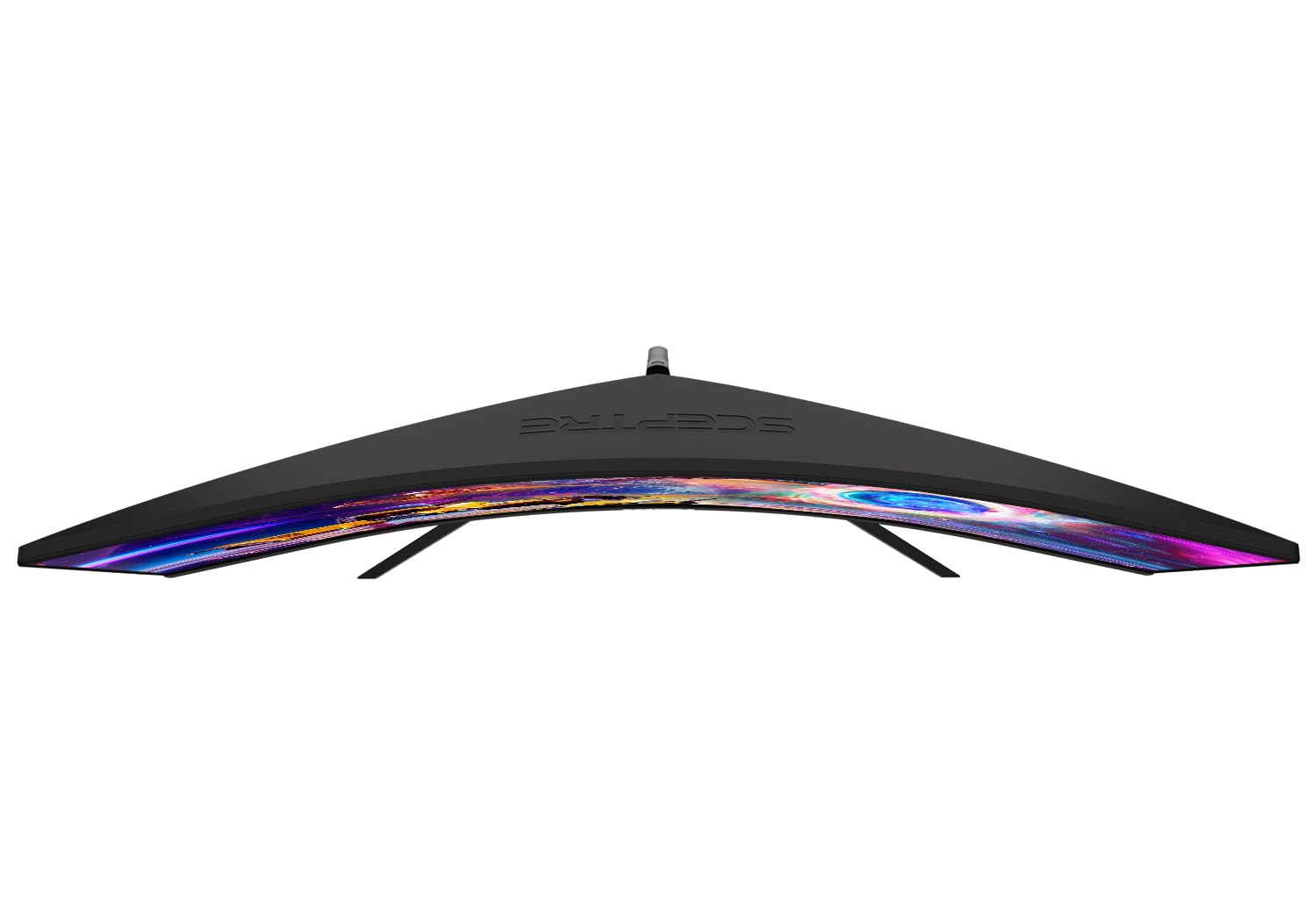


⚡ Elevate your game with ultra-wide speed and seamless visuals!
The Sceptre 30-inch Curved Gaming Monitor delivers a 2560x1080 ultrawide Full HD experience with a rapid 200Hz refresh rate and 5ms response time, enhanced by AMD FreeSync for smooth, tear-free visuals. Its 21:9 curved display offers immersive viewing with wide 170° angles, while eye-care features like Blue Light Shift and Anti-Flicker ensure comfort during extended use. Built-in speakers and a slim bezel design complement its sleek metal black frame, making it a top-tier choice for gamers and professionals seeking performance and style under $300.


| ASIN | B07TXM7K4T |
| Best Sellers Rank | #9,250 in Electronics ( See Top 100 in Electronics ) #302 in Computer Monitors |
| Brand | Sceptre |
| Color | Metal Black |
| Customer Reviews | 4.5 4.5 out of 5 stars (12,798) |
| Date First Available | July 2, 2019 |
| Item Dimensions LxWxH | 27.8 x 16.1 x 7.4 inches |
| Item Weight | 12.2 pounds |
| Item model number | C305B-200UN1T.1 |
| Manufacturer | Sceptre |
| Max Screen Resolution | 2560 x 1080 Pixels |
| Product Dimensions | 27.8 x 16.1 x 7.4 inches |
| Screen Resolution | 2560x1080 |
| Series | C305B-200UN1T.1 |
| Standing screen display size | 30 Inches |
| Voltage | 120 Volts |
D**I
Good for the price.
I've been using this for about almost 2yrs and it's nice. Very large screen. Not so great sound but what monitors have good speakers right? Color was pretty spot on out of the box. Mainly the issues I have are not with the monitor but support for ultra wide screens. Sometimes I have issues with video games and netflix doesn't like to run it in fullscreen without edges. Anyways small annoyances.
K**N
Best features and performance to price sub-$300 gaming monitor on Amazon!
Was shopping online with my son for his first gaming PC (which we decided upon an AMD Ryzen 5 3600 CPU with Nvidia RTX 2060 Super GPU model) and I quickly realized handing him down my old Samsung 27" 1080p 60hz LCD monitor as was the original plan would have been a total waste of his new computer! So having saved a couple hundred bucks buying a pre-built instead of building our own with the same specs (as PC components are experiencing shortages cause of COVID-19 and have gone up drastically in price), I told my son he could pick out any monitor on Amazon he wanted on a budget of $300, and he picked out this one. I could instantly see why he chose this model which at 30" was bigger than most other gaming monitors with decent specs at this price range and it was an ultrawide, which made me proud (like him being a chip off the old block) as I game on a 49" super ultrawide monitor myself. But the real "wow factor" of this model, of course, is the 200hz refresh rate which is a rarity in itself especially for ultrawides but almost unheard of at this price range. The only thing I wasn't sure about was I wasn't familiar with the Sceptre brand. Generally as a rule I've stayed away from buying displays from lesser-known manufacturers as with panels you often get what you pay for and "cheap" usually turns out more "expensive" in the long run, if not just "frustrating" and "disappointing". But this was my son's computer and his pick for the monitor and I was proud that he did all his own research so I wanted to support him. So Sceptre it was! Well I'm glad I didn't say anything cause this monitor rocks! The colors looked great straight out of the box and I haven't felt the need to do any calibration of any sort. Contrast and blacks are above average on this display and well beyond my expectations for a sub-$300 model. Even though there's no HDR and I believe it's rated at just 250 nits, it looks much brighter than that, possibly because of its high native contrast. But what both my son and I were most looking forward to see, of course, was how it performed at 200hz. So I fired up 3DMark and ran a few benchmark tests and...WOW! The motion on all frame rates was buttery smooth. On some tests we were reaching fps of over 600 so we knew we hit the monitor's 200 frames per second limit and it looked incredible! No tearing or ghosting or any sign of distortion whatsoever. My own 49" super ultrawide only goes up to 144hz and I could see a discernible difference in frame rate running identical tests on our PCs both of which were pushing frames well beyond the limits of our monitors. This monitor's 200hz refresh rate is legit! Another great feature of this monitor is its support of AMD Freesync. It worked flawlessly with my son's RTX 2060 Super both in fullscreen and windowed mode, even though the Nvidia Control Panel said the monitor wasn't "validated as G-SYNC Compatible". I've actually had problems in the past getting this compatibility feature to work on other Freesync monitors so was really relieved to find it working perfectly on the Sceptre. Overall this is a fantastic gaming monitor that performs well in all its highlighted and advertised features, and phenomenally when you also factor in its price. Highly recommended and most importantly for me is my son couldn't be happier!
L**R
6 years still going strong
I bought this monitor back in 2020. It is currently 2026, and it is still going strong. No flickering issues, good picture quality for the price. It has survived multiple moves. I am writing this review, since the one thing I noticed is that the brightness has finally dimmed to a noticeable level, so it is time for an upgrade, but this monitor is truly great, and helped me survive all of college and now work. This is the first time I've ever written a review on here, but this product deserved a great review.
L**A
I feel unstoppable with this monitor!
This baby is my pride and joy, and I always feel ahead of the game when I play FPS games with it. Quality is 10/10, but the built in speaker quality is kind of lackluster It's pretty sturdy and even though it slightly hangs off the lip of my desk shelf ledge, it barely moves. No lag or latency issues with this monitor when gaming, it sits at a solid hertz and it was easy to set up. I think its very bright and definitely easier on my eyes than my Acer side monitor. Power wise, I didn't notice any upcharges or issues using it with my computer.
A**X
Volume is the only issue
Monitor is great! It does everything it claims to do however the volume is real low and cheap. Picture is awesome no issues.
W**.
Designed for gaming with the right PC Hardware. Not designed as a MAC Gamer.
One drawback is when it comes to PC's and Monitors, you won't know for sure until you try it out for yourself. You can ask the seller questions, but sometimes the question you should have asked isn't obvious until the thing is sitting on your desk. It may boil down to something very specific to your application/environment/ergonomics that the seller, or even the manufacturer can't give you a definitive answer because of the subjective nature of sitting in front of a screen for hours at a time. A big help for me in determining which to order is to download the user manual and quick set-up guides from the Manufacturer Website. By carefully reading the specs and going through the OSD Menu entries I am sure that what I'm ordering, at least on paper, has the right specs. This way, the monitors should have all the right comparable specs and you should end up with what you really want. Still, as was it was in my case you may have to try it out before you can finalize the purchase. I need a widescreen curved monitor such as this 30" Scepter with PBP (split screen) so as to be able to work on documents from two different inputs, i.e. two PC's. So I am reviewing this from more of a business angle, not from a Gaming criteria. Basically, it is a simple, single-purpose gaming PC Monitor. If used just for gaming on an Nvidia Graphics PC, it works as advertised. You've got to match video cards, max res, number and type of inputs, hdmi 1.4, 2.0? Is Displayport 1.2 enough? I finally narrowed down to a 30-32 inch 21:9 ultrawide, curved, (gaming) monitor though I would only use it for business. I need a split screen with quick and easy transition from one input to another. To change inputs from one PC to another on this monitor requires 11 button pushes and the dual split-screens are squished horizontally as determined by the screen width and 2560hz horizontal resolution. Nothing really wrong with the monitor itself. My opinion is that this monitor should be best acknowledged as a single input Gaming monitor. It was not quite suitable for my application. Better would be a wider monitor with higher horizontal frequency. The Wall Plate though not it's intended use can be attaching it to a standard 4 hole Vesa mounting arm plate. It comes with a 75mm 4 hole Adapter, so it can be done. Two little bolts attach one side to the monitor, the other side can be fastened to a regular Monitor mounting plate (75mm hole pattern) on the extended arm of your vesa desktop stand mounted to your desk . You will have to obtain an additional four M4 x 20mm bolts, with washers and nuts to bolt (fasten) Wall Mount to the Vesa plate of your stand. Easily accomplished except for obtaining your own hardware. No wall plate screws are supplied as there are different types of wall mounts. At this price point, as I've mentioned, this monitor is designed to work best with a PC having an Nvidia Video Card using GSync. They tell you up front how it's designed to work. With the right hardware you can get the 160 - 200 hz frequency for high-end gaming. With Displayport 1.2 I was able to get 120hz picture that was good enough for ordinary Windows 10 desktop, but I can't comment how it would work for gaming. Need Displayport 1.4, or Hdmi 2.0 to obtain 160-200hz. The Nvidia drivers must be up to date and can be downloaded from Nvidia Website. The driver page lists a long paragraph of Nvidia cards compatible with that driver. It may work well enough with other PC video cards as well, but I was using an old GT 620. No problem with the latest driver but not suitable for intensive gaming. Using with a Mac, (I have a Macbook Pro) is a crapshoot. Older Macs are designed to work with older Mac compatible hardware. This monitor, as is the case with the majority of OEM generic monitors, is directed at the Windows PC Market. If it works with your Mac, well and good, but don't count on it, not for serious gaming for sure. My 2011 Macbook Pro has early thunderbolt - backwards compatible with mini-displayport. I used a mini-displayport cable with short mini-displayport to Displayport adapter. Macbook has a 2560x1440 spec video output. It connected with the monitor but full-screen picture was a little vertically flattened, (i.e.horizontall stretched); not acceptable. Mac System Preferences Display Icon showed 1080p. That is correct, but the Macbook is designed for 4:3 ratio. My Macbook was never intended to handle 21:9 aspect ratio; not the fault of the monitor. Works perfect though with my 21.5 inch Acer screen. Newer macs with thunderbolt 3, a.k.a. USB-C should be compatible with USB-C input monitors. In order to avoid the hassle of a return, my advice is to ask the seller - better yet, download the manual, especially with third-party sellers as return shipping is pretty expensive. Be aware of the intended use and specs and consider that in order to get a monitor with better options, you might have to spend another $100.00 or more. What I could determine is that used as intended and properly set up, it will do what is advertised at 160hz For business, with dual inputs, maybe not, but the manufacturer does not advertise it as anything but designed for gaming so I really can't complain. I had to try it to find out. Walter O.
F**N
Encantado con la compra, su calidad me sorprendió y las especificaciones solo falta mejorar sus ajustes de color pero en general muy bien
Trustpilot
1 month ago
4 days ago