Desertcart purchases this item on your behalf and handles shipping, customs, and support to Iceland.
🌡️ Stay ahead of the curve with precision you can trust!
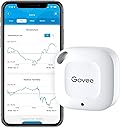
The Govee Smart Bluetooth Thermometer Hygrometer H5074 is a compact, highly accurate climate sensor featuring a Swiss-made sensor with ±0.54°F temperature accuracy and ±3% humidity precision. It offers a robust 262ft Bluetooth range for real-time remote monitoring without WiFi, 20-day onboard data storage, and the ability to export up to 2 years of environmental data. Designed for portability and ease of use, it includes instant alert notifications via the Govee app to keep your spaces perfectly balanced.


| ASIN | B07R586J37 |
| Battery Description | No batteries required |
| Best Sellers Rank | #730 in Patio, Lawn & Garden ( See Top 100 in Patio, Lawn & Garden ) #8 in Indoor Thermometers |
| Brand | Govee |
| Brand Name | Govee |
| Color | White |
| Customer Reviews | 4.4 out of 5 stars 13,221 Reviews |
| Included Components | 1 x Govee Thermometer and Hygrometer,1 x Hanging String,1 x User Manual, |
| Item Dimensions W x H | 1.57"W x 1.57"H |
| Item Length | 4 inches |
| Item Weight | 10.48 g |
| Manufacturer | Govee |
| Model | H5074 |
| Mounting Type | Wall Mount |
| Operating Humidity | 20% - 80% |
| Part Number | H5074001 |
| Product Dimensions | 1.57"W x 1.57"H |
| Temperature Accuracy | 0.54 °F |
| Temperature Reading Accuracy | plus_minus_0_point_3_degrees_celsius |
| UPC | 739929049813 741663591770 |
| Unit Count | 1 Count |
| Upper Temperature Range | 60 °C |
W**S
Great Products from Govee!!!
With rising home cooling costs and a roof that has no shade, I need to find affordable options that will reduce heat in my attic and help the hvac system from overworking to cool the second floor. I put 2 of these monitors in the attic and the third in the room that is the furthest from the hvac system in the attic. The results are very telling. These are Bluetooth and although the paperwork says they can be checked 262ft away on the app on my phone, because of walls I guess, I have to go up stairs to check the one that is the furthest away-no problem. Govee makes great products. I have WiFi water sensors that I am glad to have under every sink and behind every commode. If there is a leak and a drop of water hits any of them, it will sound off and a message pops up on my phone. A leak can be detected and the issue resolved quickly. The app also alerts me if a battery is low. The leak alerts have AAA or AA and the thermo/humidity sensors have lithium batteries. The app is easy to use and all mine have names the state their location.
S**O
very COOL thermometer
Highly recommend. I'll start off with noting one of the most useful things that happened within a month of owning this freezer thermometer. The power went out but it happened while we were not home. I was able to look at the temperature readings to get an estimate of how long the outage lasted and if any food was affected. I love having the temperature graph to see if the temps dipped higher or lower than they should. It's very easy to read and keep track of. It also shows you the battery life which is great. Not a product issue but a phone issue is that my widget for the Govee Home App displays an outdated temperature and to get a current accurate reading you do have to open the app to update. I've had no issues with connecting to the app from any location thus far. I had bought a different brand before but didn't realize it required a hub to function. Not the case with this freezer thermometer. It is a small cute size so doesn't take up much space and has worked well. I do have a manual thermometer to compare against for temperature accuracy. It says it handles down to -4 degrees Farenheit which is true. My freezer dips below that frequently maybe up to -9 degrees and the thermometer is still kicking. But again it's only been a month so we shall see how long the battery lasts being pushed.
R**4
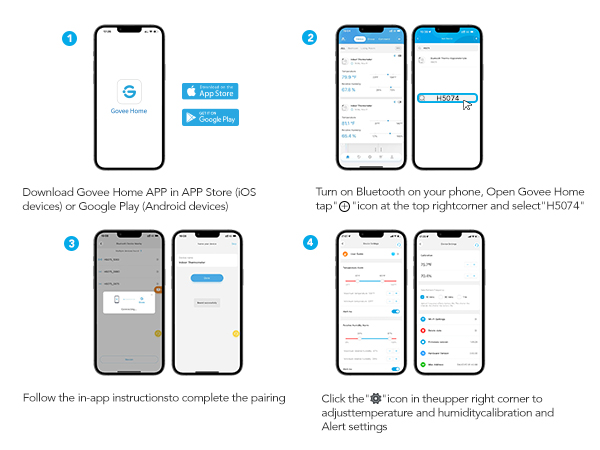
Easy setup, good bluetooth connections no WiFi
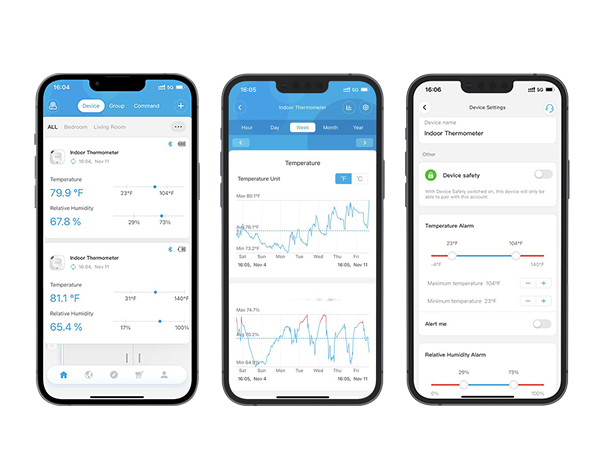
SUMMARY: Others have commented they didn't like these due to required WiFi usage. I did not have to connect to WiFi (but you do have to use their app). Overall, they were well packaged, easy to setup, have good Bluetooth signals/range and app is fairly easy to use MY USAGE: I bought 6 of these total (3 in one purchase, 3 in a second purchase) for the purpose of monitoring temperatures in various rooms in my two-story house. The HVAC system, ductwork and thermostat locations were not well thought out when the house was built, so I wanted to be able to see how the temperature varied in each room throughout the day and over time when it's cold outside, sunny versus cloudy, etc. SETUP: It was easy greasy to set these up. I downloaded the Govee app, pulled the sensors out of the box, removed the strip to power the device, and connected each sensor to the app via Bluetooth. It was simple, and reasonably good instructions. I did not have to connect to WiFi - at least not for these devices. It is very likely for some of the other home control devices that you would have to connect to WiFi, but these are basically "read only" devices so WiFi isn't required. Once initially powered and connected, it will take several minutes for the readings to reach "steady state" condition (especially if you unbox the sensors after they have been outside where it is much colder or much hotter than indoors). ACCURACY: As an engineer, I wanted to check the comparable accuracy of each before I put them in their final location, so I put all three from my original purchase side by side and let them sit on my desk for several hours. All three read with 0.3 degrees F of the average, which I consider reasonable for the price you pay for these. APP: The app is fairly easy to use, logical, and the graphing function is nice. You can download the data to a CSV if you want. One possible improvement to that app would be that (as far as I can tell) each sensor has to be downloaded separately, so an option for "download all" or "download selected" would be nice. Another improvement would be the ability to graph/see more than one device at once. As I'm looking for relative differences from room to room, I'd like to be able to (from the app) compare the open area upstairs to the open area downstairs. MISCELLANEOUS: I've only had these a couple weeks, and I'm pretty impressed so far. I've attached screenshots of two different rooms. You can see that one (large open area upstairs is relatively consistent, but another room has some very broad swings (almost 10 degrees F!!!). I am checking differences between various conditions, such as when it's warmer, when ceiling fan is running or not running, using night setback feature on room thermostat or keeping the same setpoint temperature all the time. One interesting note, I have one of these in each of my kids room, and I can tell when take a shower because the humidity sees a spike after their shower!!
J**O
Easy to set up and does what it's supposed to.
I got the two pack. Set up was trivial and they work as intended (tracking temp and humidity). Not much more to say - it's nice to have something simple that just works. The app is more complicated than it needs to be, but the extra functionality doesn't get in the way.
D**I
Accurate, light, excellent support.
TLDR: Small, light weight, very accurate and outstanding support. Pros: It is small and easy to place wherever you may need it, ie humidor. Accurate measurements of temp and humidity out of the box without needing calibration. Easy to obtain and export data from the app and see trends over different time scales. Stores multiple days of data so if you don't open the app every day you can still see the trends/readings. Excellent customer support. Cons: Bluetooth only so you do need to open the app every couple of weeks to see the data (they have a Wi-Fi model however). After a year the accuracy began to fall so I would recommend confirming accuracy every 6 months or so - though I will add that this is better than any other thermometer/hygrometer I've used. My experience: I've been using this for 15 months now and am very pleased. I checked the accuracy of both the humidity and temperature when it arrived and it was spot on. After a year of constant use in my humidor it finally gave me an error and stopped working. When I contacted Govee they immediately sent me a replacement. I checked and the second one was just as accurate as the first. I'll be purchasing more to monitor temps throughout the house so I can adjust HVAC vents.
J**S
Reliable Humidity Monitor – Great Value, Safe Battery Design, Accurate Readings
We purchased three of these mini Govee Bluetooth hygrometers to monitor humidity while running the air-conditioning, which had been drying out my husband’s skin. Our target is around 48% humidity, and these sensors have been spot-on across multiple rooms. Setup was simple since we already use the Govee App. This model connects via Bluetooth only, which works well for our home layout. At the time of writing, the product listing incorrectly says no battery required - it actually takes a CR2477 battery, which is included. The battery compartment is secured with three small screws, a thoughtful safety feature that prevents children or pets from accessing the button cell. Performance has been reliable and consistent. The temperature and humidity history in the app makes it easy to spot trends and adjust the environment. For the price, it’s excellent value+ simple, safe, and accurate.
Y**I
Functional, with limitations and rough software issues.
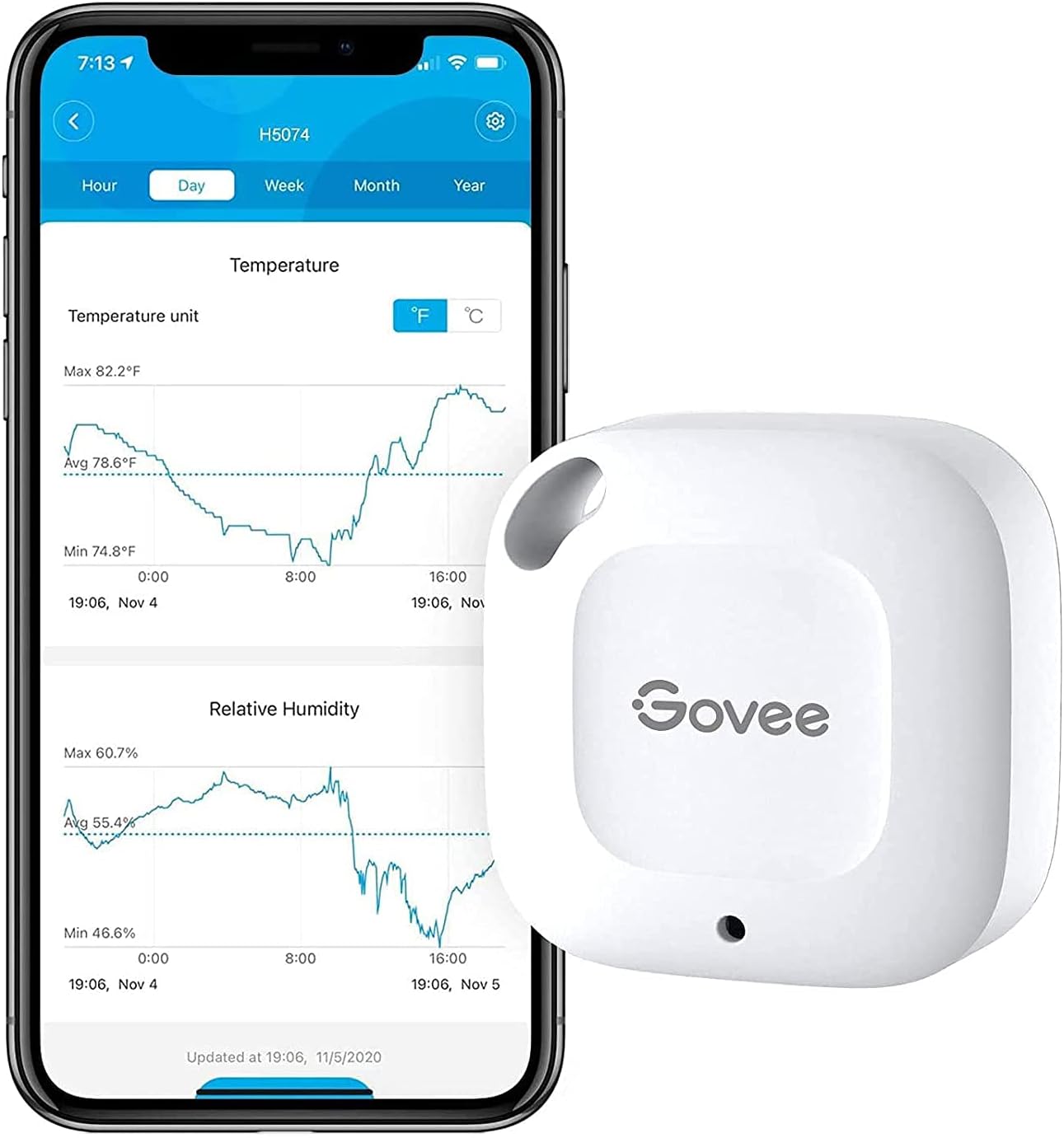
I currently have 9 of these sensors (H5074); I should've stopped at 4. I also have a Govee humidifier H7140. The integration is satisfactory. If all you want is some temperature based automation for other Govee products, getting a limited number of these will work pretty well for you. If all you care is the current temperature in multiple locations, this system works fine. It also has integration with some open-source smart-home software, but it will only be able to track current temperature, and (while I haven't really dived deep into the issue) has some issues being registered with both the smart-home service as well as the Govee Home app. I would guess that this is probably a Bluetooth issue, and not specific to Govee. My primary issue is with the measurement history. As I feel like my use case with the history is not the most common usage, I've let it affect 2 stars. TLDR - invest in the SensorPush system if you want temperature history. 1. If you don't refresh or fetch the data periodically (I've found every 5 days to be somewhat of a maximum), some data seems permanently lost. I've attached a photo showing time gaps in exported CSV data. 2. Even if you do refresh data periodically, the data will sporadically have gaps, unless you explicitly refresh again. This means, if you want to avoid having any data gaps, that every few days, you will need to open your Govee app, then for each sensor you have, wait for the initial refresh to finish, manually refresh the data, wait for the data to be fetched to your phone, then refresh the data again. This also sometimes fails to work; luckily you can just back out of the sensor's view and back in and continue the data refresh. It can take up 30 seconds for the first refresh, then another 15 seconds for the manual refresh, then another 10 seconds for to wrap any any potentially missed data points. This means in the best case, it's something like 30 seconds per sensor, worst case, maybe up to 2 minutes (due to retries). That means with 9 sensor, it can take anywhere from 5 minutes to 20 minutes to fetch all the information from the devices to the phone. Also, most of the time is just waiting; in terms of interaction, it's about a total of 20 seconds of interaction but dotted throughout many periods of waiting. Compared to the SensorPush system, which requires just a one-time sync (that is also more performant) that maybe takes about 5 seconds total to refresh 7 sensors, at best, the Govee system is 5900% slower to fetch data. There is a clear price difference; however, as you scale up on sensors, the SensorPush system becomes a much better value proposition (at least for your sanity). 3. Exporting data is janky at worst. Specifically, there is an option "Export data of all other devices," which sometimes works if the data exported is small enough; otherwise, even though the option is checked, only the data from the sensor which you are viewing will be exported. I haven't experimented with exactly where the "Export data of all other devices" stops behaving as expected, but I have not been able to export weekly 1-minute data using this option. This means, to export my 9 sensors of data, I need to go to the select the sensor, scroll down to "Export Data", select the "Send to account email" checkbox, set the "Start time" (which is a custom time selector, and doesn't support direct typing, so I have scroll the year, month, day, hour, and seconds to the desired value), set the "End time" (which has the same issues as the "Start time"). Then I contemplate my life and whether the "Export data of all other devices" button will work (which it has not so I usually don't check it), then export the file. Then I need back out twice then repeat this for the remaining devices. One minor nitpick is that, if you export enough data, the file is compressed using ZIP; the name of the compressed file is "export.zip" which is a bit less convenient than the uncompressed filename, which contain the sensor name. There is documentation stating that deleting and reinstalling the app, then refreshing the data will fix this... This seems like an unacceptable solution, and even if reinstallation fixed the data issues, it wouldn't change my opinion. Unrelated to measurement, there is a feature called "Timed Export" in the device export view; but I have yet to understand what qualifies as a "gateway" in the "Pair with a gateway first" message. There is a built-in support chat in the app. This works OK, but when I used it, it was a bit marred by mild UX issues and what seemed like a language barrier. I've only used it once; I decided to just use SensorPush instead. Last minor gripe, is they tend to advertise their own products a lot on the app. This is fine, as it is their app, but it seems a bit excessive. Lastly, even though they do advertise their own products in the app, I have yet to understand exactly what a "gateway" is. I haven't used other temperature systems, like Ecobee's, so I can't compare there.
R**.
Good product
These do a nice job and they were much smaller than I had expected which was nice. I knew they were bluetooth but didn't think about the fact you need to be nearby them to read/update and this is also a manual process, so you have to go into the app, and into each of the sensors to get the updates. Not a big deal and I guess I should have know this being bluetooth, but wanted to share in case you are not thinking about it. Overall I like the sensors, the app and the results.
P**R
Useful
Very useful
A**R
It works. But the packaging is ridiculous. So much for sustainability.
M**T
Bien
Bien
A**L
Excelente para monitorear la temperatura
Compré este hygrómetro para monitorear la tempreratura de mi cuarto de fermentación (cervezas, sidras, hidromieles, etc...) y la verdad es que ha sido muy práctico ver el comportamiento de la temperatura, lo cual voy a poder correlacionar con algunos efectos en el proceso. El dispositivo en sí es sumamente pequeño y puede ser colgado en cualquier parte y olvidarte de él hasta que realizas la sincronización bluetooth, algo que estaba buscando ya que en ese lugar no existe una conexión a internet.
P**W
Now in my EDC. Love it.
Pros - Very responsive. Feels robust. The app is great with big Temperature display and customisation has widgets. Updates every hour. Can set alarms if the temperature falls for increases. It can be recalibrated. Meh - Value for money. (could be cheaper) Cons - links to only 1 device at a time. The white cover gets dirty easily. No reading on the device.
Trustpilot
1 month ago
1 month ago