


Buy anything from 5,000+ international stores. One checkout price. No surprise fees. Join 2M+ shoppers on Desertcart.
Desertcart purchases this item on your behalf and handles shipping, customs, and support to Iceland.
🎉 Elevate Your Art Game with XP-Pen Artist 12!
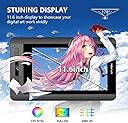
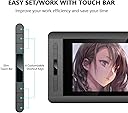
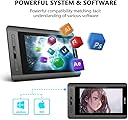
The XP-Pen Artist 12 is a cutting-edge graphic drawing tablet featuring an 11.6-inch FHD display, 8192 levels of pressure sensitivity, and a user-friendly interface with customizable hot keys and a touch bar. Compatible with both Windows and Mac, it’s designed for digital artists seeking a seamless and vibrant drawing experience.





| ASIN | B07RQ4R3L1 |
| Additional Features | Pen |
| Best Sellers Rank | #963 in Computer Graphics Tablets |
| Brand | XPPen |
| Built-In Media | 1 x P06 Passive Pen, 1 x Pen Holder, 8 x Replacement Pen Nibs, 1 x USB Cable, 2 x Foldable Stand, 1 x Cleaning cloth, 1 x Black Drawing Glove |
| Color | Black |
| Compatible Devices | Personal Computer |
| Connectivity Technology | HDMI |
| Customer Reviews | 4.2 out of 5 stars 92 Reviews |
| Display Type | LCD |
| Item Dimensions L x W | 11.6"L x 10.08"W |
| Item Weight | 1 Kilograms |
| Manufacturer | XP-Pen |
| Model Name | YS-Artist-12 |
| Model Number | YS-Artist-12 |
| Native Resolution | 1920x1080 |
| Operating System | Windows |
| Pressure Sensitivity | 8192 Levels |
| Screen Size | 11.6 |
| Special Feature | Pen |
| Specific Uses For Product | Drawing |
| Target Audience | Teacher |
T**N
Valuable drawing tablet
The drawing tablet monitor is generally nice for me! The pen pressure is sensitive respond to the hardness how i push it on the tablet. it's charge free, so I never need to worry about the battery for the pen. The display is generally good, color is vibrant and clear for photo editing. It comes with all the accessories in the package, the gloves and a brush which i don't know what's it for though. Don't even forget the foldable tablet stand that you can install on the back of the tab and lift it with just few angle, makes the drawing more comfortable; Just love it, would recommend it to frnds who are interested in.
K**S
Best starting tablet
The tablet itself works great. I got it and immieaditly plugged it up to my computer. The software for it measures out how hard your pressing down so it has a weight pressure in it and only reacts to a pen so that way your fingers aren't moving the mouse when your drawing. Comes with 8 nibs and the pen itself along with all the cords for it and a cleaning kit along with the smudge gaurd. One of the other functions I noticed was a digital eraser that I only see on wacoms so that's good to
B**T
It's a step to becoming a good artist
I bought the XP-pen 12 inch drawing tablet. I think it's great. I love drawing on it. I'm a experienced drawer. Once I got it I set it up and had to use internet to download the XP- pen download. Next I downloaded gimp 2 , am now drawing. I really love how it draws ,the pen is awsome.for 263 I feel it's worth it. The only problem is you can draw only as good as you know how to use gimp 2. I watched reviews and they were good. It also is a little over sensitive to regular hand movement. I over all love it!
R**H
Fine piece of hardware.
Unfortunately this unit could not work for me. My monitors are 2560x1600 and this unit is 19xx. I wanted a unit that would mimic my primary display and allow me to work on the tablet. My software (Photoshop) and the tablet would not allow me to work the way I wanted. I did work with it on other projects for a few hours and it seems to be a great little device. Sorry that it wouldn't work with me.
O**M
Fue entregada en el tiemp estipulado
Tiene un buen diseño.
C**I
Does not download software
I bought this for my 14 year old daughter for her birthday and am now not able to return it. It does not download the software to make it portable which is the main reason I got this one. The window is now closed to return it so I now have this drawing tablet that she can only use while it is plugged into the desktop and can only draw on it while sitting at the desk.
J**N
The power cord is in a stupid location that covers the power button.
For some reason when i try to extend displays, the mouse cursor shows up and i can open apps, but they do not display on the tablet. So it won't let me make adjustments. Keeps telling me to extend my displays. And why is the power cord in such a stupid location, which covers the power button. I have to be so careful not to break it off. And you have to download or purchase an actual art program, as i comes with nothing other then a link to a website that makes you jump through hoops in order to download it for free.
B**M
Great tool
Great for me with my craft business, but I found a new use! We are teaching our grand baby virtual school and she's learning to write her numbers
Trustpilot
2 weeks ago
3 weeks ago