๐ Unleash Your Office Potential!
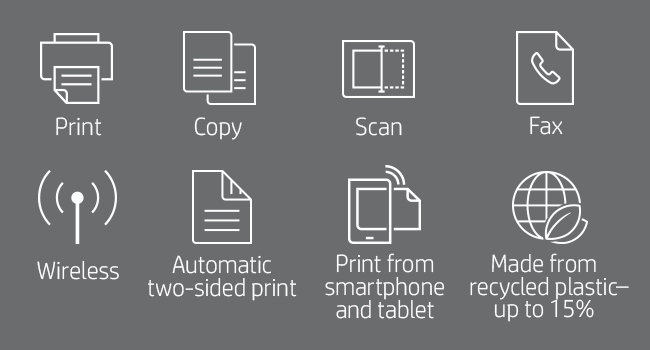
The HP OfficeJet Pro 8025 is a versatile all-in-one wireless color printer designed for the modern home office. With fast printing speeds, smart home integration, and HP Instant Ink compatibility, it streamlines your workflow while promoting eco-friendly practices.


| ASIN | B07QPWKYG9 |
| Additional Printer Functions | Copy, Fax, Scan |
| B&W Pages per Minute | 20 pages_per_minute |
| Best Sellers Rank | #151,451 in Office Products ( See Top 100 in Office Products ) #4,974 in Inkjet Printer Ink Cartridges |
| Brand | HP |
| Built-In Media | 1KR57A HP OfficeJet Pro 8025 All-in-One Printer; HP 910 Setup Black Instant Ink, Ready Cartridge; HP 910 Setup Cyan Instant Ink Ready Cartridge; HP 910 Setup Magenta Instant Ink Ready Cartridge; HP 910 Setup Yellow Instant Ink Ready Cartridge; Ink Caution Flyer; Power Cord; Setup Poster; Reference Guide; Instant Ink Flyer. |
| Color | Basalt |
| Color Depth | 24 bpp |
| Color Pages per Minute | 10 pages_per_minute |
| Compatible Devices | Smartphones |
| Connectivity Technology | Ethernet, Wi-Fi |
| Control Method | Voice |
| Controller Type | Amazon Alexa, Vera |
| Customer Reviews | 4.3 out of 5 stars 13,854 Reviews |
| Duplex | Automatic |
| Global Trade Identification Number | 00193905578689 |
| Hardware Interface | Ethernet |
| Ink Color | Color |
| Item Dimensions D x W x H | 9.21"D x 18.11"W x 13.43"H |
| Item Type Name | Color Laser Printer |
| Item Weight | 18 pounds |
| Manufacturer | HP |
| Maximum Copy Resolution Black and White | 600 dpi |
| Maximum Copy Resolution Color | 600x600 dpi |
| Maximum Copy Speed Black and White | 20 pages_per_minute |
| Maximum Media Size | 8.5 x 14 inch |
| Maximum Print Resolution Black and White | 600 dpi |
| Maximum Sheet Capacity | 225 |
| Maximum print Resolution Color | 4800 x 1200 |
| Model Name | 1KR57A#B1H |
| Model Number | 1KR57A#B1H |
| Model Series | OfficeJet Pro |
| Number of Trays | 1 |
| Other Special Features of the Product | Auto Document Feeder, Auto-Duplex, Cloud Print Enabled, Energy Star, Ethernet Networking, Network-Ready, Touch Screen |
| Output sheet capacity | 225 |
| Paper Size | 3.5 x 5; 4 x 6; 5 x 7; 8 x 10; 8.5 x 14 |
| Power Consumption | 21 watts |
| Print media | Card stock, Envelopes, Labels, Paper (plain) |
| Printer Connectivity Type | Ethernet, Wi-Fi |
| Printer Output Type | Color |
| Printer Type | Inkjet |
| Printing Technology | Inkjet |
| Processor Count | 1 |
| Resolution | 4800 x 1200 |
| Scanner Type | Flatbed |
| Special Feature | Auto Document Feeder, Auto-Duplex, Cloud Print Enabled, Energy Star, Ethernet Networking, Network-Ready, Touch Screen Special Feature Auto Document Feeder, Auto-Duplex, Cloud Print Enabled, Energy Star, Ethernet Networking, Network-Ready, Touch Screen See more |
| Specific Uses For Product | business, home office |
| Total Usb Ports | 1 |
| UPC | 193424632350 193905578689 |
| Unit Count | 1 Count |
| Warranty Description | One-year limited hardware warranty |
| Warranty Type | Extended Warranty |
| Wattage | 21 watts |
S**S
Works great with iPhone, iPad and MacBook pro!
I got it setup and running, tested my iPhone-worked great, tested my iPad-worked great, tested my MacBook Pro-complete CRAP. I followed all the instructions and downloaded the driver, connected it to the same WiFi, and it still didn't work properly. It would send the info to the printer but it wouldn't recognize it, after a few minutes it started printing at a snail's pace, it would print 3/4 of the last page and then spit out the rest of the paper... I called support and let them remotely control my computer to try and change the settings, after a half hour of him dinking around on my computer he came to the conclusion that the printer was faulty ๐คฃ๐คฃ๐คฃ I was pissed. He said it could be the driver for my Mac. So they sent me a replacement, I'll update my review after I get it setup and try it all over again... It does everything else GREAT but print from MacBook. UPDATE 6/6/19 Printer works great! Turns out it wouldn't work because I had it connected to 5G instead of 2.4G. I didn't know ๐คท๐ผโโ๏ธ this is the first printer I've ever bought so... The more you know I guess. But again, GREAT printer.
K**Y
Instant Ink Add On is Good To Have
We purchased this 3-In-One Printer/Copier/Scanner to replace another HP model - this was its replacement. Since we are all working from home, it was essential that we have this right away. It came quickly and set up was easy - that's the good news! Unfortunately, we had just found and purchased color ink cartridges for our older model after not being able to get them for months, and literally a few days later, even before we ever printed anything in color, the unit stopped working. We were also unable to get the brand new cartridges out of the machine either since the carriage was frozen - that was one of the unit's issues. This machine was literally only 2 years old, so I feel like it might be planned obsolesence at this point. We ordered this unit because it was the replacement unit for the one we had and hoped we could possibly get the cartridges out of the old one to use with the new machine - no need - pretty identical machine, but uses a different numbered cartridge!!!!! We just threw $40.00 down the drain. Even if we couldn't use the cartridges, we asked around if anyone we knew could use them as we were willing to break the old machine to get the cartridges out with no luck. No one could use those anyway. We decided to order the new unit with Instant Ink since many of the reviews and our own experiences lately have shown us that ink is hard to come by these days. The initial amount of ink that comes with this units is not much and it ran out of black and cyan within two-three weeks!!! The message on the unit said we were to install our instant ink, which we should already have on hand - NOT!! Our "Instant Ink" had not being shipped and got a message from a Virtual Bot Assistant that said they didn't know why. We eventually had to call HP to get customer service to assist in the delivery - they were great and our "instant ink" arrived within a few days. Hopefully going forward we won't have this issue, but it was frustrating. Not sure if it is from COVID work restrictions within the company or where the ink cartridges are manufactured and being sent from (overseas??) The machine runs great and the prints are wonderful, but the situation has been very costly. Lets hope this unit lasts us more than two years!!!
R**N
Great Printer To Buy If Only Wanting To Print In Black Ink
We moved across country and are living in a bedroom with our daughter. All of our stuff is in storage while we look for a house, daughter has no printer. Right after we got here we needed a printer and scanner. We own the Canon Office and Business MX922 All-In-One Printer but itโs in storage. I bought this one because I didnโt need a heavy duty printer. This started off a fine purchase, noisy but no problem. Then it stopped feeding paper alone, it became a group effort. I hit the print button, walk over to the printer and put a wee bit of pressure pushing the paper in until it fed. No Problem. Yesterday it decided to feed about 20 sheets at once. Oh ya there was a BIG jam. That took awhile to clear. No problem. Today I go to print, group effort of course, and the print was blurry, double lines, a mess. So I open the Canon maintenance area and I select โPrint Head Alignmentโ and away it goesโฆ then stopsโฆ then goesโฆthen stopsโฆ then SHUTS OFF. WTF I took a break, unplugged and restarted everything. I did the print head alignment, put it in the scanner like it said, got some message it canโt continue, clean the heads and try again. The head cleaning procedure printed the same print head alignment page. Lots of noise, stops and starts. Iโm very gadget savy, I started computers back in the days of DOS 5. Yesterday the printer absorbed at least 2 hrs of my time, today another 2. If you like wasting LOTS OF YOUR TIME ON THE PRINTER this oneโs for you! If I could go back I wouldnโt buy this.
T**A
Easy to set up!
I just received my printer yesterday and set it up late last night. It was easy to get out of the box because before it was stuffed in the Styrofoam, they put it in a plastic bag with handles so you can easily take it out of the box! Brilliant idea guys as this is such a struggle for most! Setting up the printer was not so bad, I wished the instructions would have been a little clearer and wish that there was more troubleshooting tips. Since I haven't owned a printer and ink cartridges in years, I had no idea what the orange plastic lock on the bottom was. I eventually got it down, but clearer instructions saying something like "yes, force is okay when you turn this" would have been a good assurance that I wasn't about to break it. I did also struggle with the paper tray and then after pulling it all out and putting it back in a few times, it finally made sense. The printer would just "print" a bunch of blank pieces of paper about 6 times if it wasn't aligned properly. Setting up the WiFi was VERY easy. Once I chose for my WiFi on my computer what printer I had, it did all the work. Then when I subsequently put the app on all of our phones in the household, etc. the work was done. Literally just download the app and everything was selected and done! (Probably those genius idea-makers again from the plastic bag that streamlined this so much!) I did a couple of test prints with, of course, pictures. The first picture I printed I just let it fill the whole page and the picture quality was good, especially since I wasn't using picture paper, but just regular computer paper. The second picture I played around with in the app and made it smaller. This definitely adjusted the quality of the picture so it wasn't as clear. I sum this up to be my fault. Overall, I think I'm going to really like this printer and continue to check out the abilities that it has!
A**R
Needs patience
The product worked when I originally purchased. Since I use this product occasionally, not on a day to day basis, I only noticed 6 months after the purchase that the printer was printing only certain colors and the quality of the print was very poor. Customer Service sent a replacement item after going through the troubleshooting process (1 hour on the phone) twice. The same issue happened on the replacement item as well. I am up to my 2nd replacement item. This HP product line is defective, but I have no other choice than to deal with HP since I invested the money already. I wish there was an honest review prior of me purchasing this product; I would have bought a Brother or Canon instead.
S**W
Easy to set up, slowest printer to print
Update 2 years later: I've been fighting with this printer for over two years and while it prints well, it's very frustrating to deal with. Couple things I've noticed. 1. HP stops at nothing to peddle their services and products, as well as wanting to see everything you do. Their software to allow scan to PC, print and such requires a freakin login, so they can spy on everything. When that software gets an update, it forgets who you are and you have to load it up and sign back in. 2. This is the slowest printer I've ever seen or even heard about printing the first page. I'm using this at home and don't need to print often. When I do print, this thing goes into some printer maintenance mode where it whirls and spins for 3 to 5 minutes. Eventually it figures out its ok to print and does its thing. I don't know if its doing something with the ink nozzles or what. 3. Price of ink has risen and for what little I print, I get very little printing for a lot of money on ink. I haven't tried the aftermarket/refills yet, although that's next on my list when I run out of ink again. All these inkjet printer places expect to make their $$$ off the supplies, although HP takes it step further and tracks your info to boot. I would not purchase another HP printer if I could avoid. Sadly, it's not like there are an abundance of options for printers in the home. Original: I've owned a lot of printers over the years and watched all the printer/ink wars unfold. Basically with every ink printer on the market, they want to give you the printer next to free in hopes you'll spend a small fortune on ink. That's why you see some companies such as Lexmark folding on selling inkjet printers - margins are too low. And that's why you see such a low page count on the ink that comes with the printer - it's just enough to get you started so you have to buy more ink. So when purchasing a printer, all the silly little features they like to advertise are rather meaningless unless you really do need that touch screen or whatever. What matters is how well it prints (remember the days when a cell phone was measured by the quality of calls and not how well it took a picture?) and host costly the ink is over time. HP does a fair job on cost/page for their ink, although they try to sucker you into monthly services for ink and all kinds of crap. Apparently, gone are the days of just buying a printer and being able to print without big brother watching you print, analyzing your print habits and trying to sell you crap in your own home/business. My last printer was working fine and had about 7 years on it. What was becoming difficult was finding ink and driver support with Microshaft's poor Windows development. Around the same time, my father needed a printer and since I'm his tech support, I thought I'd buy 2 of the same kind to ease support. There's good and bad here. The good side of this printer is that it was very easy to set up. As with so many things now, there's a mobile app to set up the device. Yet another way to peer into your privacy, although few give it any consideration these days. I had the printer set up on wireless and connected to multiple PCs in under 20 minutes. The Windows software is a bit crappy and somewhat confusing in some places on what was going on. The first thing I wanted to do was turn off all the marketing crap (I don't need monthly ink service) and spying on me (HP does not need to know when and how much I print). They did keep some of that hidden well, so the average user won't just go ah, there are the spyware settings. Print quality on this printer is quite good. I've been very pleased with text being crisp and close to laser quality. I do not bother with photo printing at home considering the cost of photo paper and then the ink. Helpful hint here is to visit your local Walmart and get prints made much easier and likely cheaper unless you're doing a lot of scrapbooks. The worst downside on this printer is how slow it is to finally print something. I don't need to print every single day and apparently this printer gets a chip on its shoulder about it. When I do print, it goes into some kind of maintenance where it hums and acts like it is thinking hard about life. After 5 minutes or so, it finally spits out that precious page. I'm giving it the benefit of the doubt and guessing maybe it does something to the nozzles to prevent the ink from drying up and then has to do something to get started back up again. I'm rarely in a rush, so it's not the end of the world - just confusing when you don't know for sure what it is doing. For the price, this is about as good as it gets though. Once up and going, it's pretty hassle free. I'd recommend it and would likely purchase again.
M**M
A Perfect Step forward
Being a work from home person as well as a Mom with a high schooler and third grader I need a reliable printer. HP has never failed me and gets better and better with each new printer. The OfficeJet Pro 8025 is a nicely designed printer that is not bulky and works perfectly for all my needs. The setup is a breeze, plug into outlet, turn on, install ink and load paper then go to the printer software download page, straight forward and easy. The touch screen is a great size, bright, and easy to use. Printing is quick, quiet, and great quality. Scanning, copying and faxing all work perfectly. The Smart app is by far the best and easiest app I have used for a printer. You can view everything you need to know what the printer can do, even see your instant ink information. I have this setup for use on three laptops, two iPhones and an iPad and all work great. I even love the print anywhere option in the Smart app, definitely comes in handy. I have been an instant ink user for awhile now and highly recommend it as I have saved so much money. Replacing my printer on my account was so easy and best of all my rollover pages transferred over plus I got an extra 4 months free of instant ink.
A**L
Works great, looks great!
This is my first office printer, and I am very happy with this purchase! The setup was super easy, and I can print both from my laptop and my phone, wirelessly! I took a few prints and scanned some documents, and they all look great. I did not know that it can scan from the document feeder on the top. I think thats an excellent functionality because now I don't have to struggle trying to keep the document perfect straight on the scanner glass. This looks great in my office and sits flush on the shelf. If you were struggling like me to find if this comes with any ink, it comes with 4 ink cartridges in the box. You can also get a "Instant Ink" subscription (it was free for me for 2 months) and when you subscribe they send a starter package which includes more ink cartridges. I am waiting for mine to arrive, and the email says they are larger than the ones that came with the box. If you have the "Instant Ink" subscription, this printer would order more ink for you when you are close to running out! Great thinking HP! You can also use the HP app to check the printer and the ink status. Some not so great things - The printer hooks to the power cord in the back in a way that stops it from sitting flush with the back wall. I did wish, the power cord was not taking that space in the back (it could be intentional, so the scanner lid lifts without rubbing against the wall). I had difficulty using the document feeder to scan lease documents that are lengthier than the standard A4 paper size (it would scan and the document would come back out fine but for some reason the printer thinks that the document is stuck and it would error instead of sending the scanned image). Finally the printer plastic feels great, but the plastic doors tend to bend easy on slight pressure. Also I have accidentally opened the cartridge door a few times when using the glass scanner to scan documents. Amazon shipping was excellent, it shipped overnight, I had it delivered to my door steps in 12 hours from ordering. All in all, i think this is a great purchase! Works great, looks great!
W**Y
Excellent home office printer at a good price.
Easy set up and the wireless connection works well. The only inconvenience is that the paper tray is not designed so that you can see how much paper is remaining, so need to open it to check and then add more if doing a large print run. I have it set up sideways (more convenient for size of the storage unit that it sits on), which is OK. The only really irritating point is that the printer comes with a glossy pink and white label stuck to the top of the printer lid. Unfortunately, it is stuck with a type of adhesive that, if you peel it off (the info is of no great value) much of the adhesive remains on the printer lid. I've used multiple products to try and remove the adhesive, but with limited success. There remains an unsightly, patchy mark the size of the label. Not happy about that.
G**V
Great printing, scanning and faxing, plus easy to use!
Absolutely love this printer. Have now had it for several months and do a fair bit of printing and no complaints. Very easy to use and love the refill ink cartridge program. Very handy. Love that itโs wireless and I can print from my Mac, iPad and iPhone. Great print quality, love the scanning and faxing feature. Now that I do much more from home this has been a great investment. I didnโt want a cheap printer and wanted something mid price range. Also a nice size. Not too bulky but fairly sturdy. I highly recommend it.
C**N
Not happy with HP
HP insist you use their ink only which is much more expensive, I hear ink is more expensive than gold... otherwise it won't print. The paper tray is rubbish. My paper is always riding backwards as it doesn't have a bar to keep the back of the paper in place, so often the printer doesn't catch the paper which is really irritating. Also it doesn't work well with thicker quality paper, catching many sheets in one go, which causes me no end of problems.
L**.
Decent, but uses up ink quickly
Decent printer. The setup was easy and I like all the functionalities. The downsides are that it uses up ink pretty fast, the ink is kind of expensive, and the top loading scanner sometimes leaves a streak on my originals and also doesn't always pull in all of the stack of documents. I also wish it had a feature to scan in two-sided documents.
D**D
Best Printer Yet
Hewlett Packard OfficeJet Pro 8025 replaced my very old HP printer that finally gave up the ghost. This printer is much faster and does not spend a lot of time before and after printing one sheet jobs clunking and making a lot of noise doing who knows what. The HP 8025 does everything I need it to do. I will see how fast the ink cartridges last. Need to purchase the XL black cartridge next. Thank you HP for making good printers.
Trustpilot
1 month ago
1 week ago