


💾 Power your digital life with speed and resilience!
The Samsung EVO 64GB Micro SDXC card delivers high-speed 48 MB/s read and 40 MB/s write performance, ideal for full HD video recording, mobile gaming, and high-resolution photography. Its rugged design is waterproof, temperature-proof, X-ray-proof, and magnetic-proof, ensuring reliable data protection. Compatible with SDXC devices and backed by a lifetime warranty, it’s the perfect storage upgrade for professionals on the go.
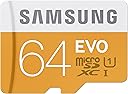


| ASIN | B00IVPU7AO |
| Additional Features | Magnetic Proof, Temperature Proof, Water Proof, X Ray Proof |
| Best Sellers Rank | #1,126 in Micro SD Memory Cards |
| Brand | Samsung |
| Built-In Media | Samsung Evo 64Gb Microsd Card, Sd Adapter. |
| Color | White, Yellow |
| Compatible Devices | Gaming Console, Music Player, Personal Computer, Smartphone, Tablet |
| Customer Reviews | 4.5 out of 5 stars 17,003 Reviews |
| Flash Memory Type | Micro Secure Digital Extended Capacity (MicroSDXC) |
| Global Trade Identification Number | 08806086168755, 08872769695412 |
| Hardware Connectivity | MicroSD, SDHC, SDXC, microSDHC, microSDXC |
| Item Weight | 0.02 Pounds |
| Manufacturer | Samsung Electronics |
| Media Speed | 40 MB per second |
| Model Name | FBA_MB-MP64DA/AM |
| Model Number | MB-MP64DA/AM |
| Read Speed | 48 |
| Secure Digital Association Speed Class | Class 10 |
| Special Feature | Magnetic Proof, Temperature Proof, Water Proof, X Ray Proof |
| UPC | 780746861775 724175133447 732130815277 702679865347 094393333777 887276969541 094393308423 885782164122 724175153704 |
| Warranty Description | 10 Years |
| Warranty Type | Lifetime |
J**E
Great Real World Performance in Samsung Note4 w/ Speed Test
I tend to do a very large amount of research before I buy anything tech/electronic wise since I not only find it fun but of course helps me end up with the best product for the money, future proofing to the best I can and also not over spending on features that go used(which in the case of SD and memory cards is a big issue) I now have it in my Samsung Galaxy Note 4, and primarily got it because I stream via ChromeCast/Samsung TV 1080p movies frequently approx 2GB each. I want to free as much space on my internal memory as possible so as to not slow the device down with large movie files like I was doing with the old class 2 16GB card I had. Now as this card totes a Class 10 transfer speed rating that is also UHS-1 compatible....the kicker, if your device supports UHS-1 and by the way no smartphones at the moment do...and unless your using your phone as a professional video camera, recording large HD clips it makes no difference really and this is why UHS-1 support if found mainly on high end video recorders. So the advertising for this card boasts a 48m/s transfer speed that sounds pretty good right? (dont forget this says "with UHS-1")....Yes you see where now one can be confused about the real speeds people will see on their smartphones/tablets, which by the way is probably the majority use now of these cards as one can now add double their 32GB internal memory in one fast SD card for about $30...kind of makes you think how much of a rip off Apple is for charging 100 bucks for each additional 16Gbs or 32Gbs, I mean the physical memory isnt costing them that so what is, memory started becoming dirt cheap about 6 years ago but drones still cling onto their iphones like something called Micro SD cards havent been invented. Oh I forgot they have "the clould" because that is like exactly the same thing as having the data on a memory card in your phone, not dependent on Apples servers or data/internet being used or even present . Anyways enough icrap, this is the EVO version, the mid range model, the PRO being the best but also exponentially more expensive...the EVO was only about 10 or 15 bucks more than the baseline card and is about double the speeds. The PRO version had about double the EVO speeds but I was almost sure those added speeds wouldnt get utilized on my phone...I couldn't find anywhere detailing exactly how fast the Note 4s SD hardware/software was capable of transferring but since the Note 4 is essentially the top of the line phone toting the most up to date processor and other specs I figured that it had to at least transfer Class 10 speeds. So far I am extremely happy with the performance of this card. Besides the plethora of great reviews about this card which makes pulling the trigger way easier on the order. I like the Samsung Samsung paring haha as hey it can't only help right?...BUT now let's get down to real stuff... HOW DID THE CARD ACTUALLY PREFORM WHEN TESTED? (Using the A1 SD Bench app which is a great app to test your phones SD card but also see how other phones on the market, tablets, and their specs stack up against each other) This is an awesome app because the data is all sourced from the very large amount of tests that people who run the app submit for all to see, so the numbers are real world sourced, have a large sample size to null any outliers, and doesn't have a bias towards hyping certain features like advertising does. The card averaged over over 10 tests of the long test mode (recommend standard): 40.95MB/s Read ------ 20.92 MB/s Write So it seems that although the toted 48 mb/s they advertised, with UHS 1 compatible device if you pay attention though...which my Note 4 is not compatible with...still hit consistently at 40/20 read write with the card about 3/4 full of content during testing as to test real life conditions. The Note 4 does appear to support Class 10 transfer speeds on SD cards and this card works great because you are not over spending on anymore than you need, yet your utilizing the cards EVO speeds practically fully when tested in real world conditions.
A**D
Works in LG Gpad
I have been using this in an LG GPad now for three years without any issues. I wasn't certain that the LG GPad would be compatible with the XC 1 memory but it was not an issue. This is a decent card, though compared with modern options such as the new U3 version of this same card, it falls short in performance. Read speeds were about 42MB/s and writes at 22MB/s. This card works well in my tablet and would do well for most cell phones. Use in cameras should be fine as well as Full HD video. However, performance falls short of the mark needed for recording 4k video. Compared with the Sandisk Extreme http://amzn.to/2tbR1jg The Sandisk Extreme has about 2x read speeds, but write speeds 3x faster than the Samsung Evo, bringing it within range for 4k video recording. The SanDisk is a more expensive card, and worth the price. If your are truly on a budget, and do not need to record 4k video, the Samsung may be acceptable. Compared with Sandisk Extreme Pro XC I http://amzn.to/2sad8b7 The Samsung Evo half as fast as the Extreme Pro in reads, and does compare when it comes to writes speed. The Sandisk Extreme Pro XC I is 4x as fast, though much more expensive. This Sandisk Extreme Pro is more comparable to the new U3 version of the Samsung Evo, a card with a similar price to this one but much better promised performance. Samsung Evo U3 http://amzn.to/2s0xS2t Compared with Sandisk Extreme Pro XC II http://amzn.to/2tb5Ged There is no comparison in performance. The Extreme Pro XC II is rated at 300MB/s vs the 42MB/s read speed for Samsung Evo U1. The read speed difference may be worth the additional money in some situations, but the cost is also about significantly higher. Dumping a large amount of video files off of this card would be a chore. I do recommend removing it from the device for best performance, and using a quality card reader such as. http://amzn.to/2shF9Ou or http://amzn.to/2shRWAz I have attached a benchmark using the Saicoo reader above and a generic USB2 card reader. The transfer rates using the Saicoo show this card to operate at specified rates, about 42MB/s read and 22MB/s write. A good card for the money but definitely a budget card. Even when plugged into a USB 2 port, the Saicoo transferred at 40MB/s, a definite improvement over a bundled generic reader.
R**Y
Worth the money, and worth buying.
It works as expected. Placed in my Samsung Galaxy Note 4, came to something like 59GB or something, which is expected, because of formating. Go out and buy a 6TB hard drive, and your not going to get 6TB, not even close. Just saying. As for the speed, I've upgraded from an old SanDisk Class 4, to this MicroSDXC Class 10 Samsung EVO. I was recording 48Mbps 4K videos with my Note 4, and when it came time to end the video, and the phone would process the videos, it would take FOREVER. So I said let me get a new one, they're pretty cheap nowadays, several months latter, I got one. Why several months latter, because I don't really care about getting a memory card. That's why. I have plenty of money, and I honestly didn't really need one. There's needs, then there's wants. This was a want. I wanted a new card, so I purchased one when I felt like it. It does work much better when processing the 48Mbps 4K videos. When I would record a 10 minute video, it would take like 30 minutes to process. Now it takes about a couple minutes, if that. I was thinking of going with an even faster card, but again, it's a want, and this is fine for what I was looking for. It works. I also use it to make back ups of my apk files, and I also use it to do back ups using TWRP Recovery. Yes, my $700 phone is rooted. I also use it with "not available on Google Play" SCN Recorder Pro 1.0.2, which records the phone, for crap like Clash of clans, etc. etc. Records Internal Audio, and records video at 30Mbps. The quality of my videos is probably better than anyone else sharing they're defense and attack videos on Clash of Clans. Clash of clans is a game, but I've spent at least $150 so far on Gems alone, to get a jump on the game. Anyways, it's a decent card, and I gave it five stars.
S**N
Great for GoPro HERO3 Silver Edition, but can create (solvable) "mounting" issues on an Apple computer if you use camera+USB
I bought this card to upgrade the memory on my GoPro HERO3 Silver Edition (2013). It formatted perfectly in the camera (using camera settings) and records without any loss of resolution... definitely the best, most cost-effective 64GB card you can get for a GoPro (and yes, I checked the specs from GoPro's website: this will work for any of the HERO3 or HERO3+ cameras in case you were wondering). I gave 4 stars though because, even though it records without any problems, I had/have trouble 'mounting' the camera directly onto my Macbook Pro (aka getting the computer to recognize that the camera was plugged in via the USB cable). This was never a problem with the original 8GB card I have used since I got the camera. When it didn't work, I put the old card in the adapter, plugged it into the SD slot on the computer, and imported all the folders the memory card contained directly onto my desktop (actually, into a folder to keep them all together, but you get the idea). Then I switched out the memory cards in the adapter (using unmount, of course) and reformatted the new card on the computer using 'disk utility' (make sure to format it using "FAT" and not any of the iOS encodings). This allowed me to rename the card so it doesn't just show up as "NO NAME", which is a nice thing. I then copy-and-pasted the folders onto the new card, unmounted it, put the newly formatted 64GB card in the camera. I took a quick 5 second sample video to make sure it would save, and it did. I was hopeful. Then I plugged the GoPro into the Macbook Pro using the USB cable, and turned it on. VIOLA! The camera was recognized, showing up with the new name I had given it (I realize naming it "GOPRO" isn't original, but it's usefully descriptive). I downloaded the sample video I took straight from the camera, and everything worked like it had in the good ol' days (2 days before). Happiness abounded. Then I did a dumb thing. I have had issues with the newest version of the GoPro app (version 2.5(378)) on my iPhone 4: "Preview" stopped working. So, I used the camera (with the new card) to update the software on the camera from GoPro's website... the upgrade worked fine, and after toggling the "Preview" setting on the app "on/off" a few times I got the preview function on my phone to work. But now I can't get the camera to mount on the computer again, no matter what I do (camera setting reformat, computer reformat). Thanks to the adapter that came with the memory card, I can still download my videos from the GoPro, but it's a pain in the buttocks to always have to take the memory card out every time I want to download my videos. I suppose I should just be happy that it works, and frankly, getting 8X the amount of footage has been aaaaawesome (and reduces the number of times I have to mount it anyway). But still, I don't understand why it worked once and never again.
A**Y
Great memory for the price, but watch for counterfeits.
This card works wonderfully for pictures, music, apps, and video recording in my LG G3 smartphone, so that's all I can ask for. However, the first card I received, purchased directly from Amazon.com LLC, and NOT a 3rd-party seller, was a counterfeit. Amazon's return process made it easy to get a replacement, but the hassle of determining that I had a bad card took a lot of time. Thankfully, other reviewers shared their experiences, which helped me immensely. I hope my experience can help someone else. First, here's what NOT to panic about. Generally, a new memory card, hard drive, memory stick, zombie brain, etc. will not show up as having 100% of the capacity advertised. A 64 GB card might show up as 62.1 GB, or some other such number. This has to do with such egghead nonsense as system information already on the card and the genius who decided that 1024 bits make up a byte, so nothing adds up properly. However, even if your card shows up as close to the proper amount of storage capacity, you're still not in the clear. A counterfeiter can take a smaller card (which they did in my case) and make it tell your device that it is larger. In my case, the card I received was no larger than 8GB, but my phone reported it as almost 64GB. You need to test the card to verify the capacity. I used fakeflashtest and h2testw (search the web to find them, they're well-known). They write data to the cards and report how much they hold before they fail. The counterfeit card failed at around 5.8GB. How do you recognize a fake Samsung memory card? Mine had Chinese writing on the back of the packaging (not a surefire way of identifying a fake, but the real card did not have Chinese writing on the package), and there was no anti-theft device inside like there was in the genuine card I finally received. Also, I called Samsung customer service, and they said that all of their cards are made in Korea, but my first card had Taiwan stamped on it, so that was a dead giveaway. Get out a magnifying glass and check the back of that tiny card! Good luck!
S**7
Memory card
There is not much you can say about a memory card but expecting doing what is meant to be :) Just great!
B**S
Flawless Install on Galaxy S5 Phone
I finally decided to step out of the dark ages and upgraded from a "dumb phone" to a Verizon Samsung Galaxy S5 "smart phone". I had resisted that move for several years, thinking that my Verizon phone bill would increase by another $40-50 over the $105 which I was already paying for their base plan. Stopping by Verizon to troubleshoot a minor malfunction of my LG dumb phone, I asked how much an upgrade phone would cost me and was shocked to find out that my total phone bill would drop to $60 per month by switching to a smart phone. Wow. No brainer and took the plunge. Next I realized that the 16gb of onboard memory could be chewed up pretty fast with media, such as videos of family, photographs, and my extensive music library, so I searched for high capacity micro SD cards to install in the S5. Although the Sandisk was considered, I noted a number of negative reviews in which their card had flaws which had to be addressed by Sandisk's customer support (which by the way, appeared to be very proactive on Amazon, by addressing each 1 or 2 star review with a request for the reviewer to contact Sandisk support for a resolution to their problem...bravo to them for caring enough to monitor negative reviews). At any rate, there seems to be somewhat universal problems encountered with these higher capacity cards, depending upon what file format the Android devices run on (in their software)..i.e. FAT32 vs. exFat (which is on newer devices). Fat32 PC's and mobile devices will not recognize cards above 32gb. Many people running software with FAT32 have been advised to reformat the 32 and 64gb cards in their mobile device so that the device recognizes the card and can mount it successfully. So, not being a computer geek who understands the technical aspects of all this, I was a little bit hesitant, so I decided that if I have a Samsung S5 phone that the seemingly logical thing to do would be to purchase the Samsung 64gb card instead of the Sandisk. Makes sense that there should most likely be a higher degree of probable compatibility with the phone, being from the same manufacturer. Bottom line is that I inserted the Samsung 64gb Evo card into the S5, and it immediately recognized the card and also gave me a screen pop up indicating that any new pictures taken on the device would automatically default to storage on the card instead of storing on my phone's internal memory, which is exactly what I wanted to do. Then I fired up the camera and shot several pictures and each one showed the little SD card icon in the bottom left of my screen, indicating that the new shots went to the card for storage. Now all I need to do is to figure out how to move the shots I have already taken, from the S5 internal storage to the card. As a footnote, SD and microSD cards, and flash drives can definitely corrupt at a future date, because I have had it happen to me on 2 Sandisk flash drives, losing everything I had stored on them, so I highly recommend that you use Google+ for backup storage of media. It does not cost any extra and your device will send your media to Google for backup, automatically whenever you are powered up. Also be sure to go into Settings on your device and select the option to backup to Google, only when you are connected to WiFi (such as at home), so that the backup action does not eat into your data plan. I found out the hard way that backing up by "through the air" internet connection on my phone, without being connected to the internet by WiFi) quickly used (added) an initial 1.5 gig of data, for just 2 short videos and about 20 photos shot during the first weekend I had the phone, which backed up automatically, in the absence of "backup only when connected to WiFi". Hopefully this 64gb card will not corrupt in the future. Time will tell.
M**N
THIS SAMSUNG card is faster than some SanDisk microSD's when backing up ~4000 pix from SAMSUNG S5 Active phones.
I received this card 24 hours ago; I have used it several times today to backup several Samsung S5 Active cellphones owned by me and family members, and, in short...this card "gets it done fast" for backups of thousands of pix on each of my cell phones. Each phone backed up an average of about 500 JPEG pix (no videos or RAW format)... PER MINUTE... (pix size ranges from ~ 800k to1.4MB) with total pix count between 4,000 and 4,500 from the internal SanDisk microSD to this SAMSUNG 64GB EVO card in a USB reader/writer (without employing the SD adapter). See specs below. Interestingly, last week I backed up the internal SanDisk microSD 64GB ultra XC-1, to an identical SanDisk microSD 64GB ultra XC-1 (purchased at same time, same vendor, same specs, same backup dongle/USB reader/writer)...same phones, same number of pix (+ or minus ~10 pics), same DAY: AND, the speed is, on average for each phone, about 25% SLOWER...details of configurations and specs on microSD cards I used are in following paragraph. PLEASE...Read...Jenny Ramshaw's review about this SAMSUNG 64 EVO card for further "hints" why my real-world backup timings might be better using the SAMSUNG 64 EVO...her review is what prompted me to TRY this SAMSUNG card. I believe she is absolutely correct about speed differences (more than standard read and write speeds) while introducing me to a new microSD spec., IOP speed, between microSD cards; I will be buying two more of this SAMSUNG microSD card by sundown today. SOME KEY DETAILS...Each of my Samsung phones has an internal microSD card slot filled with a SanDisk 64GB ultra XC-1; selected - purchased - and installed by me, in the past three months. To backup each internal SanDisk card in each phone, I use a "real" or logo'd SAMSUNG dongle (~ 8 inches long) , that attaches thru the phones charge port...other end is a USB female port where I attach an Anker USB reader/writer containing this SAMSUNG EVO microSD card. Backing up the TOTAL contents of the internal microSD card, on a SAMSUNG 5S Active, is effortless - very quick to do - and not error prone because of excess inputs; AND, not the case on many other phones, tablets, and other devices...which is the main reason I mention it here. With the SAMSUNG S5 Active phone; the phone automatically "sees" the additional card (no extra software, no clicks, no user action required other than connecting the phone to the dongle with microSD card in card reader) and about 3 seconds after the dongle/reader is attached; the card i.d. appears on the phone screen. Selecting ALL folders on the internal card for backup is a few scribe touches (less than 5), to the screen, even for 50+ folders, and there is no requirement to identify or create new folders (though you can), to begin the backup or move. (In case you were wondering...and I would too, I do not and have not ever been employed by or contracted by SAMSUNG or any of its affiliates worldwide, nor am I being compensated in any way, for my words - written or spoken - in this and any other review or forum, anywhere on the planet. I am a data scientist...not a compensated spokesperson, who is simply trying to help others for all the help I have received from great reviewers on this site.) Mike.
Trustpilot
3 weeks ago
5 days ago