🚀 Print smarter, faster, greener — your office’s productivity powerhouse!
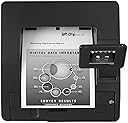
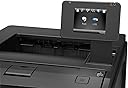
The HP Laserjet Pro M401dw (CF285A) is a monochrome laser printer engineered for professional environments demanding speed, quality, and wireless convenience. With 35 ppm print speed, automatic duplexing, and a 3.5-inch color touchscreen, it supports seamless mobile and network printing. Its energy-saving features and high monthly duty cycle make it an eco-conscious, reliable choice for busy offices.
| ASIN | B007ED7S4M |
| Additional Printer Functions | Print Only |
| B&W Pages per Minute | 35 ppm |
| Brand | HP |
| Built-In Media | Printer |
| Color | Black |
| Color Pages per Minute | 35 |
| Compatible Devices | Smartphones |
| Control Method | Voice |
| Controller Type | Amazon Alexa |
| Customer Reviews | 3.9 3.9 out of 5 stars (106) |
| Display Type | LCD |
| Dual-sided printing | Yes |
| Duplex | Automatic |
| Global Trade Identification Number | 00886112363192 |
| Hardware Interface | USB |
| Ink Color | black |
| Item Weight | 24.2 Pounds |
| Manufacturer | HP |
| Maximum Copies Per Run | 250 |
| Maximum Copy Resolution Black and White | 1200 dpi |
| Maximum Copy Speed Black and White | 33 ppm |
| Maximum Media Size | 8.5 x 14 inch |
| Maximum Print Resolution Black and White | 1200 dpi |
| Maximum Sheet Capacity | 250 |
| Model Name | CF285A |
| Model Number | M401DW |
| Model Series | M401 |
| Number of Trays | 1 |
| Other Special Features of the Product | Auto Document Feeder |
| Output sheet capacity | 150 |
| Paper Size | 8.5 inches |
| Power Consumption | 570 Watts |
| Print media | Paper (plain) |
| Printer Connectivity Type | USB |
| Printer Output Type | Monochrome |
| Printer Type | Laser |
| Resolution | 1200 x 1200 |
| Scanner Type | Automatic Document Feeder |
| Specific Uses For Product | Office |
| Total Usb Ports | 1 |
| UPC | 778888972008 804066541701 886112363192 |
| Warranty Description | One-year limited warranty |
| Warranty Type | limited warranty |
| Wattage | 570 watts |
E**N
So Far, So Good
We bought a couple of these to replace our 2055dn HP Printers, which were discontinued. Refurbished 2055's were selling for almost $700, and the 3015dn Enterprise lasers (which looked identical to the 2055's) were selling for even more new. These were under $300, which allowed us to buy two for less than one new 3015 enterprise (which seemed to receive poor reviews). That being said, these printers look much nicer, have the same features, and seem to work very well. They're as quiet as the 2055's and much quieter than the 4050's and 2015's we had previously. They start up and print very fast. Only gripe is that windows 7 doesn't recognize the driver, and HP won't just provide the driver without the 43mb software pack. Makes setup more difficult than need be, we ended up using the 2050 driver which is working so far, even with the duplexer. Print quality is excellent and these seem better built than the 2055's. The screen is adequate for setup, working better than the one line screens on other HP printers. The size is more compact than any of our hp printers we've had so far, and even with the screen up, fits well in a deep shelving unit, or cart. Haven't used the wireless, but wired networking was a cinch, and the online interface works like a breeze. We were even able to customize the form length and default font which is an issue other brand printers have with our billing system. Bottom line: for the price, there isn't a better printer out there.
P**Y
Almost Perfect & Update
Update: Oct 1, 2014 I have access to 2 printers of this model: One at home and one in office. I played my home network computer, exploring the Network Sharing Files. I did not realized that my share network HP printer was affected. It printed in-queue only but no physical printing. After 2 days of investigating, I gave-up and call HP support. I talked to Anthony, a software engineer in HP Global Support Dept. located in Texas. In few minutes, I'm back in action. For that specific case alone, I received follow-up phone call and more emails from that Dept. asking my satisfaction level about their assistance. Wow... I did not expect how excellent HP support service. ---------------------------------------------------------------------------------------------------------------------- This printer is a replacement of 8 years old HP LaserJet stand alone printer. For its price and performance, it is almost a perfect device. My tech skills level, is barely above average. The printer comes with CD installation disk, 1 piece of paper with multiple language instructions, power cord, aluminum like cheap USB cable which is poor signal conductor to me, teaser toner cartridge good for 500 to 600 prints, and made in Mexico. It will be installed as a network sharing printer for 2 PC desktops using Windows 7 (both 64 bits), 1 PC using XP, and 1 wireless Laptop using Windows 7 (64 bits). I did the following preparations: 1) delete the old HP printer setup in 4 machines, 2) Reboot all 4 machines, 3) Make sure all 4 machines are "On", and 4) Make sure the router is "ON". There are only 3 printer installation options available namely: a) USB, b) Cable network, c) Apple IOS system install. First, I put the installation CD in the Network (host) PC. I follow the screen instructions and choose Network installation by wire. I also choose able to see "Update on-line". Then I created a necessary HP account for ePrint. Second, I inserted the CD in another Win7 PC as Network installation by wire. Immediately, the 2nd PC was able to see said printer. Again, choose "update on-line" and I log-in to ePrint newly created account. Third, I inserted the CD to XP machine and it see the printer instantly, choose network wire install, choose update on-line, and I log-in to ePrint new account. Network printer wire-installation for 3 machines is done and working in less than 30 minutes. By mistake, I inserted the install CD in the laptop which it system aborted the installation. I repeated the install 3 times and was system aborted 3 times too. No manual instruction help available that comes in the box. I played the "Control Panel" or "Devices and Printers" and discovered that said printer is wirelessly ready for installation which I did. It allowed me to choose HP but the specific model is not available. Then I choose "have disk", inserted, and was system aborted. Redo above steps, choose HP, and choose model M4345 MFP PCL6 (the "4" series). Then the installation options available were 1.) HP M4345 MFP PCL6; or 2.) "http///: 192. 168...on-line". By elimination process, I choose the on-line but did not work. Then choose the other and the installation was completed. In short, this is a tricky wireless installation technique which I did not able to install a specific printer model I have. There is only one thing I do not like: Manual duplex. Amazon ads says it is an automatic duplex - which is WRONG. In my case, it does NOT do automatic duplex printing both in desktops and laptop machines. Other than that, I highly recommend such printer. There are so many features in this printer that exceeds my expectations namely: strong wireless signal printing, quick print, wake-up instantly, long distance email printing direct from house to office (I have not tried this option yet), direct USB storage printing, intelligent small screen monitor not dependent on any PC (it can swing any angle but strongly attach),90% heavy as the old one it replaced but around 70% cheaper.
A**L
Fraudulant Product Listing
When I finally received the printer, I immediately noticed that the serial number on the rear machine tag had been obliterated (both the alphanumeric string and the Code_39 bar code). Additionally, I saw that the product code (advertised as being a CF285A) was also obliterated, although there was enough of the Code_39 barcode left to reconstruct the bar code and read the data from it. I was able to find additional serial number evidence in the machine to use, on the HP web site, along with the true product code, to discover that this printer started life, in 2012, as an HP Laserjet Pro M401dn (CF278A), and showed a service incident at some 38000 impressions. How odd, since the impression count maintained in the printer memory showed only 2 impressions. It is obvious to me that either the main PC Board has been replaced on this printer, or the impressions count has been cleared, to make this printer appear to be virtually unused. In addition, the printer has been re-configured from a 401dn to a 401dw compliment. In aggregate, this is a substantial misrepresentation of the printer, as a saleable unit, and merits consideration for prosecution as a case of interstate mail fraud. While the machine is clean, functions well (at least at this moment), and is representative of a competent re-cert process,, I do note that the 256MB memory DIMM card was held-back from inclusion in the machine--something that will be very difficult to source on todays market; and assert that there was no need to misrepresent the product in the blatant way that has been done with this product listing--although, a true representation of the total impressions that have been handled by this chassis would have pushed the sale price downward significantly. All in all, this is unethical conduct on the part of the seller, and should never be permitted on the Amazon sales platform. I continue my search for a memory module for this printer, and count this as a lesson learned at a time when money is a scarcity in my home, yet printing is a necessity.
R**O
Le agradezco la prontitud de la devolución del importe de la impresora, Quiero saber si el dinero será ingresado a mi cuenta de banco Gracias
P**0
The wireless feature is very handy so we can print copies from our laptops anywhere in the house. It is also very easy to set up. However, if you don't specifically need that wireless feature, you can save yourself a bunch of money by buying either the models M401n or M401dn which are exactly the same but without the Wireless feature.
L**U
it works well as expected for a small group. it will be better if the paper tray can have 500 sheets.
Trustpilot
3 weeks ago
2 months ago