We remain fully operational. Our teams are working around the clock to ensure your deliveries continue safely.

DOWNLOAD THE APP


Customer Services
Copyright © 2025 Desertcart Holdings Limited
DOWNLOAD THE APP
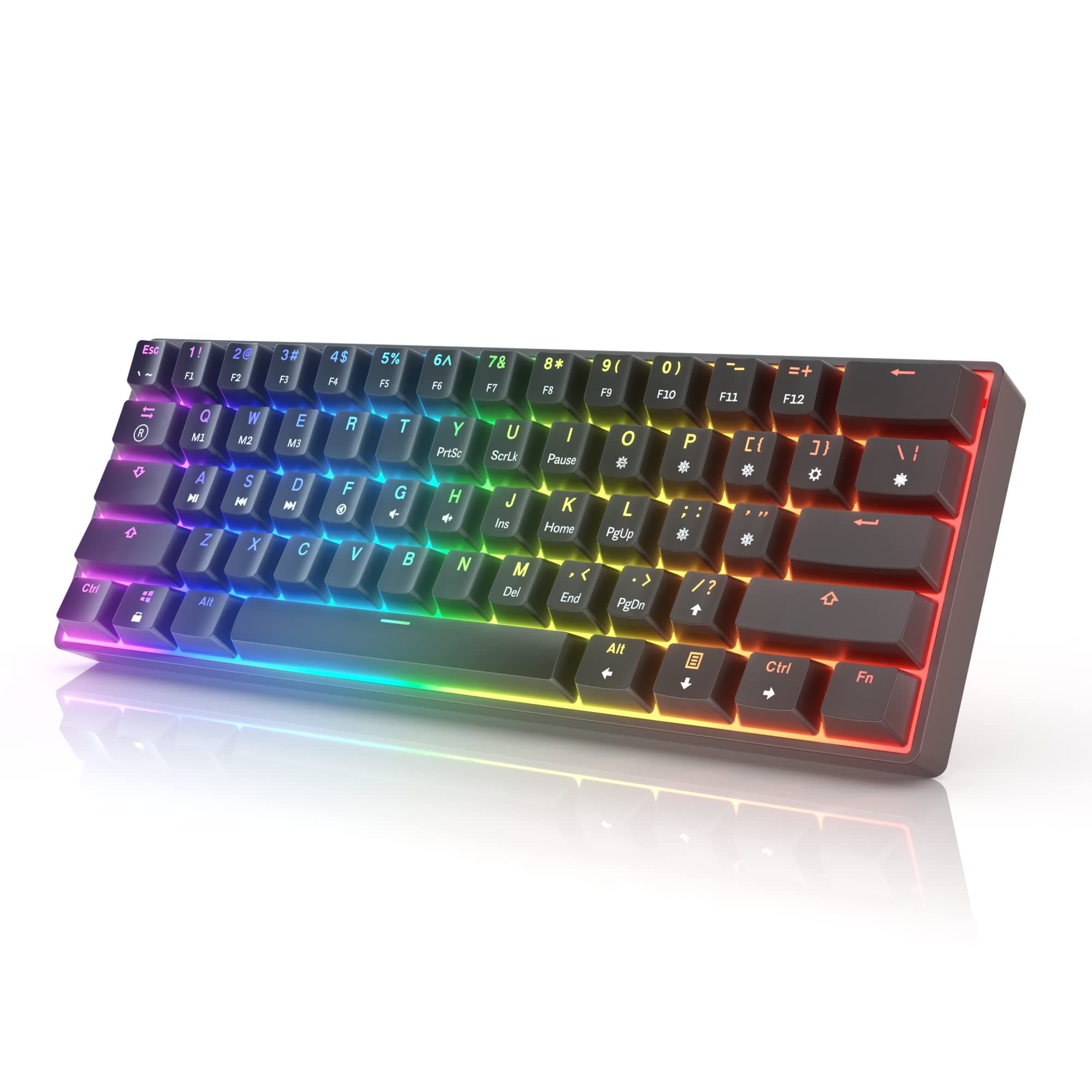
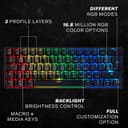
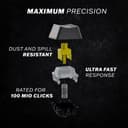


🎮 Elevate your game with speed, style, and supreme customization!
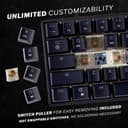
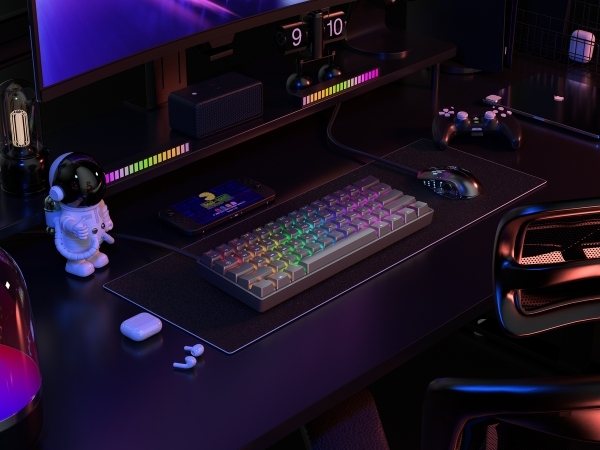
The HK GAMING GK61 is a compact 61-key mechanical keyboard featuring premium Gateron Optical Brown switches for tactile feedback, a blazing 1ms response time, and fully customizable 16.8 million color RGB backlighting. Its hot-swappable design allows gamers and professionals to easily modify switches, while durable double-shot keycaps and spill-proof construction ensure longevity. Compatible across PC, Mac, and consoles, the GK61 blends performance and personalization in a sleek, portable form factor.




| ASIN | B07PT9NRRY |
| Additional Features | Hot-Swappable, Spill Proof, Wrist Rest |
| Antenna Location | Gaming, Office |
| Best Sellers Rank | #6,429 in Video Games ( See Top 100 in Video Games ) #231 in Mac Accessories #491 in PC Gaming Keyboards |
| Brand | HK GAMING |
| Built-In Media | Keycap Puller, USB Cable |
| Button Quantity | 61 |
| Color | Black |
| Compatible Devices | Laptop, PC, PS5, Tablet, XBOX |
| Connectivity Technology | USB-C |
| Customer Reviews | 4.6 out of 5 stars 19,316 Reviews |
| Enclosure Material | Acrylonitrile Butadiene Styrene |
| Hand Orientation | Ambidextrous |
| Item Dimensions L x W x H | 11.5"L x 4.02"W x 1.57"H |
| Item Weight | 536 Grams |
| Keyboard Backlighting Color Support | RGB |
| Keyboard Description | Gaming |
| Keyboard Layout | QWERTY |
| Language | English |
| Manufacturer | Hong Kong Keyboards |
| Model Name | GK61 60% US Layout |
| Model Number | GK61 |
| Number of Keys | 61 |
| Power Source | Corded Electric |
| Recommended Uses For Product | Gaming, Office |
| Series Number | 61 |
| Special Feature | Hot-Swappable , Spill Proof, Wrist Rest |
| Style Name | Gaming |
| Switch Type | Tactile |
| Theme | Gaming |
| UPC | 615867850868 |
| Unit Count | 1 Count |
| Warranty Description | Parts only |
| Water Resistance Level | Waterproof |
J**Y
The keyboard
Title: Unleash Your Gaming Potential: HK GAMING GK61 Mechanical Gaming Keyboard Review In the realm of gaming peripherals, the keyboard reigns supreme as the primary interface between player and game. The HK GAMING GK61 Mechanical Gaming Keyboard is a formidable contender in this arena, boasting a combination of premium materials, responsive switches, and customizable features that elevate the gaming experience to new heights. Let's start with the build quality. The GK61 exudes durability and sophistication, featuring a robust construction that can withstand the rigors of intense gaming sessions. Crafted from high-quality materials, including a sturdy plastic frame and metal mounting plate, this keyboard feels reassuringly solid under your fingertips, instilling confidence with every keystroke. Moreover, the keycaps are made from double-shot ABS material, ensuring longevity and resistance to wear, even after countless hours of use. But the true magic of the GK61 lies in its performance. Equipped with hot-swappable Gateron mechanical switches, this keyboard offers a choice of tactile, linear, or clicky switches to suit your preferred typing feel. Whether you crave the precise feedback of tactile switches, the smooth actuation of linear switches, or the audible click of clicky switches, the GK61 delivers a responsive and satisfying typing experience that enhances both productivity and gaming prowess. When it comes to gaming, the GK61 truly shines. With its low-latency response and anti-ghosting technology, every keystroke is registered with pinpoint accuracy, allowing for lightning-fast reactions and precise control in the heat of battle. The compact 61-key layout ensures that essential gaming commands are always within reach, while the programmable RGB backlighting adds a touch of personalization and flair to your gaming setup. Furthermore, the GK61 is fully customizable using the software provided by HK GAMING, allowing you to remap keys, create macros, and adjust RGB lighting effects to your heart's content. Whether you're fine-tuning your gameplay settings or crafting a unique lighting scheme to match your aesthetic preferences, the intuitive software interface makes customization a breeze. In conclusion, the HK GAMING GK61 Mechanical Gaming Keyboard is a triumph of design, performance, and customization. From its premium build quality to its responsive switches and customizable features, every aspect of this keyboard is tailored to meet the demands of discerning gamers. Whether you're engaging in fast-paced multiplayer battles or immersing yourself in epic single-player adventures, the GK61 empowers you to unleash your gaming potential and dominate the virtual battlefield with ease.
C**N
So affordable. So good. With mods it can become even better.
An excellent 'mechanical' keyboard with optical switches that is around $60.00 dollars. That sentence feels crazy to say, but it's the gosh darn truth. This review is mainly for the Gateron Red Optical switch version of this keyboard. Pros 1. Hot-swappable. If a switch dies just pull it out and replace it (not likely to happen considering no metal leaf), or get some different Gateron Optical switches like blacks or yellows to change the entire feel of the keyboard. Example, these red switches are incredibly easy to press. I really like how smooth the linear switch is, so I'd probably want to get some Gateron Optical Black switches. 2. Programmable. A really underappreciated plus is definitely going to be the software of this keyboard. It's not in English, but it definitely still gets the job done. There are also Macro's which I have started to use more often. Example, I was able to change around my Home and End keys so that they are more comfortably near the Function key. 3. That FAST response time. There is a noticeable difference between pressing a Cherry MX Blue switch down and having the character move and pressing this linear optical switch down and having the character move. I think there are two reasons for this. a. The reason that actually matters, the switch actuation point is higher at 1.5 mm versus a Cherry MX Blue being at 2.00 mm. b. The optical nature of the switch is said to have a response time of 0.2 mm. I don't know if this actually matters in the long run, but it's good to know that it may be faster. Cons 1. The key caps are okay, but I do think these switches need O-rings to be perfect. I think the sound of the key caps is my biggest issue with them; they just sound cheap and the O-rings keep them from hitting the bottom plate. My second issue is that they don't have a lot of texture to them so they're kind of like in-between being smooth and textured which is just not a good feeling at all. 2. Certain keys are not programmable. For some reason all of the keys that change lighting effects and swab profiles can't be disabled. I think this would be my only real problem with the keyboard on the software level. 3. THIS IS A PET PEEVE. I like the RGB, the screws guys, but come on. They're not black nor are they white, just plain silver. I can't not see them. They stare at me between the key caps. Neutral 1. There's a microphone in the keyboard for the Music back-lighting mode. I plan to mod this keyboard more, so I'll probably end up desoldering the microphone anyways. I wish it was more software and went by the audio playing on the computer since that would be sick. Current modifications: PBT key caps and O-rings. Queued modifications: Better stabilizers, desolder microphone, I plan to replace the O-rings with some type of foam insert that will dampen noise more and result in less fatigue, and I want to refine my function key layout and figure out some macros.
L**S
Great quality and lasts forever
Got this like 5 years ago and it still works perfectly! Usually companies build cheap products made to last a year or two, thank goodness I bought this rather than the red dragon my friend bought that broke in a month lol
H**.
Competitive for the price!
With respectable performance in most areas, the HK GAMING GK61 Mechanical Gaming Keyboard is a good option for anyone wishing to improve their gaming experience. Intense gaming sessions are made enjoyable by the mechanical switches' haptic feedback and pleasant keystrokes. Users may customize the RGB lighting settings to make the keyboard uniquely their own, which is a fun bonus. There are several downsides to take into account even though it works well for gaming, particularly in terms of responsiveness and anti-ghosting features. It doesn't have the luxury feel of more expensive gaming keyboards, and the build quality is only adequate rather than spectacular. While it provides decent value for the price range in which it is sold, there are competing keyboards on the market with comparable features and performance at a competitive price. The HK GAMING GK61 Mechanical Gaming Keyboard received a 4/5 rating overall and is a good option for gamers on a budget, but those willing to spend a little more money may discover better options with more durability and sophisticated functions.
N**S
Impressive for the price.
I just received this keyboard and am coming the perspective of a havit 104 blue switch keyboard. Pros: Small - I wanted to downsize from a 104 key layout to free up my space and it is exactly what i was looking for. Hot swap switches. - I accidentally ordered the brown switch model and I am actually satisfied with them so I will be keeping this model, but if i do ever get tired of the brown switches I at least am able to easily swap between switches instead of having to buy a new keyboard. Build quality - The board was surprisingly heavier than I expected and feels more sturdy with almost no flex to the board. Switches: The brown switches provide a tactile feedback that I find satisfied and the keys produce enough noise to produce an audio feedback that I feel boosts the overall experience of using this product. Cons: Keycaps - When you look at this board you feel like this purchase was worth it except for when you start to look at the keycaps. They look and feel cheap with glossy edges so I would recommend buying aftermarket keycaps to improve this. Neutral: RGB settings - It is better than a havit keyboard but not as good as the keychron K2. Some of the presets are appealing but I feel like more solid color options could be added. As seen in other reviews the software could use some work but as a Mac user I am not able to use it at all. This leaves me with the standard presets only. Overall for the price I am happy with the initial presentation of the keyboard and would highly recommend it
L**1
Worth the Money
I bought this keyboard and a few others. This is the same as the Asceny One, The Anne Pro 2 but without wifi, and a few others all on Amazon. This brand didn't try to mask the label. I was going to build a keyboard with the same switches. and a similar PCB and it would have cost me 4 times more. I am super happy with the browns. I have Cherry Reds at work and they are way too sensitive. I constantly mistype. I brought the reds home one day to try gaming and it didn't feel right. The browns are the perfect blend for gaming and typing. I did try some blues, but my wife vetoed it almost instantly. Way too loud. This is a 60% keyboard. I do sometimes wish I had real arrow keys and functions keys, but I love the same form factor on my desk. The light effects out of the box are enough for me. I have no desire to download the software. I have enough RGB control crap on my PC as it is. For the money you cannot go wrong. The switches are replaceable so even if one dies I can buy a pack for a few bucks. The Base it solid. No flex. The keys do have a little side by side play, but so does my $150 Corsair at work. This is a great bang for the buck, Down the road I may still build my own, but for now this is worth every penny and I love it. I did install the corsair WASD rubber keys on this board and they look decent on it.
V**S
A fantastic keyboard at an unbelievable price.
I decided to order this keyboard with the yellow optical switches as I was used to using only Cherry MX silver switches and have only purchased Corsair keyboards in the past. When the keyboard arrived I was pleasantly surprised by how quality this keyboard was for what I paid, in some ways I prefer it over the Corsair board that I paid more than double for. However, there are some caveats with this keyboard that should be noted and might bring you into the price range of some other offerings. The keycaps, they aren't great but they do work. Personally, I feel the keycaps really bring down the quality of this board as typing on them makes you feel as though the keyboard is very cheap. However, if you buy even a cheap $15 PBT set from Amazon it makes a world of a difference. The other complaint I have is that there are no indicator lights on this board. My first hour or two with this board due to how light the keys are I was in caps lock and had no way of knowing if I was out of it or not. This is a minor complaint and honestly, not really a deal breaker, it is just the one thing I felt I was really missing going from a full sized keyboard to a compact one. Which honestly, is very surprising considering how many keys I lost. However, the function key really does make up a lot of this and quite intuitively to where if you change the keycaps you should be able to quickly recall where each function was. For example, function and number keys become F1-F12. Overall, I highly recommend this keyboard to anyone who wants a mechanical keyboard but doesn't want to spend over $100 for a name brand company to cut costs. Even with my Corsair keyboards the keycaps weren't spectacular so in that regard I rather save the money upfront and buy the keycaps I like.
C**Y
You do not need any more than this. (Brown Switch) (Gamer perspective)
Why i bought this keybaord: 1. I wanted a smaller foot print on my desk 2. I like new tech and wanted optical switches 3. The value proposition here was very intriguing. Potential deal breakers: 1. Lighting - If you are an RGB crazed mad man, you might not want this for VERY picky reasons. The rgb used in this keyboard has two leds for each key. I have no idea why they thought this was a good idea or what they were going for but the downside to it is that you can see both leds depending on what color the board is trying to show. 2. Glossy sides of key caps if you are super picky 3. No media or volume control. (Can be remedied if you download and run auto hotkey on startup of windows. this is more of an advanced thing for someone to do, but anyone can do it, even with your keyboard you are probably using now) Pros (in order): 1. Typing experience (Brown switch, this is my second mechanical keyboard) - For those who dont know, the brown mechanical switches have a tactile bump which is felt as a sort of wall on the key press that you break through. Brown switches are not clicky and the sound they make is muted and low tone which I absolutely love. I came from a logitech 810 that has the G Romer switch, which is Logitech's proprietary mechanical key switch. These switches are very similar but I would say that the Gateron optical browns in this keybaord have a slightly more present tactile bump. I was excited to try out these switches and I love them. I have been playing type racer for a couple of hours today just because of the amazing typing experience and the pleasing low bassy sound that comes from these keys. they are also a big reason why have taken the time to write out such a lengthy review for this product because i just enjoy typing on these switches so much. Truly a pleasure. 2. Gaming (again, this is the brown switch) - I am a gamer so this point is either going to be a pro or a con in this review and obviously its in the pro list. As for the optical switches, i think the lack of input delay actually got me confused when i started playing. I read that input on other keyboards are like 30 ms while optical is bassically no input delay at all. I felt weird at first but i got used to it in a couple minutes and use the keyboard as normally would my G 810. I played first person shooter with this today and the tactile bump was a bit more of a hindrance than the G Romer switch on the 810 but i dont really mind it because i will eventually get used to it and wont notice it anymore. It is different but not different enough to were i wont get over it. If you are into linear switches than obviously you wont want anything to do with the brown switches in the first place. 3. stabilizers - the large keys like space, shift, backspace and enter all feel really solid. the space bar in particular on my G 810 along with the other keys was really lousy and am glad to be rid of it. that space bar was ridiculously clacky where the space bar on this keyboard makes a satisfying THUMP. 4. Lighting - it works. im not that picky or an rgb freak. I like a nice per key back lighting and this makes me happy. The double color you get from the weird leds is odd but its not a big deal. The instructions for how to change the lighting effects with the function + (whatever key) is all in the manual you get with the keyboard. (you can do more with the software but its not easily found and do not think most people will download it because of how you go about finding it) Conclusion and take ways for me: I will never buy a high name brand keyboard ever again. For what is 50 dollars, i got everything i could ever need out of a keyboard where high end brands like logitech would charge 100 to 120 or more for similar offerings. For me, spending extra money on anything else would be a 100 percent waste. I would gain nothing meaningful to me or my setup at all. Regardless of price, these switches awesome (ive only had this and the G Romer switch by the way)
Trustpilot
2 weeks ago
2 days ago