

๐ Stay connected, stay secureโyour world, in your pocket.
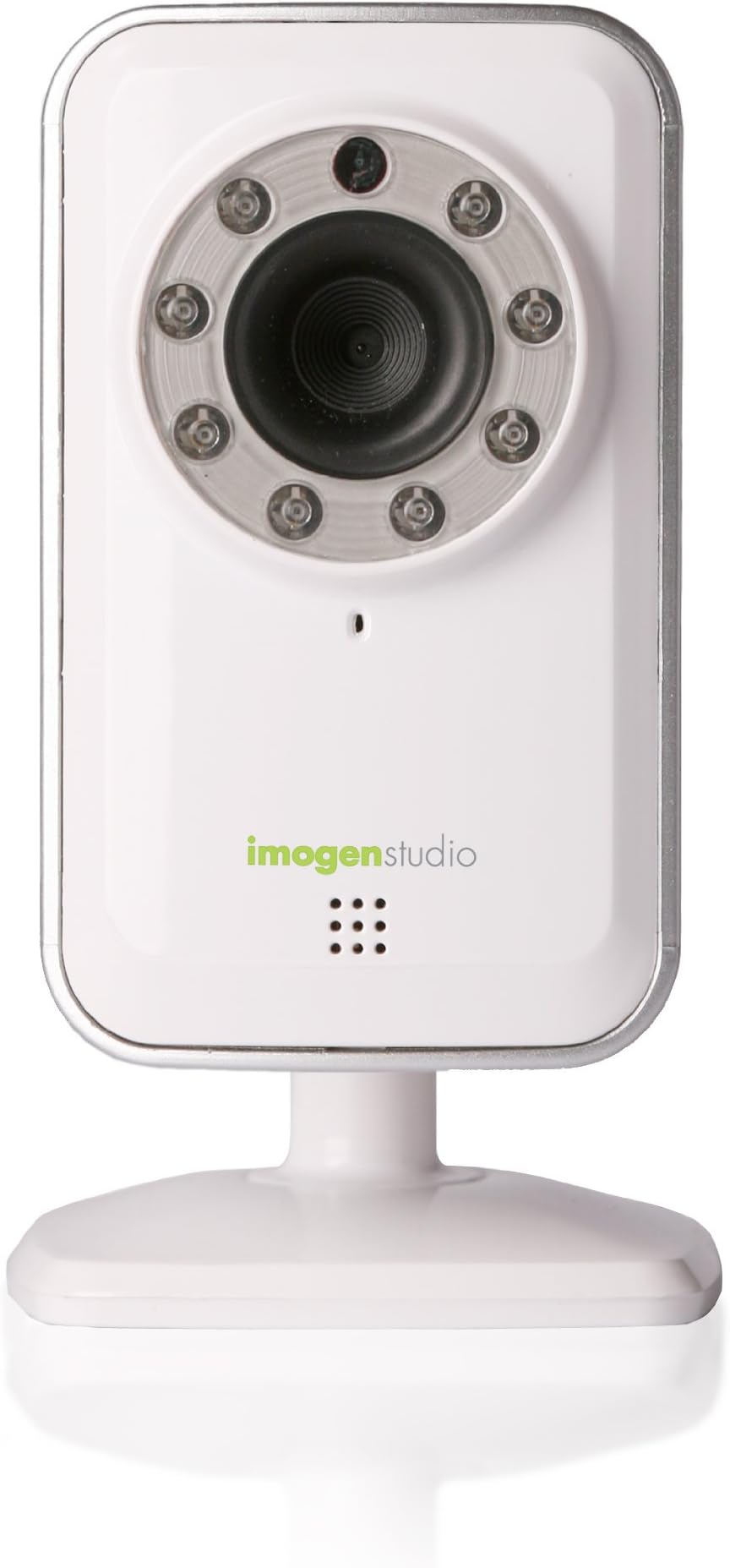
The QCP-A100 +Cam is a budget-friendly smartphone video security accessory designed for iPhone and Android users. It offers easy wireless setup via 802.11n Wi-Fi, secure remote monitoring through Seedonkโs app, and night vision with built-in infrared LEDs. Optional cloud recording and mobile notifications enhance security, while smartConnect technology protects your camera behind your local network firewall. Ideal for on-the-go peace of mind, it supports multi-platform access but has moderate video quality and occasional connectivity quirks.
| Customer Reviews | 3.4 out of 5 stars 182 Reviews |
A**K
Good budget-friendly camera, but the app is slightly annoying.
Update: The app has updated and now I have zero complaints about this camera. I bought this camera to use as a baby monitor, because cameras marketed as such are several hundred dollars. $49 was way more in the range of what I wanted to spend. The way the camera works is by connecting to your wi-fi, and the camera is monitored via their iSecurity+ app. I have no complaints about the camera. I was able to set it up in just a few minutes with no issues. It was fairly self-explanatory. The picture is nice and full color. It has a night mode which also works well and allows us to see our baby without going into his room and disturbing him. I was able to mount it to the wall pretty easily and get a good viewing angle. Now, the app (which I think you NEED to use the camera) is pretty irritating at times: 1) The camera stream times out after 5 minutes, even when I'm on Wi-Fi. I wish it would let me run the camera as long as I wish to, or set up different rules for 4g/wifi so that I can customize how long the camera streams before timing out. 2) After a camera time out, I cannot reload the camera. I have to close out the app, log back in, and reload it (which takes a lot of extra time). 3) A camera can only be synced with one account. For my husband to have access to viewing the camera I had to set him up as a "friend" and give him viewing permissions. It'd be nice if a camera could be linked to several people in the same household, though I can see that this could pose security risks so I can live with this one. At least we have the option to allow him to view via a friend account. Overall, I would say this camera was worth the money because it was really affordable and it meets our needs. It's nice to be able to pull up the camera on our smartphones instead of having to keep up with a separate monitor. I wish some improvements would be made to the app to make the experience more enjoyable, but for the price I really can't complain!
J**.
Kitty cam. Worked great.
This cam met my needs perfectly. It was very easy to set up. It is motion activated and uploads to the cloud for free emails me when motion is detected. Video is choppy but does the job. For the price it's awesome. I ha be 5 cats. Someone was peeing on a pillow. Set up the cam. It constantly records for monitoring if I wanted to watch. Or it starts recording when motion is detected. Stops when it stops. I has (30) 5 to 230 second recordings. I found the culprit in the first day. Not that anyone cares but I assumed it was my 18 yr old with kidney issues and it was. The only thing I didn't like was getting 30 emails and notifications. But that was my fault I turned that option on. Also it we be cool to be able to view on my computer. I can only view on iPad iPhone. I may be able to I just have end figured it out yet. I loaded blue stacks that works I hear. I just haven't figure it out yet.
S**N
Returning
Other reviews are correct in the sense that it is easy to get this up and running. Problem is the picture quality is terrible no matter what the settings are (over wi-fi). Almost childish. Then the real cavaet, program does not load any picture at all over 3G Iphone 4S not matter how the settings are changed. Wants a wifi signal only. I rarely return things, but there is no usefullness to this.
A**E
easy setup+poor quality+bad stability
[Easy setup] - pros First of all I have to say the setup is in a breeze. I admire they provide "IP camera setup process for dummies". If you have a smartphone and install their app(the app is free), the setup is pretty easy and you just go step by step then you can complete the setup process in 5 mins. As a long time IP camera user, I know how complicated it can be when setting up the IP camera. Therefore if you are searching for a remote viewing IP camera, this is for you. [Remote viewing] - pros and cons They offer remote viewing on website, iOS app (I don't have Andriod device so I have no idea about if they have andriod apps). The setup for remote viewing is also very easy. However you have to be aware -- the app they recommend with the package is an extremely bad quality app. I have to connect to camera 3-4 times in order to have successful connection. and when I connect to camera successfully, the app will quit suddenly with no reason. I rescue myself from this situation by finding out they actually has another app called "isecurity+". this app is far more stable than the other one. [Video quality is average] - just a fact you need to know The video quality is not good. some people think it's bad quality. It is true that the video quality is not good. Especially when you planning to install this camera from a high point and plan to watch the whole room. You of course will still know who is coming, but you will not be able to see the details. I guess it's just because of their product positioning - with this cheap price, they probably use the lower quality of camera. For the quality issue, it depends on everyone;s need. I use this camera in "I just want to know if there is anyone passing through" area. so I am ok with the quality. [Unstable quality] - CONS! need to think carefully before you buy. This is the main reason I give this product 3 stars. I am pretty happy with this camera during initial weeks. However, I found it will disconnect itself and not be able to go back to reconnect it automatically. You have to reconnect the power cord to let it reconnect to camera again. after few weeks I discover a more worse situation - sometimes no matter how many times I reconnect the power cord it still cannot connect back to the internet. and the only way to make it normal again is to go through the initial IP setup wizard to have it reconnect to wifi hotspot...etc. Let's say you are away from your camera physically. When your camera is in this bad tempter you have nothing to do with it. The only way you can do is ask your friend / family to reonnect the power cord for you. However if this camera runs into situation that you need to rerun the setup wizard. Boom! you are dead. unless you lucky enough has a friend/family who can use an iOS device to run the setup process again and you are willing to let him know your ID and password. [Other nice features] They have night vision function. They have monthly subscription package (monthly fee required) to send you motion detection and online recording. these are good feature. However the bad stability for the product is a big draw back for me.
J**H
Pretty good camera
We set this up in my son's room so we could monitor him during naps. And it's really worked great. The setup was super easy on our iPad 3rd gen and was a fraction of the cost of a standard baby video monitor. It's connected wirelessly to our router and streams video just fine. I also log in through the Seedonk website to view it and that works well too. The picture and video quality is decent with good light. It automatically switches to infrared when there isn't enough ambient light, which is a nice feature for night time. The infrared lights are barely noticeable when on, and do not disturb our son at all The infrared image quality is a bit worse than with full light, but that's to be expected. We don't use the audio most of the time, but it seems to work fine. You can record video/audio using the iPad app but not through the website. I have had only one issue with it so far: the iPad app (actually its and iPhone app... lower resolution) occasionally crashes on me. I just restart it and everything works just fine again. Overall this has been a very good product and I would recommend to anyone.
W**R
Disappointing
I bought this +cam to check in on the house and dogs while at work and have been using it for a few weeks. Normally I don't write reviews but feel compelled to do so with this webcam to save someone from wasting money on it. First the pros: It really is very easy to set up and has never spontaneously disconnected/needed reconnecting. I even unplugged it and moved it to another nearby outlet and it didn't need to be reset. It will need to be reset if you unplug it for longer periods of time (or likely after a power failure). The camera unit is of decent quality and the 3 LEDs on it make it easy to read the status and diagnose issues. You can log in remotely and view the camera image. I have DSL and an older iPhone and it does work. Now for the bad news: When logging in, over and over, I get an error code saying that my phone can't connect to the camera - check the network settings (or something to that effect). So after about 10 times of retrying (it really gets annoying), suddenly it will magically log me in. And no, there was nothing wrong with the network settings so obviously this is a generic code that is not helpful. Once you are logged in, you'll discover that the camera image quality is really very poor (even on the higher settings). You will see color by day and it does do a fair job of using IR (?) to see black and white at night, but the image is out of focus at every range. In fact, the image is so poor that if the camera is about 10 feet from the dogs, I cannot see the blonde colored dog against a light blue blanket at all. And at farther ranges, you can't make out smaller background details at all. The bottom line is, if you just want something easy to set up and will be happy with a relatively poor quality image - perhaps just to see that no one is breaking into your back door or to see a few blobs that might be your small dogs/cats/etc., then this set up is okay. But if you had hoped for something of higher quality and don't like logging in over and over while the unit has pretend network setting issues, then try one of the other webcam set ups. You'll be a lot happier in the long run. I may return this unit if Amazon will take it back (another reviewer seemed to suggest that this is non-returnable which would be a shame).
F**O
Super easy set up, I feel I got my money's worth
Super easy to set up that only took a couple minutes. No computer needed,nor do you have to plug it directly into a router (it does have the outlets on back if unit if you want to). I just plugged into electric outlet, linked it to my iPhone, once linked I could set it up on my secure wireless wifi. Instructions were short and easy to follow. Picture quality isn't hd or anything but satisfactory for the price . Surprised how well it worked in the dark. I got as a novelty to spy on my dogs and cat while away. Has a motion sensor and alert set up for mobile device. Access from phone is free but more features are available with a service fee to security app (motion sensor alert on phone and recording stored to cloud). Good news is that there is a one month free trial of this to see if you really want to use it or if it is just a toy then the novelty could wear off with out extra cost.
D**P
Excellent and inexpensive networked camera
Unsure why others have rated this so poorly. I was able to set it up within 15 minutes, and connect to it from an Android device pretty easily. I was also able to turn on motion detection notifications, which I thought would require a monthly subscription (it doesn't), through the Android app. For only $35, there really aren't other cameras that are as easy to set up and also have infrared illumination. One thing to be aware of is that, after setting up and then unplugging the device, all you need to do is plug it in again and let it run through several minutes' worth of startup. I initially thought I needed to manually help it reconnect to the Wifi router by toggling the on/off switch, but that isn''t the case, it just seems really slow at booting up again, but will do so on its own and reconnect using the previously entered password, etc. from the last session. The base of the unit allows it to either be mounted with wood screws, or to be freely placed on a flat surface, using a weighted stand (both of which are included in the package).
Trustpilot
1 week ago
5 days ago