We remain fully operational. Our teams are working around the clock to ensure your deliveries continue safely.

DOWNLOAD THE APP


Customer Services
Copyright © 2025 Desertcart Holdings Limited
DOWNLOAD THE APP









Buy anything from 5,000+ international stores. One checkout price. No surprise fees. Join 2M+ shoppers on Desertcart.
Desertcart purchases this item on your behalf and handles shipping, customs, and support to Iceland.
🔍 Unlock microscopic worlds with clarity and style — don’t just see it, capture it!
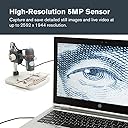
The Celestron Labs 5MP Handheld Digital Microscope combines professional 20x–200x magnification with a true 5MP sensor and advanced optics to deliver crisp, high-resolution images and videos. Featuring an adjustable LED ring light, built-in polarizing filter, and versatile mounting options, it’s designed for educators, hobbyists, and professionals seeking precise, glare-free microscopic exploration. Plug-and-play USB-C connectivity and free imaging software make capturing, measuring, and annotating specimens seamless, backed by Celestron’s trusted warranty and support.


| ASIN | B00CMJ1I08 |
| Best Sellers Rank | #572 in Camera & Photo Products ( See Top 100 in Camera & Photo Products ) #90 in Lab Handheld Digital Microscopes |
| Brand | Celestron |
| Built-In Media | Built in adjustable light polarizing filter, Calibration Ruler, Plastic and metal adjustable stand with 1/4-20 thread clip holder, Quick Setup Guide |
| Color | Gray/White |
| Compatible Devices | Personal Computer |
| Customer Reviews | 4.0 4.0 out of 5 stars (1,007) |
| Global Trade Identification Number | 00050234443081 |
| Item Dimensions L x W x H | 1.3"L x 1.3"W x 4.44"H |
| Item Weight | 0.65 Kilograms |
| Light Source Type | LED |
| Magnification Maximum | 200 |
| Manufacturer | Celestron |
| Manufacturer Part Number | 44308 |
| Model Name | Celestron Labs Digital 5MP Handheld Microscope |
| Model Number | 44308 |
| Objective Lens Description | Achromatic |
| Power Source | 2.0 USB-C 5V (non-removable cable) |
| Real Angle Of View | 45 Degrees |
| UPC | 050234443081 |
| Unit Count | 1.0 Count |
| Voltage | 5 Volts |
| Warranty Description | 2 Years |
A**.
A little tricky, but a quality piece of equipment
I have gotten a lot of use out of this device. I had a hard time understanding it, at first. The manual was not very helpful. But eventually I figured out how to connect it to my Mac and PC and it takes some very good digital images of small stuff. I use a sticky roller device (a lint roller) to collect small dust mites and the like, or to gather what is on my bed in the morning and put the thing right on top of it. It has two levels of focusing. I did not know that at first. I use the lesser focus to get it centered, then turn the nob all the way back around for the higher focus. This is a better quality device than several others that look just like it. The digital images are impressive.
C**N
You get what you pay for
I ordered this Celestron USB microscope after I ordered a $19 off brand one from Ebay. I take pictures of the stamped bases of Civil War bullets and the resolution of the $19 version was just not satisfactory - plus, the software was all in Chinese, the included disc wouldn't load the software to run it so I had to find it online and felt it was "iffy" (I wasn't sure if it was trustworthy). Got it working, but it just didn't give the images I wanted. Initiated a return and they offered me a $3 refund to just keep it (I don't want it). I immediately ordered the Celestron, it arrive the next day, plug and play - so simple and the results are great. Yes, it was $50 more, but well worth the price. I am a very satisfied customer
M**L
Software issues and then unit stopped working completely
I do not write bad reviews lightly and only after being sure that I am not the source of the problem. Sorry to say that I am returning this unit for refund. Not interested in a replacement. First issue was that I downloaded what I expected to be the latest version of the software directly from Celestron's web site. My expectation was incorrect. The version of MicroCapture Pro from their web site is 2.3. It would not recognize my Digital Microscope Pro even though my computer sees it fine. I tried three different computers with the same result. For giggles I installed the version on the CD that came with the camera. Turns out it is a newer version than what came from their web site. The newer version is 2.5. Go figure. That was my first major clue that I was not dealing with an outfit on top of their game. I managed to get the 2.5 version working on one of my laptops and obtained some acceptable imagery for a short time. Then while focusing in on a subject item, I noticed that the image on screen was not updating. First step in troubleshooting was to restart software. No help. The software did not complain that it could not find the camera as the 2.3 version constantly did. It just would not display any imagery on screen. I tried rebooting. No good. Tried reloading software. Nada. Tried other USB ports on computer. No go. Rinsed and repeated all the above on another computer to no avail. So the unit became completely worthless to me and thus the return. Congratulations to those of you who have no issues and I hope your product continues to provide value for years to come. I lost this particular lottery and am disinclined to give Celestron another go.
W**R
Celestron Handheld 5MP USB Microscope
I purchased this 'scope hoping to have better luck than with one of the no-names (read Veho). Having had some experience with these USB scopes, I probably was able to better sort out the rash of complaints listed in the latest dozen or so reviews. Some of the comments about "Blobs" or reflections or artifacts are actually typical of bits of dust. A Swiffer duster will clean much of this up in seconds. I do knife sharpening as a retirement hobby, and I use the scope for checking for scratches, chips, nicks and level of polish. Understand that these are not true microscopes, but are high-magnification video cameras. Imaging is processed from the video stream, not like a photograph. Modern digital cameras do the opposite. My prior 'scope has a similar thumbwheel adjustment built into the housing, which varied the magnification. The Celestron doesn't have variable magnification; it's fixed and is adjustable in the software, which simply crops the image. The resolution is based on the full image, so if you zoom in, it's like using digital zoom on your little Nikon Coolpix camera. The Celestron thunbwheel adusts the actual projection of the camera lens axially with the housing as a fine-adjust tool to focus. Hoping that a 5MP camera would be better than my 2MP camera, I was disappointed to realize that setting up for the higher resolution didn't improve the image on my screen. Silly me, I would need a hi-res screen. But capturing images at the higher res resulted in blurry images. Disclaimer here: I use the camera primarily in the handheld mode. If I had a good image on the screen (the basic 2MP is actually better than HD video) and captured an image, apparently the software uses interlacing to fill in the other 3MP. Meaning that it actually has to take more than one frame of video to produce a higher resolution image. In handheld mode, that means a blurry image. I haven't yet tested for true 5MP imaging with a fixed mount. All that said, this camera has some major improvements over the no-name I have been using. With its fixed magnification and adjustable focus I was able to set up for my particular use. I adjust the focus point to fall on the plane of the face of the clear plastic shroud. Then I can touch the camera to any reasonably straight component and immediately have a near-perfect focus. I can tip the camera to lay the shroud flat and centered on a knife edge and slide the camera along the edge, watching the video of the edge as I pan along the edge. Nice! I can even take videos, but the file size is huge! The no-name (Veho) image capture button is on the housing, making it nearly impossible to get a clear image without disturbing the camera. I had to use the "print screen" key and then paste the image to some other software. A very time-consuming process. I use Corel's version of Photoshop. Unlike the others, Celestron provides a cable-mounted capture button, the housing of which also holds a thumbwheel dial for the LED brightness. No disturbing the camera! Very nice! The fixed magnification image shown on my screen is comparable to my Veho's max magnification of about 185X (not the advertised 800X). I don't need more power so much as a clearer image of my knife edges. Also nice is the calibration method provided. This makes it easy to measure objects on the screen. I was able to measure "scratch lines" down to within few microns. I did find a glich in that the dimension of a measurement is unreadable because of the font size when you are zoomed in. The software could use some other improvement, but is vastly better than the no-name. The instructions are supplied as a .pdf file which was only a dozen or so pages. Some sections could use clarification and a forthright explanation of the video and image capture would be helpful. It would also be nice if I could change the color and font of the measuring tools. Under certain lighting conditions, it simply disappeared. BTW, I was able to also run my old camera on the Celestron software, You have to restart the software after you plug in a different camera. I haven't played with it yet to test the hybrid performance. Maybe I'll find situations that would dictate one camera over the other. 12/2015 edit: The non-Celestron cameras seem to work with the software, but you can't capture images 12/2015: An update after a couple of years of use: Celestron says it's a fixed magnification, but actually I've found that these cameras (the tubular kind) have a single lens which is moved closer or farther from the 5MP sensor to focus. The closer the lens is to the object, the greater the effective magnification. I use it at a fixed focal plane - the face of the shroud, which I rest on the knife edge. I've found that all these cameras have two positions at which they will focus on a given plane. For me, on my 21" monitor, this is 50X and about 160X. I've learned that for my use (knife edges) 50X is perfect. Some depth-of-field, easy focus. On further study, I don't think the rez is boosted by interlacing. I think it really is 5MP, but yes, 2MP is all you need for any HD monitor. To use 5MP, you need to save to a JPEG and zoom in to the level you want. Frankly 5MP isn't much better than 2MP.
R**R
Adecuado desempeño
M**.
Das Gerät und die Teile sind dem Preis entsprechend sehr gut bis gut verarbeitet. Die Software von Celestron ist intuitiv und ich denke der Support wird von dieser Firma (da es sich nicht um eine No-Name Company handelt) auch noch länger sichergestellt sein. Unter Windows 8.1 x64 läuft alles problemlos. Handheld Mikroskope gibt es auch günstiger und ohne Tischständer, dieser erweist sich aber beim Scharfstellen als sehr nützlich. Man kann kaum die exakte Entfernung zu einem zu untersuchenden Objekt gleich halten, während man mit der anderen Hand scharfstellt und dann noch den Auslöser für das Foto (ich mache es in der Software mit der Maus) betätigt. Man darf sich natürlich keine Wunder erwarten was den Schärfebereich angeht, umso höher die Vergrößerung ums geringer wird dieser (gilt für 3D Objekte wie zb Kaffeebohne etc.) Seht dazu auch meine Bilder, die ich hier hochgeladen habe. Ich denke diese geben einen guten ersten Eindruck wie weit man mit dem Gerät gehen kann. Die Vergrößerung hängt natürlich von der Entfernung zum Messobjekt, sowie den Einstellungen an dem Gerät (diese stellen das Bild Scharf und vergrößern teilweise noch) ab. Wer mehr will, muss gemäß dem Gesetz der Wirtschaft (you get what you pay for) auch mehr bezahlen, da ist eigentlich auch klar. Für den Einstieg in die digitale Mikroskopie kann ich es getrost weiter empfehlen! Trotzdem der Hinweis von "dnt" gibt es ein "ähnliches" (vermutlich das gleiche Produkt nur in Schwarz) zu einem günstigeren Preis.
K**N
Le microscope en lui-même est bien. Néanmoins les molettes de réglage (netteté et luminosité) sont trop dures et dès qu'on veut les utiliser ce foutu pied bouge voire tombe. Le problème est donc le pied fourni avec qui ressemble à une plaisanterie : - instable : il tombe quand on approche trop le microscope - système de blocage / déblocage ridicule : dès qu'on dévisse un peu le microscope tombe - il y a du jeu dans la monture au niveau de l'attache au microscope Incroyable vu le prix de fournir un pied aussi indigent.
A**N
Para el que busque un equipo económico para ampliar pequeños objetos es una buena elección. La luz es en general demasiado potente pero la cámara tiene una gran sensibilidad lumínica y 5Mpx de detalle que hacen que una vez efectuada la foto se pueda ampliar considerablemente. Fotografiar es muy sencillo con un pegueño botón del cable El programa tiene una herramienta de medición calibrable que resulta muy práctica. El soporte el algo bajo pero su regulación es buena y fina. Fotografiar es muy sencillo
K**G
I like this as it allows me to do fieldwork using computer screen. For my purpose, suffiently high magnification for me to identify bryophytes --- my latest area of microimage work. Very good, fast, effective technical support. Could not get it to work at first, but quick reply by service person sorted out the issue.
Trustpilot
1 month ago
2 weeks ago