Buy anything from 5,000+ international stores. One checkout price. No surprise fees. Join 2M+ shoppers on Desertcart.
Desertcart purchases this item on your behalf and handles shipping, customs, and support to Iceland.
🎯 Elevate your console gameplay—keyboard & mouse precision, no PC required!
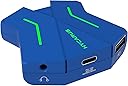
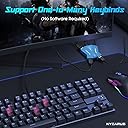
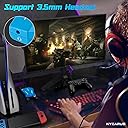
The HYCARUS Keyboard and Mouse Adapter offers plug-and-play compatibility with PS4, Xbox One, Xbox Series X/S, and Nintendo Switch, enabling advanced key mapping and side-button support without software. Featuring 3.5mm audio passthrough and multi-game presets, it’s designed to enhance FPS, TPS, and RTS gaming on consoles—though it does not replicate a true PC experience and is not compatible with PS5.


| ASIN | B07LGSV1VZ |
| Best Sellers Rank | #10,574 in Video Games ( See Top 100 in Video Games ) #8 in PlayStation 4 Adapters #36 in Xbox One Adapters |
| Brand | HYCARUS |
| Color | Blue |
| Compatible Devices | PS4 |
| Connector Type | USB 2.0 |
| Current Rating | 100 Milliamps |
| Customer Reviews | 3.5 3.5 out of 5 stars (1,705) |
| Finish | Matte |
| Input Voltage | 5 Volts |
| Item Dimensions | 2.4 x 2.5 x 0.8 inches |
| Item Weight | 0.18 Pounds |
| Manufacturer | HYCARUS |
| Model Number | HC-10080 |
| Number of Items | 1 |
| Number of Ports | 5 |
| Package Quantity | 1 |
| Power Plug Type | Type C |
| Unit Count | 1 Count |
B**N
Works As Described, with some drawbacks
This product allowed me to use a keyboard and mouse on Series S Overwatch. It worked as expected with a few adjustments to the keybinds which was relatively easy. Although this product does what it describes. it doesn’t work like a PC at all. The mouse movement isn’t free and restricts you if you move too fast, with some setting adjustments it’s less but at the end of the day it’s a completely different experience than PC. I had to basically have worse and slower aim to be able to move smoother. Luckily you have aim assist aswell so it balances out. At the end of the day it does what it says, but don’t expect a PC experience.
J**E
PLEASE don’t waste your money trying to play FPS games on console with this device
TL;DR Tried to play Overwatch on Xbox One. The product doesn’t emulate the PC mouse and keyboard experience AT ALL, not even close. The experience is extremely stuttery, impossible to make fine adjustments, it’s impossible to flick even a little bit, and tracking/sensitivity is quite inaccurate regardless of how much setting tweaking you do on your mouse, with the keyboard, or in game. Don’t buy for FPS games, not worth your time or money. I play Overwatch on PC, but all my friends play on console. I switched over to PC gaming about a year ago and the mouse and keyboard is just far superior in every way of playing an FPS game. I bought this product as a cheap way to try to play with my friends because playing Overwatch with a controller is like pulling teeth for me anymore. The product is sturdy, easy to set up, pretty simple and straightforward. This was great. What isn’t great at all is the actual performance of the product when using the mouse. If you are expecting this product to even come CLOSE to emulating a mouse and keyboard experience, DO NOT WASTE YOUR MONEY. PLEASE DO NOT WASTE YOUR MONEY. No matter how many different sensitivity and aim assist configurations I tried between in-game settings, DPI settings on my mouse, or using the keys to adjust sensitivity through the device, there will ALWAYS be horrible stutter. Flicking (which is really important in every FPS game ever) even a little bit is impossible no matter what you do. Making fine adjustments is impossible. The mouse tracks movement very sensitively when you move the mouse slowly, but when you move your mouse quickly, (not even flicking, just moving it quickly) the sensitivity slows down because you can’t adjust your character like that with a controller anyways. I feel like a fool for thinking you could have a decent mouse experience on console, but when you think about the fact that the inputs run through the controller then into the Xbox, it makes sense that your still limited to the controller’s capability. I’m really not that disappointed because the product is like 30 bucks, and honestly for that price point I shouldn’t have even expected it to work very well. I just wish that the product videos more accurately portrayed what you actually get with this. Maybe it’s alright for 3rd person RPG’s or something like that, but they advertise this as a PC experience emulation and it’s not even sort of close. Atleast for OW. It’s unfortunate, but don’t waste your money.
S**.
Son loved this.
My son bought this that it was very good quality. Also that it worked exactly as it should and it still works to this day. Well definitely recommend.
J**N
It's up to personal user comfortability
It's not the worst thing in the world there can be jitters with the mouse and sometimes random changes in speed depending on how fast you move it (if you move it slow it speeds up and if you move faster it slows down) overall it does what it's meant too there's no delay in the keyboard and overall just takes some time to get used too I personally like this as a cheap alternative to the matrix
G**S
Works for the most part, but you're better off getting better with a controller.
Bought this item as a PC gamer that recently picked up a PS4 to play with friends, only to find this type of product isn't going to work too well for a person like me. When its working how it should, the controlls are quite off... This is likely due to the game thinking you are still playing with a controller. Movement and aiming in shooters can be quiet jittery, which somewhat defeats the purpose of the mouse. In other words, the mouse feels more like a big thumbstick than a mouse. It feels like it has "deadzones" making precise movements near impossible. This isn't to mention other issues such as all the games controls still being displayed on the screen in controler format, and my PS4 controller randomly disconnecting requiring me to pick the account using it over and over. Also, the programmer app barely works. It doesn't save your settings so you'll have to redo everything from the ground up every time you use it. I managed to get it programmed one time but wanted to change something later only to be met with a "no connection" error every time I tried to program it. It seems to be stuck with what I set now. Just stick with the controller unless the game has mouse and keyboard support. Its not worth the hassle.
S**Y
It works without problems
I connected this device to my ps4 to play GoW Ragnarok with my mouse and keyboard and it worked nicely. I'm not sure how it is for FPS games but didn't have any trouble with GOW.
A**R
Aggressively bad
This adapter did technically connect a mouse and keyboard to my PS4, but in a monkey's paw sort of way. When I loaded up my game, my character just endlessly turns down and to the right, and punches/fires into the ground like it murdered their family. I have to admit, if I don't move the mouse, and just click, that seems to work fine. I tried following the advice in the manual, which involved downloading a file from the Hycarus website, and connecting the adapter to my computer. If nothing else their service is consistent. My antivirus software flagged a virus, and when I disabled the antivirus software, thinking it was just being sensitive, the files from the official Hycarus site gave me a virus that disabled my space bar and enter key. On the plus side, I was able to check my keybindings, but on the negative, they appeared to be fine, and I learned nothing. I know this seems like a cheap solution to your console hardware problem, but it really isn't. Either shell out for a better adapter, or bite the bullet and learn to aim on a controller.
D**M
Waste of money
DO NOT WASTE YOUR MONEY ON THIS— Out the box it looked like it was going to work but when I plugged it in nothing was connecting, I tried my controller, keyboard, and mouse, when it did work I was really laggy and terrible connection
C**E
It is a great little product that is cheap for its alternative price tags that reach into the hundreds. However, the fact it is cheaper means it comes with withdrawals. You cannot change keybinds on any MacOS and once the controller is plugged in the mouse movement and speech feels slightly slow and it seems like there is something wrong with the dead zones that are unchangeable. The contact support is excellent through email and whatsapp responding to emails/texts within minutes.
T**Y
acheté pour ma PS4, j'ai eu un peu de mal a faire detecter ma manette (apparement tout les cables qui permettent de charger les manettes ne sont pas compatible pour envoyer les informations a l'adaptateur). Il faut absolument bien lire la notice pour bind les touches clavier sinon mission impossible. Maintenant que je l'ai programmé je le garde mais si j'avais su que c'etait une telle galere, j'aurai acheté un autre adaptateur quitte a mettre 20 € de plus. Mais au final, fonctionne bien.
S**E
Nachdem bereits 4 Adapter nicht mit der Switch zu verbinden waren haben wir diesen trotz überwiegend schlechter Bewertungen bestellt und sind positiv überrascht worden. Angeschlossen, verbunden und es hat auf Anhieb alles funktioniert. Zudem ein tolles Design. 👍
N**N
The only real downsides to it are that you cant remap the keys, so some are a bit awkward to use, and if you have a gaming mouse, such as the razer naga chroma, it will not detect the side buttons.
A**I
un po' complicata l'installazione. forse per colpa mia, non sono pratico. risolto con un tutorial di youtube. collegato mouse e tastiera alla Nintendo Swich per giocare a Fornite . funziona perfettamente. non sono un giocatore da word cup, per cui non so dire se i tempi di risposta siano il top, ma il prodotto è perfettamente valido . Peccato che la nintendo, a differenza della Play non consenta di personalizzare i tasti, bisogna un po' arrangiarsi con la configurazione per il controller . prodotto mi è piaciuto, fa il suo dovere
Trustpilot
3 days ago
2 weeks ago