


Buy anything from 5,000+ international stores. One checkout price. No surprise fees. Join 2M+ shoppers on Desertcart.
Desertcart purchases this item on your behalf and handles shipping, customs, and support to Iceland.
🚀 Elevate your home Wi-Fi game—stay connected, stay ahead!
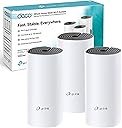
The TP-Link Deco M4 (3-pack) is a Wi-Fi 5 mesh system designed to deliver blazing-fast speeds up to 1167 Mbps across 4000 sq ft, supporting over 100 devices simultaneously. Featuring dual-band connectivity, advanced parental controls, guest network access, and seamless app-based setup, it transforms medium to large homes into smart, fully connected environments. Alexa compatibility and a 3-year warranty make it a future-ready, reliable choice for professionals demanding flawless home internet.


| ASIN | B07NH1J543 |
| Antenna Location | Home |
| Antenna Type | Internal |
| Best Sellers Rank | 1,362 in Computers & Accessories ( See Top 100 in Computers & Accessories ) 6 in Whole Home & Mesh Wi-Fi Systems |
| Box Contents | 3 x Deco M4 Router |
| Brand | TP-Link |
| Brand Name | TP-Link |
| Colour | White |
| Compatible Devices | Game Consoles, Mobile Devices, Personal Computer, Streaming Devices, Wi-Fi or Ethernet Electronics |
| Compatible devices | Game Consoles, Mobile Devices, Personal Computer, Streaming Devices, Wi-Fi or Ethernet Electronics |
| Connectivity Protocol | Wi-Fi (802.11ac, 802.11a/b/g/n), Ethernet |
| Connectivity Range | 4000 Square Feet |
| Connectivity Technology | Ethernet, 802.11ac |
| Control Method | App |
| Controller Type | App Control |
| Country of Origin | China |
| Coverage | Up to 2000 square metres |
| Customer Reviews | 4.5 out of 5 stars 6,526 Reviews |
| Data Transfer Rate | 1167 Megabits Per Second |
| Frequency | 5 GHz |
| Frequency Band Class | Dual-Band |
| Frequency band class | Dual-Band |
| Has Internet Connectivity | Yes |
| Is Modem Compatible | Yes |
| Item Dimensions L x W x H | 22.5L x 10.5W x 47.3H centimetres |
| Item Type Name | TP-Link Deco M4 3-Pack Whole Home WiFi Mesh System |
| Item Weight | 1.3 Kilograms |
| LAN Port Bandwidth | 1000 Mbps |
| Manufacturer | TP-Link |
| Manufacturer Part Number | Deco M4 (3-Pack) |
| Maximum Upstream Data Transfer Rate | 600 Megabits Per Second |
| Model Name | Deco M4 |
| Model Number | Deco M4 (3-Pack) |
| Model name | Deco M4 |
| Number of Ports | 2 |
| Operating System | OpenWRT |
| Other Special Features of the Product | Alexa Compatible, Guest Mode, Parental Control |
| Product Warranty | 3 Years |
| Security Protocol | WPS |
| Smart Home Compatibility | Smart Home Compatible |
| Special feature | Alexa Compatible, Guest Mode , Parental Control |
| Wi-Fi Generation | Wi-Fi 5 |
| Wireless Compability | 802.11a, 802.11ac, 802.11b, 802.11g, 802.11n |
| Wireless communication standard | 802.11a, 802.11ac, 802.11b, 802.11g, 802.11n |
A**6
Phenomenal Piece Of Kit
I don’t normally write product reviews, but felt I had to with this. All I can say is WOW! Incredibly easy to install with the app, and for the fIrst time in 3 years we are now able to get the full 350mbps Virgin Media service we are paying for around the whole house, even at the far end of the garden. Due to brick walls, phones, and other interference, upstairs was atrocious at best, sometimes as slow as 0.2mbps, but now it’s as though you are plugged directly into the router. As others have said, make sure you change the original router over to modem mode first so it doesn’t try and compete (with Virgin Media to get to the settings just type 192.168.0.1 into a browser and the password is on the sticker on the bottom of your hub) and I also found that you need to plug the TiVo box Ethernet cable into the first Deco unit instead of the Virgin hub, but other than that it’s probably the easiest thing I’ve ever installed. I read a great comment on here somewhere that said that by increasing your broadband speed you are only making the road wider, not longer, but by installing this mesh system you are creating an entire home network that reaches all the places the rubbish ISP routers can’t get to. It works seamlessly from room to room, there are great parental controls on the app and most importantly it is very stable with no drop outs. I went for the M4 mesh system with 3 Decos, which is probably overkill in a 4 bed house this size but the cost is very reasonable if you consider the difference it’s made. One is installed front right of the house as it has to be plugged into the Virgin hub, the second one is back left to cover the other end of the house, and the third is at the top of the stairs and covers every bedroom perfectly. Even my son commented on how much faster his Xbox games and updates now download. If you have any wifi black spots around your house, or your devices run slower than they should, then I can not recommend this highly enough.
G**Y
Our Wi-Fi issues have gone!
We live in a long, thin Victorian house and I despaired as to getting Wi-Fi to work everywhere in it. Due to the thick and numerous walls, the rear kitchen-diner has always been a particularly annoying dead spot. I have tried PowerLine adapters and Wi-Fi extenders but all have proved to be slow and unreliable. I have made a 1 gigabit hardwired LAN in the front of the house and this connects our printer, NAS, Smart TVs and YouView Box etc to our BT Home Hub 6 “Smart” router. Beyond that, Wi-Fi fails about half way to the kitchen and extending the wired LAN would be, at best, impractical. In any case, it's Wi-Fi we want in a communal area with the family collection of portable gadgets, tablets, PCs and mobiles etc. Even at close range, we have always found the BT Router to be unreliable as regards Wi-Fi. We do live in the shadow of the Crystal Palace TV Transmitter, so I suspect radio interference is another issue for us. So, trying a Mesh Wi-Fi system was a last resort! I liked the TP-Link Deco M4 solution as it supports 1 gigabit LAN connections and that enhances the speed of transfer between, say, the NAS (on our hardwired network in the lounge) and Wi-Fi devices in the kitchen. The 3-device M4 option is also currently very reasonably priced. That said, I was still more than a tad dubious as previously nothing had really solved our issues. Well, I am very pleasantly surprised - everything works brilliantly. I disabled Wi-Fi in the BT Router and connected the first Deco box to it with the supplied short LAN cable (in the lounge). I then installed the Deco APP on my Huawei mobile and following the instructions, set the Wi-Fi SSID and PW to be the same as those previously used on the BT Router. It all seemed to work so I installed the other 2 boxes - one half way to the kitchen (spare room) and the other in the kitchen itself. They came up with 'white' LED's after being configured by the App - and we appeared to be all set. However, I then noticed a couple of issues. Firstly, internet speed from any Wi-Fi device was only about 20% of that we had before. Also, there was no communication between Wi-Fi and LAN devices (eg. We were unable to print or to access the NAS). I then realised that I needed to set the Deco boxes to 'AP' mode (rather than the default ‘Router’ setting - as my BT Router is still our DHCP server). I did this easily and then noticed a firmware update was available. That took about 5 minutes to automatically download and install (using the APP). I then powered everything Off/On (including the BT Router) and it all burst into life. Everything works perfectly and connection speed is excellent. Also, for the first time, we can roam around the house with a mobile or tablet with no loss of connection. I have even found that the 'middle' (spare room) Deco box is not 100% necessary. If I power it off, we still get a usable (if just a tad slower) connection in the kitchen. However, I have left it in situ for speed and redundancy purposes. We also have no need for the optional ‘backhaul’ LAN connection. So, thus far I am very pleased indeed. I don't write many 5-star reviews but this kit has far exceeded my expectation and one month later it is still working reliably. For the first time, we also have usable 5 GHz (and not just dodgy 2.4 GHz) Wi-Fi in the kitchen! As such, I am so glad I didn't pay over twice the price for some of the competitor's kits. This does everything we need. Notes. - When switching to 'AP' mode, some of the set-up options are no longer available. However, that's fine as they are mostly still available on the BT Router which, in our case, continues to manage our network. - Set-up can only be undertaken using the Deco App on a mobile. ie. There is no option to access admin pages via a browser. That may be an issue or annoyance for some. The App is not particularly intuitive so finding some settings can be somewhat tiresome....
N**S
Good enough but not great, slightly disappointed
Summary: It marginally improves the wi-fi signal throughout my difficult house but it is nowhere near what I was expecting and I almost sent it back. On balance, it did offer an improvement so I kept it. Pros: 1. It works and the setup was fairly easy. 2. It definitely improves the spread of wi-fi signal across the house with some rooms that had poor wi-fi signals now having an acceptable one. Cons: 1. It's only marginally better than my router on its own (although to be fair to the Deco, I have a large, long, house, half of which has a metal exterior, so any system will struggle a bit). 2. There does not seem to be a way in the app to 'force' devices to use the nearest Deco unit to them. Effectively this means a device linking with a Deco unit that has a low signal strength instead of one in the same room! This results in a poorer performance. Frustrating. 3. It took a few days of experimentation to get the optimum sites for all units by trial and error.
S**N
Incredible product, worth every penny.
I absolutely love this product. I've waited a few weeks to review to see how it holds out, but it amazes me how good it is. I have a 4 bed house, with my router downstairs front left. My study is upstairs, back right, so they couldn't be further apart. The stock router from my ISP is AWFUL. I used a cheap Negear range extender for a while, speed was shocking, and the signal strength only held up for 3 weeks before it died completely. I was going to look at powerline adaptors to get ethernet to my laptop, but I have other devices upstairs that struggle with WiFi. So after a recommendation from a colleague, I stumped up for these and I'm so glad I did. I got the M4 triple pack for the same as other retailers sold the double pack. Amazon also let me spread it over 5 months so it doesn't hurt the pocket. Set up was a piece of cake, the App is very intuitive. Those who are not tech-savvy should not be afraid of this item. One gap I did notice was that to retain your existing wifi name and password, you have to disable wifi on your existing router. I do not have a button for this so had to go into Admin mode on my ISPs router. However once set up all your existing devices connect straight away. I did think I may have to have the 3rd device somewhere in the middle ground, but in fact the signal between the two in the far corners of my house is fantastic. It "only" measures 2/3 bars, but has not dropped once in 3 weeks. I also get the full speed in speed tests, not the vastly reduced speed I saw with the Netgear range extender. I like the roaming feature too, you can see which of your devices are connected to which Deco, and they switch between whatever gets the strongest signal at the time. I have around 20 internet enabled devices (laptops, tablets, mobiles, firestick, chromecast, echo's...) and they all connect and perform wonderfully. There are other useful features on the app - you can prioritise devices if you wish (Streaming devices etc), attribute devices to users and rename them to help you identify what is on your network (you get notifications when a new device connects too,and you can blacklist them if you don't know them). There are also parental control features (which I haven't used as my little'n has a kindle fire with parental controls on), but it gives me confidence she could have a better tablet and I could use those features. The guest network feature good as well. You can 'shake to share' on the app to send the connection details to anyone that visits. We also have a little framed 'Welcome to our home' sign with guest wifi details which will be a nice little touch when people stay. I can't comment on tech support as I haven't had to use it, although it is in the rating system. So overall, absolutely cannot fault this product. It's entry level mesh wifi looking at other prices, but suits me perfectly. Also I still have the third device should my needs grow in future.
A**L
Believe the hype, these are GOOD!
I have read a lot of reviews singing the praises about Mesh Network devices and always thought they were a bit over the top. Well - It appears they were all right! I had a few different Mesh systems in my shopping basket and had been doing research on YouTube, umming and ahhhing over whether to get one. My family members had been moaning a bit about our wifi being rubbish and when these came up on a daily deal, I bit the bullet. They arrived promptly as usual with Amazon Prime. Box was larger than expected and immediately they seemed like a quality product. The units are a little bigger than expected - about the size of a bottle of wine without the neck. Instructions are basic to say the least. However, they only really serve to get you to download the app which takes over the entire process. You have to use the app, this is the only way to interact with the system so download it on the main users smartphone (I call this the "Master Device"). It looks like you can assign other app users as co-administrators but I haven't tried this. You need to set up a TP Link account to use the app. I already had one as I have an HS100 smart plug and it recognised my details and logged me in without issues. This account is not a locally stored account, it is a cloud account which means that you can access and administer the system when you are away from home. The app guides you through connecting the first unit and sets up the SSID and security for your wifi. I turned the wifi off on my ISP's router before connecting the Deco via a network cable. I then gave the Deco unit the same SSID and password I had previously used. All of my devices started connecting straight away. The app then asks if you want to connect another Deco. Click yes and it talks you through setting up the next unit, which is as simple as plugging it in to the mains and letting the app find it and set it up for you! I had a three pack, so followed this process twice. I was quite quickly prompted to download a firmware update. You MUST do this as many of the features that are advertised are only available after the update. NOTE - This update will only affect the unit your "Master Device" (Administrators Smart Phone) is currently connected to. It doesn't tell you this. I walked into another room where one of the other units was and got prompted to download the update again once my device switched to the stronger signal. Make sure you go round all three (if you have the three pack) and either wait for the prompt, or go to the settings menu and "Check for Updates". Once all three are connected and updated, you get to play around with the app! The main screen shows you all of the connected devices. You can view each Deco and its status and it will show you which devices are connected to each unit. For every device, you can edit its name to give it something more user friendly. You can assign each device to an Owner too. For each owner you set up, you are able to control their access through Schedules as well as "Pause" connectivity for all of their devices an the touch of a button. Great if you want to stop kids playing Xbox or watching YouTube on tablets after 10pm for example! The app produces notifications when a new device joins the network. If one of my sons friends comes around and connects for the first time. I can quickly give the new device a name that identifies it to me and assign it to my "Guest" owner profile. (You can create a separate guest network if you wish, though I don't wish to do this). We have a few Amazon Firesticks, so I gave them priority over other devices on the network to ensure smoother streaming. You need to know your download speed, then you set how much of it should be reserved for priority devices. Anything added to the priority list then shares this portion of your bandwidth. Techie bit: My ISPs router was quite basic and I was not able to switch it to bridge mode. The Deco units come out of the box in "Router Mode". You can switch them to "Access Point Mode", though this removes much of the functionality as all they do is pass connections to your ISPs router to manage. If you want to use all of the clever stuff in the app that I mention above, they need to be in router mode. My Decos are on a different IP range to my ISP router. My ISP router provides one single IP address to the main Deco unit. This Deco is then the DHCP server for the rest of the network. I have one network lead coming out of the deco into an un-managed 8 port switch as I have some devices that need to be hard wired. The three Deco units use the default wireless backhaul to talk to each other. I was concerned that my two sons Xbox's wouldn't like this set up and present "Double NAT" errors due to jumping through two routers, each serving network addresses. For reasons unknown to me though, they don't! They connect to Xbox live without issue and online gaming has not been a problem. We did encounter one hiccup when one of the boys connected the network lead to his Xbox (which connected it to the unmanaged switch). Even though it was still getting its IP address from the Deco system, it didn't like this and DID complain of a double NAT. Switching back to wifi fixed this straight away. So - Not sure if modern kit/protocols are able to address double NAT, but I am pleased that I do not have to switch the Decos to AP mode to overcome it! Summary: My units have been running for a few weeks now and our wifi has been transformed. Yes we have had a drop out, but I couldn't tell you if this was the Deco units or our internet connection through our ISP, but I think you have to expect this once in a blue moon. Signal is strong throughout the house, including through a double skinned brick wall into our extension. We even get a decent signal in the garden. I get consistent speed test results no matter which unit I am connected to, so the wireless backhaul between the units is obviously up to the job. If you have stuck through to the end of this review, you are obviously serious about buying - DO IT! I would definitely recommend this product.
J**A
Works very well so far
Our house isn't bad for wi-fi (no thick walls or large area to cover), but was never good. The main router is in our study, in one corner of the house, and needed to reach four bedrooms, a conservatory and the garden, and reliably stream YouTube and Netflix videos. At first I had the wi-fi signal boosted by a wi-fi repeater. This worked sporadically for the past four years, but often the family would complain that they couldn't access the internet even though they had a wi-fi signal. Switching the repeater off would fix the problem but then left us with a weaker signal. So I decided to take the plunge with mesh wi-fi, especially after reading all the reviews about how it improved people's connection problems. These things can costs a lot of money (compared to my £30+ existing router), so I went for the TP-Link Deco M4 (3 pack) for just £100. This was a good compromise - cheap, but with a lot of features and good reviews. Setup is easy. Everything is done systematically from the smartphone app, so no silly faffing with web browser addresses. From reading other reviews I was expecting the smartphone app to assist me with optimum placement of the units (such as a signal strength guide), but all the app does is suggest putting the units in clear space away from large electrical appliances, which is pretty obvious! I wired the first unit into my main router, making it the main mesh unit, and turned the router's wi-fi off. The second unit was placed diagonally across the other side of the house near the conservatory (giving a good signal in the garden), and the final unit placed upstairs in one of the bedrooms. This seems to have everyone covered, especially our Samsung smart TV in the bedroom which has a very poor wi-fi receiver. There are two options when setting up the system: either full router mode, or as basic wi-fi-access points (with the original router continuing its usual network management role). I tried the access point mode initially, but that losses a lot of functionality: - No bandwidth usage monitoring - No Quality of Service controls - No parental controls (my son doesn't understand that internet use at 2am is bad for his sleep) - No Alexa integration - No IFTTT integration So I tried router mode, which gives me all the fancy gizmos in the smartphone app. This appears to work OK, although it can cause connection problems with 'double NATing' (where both the router and mesh wi-fi try to control how network addresses are accessed). There are two solutions to fix 'double NATing': - Switch the original router to bridge mode, effectively making it a dumb ISP modem, and letting the main mesh unit perform all the router tasks. - Put the main mesh unit in the router's DMZ, bypassing the router's NATing. This can be done in the router's settings. I decided to put the main mesh unit in the DMZ. This is mainly because I also have a remote access point (RAP) to access my work's network when working from home. The RAP needs to connect to an active router via ethernet, so I had to use the main router with all its spare ports (the mesh units only have two). Even though my original router is 'behind' the mesh unit it is accessible via its original IP address, so I'm still able to manage my ISP connection and other important settings. The system works well with my existing powerline adaptors too. My son's PC does not use wi-fi, so needs a wired connection. So too the Sonos speaker in the kitchen, which suffers from interference from the microwave. The Deco M4s can use 'ethernet backhaul' to connect together, giving a faster connection between the units. If I had purchased one of the Deco P range I could have used the powerline adaptors for the backhaul as well, but as the wi-fi backhaul is adequate I'm not fussed. Previously it had been mentioned by others that there was no web browser access to the Decos. It looks like that has now changed. The web portal can be access via the IP address of the main unit, using the same password used in the smartphone app. Bizarrely though, there are some things that can be done in the web portal, but not on the app, and visa-versa: - The web portal shows how clients are connected (wireless or wired) - Only the web portal shows the system log and time settings - Only the app can be used for adding units and users, or setting QoS and parental controls A web portal is available from any of the unit IP addresses, but the satellite units have even less functionality. Alexa integration is a bit of a gimmick. The options available are very limited, such as (de)activating the guest wi-fi or turning the LEDs on/off. It's clunky as you have to instruct (and then wait) for the TP-Link skill to launch before starting any mesh instructions. IFTTT integration is also limited in its use for me. Most IFTTT applets just notify or log when a (new) device connects to the network. So far, so good. No lost connections, and smooth seamless switching between units as we move around the house.
M**Y
Fixed bad wi-fi
This review is for the Deco M4 with 3 units. It is an annoyance that Amazon continues to lump reviews for different model/specs together! Our broadband supplier is vodafone. The broadband connection into the house is good, their supplied router is beyond hopeless. Really poor signal strength and frequent dropouts. Parts of the house had no signal at all, in the room where the router was the wifi signal would just drop numerous times in the day and no amount of changing channels or letting it adjust channels automatically seemed to resolve that. I received this product yesterday. First impression - the units are packaged adequately and look reasonably neutral and unassuming as they should. They were a bit bigger than I expected. Roughly the size of two tins stacked on top of one another but mostly these will be hidden out of sight behind units etc anyway. Maybe not the best laboratory conditions but probably typical of most users. SETUP - was simple enough although it is not quite as simple as being plug and play it isn't far off. The app appears to be very good both in terms of initial setup and then management of the devices. I turned off wireless on the original router in order that the initial tp-link device acted as the router. The setup of the first device then simply requires to be connected into the LAN on the original modem/router and plugged in. I set the SSID and password to be the same as the existing one it was replacing and, in that way, all existing devices would automatically connect with no need to adjust their connection settings. On setup of the first device it became quickly apparent that the range was already significantly better than from the existing router. I added one more unit downstairs, and one upstairs. Adding the additional devices was extremely straight forward - just tell the app you are adding a new device, plug it in, wait for the status LED to start flashing and then proceed on the app and the connection is made. Perhaps a little more info on placement would be ideal i.e. should you always aim to place devices where you register a full strength signal on your phone or is it ok to extend that more to gain maximum range. That wasn't totally clear to me but my ideal required positioning meant that I was setting up where it was showing strong signal anyway and I assume that is the best way to ensure best speeds. PERFORMANCE - With all three devices now in place I register a full wi-fi signal in every room of our 4 bed house. Speed tests conducted throughout the house show close to maximum expected through our line (78 mbps down) and so far everything has worked flawlessly with no dropouts. Streaming is fast both through internet services (iPlayer, Netflix etc.) as well as though local network from my plex media server. Assuming it remains this way then I am extremely happy that this has taken our broadband from being slow and unreliable to a smooth operator. I've used powerlines and extenders in the past, and whilst they had their place they are no substitute for either the performance or the simplicity of use we're getting through this mesh system. It just works. For every device and throughout the house. It is also good to know that, should you require to add additional units, then all deco models are compatible with one another. I don't feel a need to add a unit right now as whole house is covered but now I've seen how well these works I might get one to put in the kitchen with the view to extending wifi signal further into the garden. I read one review on here that said that these units do not work with Amazon Echo/Alexa devices. They do. In fact they state they are compatible with Alexa on the box and their is a tp-link Alexa skill that can be used although the benefit of doing so seems minimal. THE APP - A final word about the app and the additional controls that come with these units. Firstly the app is well presented. It guides you through initial setup very smoothly. Once set up you can monitor which devices have connected, which are online, the data pull for different devices etc. You can blacklist devices or set certain devices to have high priority over others either full time or temporarily (e.g. if bandwidth is an issue you might prioritise a movie streaming to your tv for a couple of hours). You can easily turn on and off a guest network and easily share connection details. The parental controls aren't something I need right now but will in the near future. You can register users and set their level of appropriate access (and adjust that as necessary). You assign certain connected devices to a user and then control when those devices have access. I can't speak to how it actually performs but it looks a simple and neat solution and certainly better than anything available through the ISP supplier. I was particularly pleased that, with one unit in the bedroom, that there were settings for the status LED. Whilst fairly unobtrusive I don't want an LED permeating through the darkness but at the same time I do occasionally want a visual indicator as to whether the device is working/connected. No problem - you can set the LEDs to either be on, off, or scheduled. I have them switched off between 10:00 and 07:00. I don't have too many complaints about my ISP but the supplied router wasn't up to the job. All in all this has been a simple solution that has essentially fixed what I considered to be a broken internet service so it's five stars from me. Only time will tell if it remains stable and if the devices are reliable. I'll update this review should anything change. UPDATE - almost a couple of years on and the system is going strong. I can't recall a single issue. I bought a further unit to try to stretch more signal out in the garden and that's worked great.
J**N
Wow! So much better! / hmm so so
We live in a 3 bed Victorian terrace (London) using SKY Q as our broadband provider. Internet speed test (c.30 download, c.7 upload) check your speed for free by typing “speed test” into Google. Internet okay downstairs but is choppy upstairs (sometimes download drops to 7!) and sometimes signal falls out. This has been a real problem regards working from home. Video calls have been horrific at times, loading software, opening emails, internet searches.. Urgh. No explanation, just some days it works ok (not fine just ok) but sometimes everything is slow (very). Yes, I’m aware of actions to do, switching off every night, resetting sky box etc. but these have not fixed the problem. So.. I looked into this lots - wifi extenders, or this - a mesh system with “power line” backup. First off, just plugging a single unit into the sky box made an immediate difference (I don’t know why but it did). Noticeably different - speed tests upstairs were better, connection stable, video streaming and calls whilst using multiple devices. I did set up the other two units anyway just incase as the box came with 3 units. Setup, really simple, and took no longer than 20mins. Performance - wow. (Re. Powerline - I should add we had our house rewired last year so electrics are good and circuits are clear - but as stated earlier, our internet performance worked with just one unit). So £150.. but given our change in performance (and what it has meant for productivity) and the simplicity of setup - more than happy. I have tried other devices in the past (Apple airport express, wifi extenders) none have worked as well as this. Delighted. /// Update July 2023. These are now disappointing. Why? Regular drop out, despite standing next to the unit and the app is not helpful nor is the support. I don’t know why these have stopped being useful, nothing changed but we were so fed up with our internet and service we switch provider and ditched these also. Keep in mind if your provider is not great, then these won’t make a difference. FWIW we were with Sky but service was abysmal despite being on the premium package. Regular throttling and slower speeds than advertised so we switched to a proper fibre broadband and no longer need these units
V**T
Excellent product
Excellent product
P**O
Attenzione che l'articolo arriva con le prese UK e non italiane EU
Attenzione che l'articolo arriva con le prese UK e non italiane EU, dovrete poi acquistare dei commutatori e/o direttamente dei trasformatori compatibili.... Peccato che questa informazione non sia riportata tra quelle importanti da sapere.
A**A
سهلة التنصيب وكاملة السرعة
تركيبها سهل وسرعة توصل كاملة وتغطيتها ممتازة
P**.
Excellent coverage and speed.
Easy to set up, works perfectly so far. App is decent as well.
N**R
So easy to set up and work extremely well
I was very surprised by how easy it is to set these up. I was able to do it myself and have not had any issues with any of the units that I bought. This is really an excellent product. I’m using them at my mom‘s house to connect three three outdoor cottages to the main Wi-Fi in the house.
Trustpilot
3 weeks ago
2 weeks ago