Desertcart purchases this item on your behalf and handles shipping, customs, and support to Iceland.
🚀 Unlock lightning-fast storage freedom—carry your data in style!
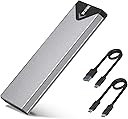
The SSK M.2 NVMe SATA SSD Enclosure is a compact, aluminum-encased external adapter supporting M-Key and B+M Key SSDs in 2242, 2260, and 2280 sizes. Featuring USB 3.2 Gen 2 with 10Gbps transfer speeds, it delivers rapid data movement and broad OS compatibility without extra drivers. Its improved RTL9210B chipset ensures optimized performance with UASP and TRIM support, while the included thermal pads and aluminum shell provide effective heat dissipation for reliable, portable storage.


| ASIN | B07MNFH1PX |
| Best Sellers Rank | #7 in Enclosures |
| Brand | SSK |
| Built-In Media | 10Gbps USB-A Cable, 10Gbps USB-C Cable, Installation Package, heating pad |
| Color | Space Gray |
| Compatible Devices | Desktop, Laptop, Smartphone, Tablet |
| Connectivity Technology | USB 3.2 10Gbps |
| Customer Reviews | 4.5 out of 5 stars 21,661 Reviews |
| Data Transfer Rate | 10 gigabytes_per_second |
| Enclosure Material | Aluminum |
| Hard Disk Form Factor | 2.28 meters |
| Hardware Interface | USB 3.2 Gen 2 |
| Hardware Platform | USB 3.2 Gen 2, Windows/MacOs/LINUX/Android/ios |
| Item Dimensions L x W x H | 4.52"L x 1.55"W x 0.43"H |
| Item Weight | 0.1 kg |
| Manufacturer | SSK Corporation |
| Material | Aluminum |
| Memory Storage Capacity | 4 TB |
| Mfr Part Number | SHE-C325 PRO |
| Model Number | SHE-C325 PRO |
| Product Dimensions | 4.52"L x 1.55"W x 0.43"H |
| Supported Devices Quantity | 1 |
| Unit Count | 1 Count |
| Warranty Description | 1 Year |
A**A
Fast and Well-Built SSD Enclosure with Excellent Compatibility
The SSK M.2 NVMe SATA SSD Enclosure is a compact and reliable option for turning internal SSDs into portable external drives. The enclosure feels solid thanks to the aluminum construction, which also helps with heat dissipation during longer file transfers. 💾 Setup is straightforward, and the enclosure supports a wide range of SSD sizes including 2242, 2260, and 2280 drives. The connection feels stable, and transfer speeds are quick with the USB 3.2 Gen 2 10Gbps interface, especially when paired with a fast NVMe SSD. The included chipset support for UASP and TRIM adds to the overall smooth performance, and the compact design makes the enclosure easy to carry in a bag or pocket. Overall, this is a well-built and versatile SSD enclosure with fast performance and broad drive compatibility.
O**M
Reliable NVMe SSD Adapter for Cloning and File Transfers
I bought this NVMe SSD adapter to transfer data from my old SSD to a new one, and it worked perfectly. I also use it for transferring files, and it has been reliable so far. The adapter is easy to use and provides good transfer speeds. It does get hot during longer transfers, but I have not applied the included thermal pad yet. Adding the thermal pad should help with heat management. Overall, a good NVMe adapter that works well for SSD cloning and regular file transfers.
B**Z
2230 length card solution so it can be supported correctly.
I saw a few questions about the device support 2230 cards. Technically, the smallest supported size is 2242. You can put in a 2230 and the cover will probably hold it in place just fine. But, a better option is to purchase in inexpensive extender card. If you search for m.2 extender cards, you'll see many options. I chose a very specific option - one that extends from 2230 to 2242 since that was all I needed. I found this production "ZDE 2PCS M.2 NGFF NVMe SSD Length Extend Adapter 2230 to 2242 Only SSD Extension Bracket" and it arrived today. I installed it making sure that the little brass joining disks was firmly seated into both the nvme board and the extender. It required a slightly firm pressure. In my case, the two boards didn't actually wind up touching, but I knew it was in correctly since the tiny screw hole at the 2242 position lined up perfectly. It feels like a solid and reliable solution. Once the little screw was installed to hold the combo in, it was very stable. I didn't see any bowing of the two boards, everything remained flat. This should hold the 2230 nvme card reliably in its connector socket. I wound up purchasing this adapter because the last adapter I tried had a jmicron chip inside which doesn't work correctly in linux - you can't get any smartctl data from the nvme card because it crashes the interface and the usb bus winds up needing to recover which can take a while. The RTL9210B chip doesn't have this issue on Linux. Following guidance from google search, and its AI, I wound up updating the firmware on the card from the 1.32.68 version to a slightly more current version. I did this because I also wanted to edit the firmware parameters to prevent the device from sleeping automatically. Since I was flashing anyway, I thought I would go more current and went to 1.33.98. I don't know if this is necessary, but it is easier to do before you install the nvme card in it. I'm using this device as part of a mirror and didn't want random errors caused by inadvertent sleeping. For normal use, I don't believe this is necessary. Once I plugged it into Linux it worked perfectly. I didn't have any of the issues the jmicron based controller was causing. Now I can monitor for wear on the flash and proactively replace the drive when it has had too many writes. The nvme card I am using is a lower end card and therefore isn't expecting heavy write loads. The card came with two cables. For some reason the usb-c cable was a little loose on the computer port end so I wound up using the USB-A cable. I think that is more a factor of my usb-c port clearance in my custom enclosure.
Y**G
A must have for drive cloning! Maximum Speed is 1000mb/s Read + Write
This is a life saver and a must have to clone drives. Up until about two months ago there were no NVME compatible external drive enclosure on the market and the only m.2 enclosures were SATA drive compatible, NOT NVME. Most laptops only have one drive slot and whenever you wanted to clone a laptop drive, you had to undergo a long tedious multi-step process: 1. Clone the laptop drive to an external hard drive via USB 2. Remove the old NVME SSD 3. Install the new NVME SSD 4. Use some sort of bootable cloning usb drive like Macrim Reflect to copy the contents of the external USB drive to the new drive. 5. Restart and pray that it works and that nothing got messed up along the way. 6. If it does't boot or messes up, repeat the process over again With a NVME external enclosure the process is significantly simpler: 1. Plug in new NVME drive in to enclosure and plug into the USB port 2. Clone old NVME SSD to new NVME SSD 3. Remove old NVME SSD and replace with new NVME SSD 4. Done. The old way resulted in numerous annoyances and non-boots as Windows DOES NOT boot from external drives and you must rely on third party bootable cloning apps. If any errors pop up during any step in the chain, you'd have to redo the process all over again until you get it right. With a NVME enclosure you can direct copy from laptop drive to new drive and switch out the old drive with the new directly. Much less assembling and disassembling frustration. This enclosure works exactly like it's supposed to. The build quality is good but not amazing. The bottom and tops of the drive enclosure rub and get scratched on the metal sleeve whenever the enclosure opens or closes. This can be problematic if you open and close it often, but not if you plan on putting a drive in there and leaving it there. The drive bay PCB has exposed copper veins to help conduct heat. I'm not entirely sure this does much but I suppose it's better than nothing. Also worry not as the veins would only touch the tops of the memory chips or controllers, not any exposed leads so no shorts would happen. You can also put in a thermal pad to better conduct the heat from the drive to the PCB. There is also included a nut that has a low side and high side which should fit if you have thicker double sided SSDs or single sided SSDs. The included thermal pad is great for conducting heat to the aluminum sleeve for dispelling heat. During during disk cloning and sustained data transfers, the aluminum enclosure does get quite hot . The temps do cause transfer speeds to drop. However if I grab the enclosure with my hands it cools off quickly and speeds return. There's no active fan for air circulation so hot objects stay hot. However a metal enclosure is better than none. One annoyance is that they only include a USB-C cable and no USB-C to USB-A cable. Though USB-C is superior, many older systems do not have USB-C and having a cable adapter would have been helpful. One final observation is that the maximum transfer speeds of this enclosure is 1000mb/s read and write. This is a hard cap and no matter how fast of an SSD you put in here, the max speeds are capped. I've put in drives that were capable of 3500mb/s reads and 2900mb/s writes and the max speed is 1000mb/s. I've tried it on thunderbolt to PCIE ports, the max speed is 1000mb/s. This is likely due the internal controller of the enclosure. The speed is pretty good for an external drive as few thumbsticks or USB external SSDs are capable of hitting these speeds (they're usually around 500mb/s or SATA speeds). Overall this is a pretty good and cheap drive. I have few issues with it other than the aforementioned ones. ***If this review was helpful, please give me a helpful vote!***
D**I
How to use it best, after using it myself
It came with two sets of screws (good), but only one thermal pad with a very adhesive coating on it. If I pulled it off - especially after it was there absorbing heat for a while, it would not be like pulling off of a sticky. It seems designed for one-time SSD use, but... My advice: If the SSD needs to be used elsewhere, pulling off the adhesive pad would probably leave some hard to remove material from the SSD that you may want to use elsewhere. So: If you only want to use an SSD temporarily - just to test it, see what's on it, or re-format - DO NOT use the one-and-only adhesive pad. Use the adhesive pad ONLY if you want to use it as a more permanent SSD drive. Final comments: It works well, has a nice blinking LED that helps, it gets warm but not hot with the one-time thermal adhesive attached (like life, one-time, that's all folks), it didn't cost much, takes up very little space for such capacity, looks cool, they built it well. I give 5 stars as long as you have read everything above thus far.
G**.
Perfect for turning my old SSD into a portable drive!
The SSK M.2 NVMe SATA SSD Enclosure Adapter and similar USB‑C SSD enclosures are a great way to turn an M.2 NVMe or SATA SSD into a fast external drive with USB 3.2 Gen 2 (up to 10 Gbps) performance. Built around the advanced RTL9210B controller chip, these enclosures offer plug‑and‑play convenience without drivers while delivering quick data transfer speeds that make moving large files, backups, or media libraries fast and hassle‑free. The tool‑free design and compact aluminum body keep things simple and durable, and the included thermal pads help manage heat during prolonged use. Whether you’re expanding laptop storage or accessing drives on the go, this is a reliable, budget‑friendly solution that makes your M.2 SSD work wherever a USB‑C port is available.
K**L
Perfect Enclosure for My M.2 Drive
This M.2 enclosure is an excellent product. The build quality is solid, and it feels very durable. It was very easy to install my SSD inside, and it connects to my PC without any issues. The transfer speeds are great. Highly recommended.
B**R
Upgrade old Windows 10 PC with Crucial SSD and SSK USB M2 SSD adapter
I've been using a Windows 10 Dell desktop PC for more than nine years. Microsoft will not allow an update to Windows 11, but they did give me extended support for the next year at no cost. This system works great for me and I see no reason to junk it for a Windows 11 replacement system. I did notice recently that my 256gb SSD is nearly full, so I used Google search AI mode to review my options. I chose a Crucial P310 500GB SSD along with a USB SSK M.2 NVME SATA SSD Enclosure Adapter to allow cloning my C: drive. I highly recommend both. With Prime I had these items next morning after ordering. I immediately installed the SSD in the adapter and plugged it into a USB 3 port. I was concerned when a new drive did not appear in Windows Explorer, but after another Google AI mode search, I learned I needed to format the SSD drive using Windows Drive Manager. For the cloning software, I initially downloaded the Acronis True Image for Crucial program referenced on the Crucial site, but it would not work claiming not to have found a Crucial SSD. Acronis online support was useless. I searched for an alternative solution and happily discovered DiskGenius which offers a free version that worked very well and much quicker than I expected (about 20 minutes). Exchanging old with new SSD was easily done and rebooting found Windows and all of my apps working normally with plenty of room to spare on the C: drive. I saw on the motherboard two empty RAM slots and thought I would like having a memory upgrade as well. Back to Google AI mode, I got the exact information needed to go from 8 to 32GB. I found and ordered a kit for $57 which I will have in less than a week. So for $110 I have breathed new life into my old but perfectly good PC. I doubt that I will replace it even after MS extended support expires next year.
T**R
Must have
Easy to use. Excellent quality. Must have.
A**S
Super good and original
Super awesome and original it is made in Vietnam and really super good, and I recommend this seller too much
R**T
Product
Original product and operated normal
A**R
Vraiment Pro
Très bon débit de l'interface, permet d'exploiter le débit du SSD qui y est connecté.
F**O
Buenas prestaciones y precio
Probada con un SSD Samsung de 3500/3200 MB/s y donde, con la carcasa conectada a un puerto USB 3.1 Gen 2 de 10Gbps, me da una lectura de 1Gb/s de lectura y 750Mb/s de escritura. Desde un puerto USB 3.1 Gen 1, funciona como cabe esperar a 5Gbps, donde los resultados han sido de 460MB/s de lectura/escritura, que tampoco está nada mal para este tipo puerto. La disipación de calor es bastante buena, ya que al tener una ligera amortiguación hacía la carcasa, la almohadilla térmica está en contacto con la carcasa de aluminio, disipando mejor el calor que otras carcasas que he visto, donde la almohadilla térmica se queda al aire. En mi caso se calienta muy poco la unidad. Escribiendo grandes cantidades de datos se calienta, pero dentro de lo normal
Trustpilot
2 days ago
2 months ago