🚀 Scan smarter, connect faster, work anywhere.
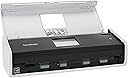
The Brother ADS1500W is a compact color desktop scanner designed for professionals who demand speed and versatility. It offers duplex scanning at 18 pages per minute, wireless and USB connectivity, and a 2.7" touchscreen with customizable shortcuts to popular cloud services. Its 20-page auto document feeder handles a variety of document types and sizes, while enhanced scan-to options ensure seamless integration with PCs, networks, and mobile devices.


| ASIN | B00EKW6JZ4 |
| Best Sellers Rank | 422,224 in Computers & Accessories ( See Top 100 in Computers & Accessories ) 487 in Document Scanners |
| Box Contents | Document scanner, USB cable |
| Brand Name | Brother |
| Customer Reviews | 4.1 4.1 out of 5 stars (1,957) |
| Global Trade Identification Number | 00012502635956 |
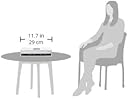
| Item Dimensions D x W x H | 10.4D x 28.4W x 10.4H centimetres |
| Item Type Name | Brother Document Scanner - Desktop |
| Item Weight | 1.59 kg |
| Manufacturer | Brother Printer |
| Media Type | Business Card, ID Card, Paper, Photo, Receipt |
| Minimum System Requirements | Windows 7 |
| Model Name | ADS1500W |
| Network Connectivity Technology | Wi-Fi |
| Optical Sensor Technology | CCD |
| Paper Size | Ledger |
| Resolution | 1200 |
| Scanner Type | Document |
| UPC | 617407428827 799916211906 734911364844 779184003380 739197627515 640206637879 641438018948 012502635956 695265002328 012303238530 780667762977 770352524959 809099122828 021111544573 012304764670 014445221357 799916213368 012306105679 638084550328 012303821367 |
| Wattage | 14 watts |
S**D
Best product ever made
Beautiful amazing product
C**Z
Excelente producto por su facilidad de instalación, velocidad de escaneo muy aceptable y vale la pena por su portabilidad
L**.
O aparelho é portátil, fácil de transportar, instalar e manusear. Trabalha muito rápido e a qualidade das digitalizações é excelente. Fácil configurar e o software é simples, limpo e intuitivo. Com o manual de instruções que acompanha o produto não tem como errar. Excelente custo/benefício.
J**M
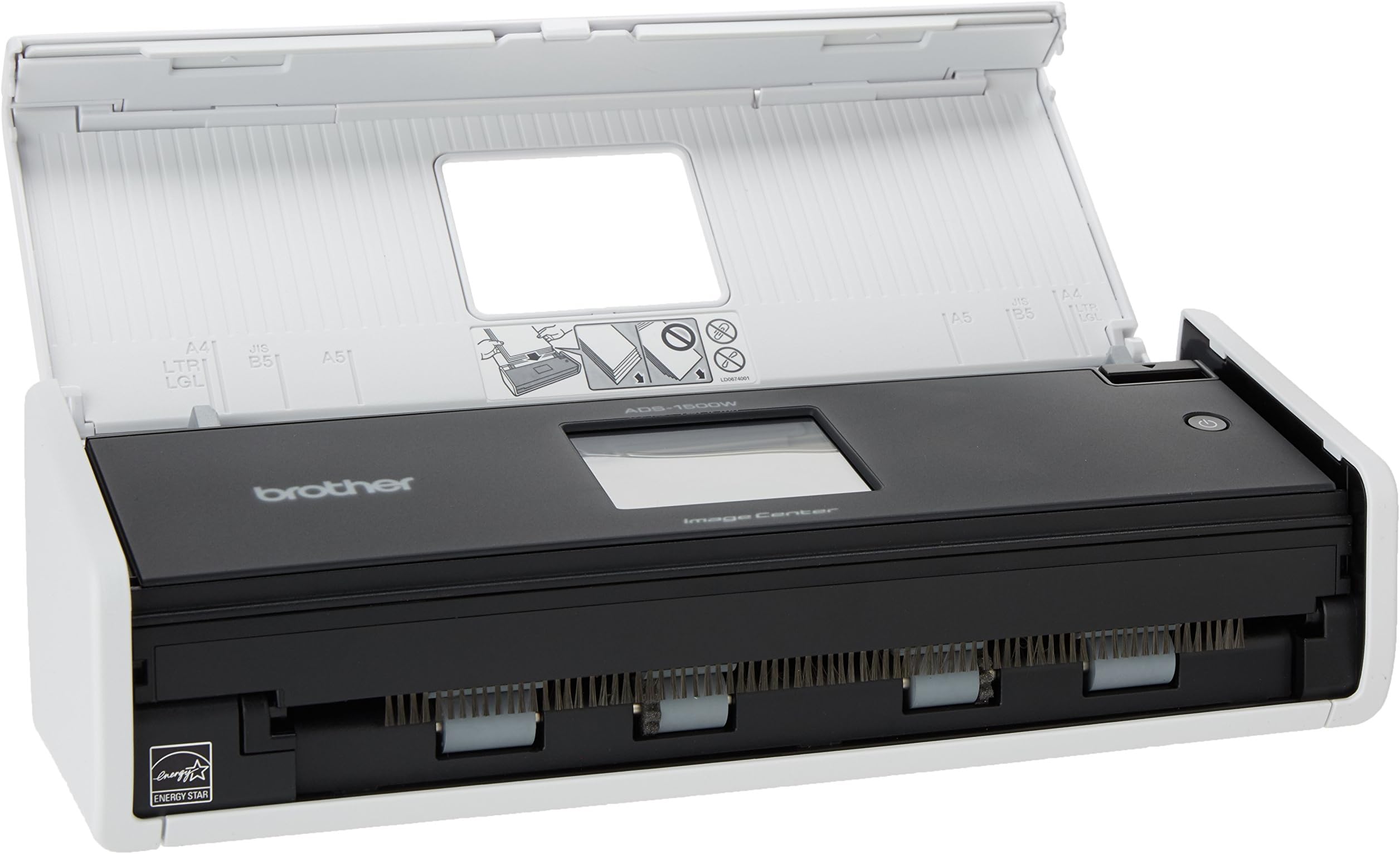
I could write pages about this scanner. Suffice it to say, I had to make a decision among many scanners based on Amazon reviews, and I settled on this one despite some of the "cons" people listed. The set up really wasn't that bad. If you know how to set up a wireless router, you should be able to set this thing up. I have it connected to my wireless network and plugged into my desktop computer. I have to say that I haven't run into many issues at all with this thing. I bought it to scan receipts into my computer to digitize my life, and it does great for that. The unit comes with a sleeve to put receipts in, but that thing is a pain. I just scan the receipts straight through -- one at a time, though, so they each have a file name. The key is to get the receipt lined up in the middle on the main roller, in addition to triggering the document sensing switch. Not hard to do. As long as the receipt isn't crinkled into a ball, it'll glide through without an issue. Sometimes, an edge will catch and it'll bunch up in the unit. I pop the unit open, flatten the receipt, and run it through from the other end. The software that comes with the unit, lets you edit the PDF after and I just rotate it 180 degrees. The incidence of a crunch up is 1 in 20 receipts if that now that I got the hang of it. For documents, it is fantastic. I can scan contracts, notes, charts, etc with ease. The auto feed function and the double sided scanning is great for that. It's fast and scans are great quality. The unit is supposed to "filter" out the blank pages from a scan (in the case you scan a one-sided document), which does pretty well. I noticed that if the paper has a wrinkle, writing, or if the text from the main side shows through, it'll keep the second page as a scan. Again, easily remedied with the provided software, just an extra step (which isn't all that necessary either, because the file sizes are very reasonable). If the sheet is basically blank, it filters no problem. The usb port on the back is also fantastic. When I need to scan a quick document, I can plug that in instead of turning on my computer and take the scan with me. So convenient. The card scanning also works great and is easy. I've scanned a couple driver's licenses with it, and they come out great. They are saved as images, though, and it doesn't seem that you have an option to change that (to a PDF for instance). I also don't recall getting an option to choose where you want it to go -- it always seems to go to my computer that is plugged in. It would be nice to chose to send it to the usb stick or somewhere else, or to be able to save it as a PDF instead of an image. I've been using it now for 6 months, and it's been great. I love being able to shred all the papers I have around, while keeping a copy on my computer.
G**M
Great compact scanner! Best of all, if you just want quick scans of PDF or JPG straight to a network server drive, it can do so with NO software installation on any PC required. Achieving this meant a non-standard setup (not following the quick start guide - which begins with a massive PC software install). But you can configure the wifi direct from the scanner control panel, then connect to it by web browser to configure network scanning profiles. Took me about 45 minutes to figure it all out and test some alternatives, but worked great and, again, NO bulky PC software installs and no dependence on a PC being running to use it. Just drop documents on it, choose Network and off it goes! (I did later install the huge Brother and PaperPort software on one PC to be able to do occasional scans to OCR/Searchable PDF.)
R**N
This is a slick little scanner that works quickly and very well. If you're planning to connect it to your computer via USB you'll need a micro B cable, as it does not include one. Initially I was bummed about this because though I planned to use the scanner with Wifi, when I went to setup the scan-to-network share feature, the scanner's menu informed me I had to set that up from my computer. So I assumed I would have to plug it in and went searching for a cable and for the right software on Brother's web site. Thankfully, you don't actually have to plug it into a computer to set it up and you don't need to download any Brother software either, depending on your use case. You can setup wifi directly from the scanner's touchscreen, then use any web browser from a computer on the same network to access the scanner over Wifi to complete setup of more advanced features without a USB connection. I had to Google the default password for the scanner's web interface (turns out it's printed on a label on the bottom of each scanner), but once I had that I was able to login and configure the various options. Now all I have to do is drop a sheet of paper (or up to 20) directly into the automatic document feeder on the scanner and it automatically performs a duplex scan, skips blank pages, converts it to a PDF and drops it on a network share without pressing a single button. Once it's all setup it is super fast and very easy to use. I highly recommend this. It's worth the extra money to get a true Wifi scanner if you want wireless scanning to network storage.
Trustpilot
1 month ago
1 week ago